







Seven Security Attacks for Your Christmas Stocking
by Brian Prince
Santa Claus Is Coming to Town
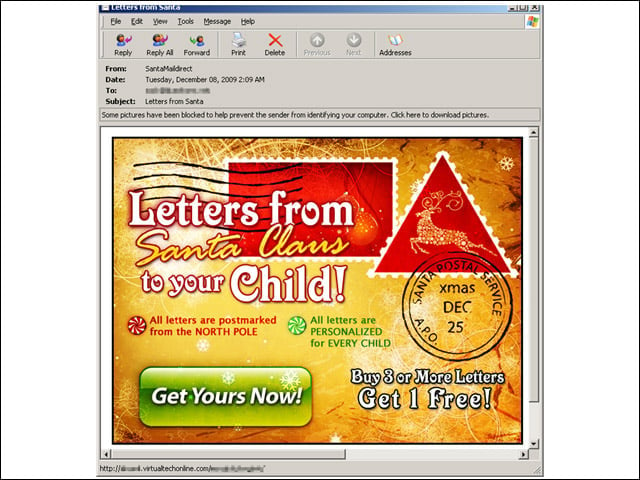
This e-mail is being distributed through what is called a “snowshoe” operation. Snowshoe spamming is a technique where the spammer distributes the spam load across static IP address ranges, which makes spam harder to identify and trap. According to The Spamhaus Project, most snowshoe spam operations send modest volumes of e-mail that do not trigger automated spam blocking filters or reputation metrics. In this case, Joe Stewart, director of malware research for SecureWorks Counter Threat Unit, pointed out that putting the spam into a JPEG image also helps avoid content filtering, “especially when it’s a fancy advertisement graphic instead of an image of plain text (which could be read by OCR engines).”
Zeus for Christmas
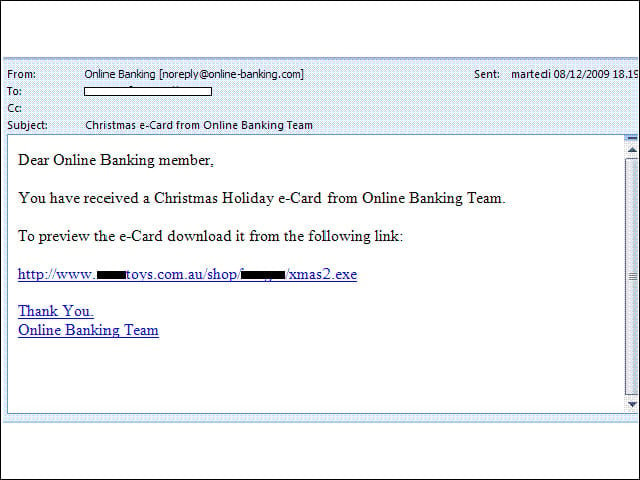
As part of a holiday banking scam, attackers are sending out a malicious Christmas Holiday e-card supposedly coming from the “Online Banking Team.” If the recipient clicks on the malicious link inside the e-mail, they will get the notorious Zeus Banking Trojan, gift wrapped just for them.
Phishing for the Holidays
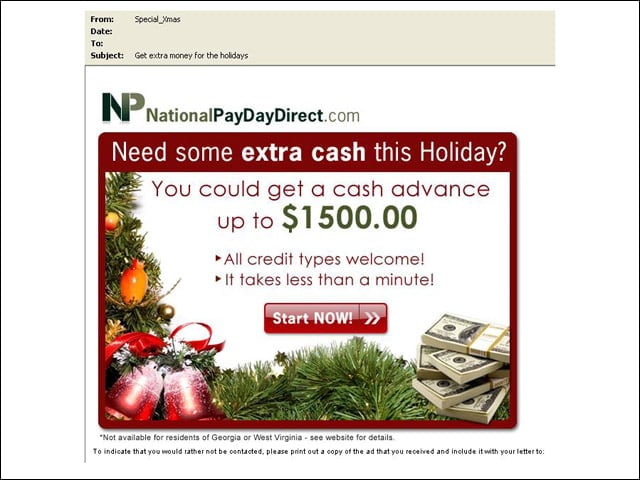
Here, users who follow the link in the e-mail will be asked to enter personal information. To avoid phishing, dont click on links in suspicious e-mails. Also, make sure the Website you are visiting has the correct address.
Own Your Own Toy Store
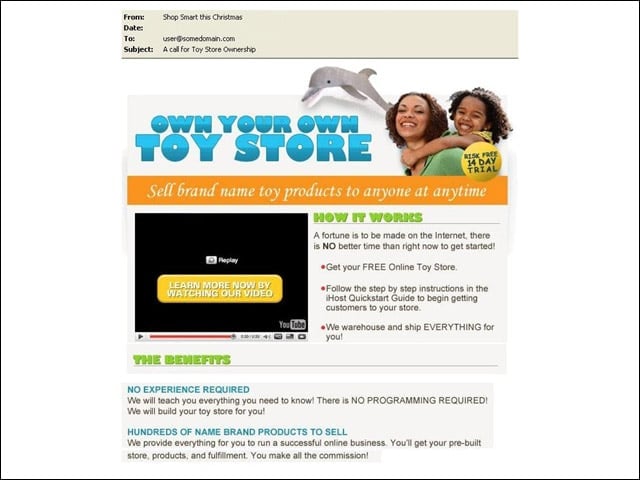
This e-mail is a mix of a work-from-home scam and holiday spam. The e-mail offers to help the recipient start up an online business for free. All you get when you follow the link, however, is malware.
Safe Christmas Shopping
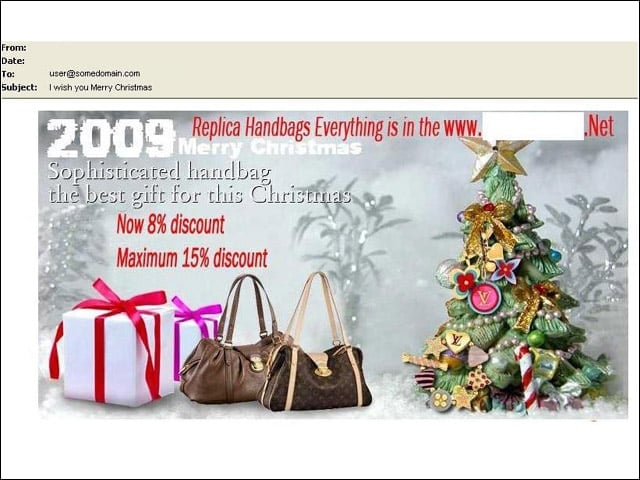
In a list of online shopping tips, identity theft prevention provider Identity Finder recommends consumers always use their own computer to do their online shopping, eschewing public computers at hotels or airports while they are on vacation. The image depicted here is a spammed product advertisement.
Create Secure Passwords
Identity Finder recommends consumers create strong passwords that use uppercase and lowercase characters as well as numbers when creating passwords at online stores. “Use at least seven characters and dont choose a word from a dictionary,” the firm suggested. “Passwords can be guessed very quickly by hacker programs. If you need help remembering all your different passwords, use a Password Vault or Manager to secure them all.”
Search Safely
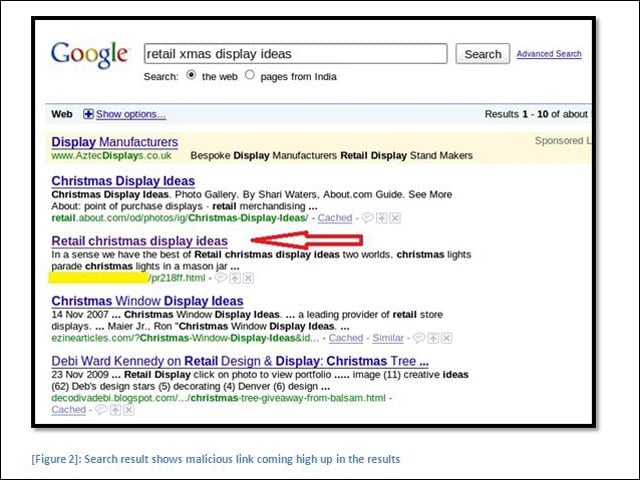
Search engine optimization by attackers is nothing new. During the holiday season, Web searches for holiday-related terms could very well take you to malicious sites. The image above in the picture is from CA. Clicking the link sets off a series of browser redirections until the user finally ends up on a page warning them they are infected in a bid to get them to download rogue antivirus.