








- Cisco Storage Technology Helps Makes Small Business IT Easier
- Cisco NSS 324 Makes Desktop Storage Simple
- A Plethora of Connectivity
- Management Made Simple
- NSS 300 Series Is More Than Just Storage
- Connect to Linux, Mac or Windows
- At-a-Glance Status Check
- Dance with the Fan
- View and Manage Volume Configurations
- Set Up SNMP with Ease
- One-Touch USB Copy
- Backup Without Tears
- Front-Panel Controls of the NSS 324
Cisco Storage Technology Helps Makes Small Business IT Easier
by P. J. Connolly
Cisco NSS 324 Makes Desktop Storage Simple
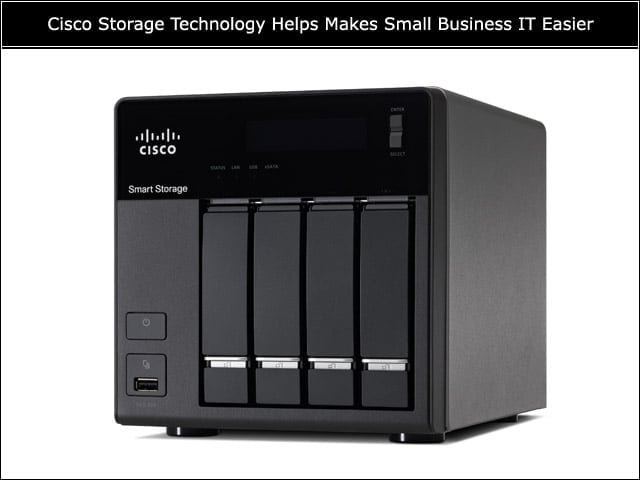
Cisco’s NSS 300 Series devices present an attractive alternative to the larger-ticket solutions that have been the norm for multiterabyte data storage.
A Plethora of Connectivity
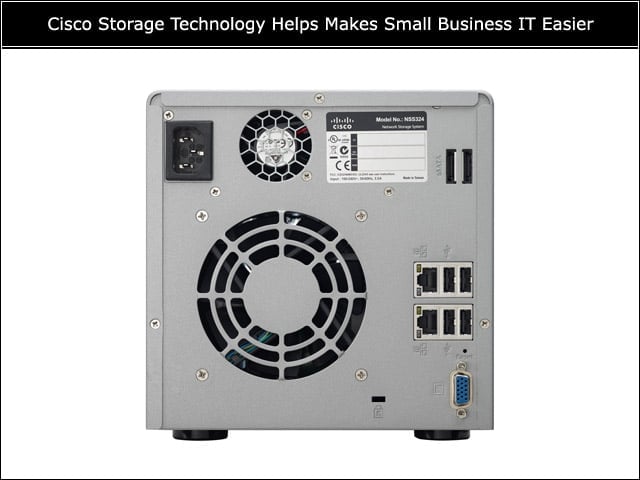
The NSS 300 Series storage devices have as a standard feature dual Gigabit Ethernet ports, four USB ports and two eSATA interfaces; the VGA port is only used during device recovery.
Management Made Simple
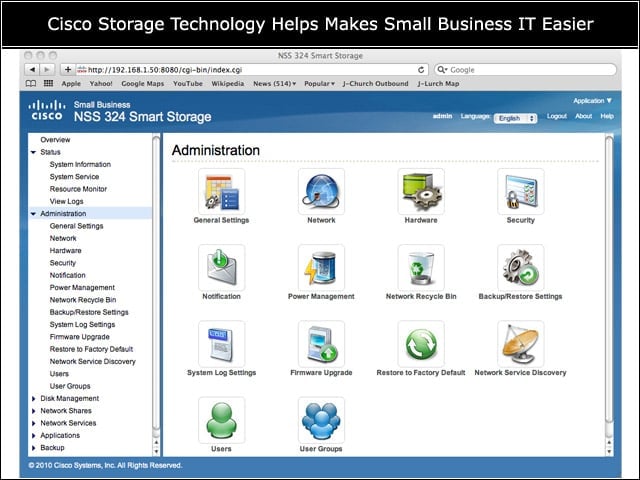
The features of the NSS 300 series are easily accessed through the browser-based management interface.
NSS 300 Series Is More Than Just Storage
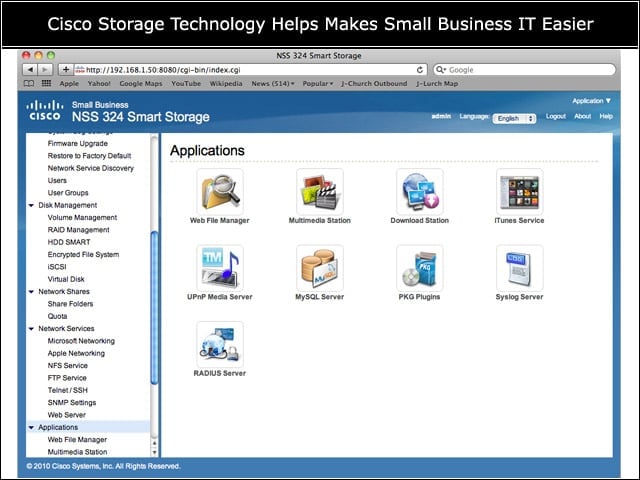
The NSS 300 Series of devices includes a set of applications that take advantage of the networking and storage features of the device family.
Connect to Linux, Mac or Windows
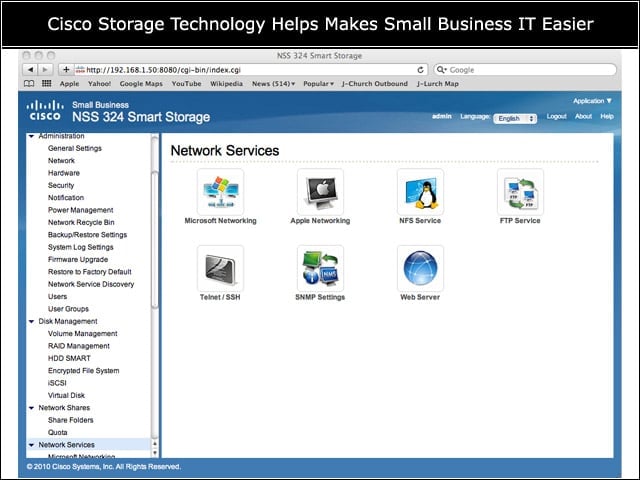
It’s almost child’s play to configure the NSS 300 Series as network storage for other clients, or to set up fundamental network management and presentation services.
At-a-Glance Status Check
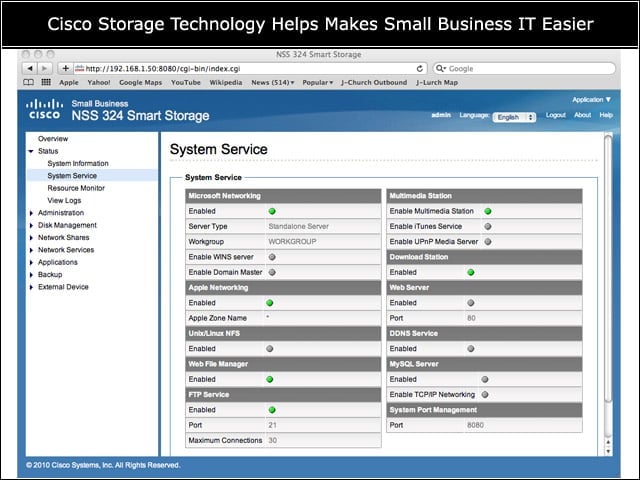
This pane of the management interface gives a one-stop view of key network services that the NSS 300 Series devices can provide.
Dance with the Fan
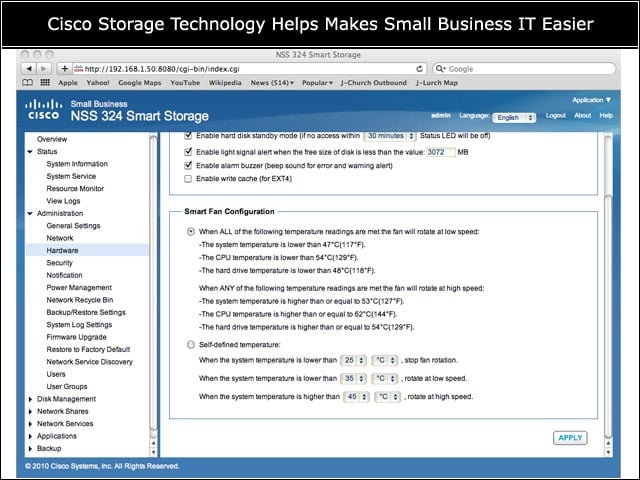
It’s possible to fine-tune the thresholds that activate the fan of the NSS 324 for exceptional CPU or disk conditions.
View and Manage Volume Configurations
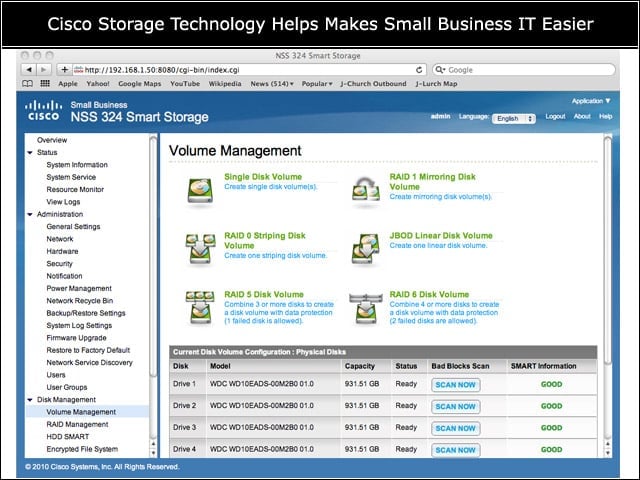
This management pane monitors the physical disks in an NSS 300 Series enclosure, and allows the scanning of individual disks when an error is suspected.
Set Up SNMP with Ease
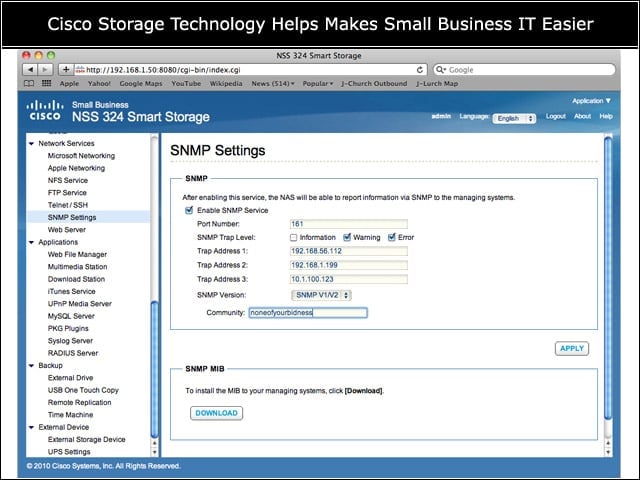
Shops that use SNMP management tools will appreciate the ability to remotely monitor the NSS 300 Series for informational, warning or error conditions.
One-Touch USB Copy
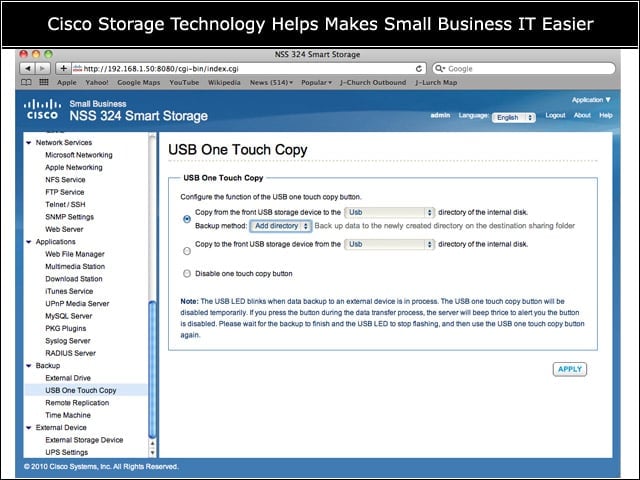
The NSS 300 Series can be set up to act as a central repository for USB devices, or to burn a master image at the touch of a button.
Backup Without Tears
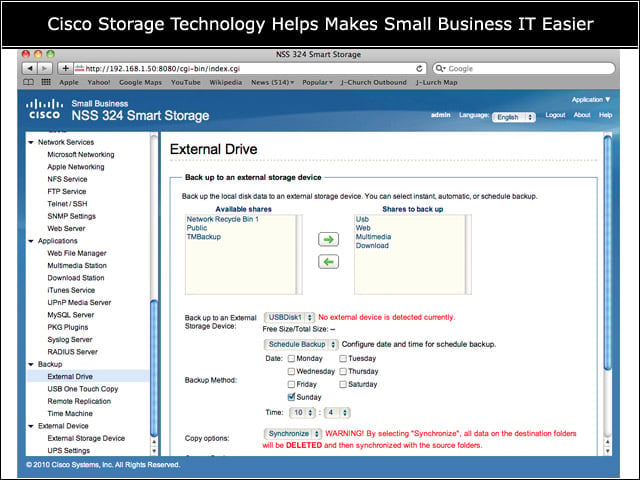
It’s easy to set up the NSS 300 Series to back itself up to another device connected through the eSATA or USB ports on the rear of the device.
Front-Panel Controls of the NSS 324
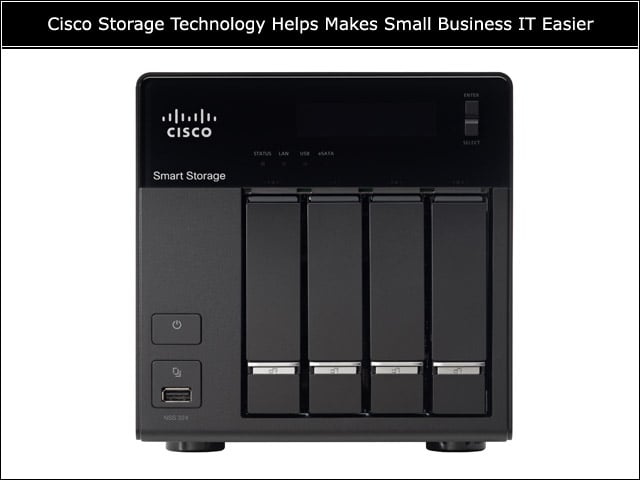
The one-touch USB copy function of the NSS 300 Series is accessed through a button at the lower left of the device; the power on/off button won’t force a shutdown if accidentally pressed.