Site Recovery Manager

Site Recovery Manager
Published: Jun 14, 2012
Updated: Feb 2, 2021
1 minute read
eWeek content and product recommendations are editorially independent. We may make money when you click on links to our partners. Learn More


Site Recovery Manager

1

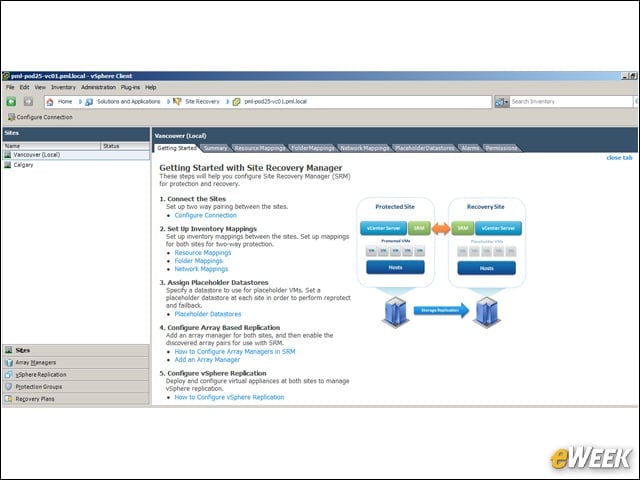
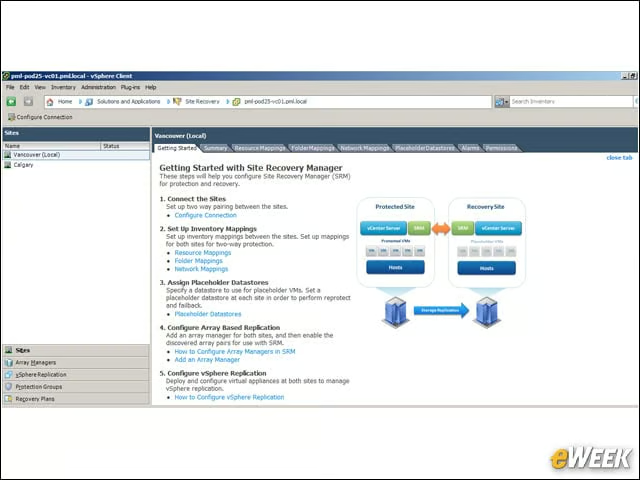
Site Recovery Manager 5.0 (SRM) pairs data center sites and provides replication and disaster recovery (DR) for VMware virtual infrastructure.


vSphere Replication
2

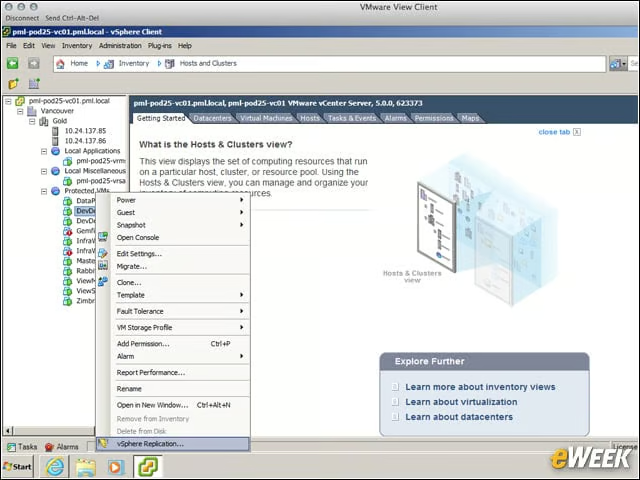
vSphere Replication (VR), shown in the lower right, is a new feature in SRM 5.0 and enables DR without requiring more expensive, hardware array-based replication.


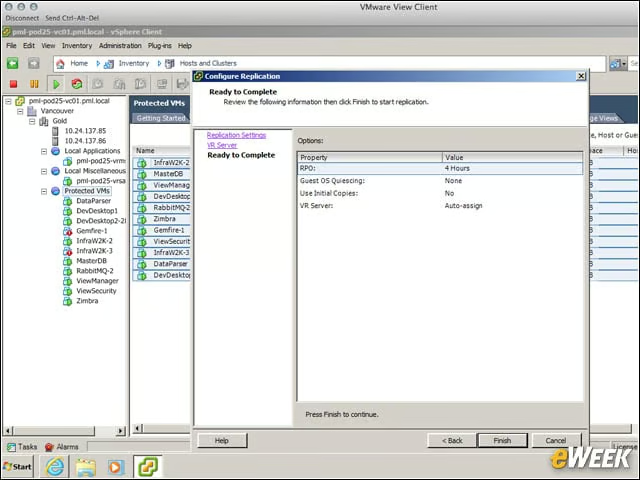
Configuring the Replication Process
3

This test configured VR to run with a relatively generous four-hour recovery point objective that reduced network and system resource use, but created a greater exposure on the ability to recover the system.


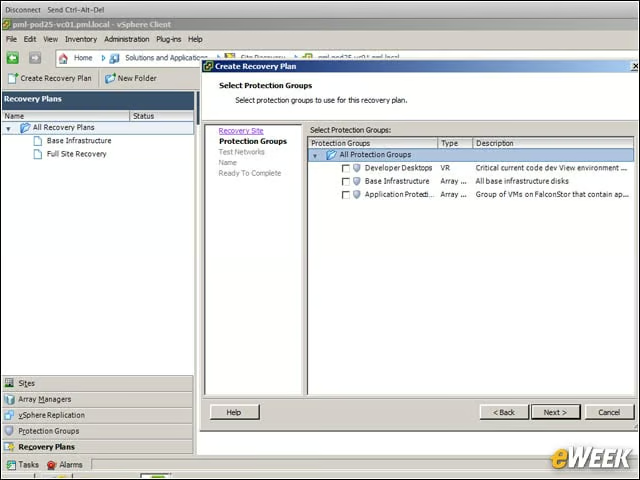
Defining Protection Groups
4

Protection groups are collections of virtual machines and templates that are used to help determine how the recovery plan will work.


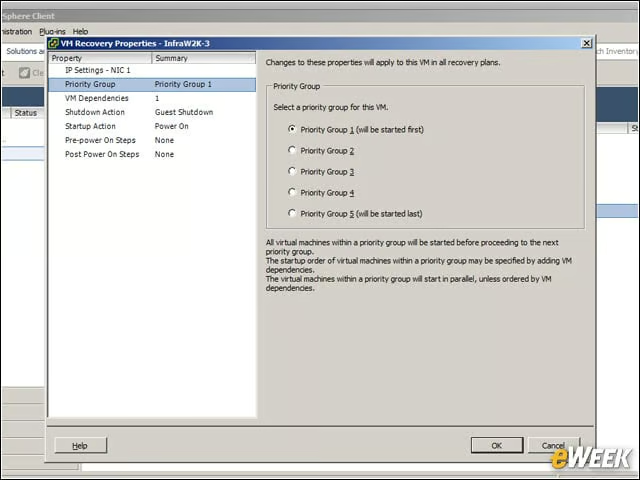
Priority Group
5

Priority Groups determine the restart order and can include dependencies.


Advertisement

Customize IP Address Assignments

6

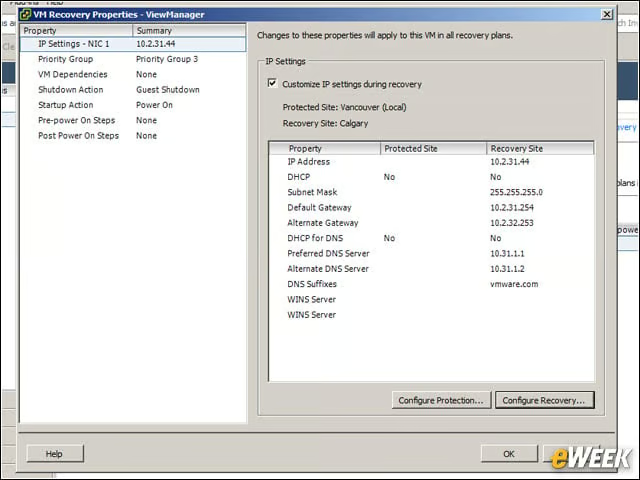
VM IP address assignments can be handled by SRM according to rules included in the recovery plan.


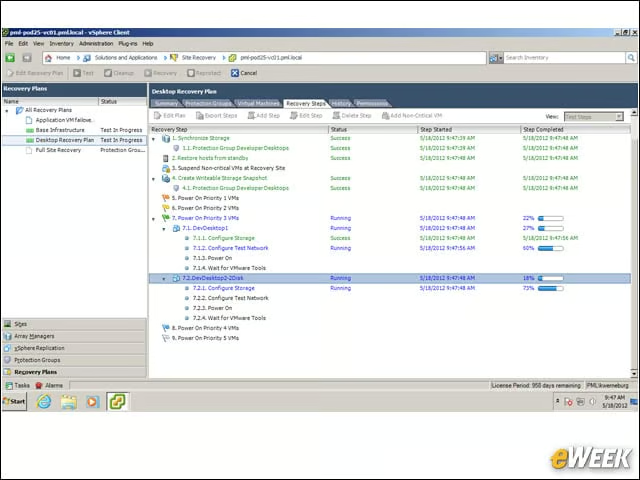
Recovery Steps
7

Live action status shows the overall progress of the recovery plan.


Recovery Plan Report
8

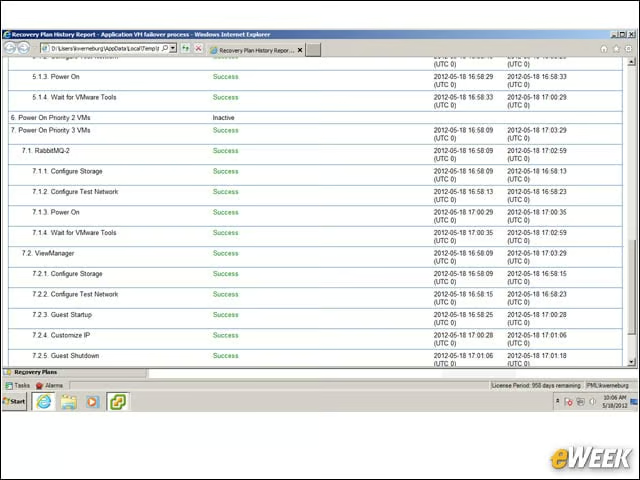
The Recovery Plan history report shows what happened at each step of a recovery plan run.


Planned Migration
9

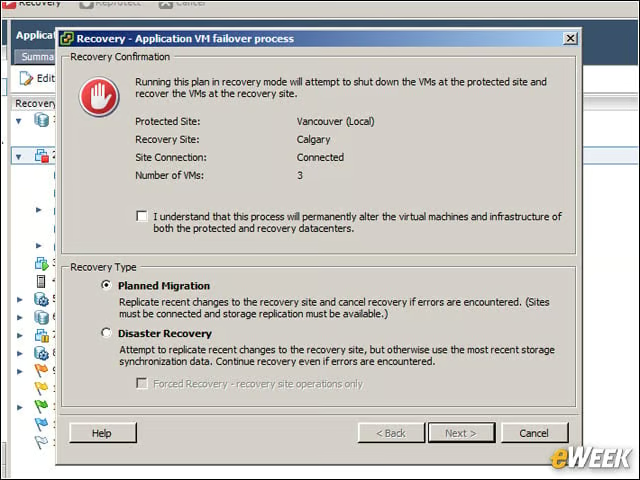
Planned migration is a new feature of SRM that can run a recovery plan, but will gracefully stop if an error is encountered.


Migration in Process
10

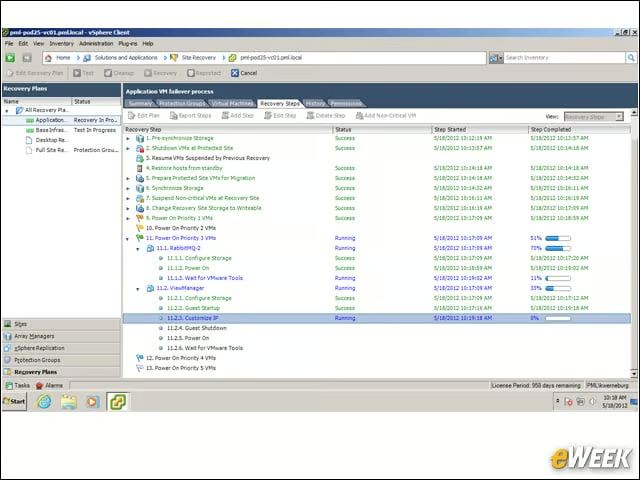
The live action recovery screen shows that the planned migration is going according to plan.


Panic Button
11

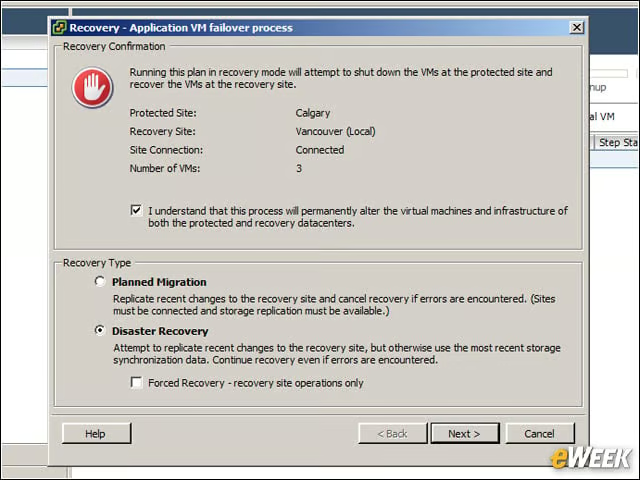
Once a disaster recovery operation is initiated, the process permanently alters both VMs and the virtual infrastructure, and thus requires additional confirmation before SRM will begin execution.

Cameron Sturdevant

Cameron Sturdevant is the executive editor of Enterprise Networking Planet. Prior to ENP, Cameron was technical analyst at PCWeek Labs, starting in 1997. Cameron finished up as the eWEEK Labs Technical Director in 2012. Before his extensive labs tenure Cameron paid his IT dues working in technical support and sales engineering at a software publishing firm . Cameron also spent two years with a database development firm, integrating applications with mainframe legacy programs. Cameron's areas of expertise include virtual and physical IT infrastructure, cloud computing, enterprise networking and mobility. In addition to reviews, Cameron has covered monolithic enterprise management systems throughout their lifecycles, providing the eWEEK reader with all-important history and context. Cameron takes special care in cultivating his IT manager contacts, to ensure that his analysis is grounded in real-world concern. Follow Cameron on Twitter at csturdevant, or reach him by email at cameron.sturdevant@quinstreet.com.

eWeek Logo

eWeek has the latest technology news and analysis, buying guides, and product reviews for IT professionals and technology buyers. The site's focus is on innovative solutions and covering in-depth technical content. eWeek stays on the cutting edge of technology news and IT trends through interviews and expert analysis. Gain insight from top innovators and thought leaders in the fields of IT, business, enterprise software, startups, and more.

Property of TechnologyAdvice. © 2026 TechnologyAdvice. All Rights Reserved

Advertiser Disclosure: Some of the products that appear on this site are from companies from which TechnologyAdvice receives compensation. This compensation may impact how and where products appear on this site including, for example, the order in which they appear. TechnologyAdvice does not include all companies or all types of products available in the marketplace.