








- 10 Things Yahoo Users Must Do to Protect IDs After Huge Data Breach
- Change Your Yahoo Password Right Away
- Change Other Account Passwords, Too
- Find a Password Keeper
- Be Vigilant About Phishing Scams
- Keep an Eye on Financial Accounts
- Don’t Go Easy on Security Software
- Watch for Any Unusual Account Activity
- Change Security Questions Across the Board
- Use Two-Factor Authentication Anywhere and Everywhere
- Keep Learning About the Yahoo Hack
10 Things Yahoo Users Must Do to Protect IDs After Huge Data Breach
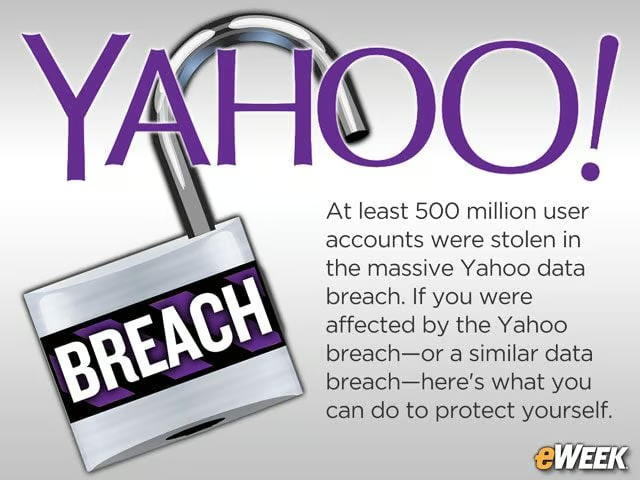
At least 500 million user accounts were stolen in the massive Yahoo data breach. If you were affected by the Yahoo breach–or a similar data breach—here’s what you can do to protect yourself.
Change Your Yahoo Password Right Away
It’s important that all Yahoo users, including those who weren’t affected by the data breach, change their passwords. Yahoo said that any user who hasn’t changed his or her password since 2014 should do so promptly. But it’s a good idea to change passwords regardless of when you set up your Yahoo accounts or last changed passwords. In general, it’s a good idea whenever a web service provider has been breached for all users to change their passwords.
Change Other Account Passwords, Too
Too often, internet users employ the same credentials for multiple accounts. That’s why Yahoo users should change their passwords on other accounts around the web. If the hackers have gained access to Yahoo’s credentials, they might try to use the same password on other sites. Changing passwords stops them from hitting multiple sites with the same credentials and breaking into other accounts.
Find a Password Keeper
Password keepers are critical components in the fight against hackers. The tools create random passwords for each site and store them in a single spot for users to access whenever they want. Those tools, including LastPass, 1Password and others, also typically load the passwords into a login screen so users don’t need to remember the complex credentials. They’re a great option across mobile devices and desktops.
Be Vigilant About Phishing Scams

Now that Yahoo, one of the world’s largest email providers, has revealed that it has been hacked, users should beware of phishing scams. Armed at least with a user’s email address, it’s possible for hackers to send seemingly legitimate emails to Yahoo accounts in hopes of getting victims to click on malicious links and download malware. It’s important, therefore, for users to stay on the lookout for phishing scams and install security software that that can recognize and block such emails before they wreak havoc.
Keep an Eye on Financial Accounts
Yahoo noted on Sept. 22 that it doesn’t believe any financial information was stolen in the breach, but that doesn’t mean much. When hackers gain access to personal user information and hashed passwords, it’s quite possible they can get access to email messages that give them the information they need to try to break into personal financial accounts. It’s a good idea to keep an eye on bank accounts in the event hackers get access.
Don’t Go Easy on Security Software
Security software can help protect you even at a time when it appears cyber-attackers have all the advantages. Mobile and desktop software can root out malware, find spyware, detect attempted hacks and more. It’s always a good idea to run several security applications on smartphones, tablets and PCs and make sure you keep these applications up to date. Hopefully, such apps will catch some of the threats before they cause any damage.
Watch for Any Unusual Account Activity
Whether it’s a bank account or an email address, it’s important for users to keep an eye on any odd activity. If they get an email requesting to reset a password or start to see withdrawals from bank accounts, users can respond more quickly to the threat and cut off hackers before they do serious damage. Staying abreast of what’s happening in an account is critical in combating any hacker anywhere in the world.
Change Security Questions Across the Board

According to Yahoo, it’s possible the hackers gained access to at least some password security questions. Since many sites often use the same security questions, users must now reset them on any account they own. Again, if hackers know the answers to questions, they can use them to reset passwords. Users need to anticipate such moves and change the answers on every security question across their many online accounts.
Use Two-Factor Authentication Anywhere and Everywhere
Two-factor authentication isn’t necessarily the security panacea some had hoped it would be, but it does add an extra layer of protection. By turning on two-factor authentication, users will require hackers to have both their passwords and one of their mobile devices to hack their information. It’s not a security guarantee, but it makes hacking a bit more difficult.
Keep Learning About the Yahoo Hack

Yahoo has published an FAQ page detailing information about the hack. The company also said its investigation is still in its early stages and new details could emerge. Therefore, users should continue to visit the Yahoo FAQ page and look for more information as it becomes available. In far too many cases, hacks are worse than initially reported. Given the size of Yahoo’s hack, it’s possible there is more bad news to come.