








Microsoft Designs Team Foundation Server 2015 for Agile, DevOps, ALM
While Team Foundation Server 2015 provides a range of new capabilities throughout the development process, special emphasis has been placed on DevOps.
Backlog Navigation
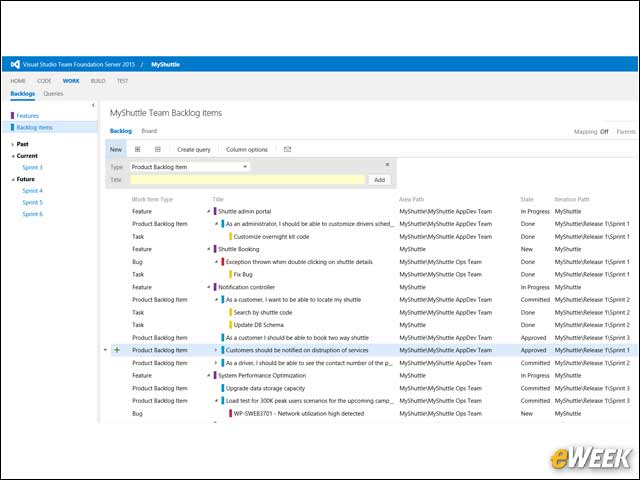
Microsoft has overhauled the navigation of backlogs, letting you drill down into more levels, toggle the levels above your backlog on or off, differentiate between items your team owns, and reorder and reparent in every view. Now, from every backlog, you can drill down into more levels, all the way down to Tasks.
Branch Policy
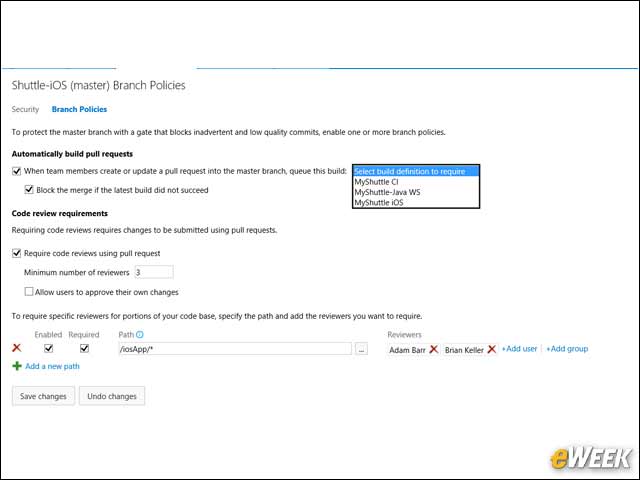
To help teams using Git improve the quality of code going into their repo, Microsoft added a new capability to set policies on branches. These new policies enable teams to configure requirements for their development branches that are enforced by the server when pushing or merging pull requests. You can prevent build breaks by using the build policy to require that all changes entering a branch must pass a configured build.
Code Edit
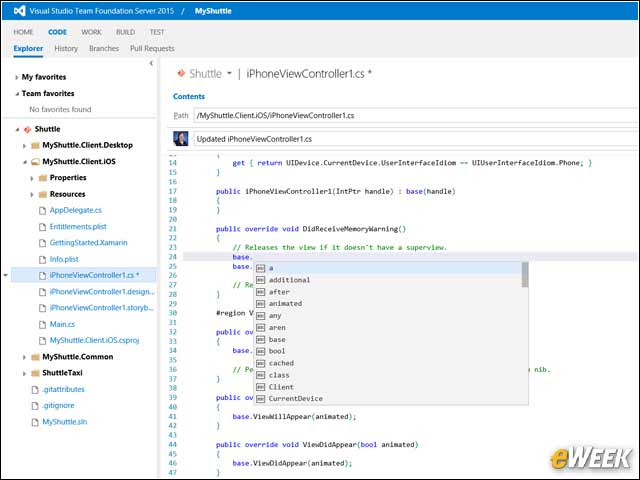
In this release of Team Foundation Server, Microsoft added the ability to make a quick edit to a file in version control directly from a Web browser and then commit those changes straight back to the service.
Swim Lanes on Kanban
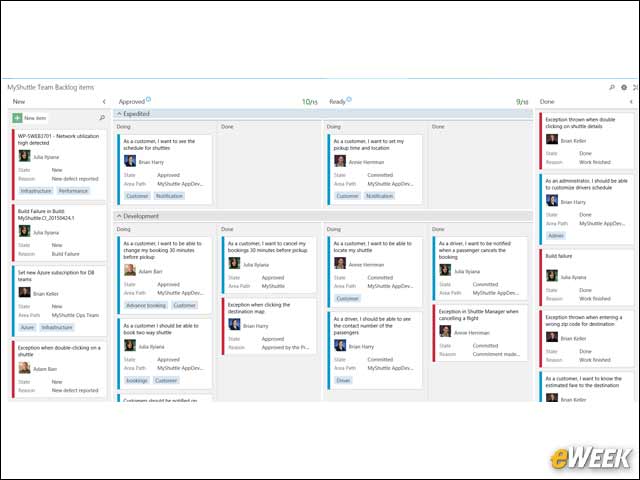
Teams can now create horizontal swim lanes to track different classes of work. A classic example is the Expedite lane. So now, each team can create its own lanes and make the board look just the way the team wants.
Pull Request
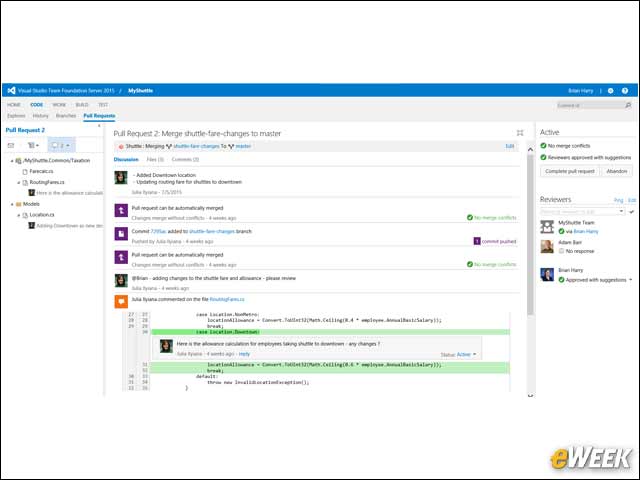
In the Web portal, the History hub under CODE has been updated to support a new view for Git projects. The new “Branch Updates” view shows all of the updates for a given branch, and also groups commits by Push and Pull Request activity. This view gives developers a new insight into how their Git repo is being updated over time, and provides traceability from History to Pull Requests.
Continuous Delivery (CD)
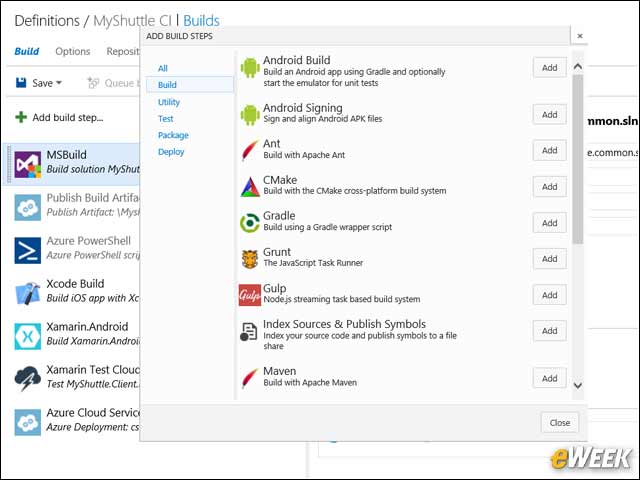
Team Foundation Server 2015 and Visual Studio Online will continue to support the XAML Build templates and controllers, meaning when you upgrade your on-premises servers from previous versions, everything will continue to work just as it does today.
Specify Definition of Done (DoD)
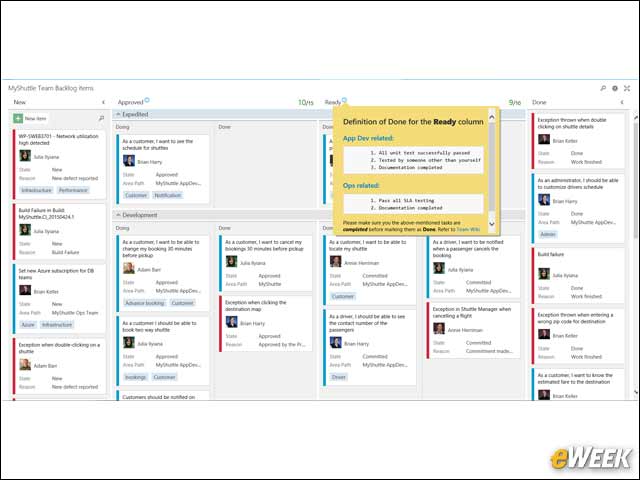
TFS 2015 brings a new capability that lets you specify a definition of done for each column on your board. Columns with a definition now include a small icon in the header that communicates the agreed-upon definition.