





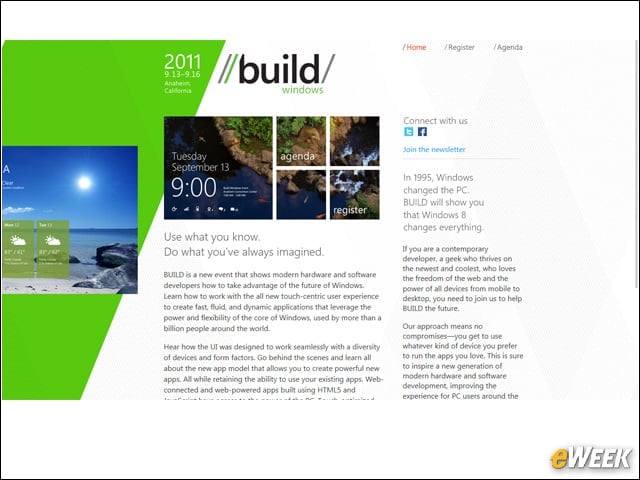
Microsoft Windows 8 Puts Power, Performance in Developers' Hands - Enterprise Applications - News & Reviews - eWeek.com | eWeek

App Switching

App Switching
Written By
Darryl K. Taft
Darryl K. Taft
Sep 13, 2011
1 minute read
eWeek content and product recommendations are editorially independent. We may make money when you click on links to our partners. Learn More


App Switching

1

Windows 8 supports connected apps switching. Apps can communicate with one another in Windows 8. Rather than switching apps to share information, you stay immersed in your app and share the information to another app right in that context, never losing your place.


Internet Explorer 10

2

The Windows 8 developer preview includes Platform Preview 3 of Internet Explorer 10, which features the new Metro style UI.


Apps

3

Microsoft says Windows 8 is powered by Keyboard, where immersive apps in Windows 8 are the focal point of your PC experience.


Lock Screen

4

Windows 8 offers a locked screen mode where a user must swipe through to log on.


MultiMonitor

5

Windows 8 supports MultiMonitor mode.


PhotoPicker

6

Windows 8 features a PhotoPicker application.


Start Screen

7

Heres a look at the Windows 8 Start screen.


Task Manager

8

This slide offers a preview of the new Windows 8 Task Manager.


Task Manager Processes

9

Here, the new Windows 8 Task Manager shows off the Processes view.


Advertisement

Thumb Keyboard

10

Windows 8 will also feature a thumb keyboard.


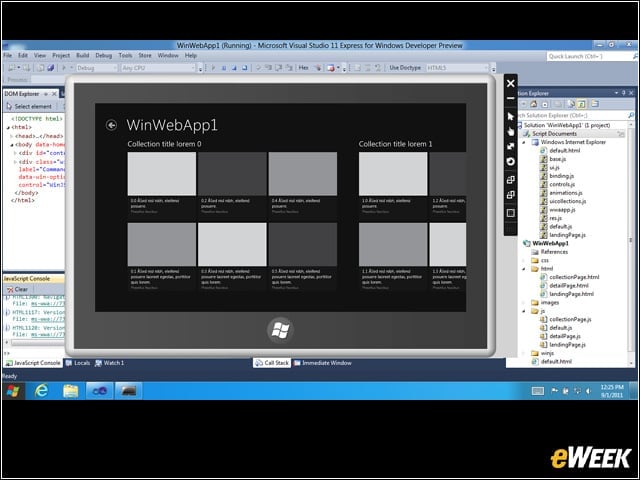
Visual Studio
11

The Windows 8 Developer Preview features Microsoft Visual Studio 11 Express.

eWeek Logo

eWeek has the latest technology news and analysis, buying guides, and product reviews for IT professionals and technology buyers. The site's focus is on innovative solutions and covering in-depth technical content. eWeek stays on the cutting edge of technology news and IT trends through interviews and expert analysis. Gain insight from top innovators and thought leaders in the fields of IT, business, enterprise software, startups, and more.

Property of TechnologyAdvice. © 2026 TechnologyAdvice. All Rights Reserved

Advertiser Disclosure: Some of the products that appear on this site are from companies from which TechnologyAdvice receives compensation. This compensation may impact how and where products appear on this site including, for example, the order in which they appear. TechnologyAdvice does not include all companies or all types of products available in the marketplace.