







- eWEEK Labs OpenOffice.org 3.0 Walk-Through
- eWEEK Labs OpenOffice.org 3.0 Walk-Through – Native OS X Version
- eWEEK Labs OpenOffice.org 3.0 Walk-Through – OpenDocument 1.2
- eWEEK Labs OpenOffice.org 3.0 Walk-Through – Office 2007 Format Support
- eWEEK Labs OpenOffice.org 3.0 Walk-Through – PDF Import
- eWEEK Labs OpenOffice.org 3.0 Walk-Through – Solver
- eWEEK Labs OpenOffice.org 3.0 Walk-Through – More Columns
- eWEEK Labs OpenOffice.org 3.0 Walk-Through – Spreadsheet Collaboration
- eWEEK Labs OpenOffice.org 3.0 Walk-Through – Writer Notes
- eWEEK Labs OpenOffice.org 3.0 Walk-Through – What About E-mail?
- eWEEK Labs OpenOffice.org 3.0 Walk-Through – The Trouble with Lightning
eWEEK Labs OpenOffice.org 3.0 Walk-Through
eWEEK Labs OpenOffice.org 3.0 Walk-Through – Native OS X Version
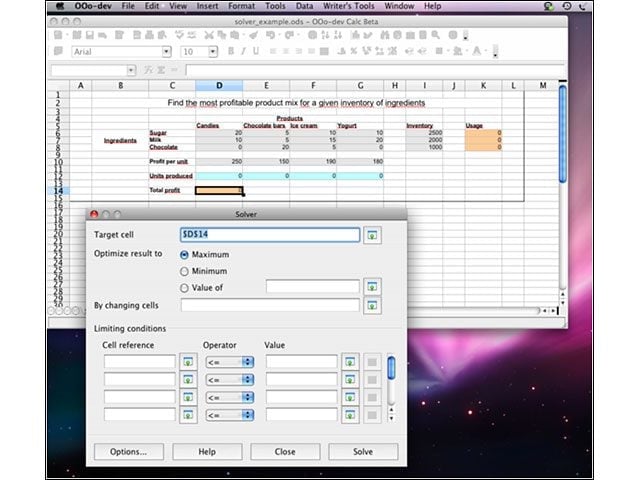
New in OOo Version 3 is native support for Apple’s OS X. Previous OOo iterations required the X11 server to run, which made OOo a bit of a misfit on the OS X desktop.
eWEEK Labs OpenOffice.org 3.0 Walk-Through – OpenDocument 1.2
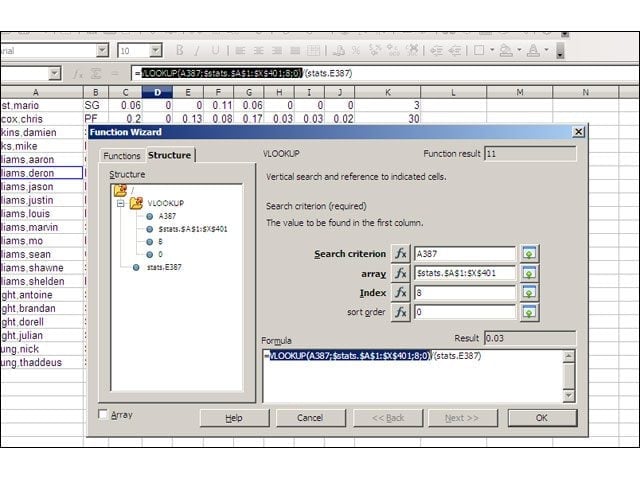
OOo supports the newest version of the OpenDocument file format, ODF 1.2. The latest version of ODF includes accessibility and metadata enhancements, as well as means of specifying spreadsheet formulas that’s more detailed than what was laid out in ODF 1.0.
eWEEK Labs OpenOffice.org 3.0 Walk-Through – Office 2007 Format Support
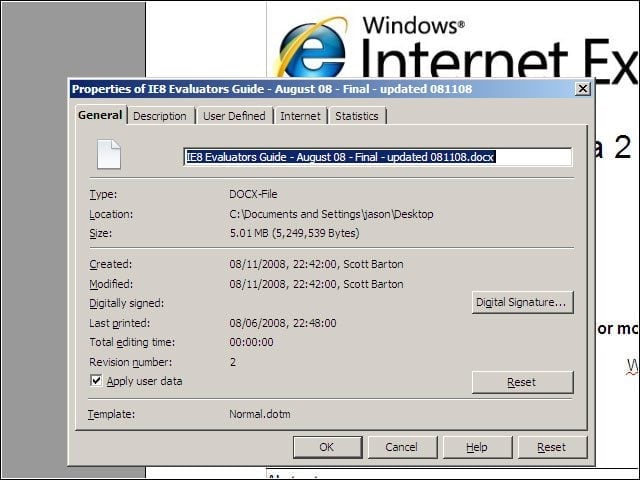
Also new in OpenOffice.org 3 are import filters for Microsoft Office 2007-formatted documents: the XML-based .docx, .xlsx and .pptx formats in which Microsoft’s suite now save documents by default.
eWEEK Labs OpenOffice.org 3.0 Walk-Through – PDF Import
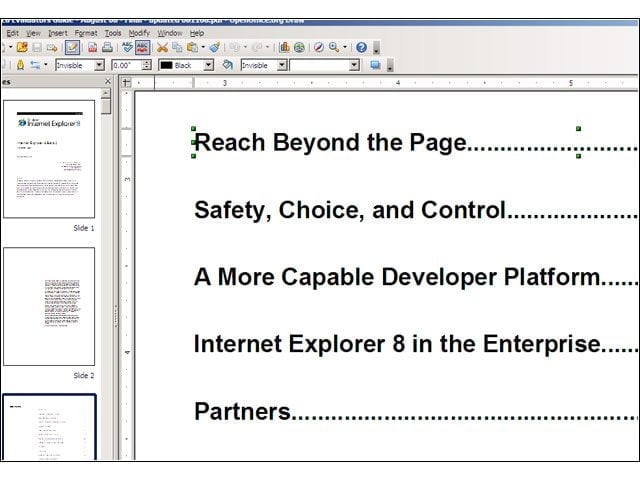
New in OpenOffice.org 3 is limited support for importing and editing PDF documents, through a freely downloadable extension. Imported PDF documents open within the suite’s presentation application, Impress, and text is editable on a line-by-line basis.
eWEEK Labs OpenOffice.org 3.0 Walk-Through – Solver
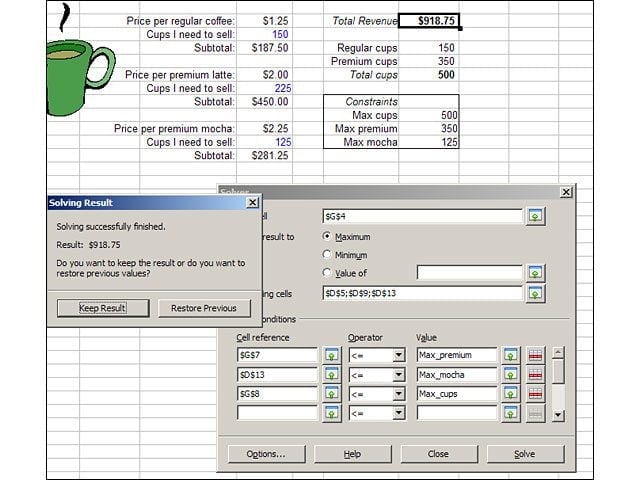
OpenOffice.org’s Calc spreadsheet app now ships with Solver, a tool for analyzing multivariable solutions that’s been available for a while in Excel as a standard add-in. With the exception of a difference in the way the two applications defined noncontiguous fields in their respective solver tools, both Excel’s and Calc’s solver tools performed the same.
eWEEK Labs OpenOffice.org 3.0 Walk-Through – More Columns
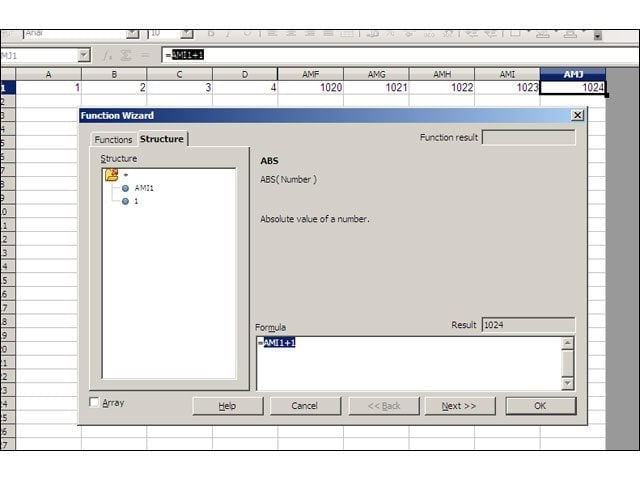
Also on the feature parity and file compatibility front, the version of Calc that comes with OpenOffice.org 3.0 now supports custom error bars in charts, and a boost in the number of columns a sheet can hold from 256 to 1,024. To compare, Microsoft raised its column limit in Excel 2007 from 256 to 16,384.
eWEEK Labs OpenOffice.org 3.0 Walk-Through – Spreadsheet Collaboration
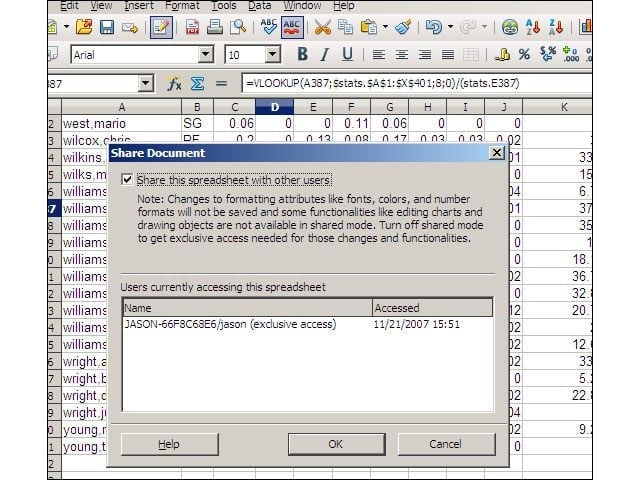
Calc also now includes a spreadsheet collaboration feature that enables multiple users to work together on spreadsheet documents.
eWEEK Labs OpenOffice.org 3.0 Walk-Through – Writer Notes
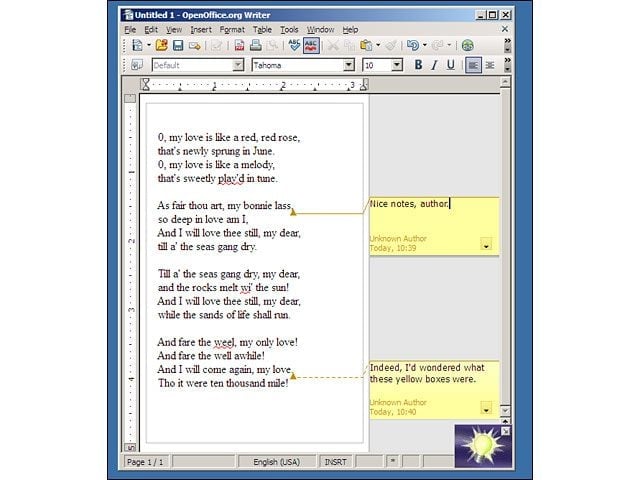
The OpenOffice.org 3 word processor application, Writer, now comes with a much-improved document-annotation feature, which places inserted notes in the margin of a document, with a line that traces back to the annotated portion of your document.
eWEEK Labs OpenOffice.org 3.0 Walk-Through – What About E-mail?
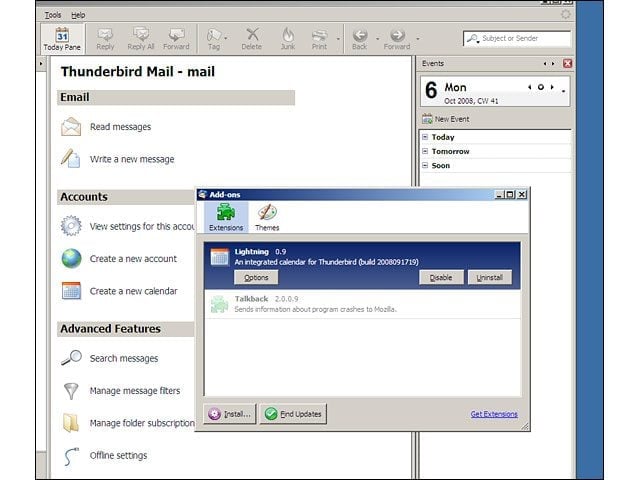
The OpenOffice.org project is pushing the duo of Mozilla’s Thunderbird mail client and Lightning calendaring add-on as its preferred route to replacing Outlook.
eWEEK Labs OpenOffice.org 3.0 Walk-Through – The Trouble with Lightning

The big problem with Thunderbird as an Outlook replacement is the absence of the MAPI protocol through which Outlook talks to Exchange. Lightning does support remote calendars exposed through iCal, CalDAV or Sun’s Java System Calendar Server, but the Exchange omission will be problematic for many businesses.