







- eWEEK Labs Walk-Through: Ubuntu 7.04
- eWEEK Labs Walk-Through: Ubuntu 7.04 – Try Out Some Free Software
- eWEEK Labs Walk-Through: Ubuntu 7.04 – What is Ubuntu?
- eWEEK Labs Walk-Through: Ubuntu 7.04 – Switching from Windows
- eWEEK Labs Walk-Through: Ubuntu 7.04 – Ubuntus Install Disk
- eWEEK Labs Walk-Through: Ubuntu 7.04 – LiveCD Environment
- eWEEK Labs Walk-Through: Ubuntu 7.04 – User Migration Tool
- eWEEK Labs Walk-Through: Ubuntu 7.04 – Updating from Ubuntu 6.10
- eWEEK Labs Walk-Through: Ubuntu 7.04 – Feisty Fawn Release Notes
- eWEEK Labs Walk-Through: Ubuntu 7.04 – Upgrade Underway
- eWEEK Labs Walk-Through: Ubuntu 7.04 – Upgrade Details
- eWEEK Labs Walk-Through: Ubuntu 7.04 – End of the Road
- eWEEK Labs Walk-Through: Ubuntu 7.04 – Package Cleanup
- eWEEK Labs Walk-Through: Ubuntu 7.04 – Ready to Reboot
- eWEEK Labs Walk-Through: Ubuntu 7.04 – Network Roaming
- eWEEK Labs Walk-Through: Ubuntu 7.04 – Restricted Drivers
- eWEEK Labs Walk-Through: Ubuntu 7.04 – Desktop Effects
- eWEEK Labs Walk-Through: Ubuntu 7.04 – Pick a Mirror
- eWEEK Labs Walk-Through: Ubuntu 7.04 – Package Popularity
- eWEEK Labs Walk-Through: Ubuntu 7.04 – Installing Suns JRE
- eWEEK Labs Walk-Through: Ubuntu 7.04 – Ubuntu Commercial
- eWEEK Labs Walk-Through: Ubuntu 7.04
- eWEEK Labs Walk-Through: Ubuntu 7.04 – See More Slideshows Like This One
eWEEK Labs Walk-Through: Ubuntu 7.04
When we popped Ubuntus installation disk into a Windows machine, the disk autoruns an Ubuntu greeter applet.
eWEEK Labs Walk-Through: Ubuntu 7.04 – Try Out Some Free Software
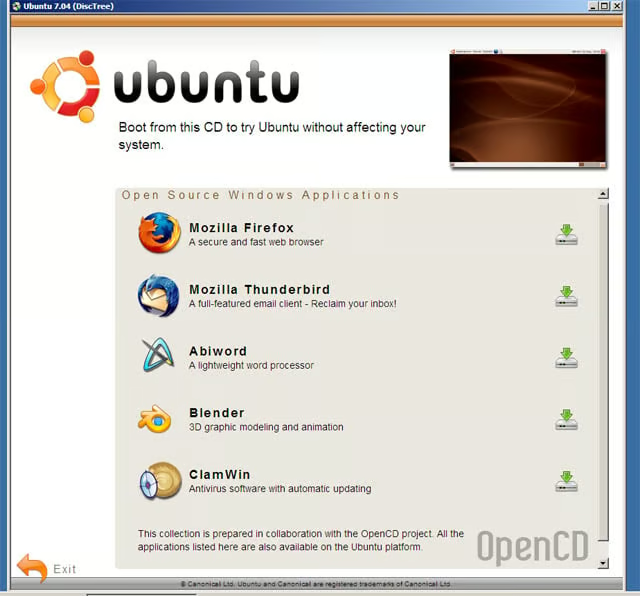
Courtesy of the OpenCD project, Ubuntus installer disk offers a handful of open-source Windows applications to allow Ubuntu newcomers to get their feet wet without leaving Windows.
eWEEK Labs Walk-Through: Ubuntu 7.04 – What is Ubuntu?
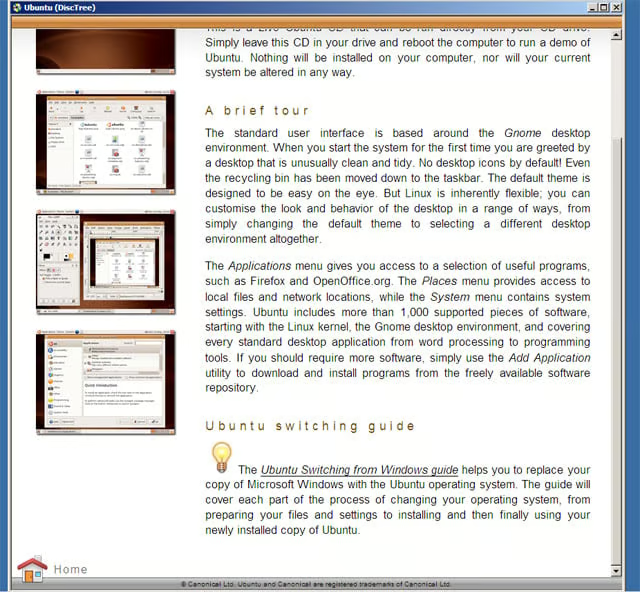
The installer disk then offers up an overview of Ubuntu.
eWEEK Labs Walk-Through: Ubuntu 7.04 – Switching from Windows
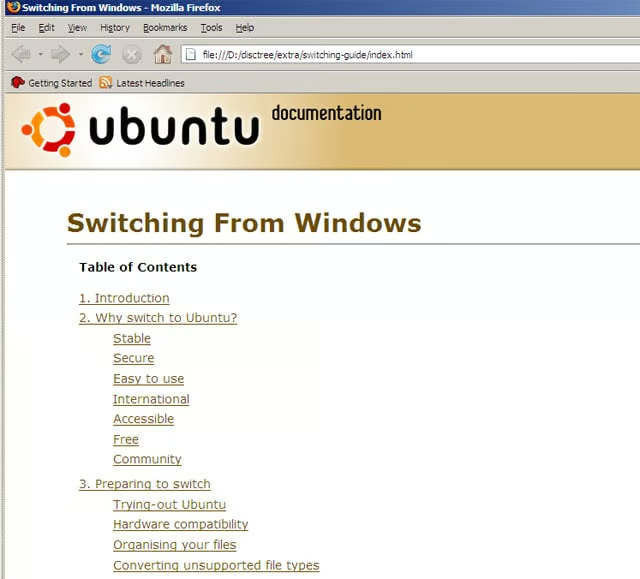
Ubuntus Web site hosts a document full of information for prospective Windows-to-Linux switchers.
eWEEK Labs Walk-Through: Ubuntu 7.04 – Ubuntus Install Disk
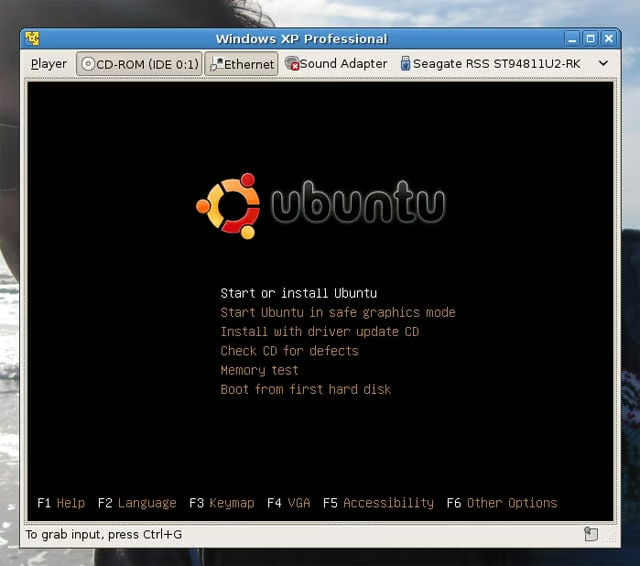
Ubuntus install disk doubles as a system rescue disk.
eWEEK Labs Walk-Through: Ubuntu 7.04 – LiveCD Environment
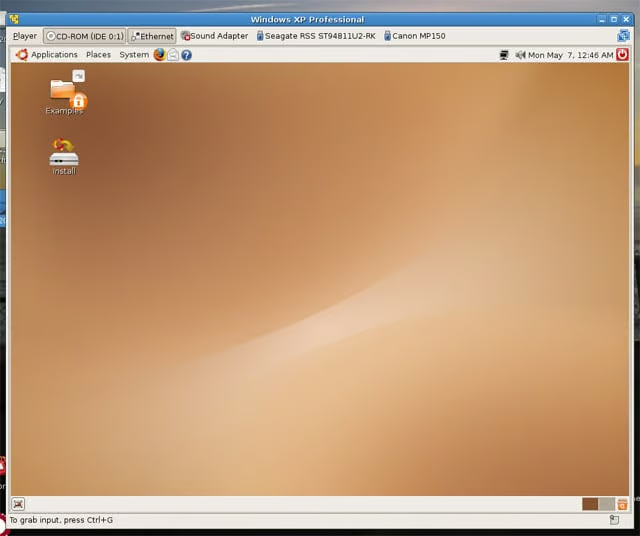
The Ubuntu installer boots up into a LiveCD environment, enabling Windows users to try the OS out on their hardware without blowing away their Windows partition.
eWEEK Labs Walk-Through: Ubuntu 7.04 – User Migration Tool
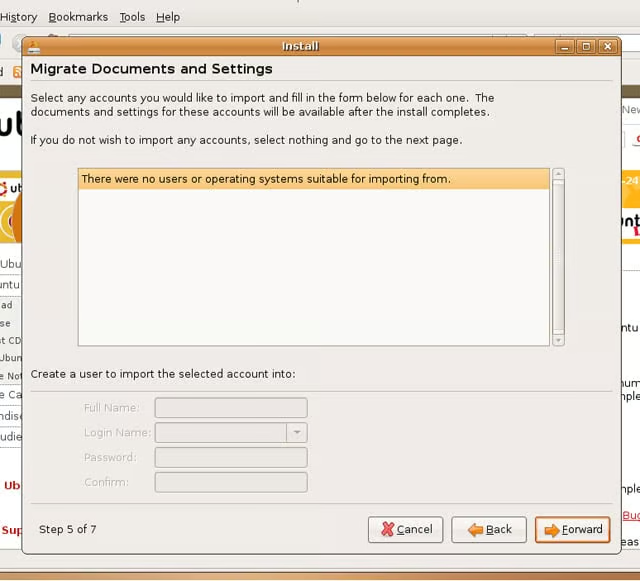
Ubuntus user migration tool, which is meant to locate user accounts and associated data and transfer this information to a new installation, looks promising but did not work for us.
eWEEK Labs Walk-Through: Ubuntu 7.04 – Updating from Ubuntu 6.10
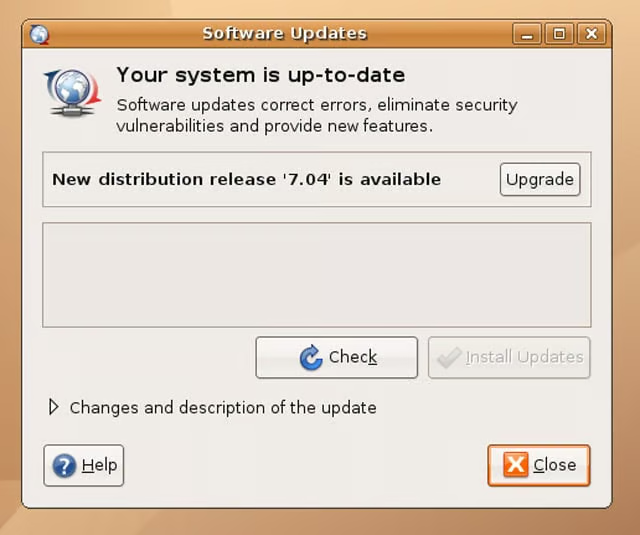
The update manager on our Ubuntu 6.10 test machine let us know that a new version was available for upgrade.
eWEEK Labs Walk-Through: Ubuntu 7.04 – Feisty Fawn Release Notes
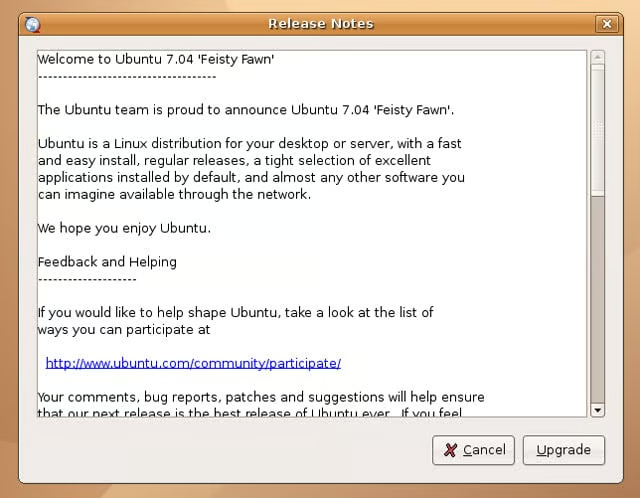
We could peruse the release notes for the new version before initiating an upgrade.
eWEEK Labs Walk-Through: Ubuntu 7.04 – Upgrade Underway
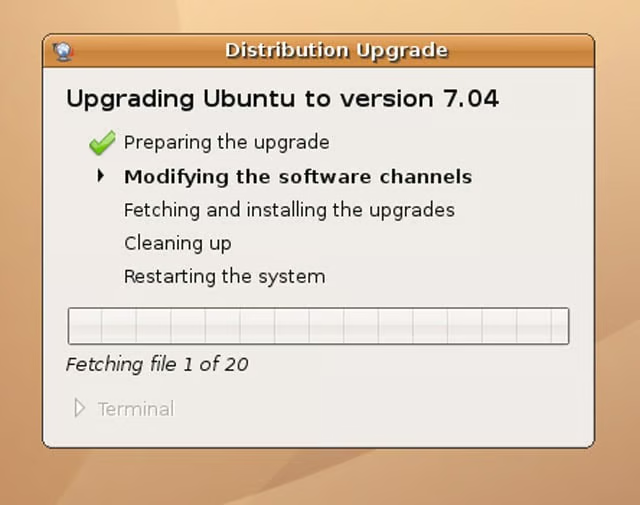
Our Edgy Eft box began chugging through the network upgrade process.
eWEEK Labs Walk-Through: Ubuntu 7.04 – Upgrade Details
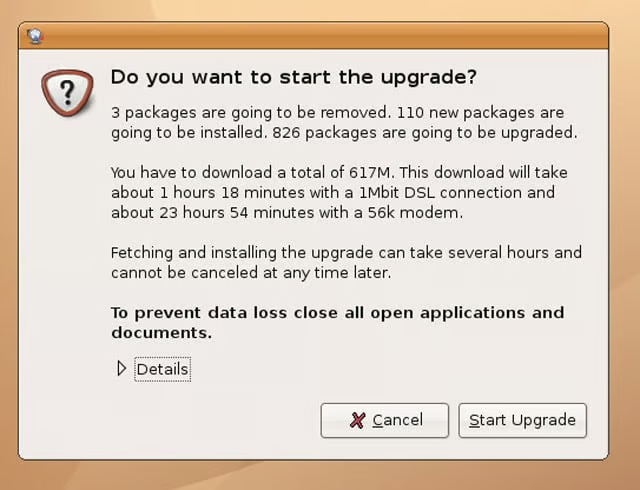
Ubuntus updater gave us an idea of how long the upgrade would take.
eWEEK Labs Walk-Through: Ubuntu 7.04 – End of the Road
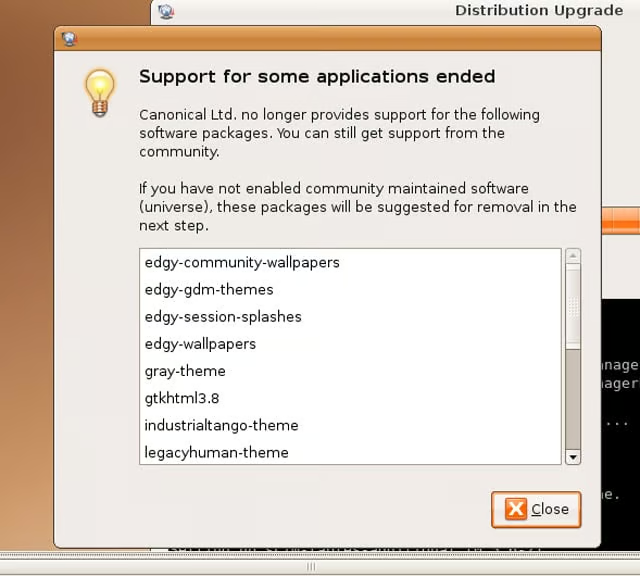
We liked the way that Ubuntus updater listed for us the packages no longer supported in the new version.
eWEEK Labs Walk-Through: Ubuntu 7.04 – Package Cleanup
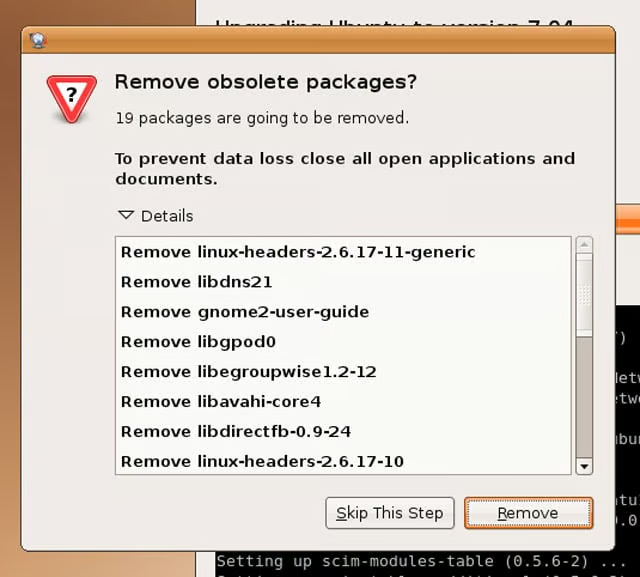
We could opt to remove or hang on to packages made obsolete by the upgrade.
eWEEK Labs Walk-Through: Ubuntu 7.04 – Ready to Reboot
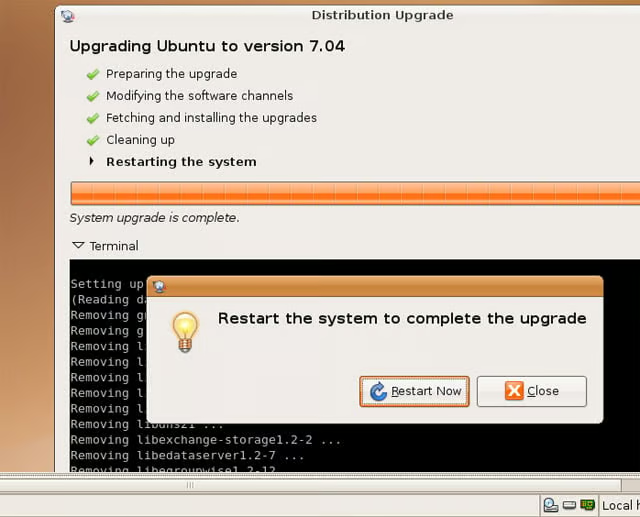
We experienced rather good download speeds from the Ubuntu network repositories from which we upgraded–before we knew it, it was time to reboot in to Feisty Fawn.
eWEEK Labs Walk-Through: Ubuntu 7.04 – Network Roaming
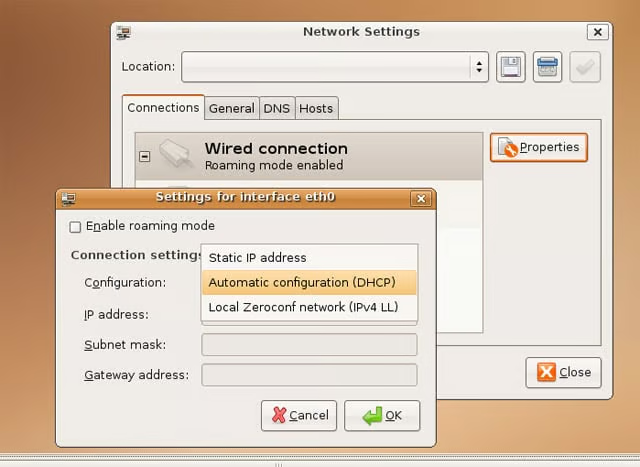
We were impressed with the work the Ubuntu project has done with NetworkManager, which better juggles static connections alongside DHCP links.
eWEEK Labs Walk-Through: Ubuntu 7.04 – Restricted Drivers
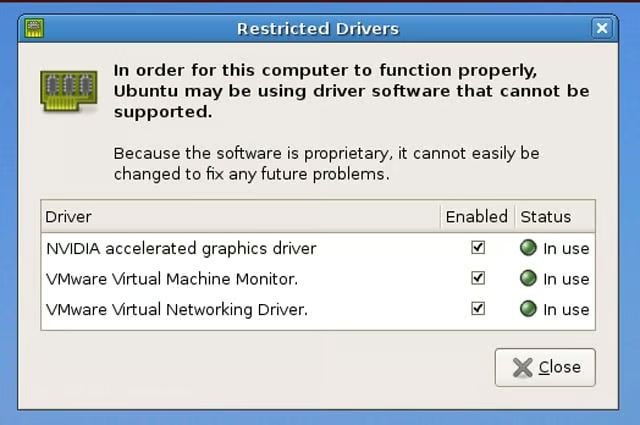
Ubuntu 7.04 now sports a Restricted Drivers tool that let us know we were using proprietary (and therefore not directly Ubuntu-supported) drivers. Here we can see that our Nvidia graphics card driver and our VMware Server host drivers are in use.
eWEEK Labs Walk-Through: Ubuntu 7.04 – Desktop Effects
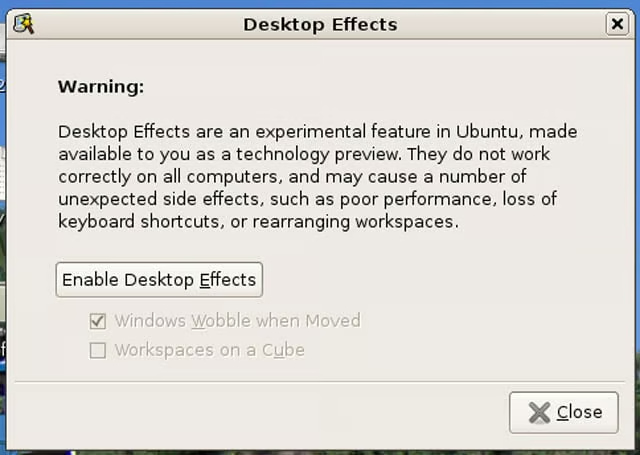
The Ubuntu team had worked to enable desktop eye candy out of the box for machines that would support it, but the feature remains optional.
eWEEK Labs Walk-Through: Ubuntu 7.04 – Pick a Mirror
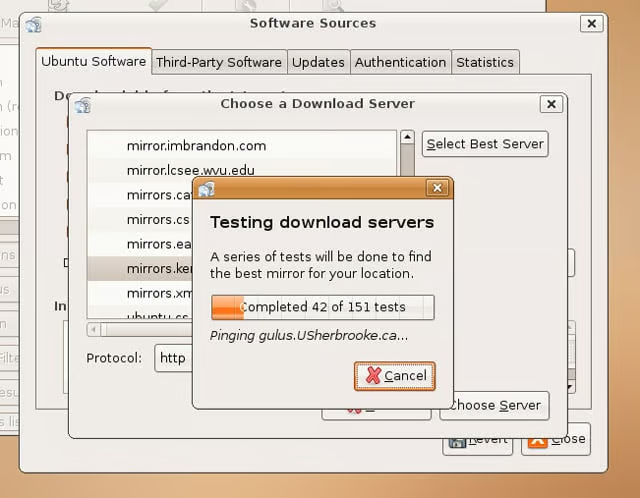
We were pleased to see that Ubuntus package manager now allows users to choose a nearby mirror on their own. The software will also select for you what appears to be the best mirror.
eWEEK Labs Walk-Through: Ubuntu 7.04 – Package Popularity
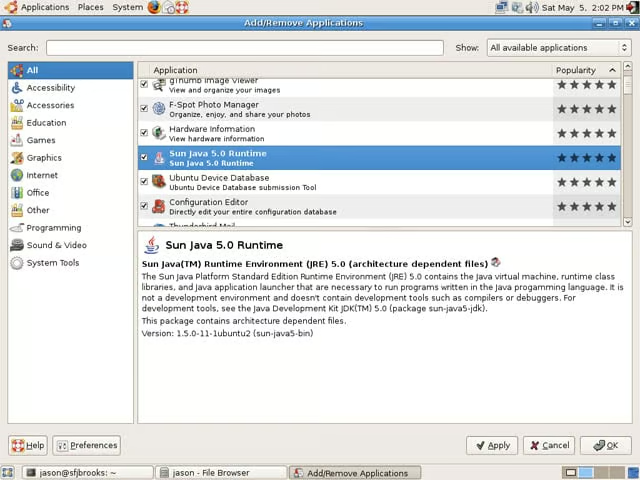
We sorted available applications by their popularity, as reported from other Ubuntu users. This was a good way to locate worthwhile applications that might not have made it into the default Ubuntu install.
eWEEK Labs Walk-Through: Ubuntu 7.04 – Installing Suns JRE
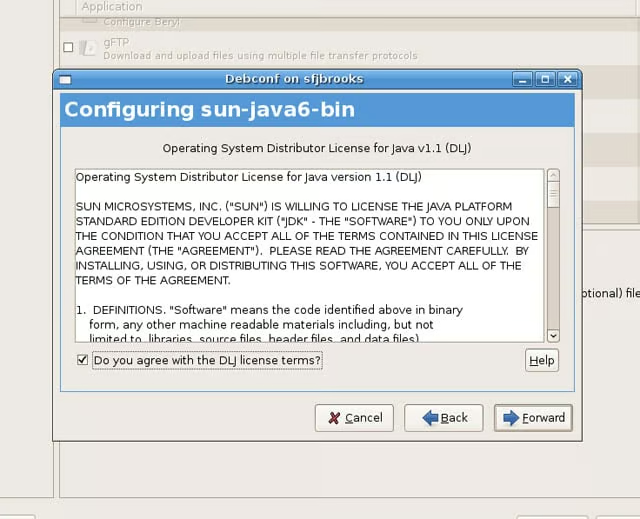
Overall, were impressed with the work that Ubuntu has done to smooth the wrinkles inherent in installing applications with different licensing rules.
eWEEK Labs Walk-Through: Ubuntu 7.04 – Ubuntu Commercial
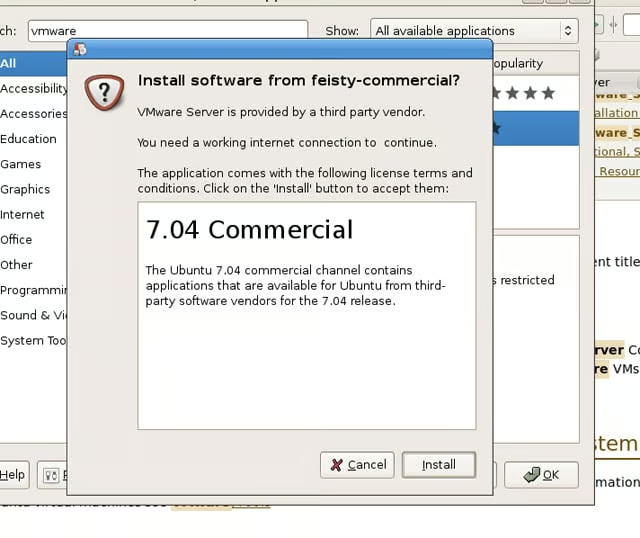
VMware Server is one application available through Ubuntus commercial software repository.
eWEEK Labs Walk-Through: Ubuntu 7.04
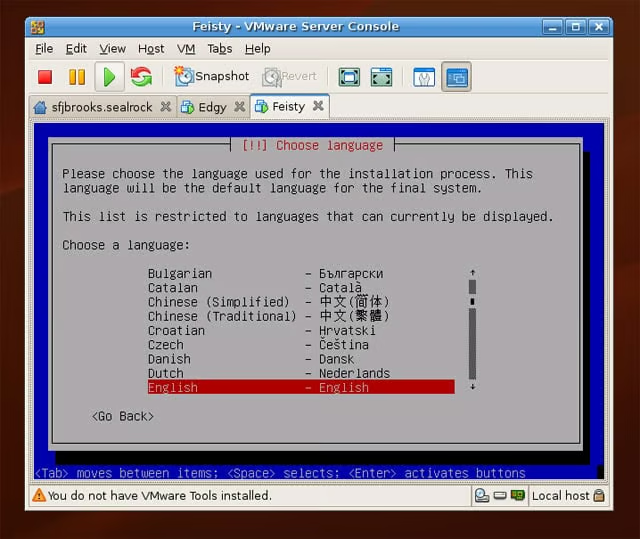
We used VMware Server running on Ubuntu 7.04 to host some of our test instances.
eWEEK Labs Walk-Through: Ubuntu 7.04 – See More Slideshows Like This One
See more slideshows like this one!
- eWEEK Labs Walk-Through: AsteriskNow