








- PDF Automator
- PDF Automator – Count PDF pages
- PDF Automator – Build workflow – 1
- PDF Automator – Build workflow – 2
- PDF Automator – Build workflow – 3
- PDF Automator – Build workflow – 4
- PDF Automator – Build workflow – 5
- PDF Automator – Build workflow – 6
- PDF Automator – PDF services workflows
- PDF Automator – Default settings
- PDF Automator – Print menu workflow
- PDF Automator – PDF Converter
PDF Automator
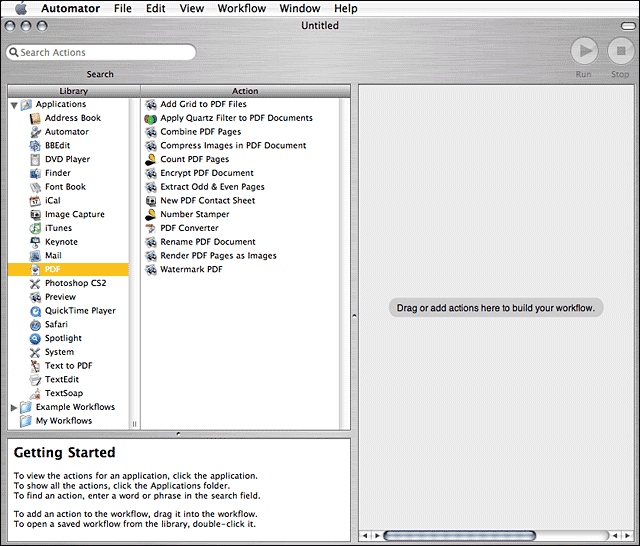
Automator can list the available libraries and actions for building automated workflows, including a variety for creating, handling, converting and managing PDF files.
PDF Automator – Count PDF pages
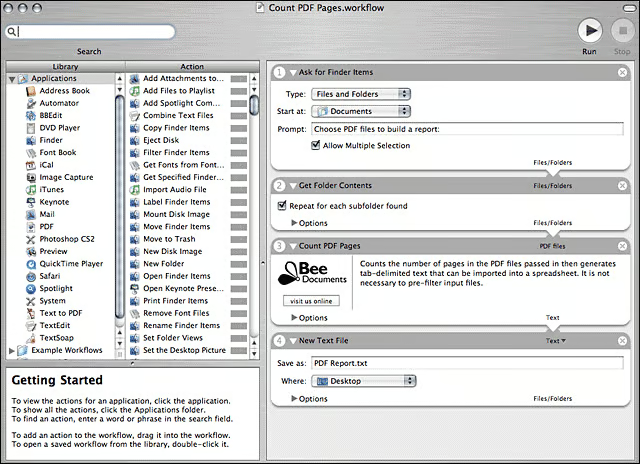
A simple Automator workflow for counting the number of pages in a batch of PDFs and then generating tab-delimited text for importing into a spreadsheet.
PDF Automator – Build workflow – 1
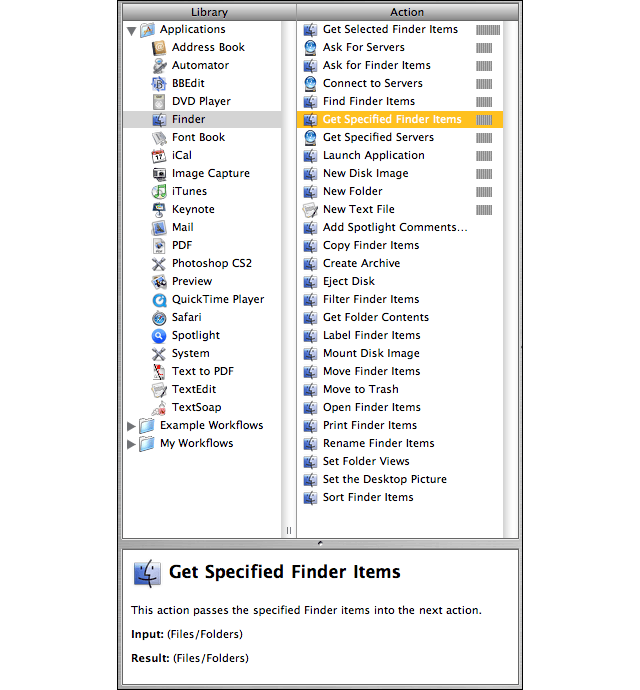
Building a simple workflow, Step 1: Get Specified Finder Items.
PDF Automator – Build workflow – 2
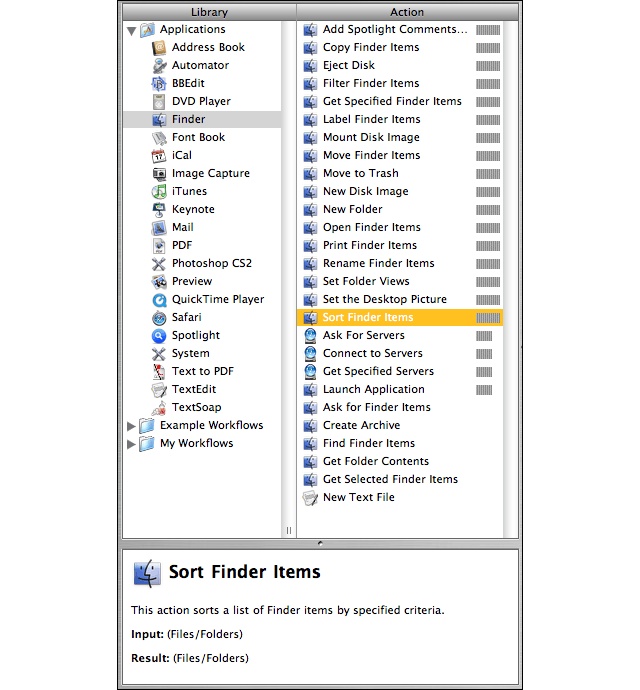
Building a simple workflow, Step 2: Sort Finder items.
PDF Automator – Build workflow – 3
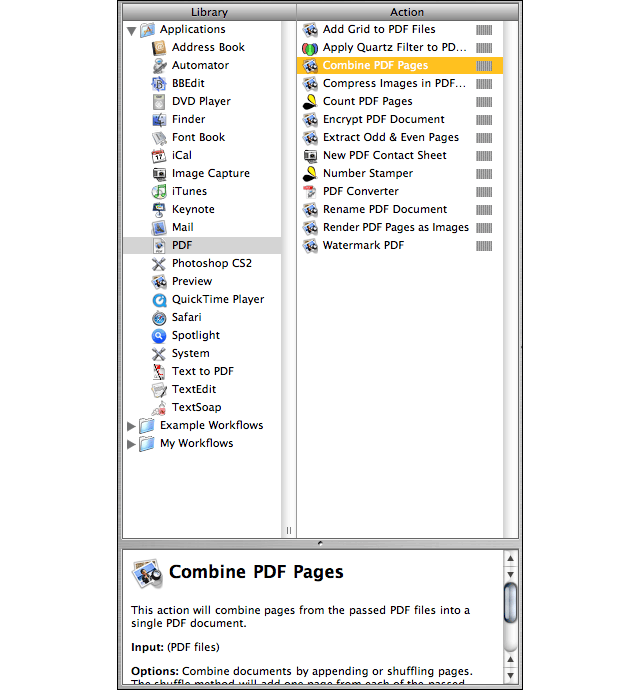
Building a simple workflow, Step 3: Combine Items.
PDF Automator – Build workflow – 4
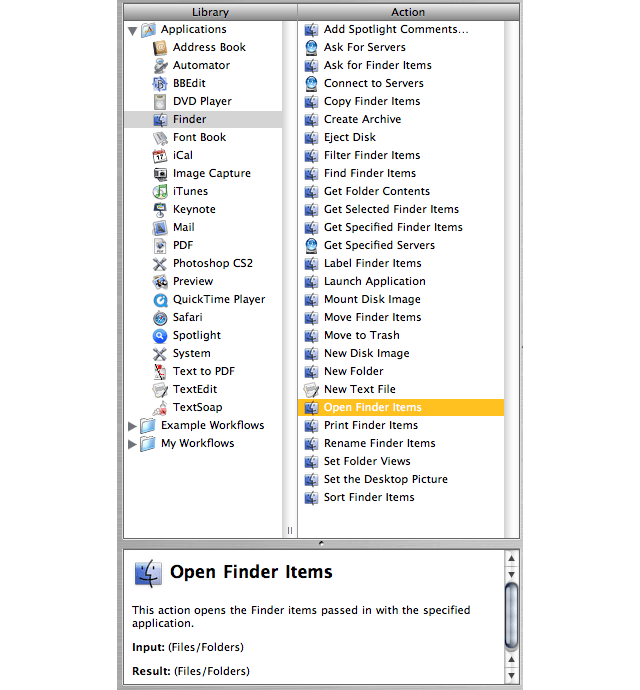
Building a simple workflow, Step 4: Open Finder items.
PDF Automator – Build workflow – 5
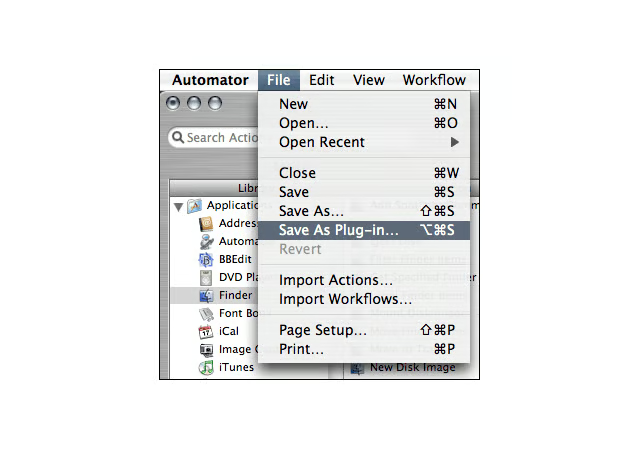
Building a simple workflow, Step 5: Save workflow as a plug-in.
PDF Automator – Build workflow – 6
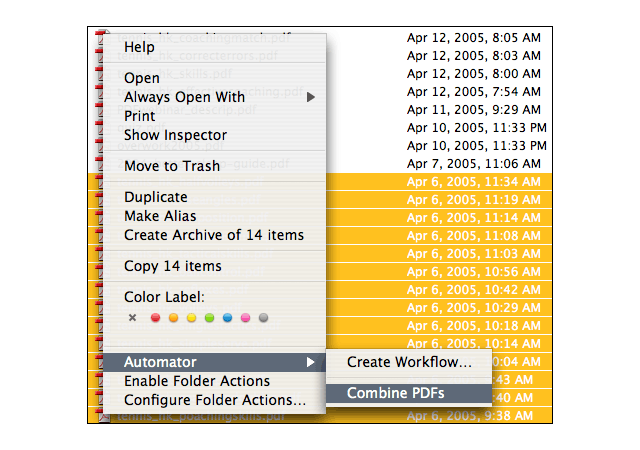
Building a simple workflow, Step 6: After youve built a workflow (in this example, the workflow is called Combine PDFs), you can access the workflow via contextual menus.
PDF Automator – PDF services workflows
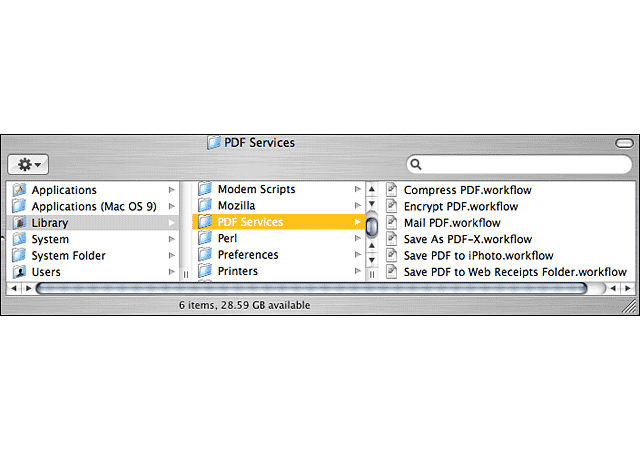
Automator ships with pre-built workflows, which are available in Mac OS Xs PDF Services library.
PDF Automator – Default settings
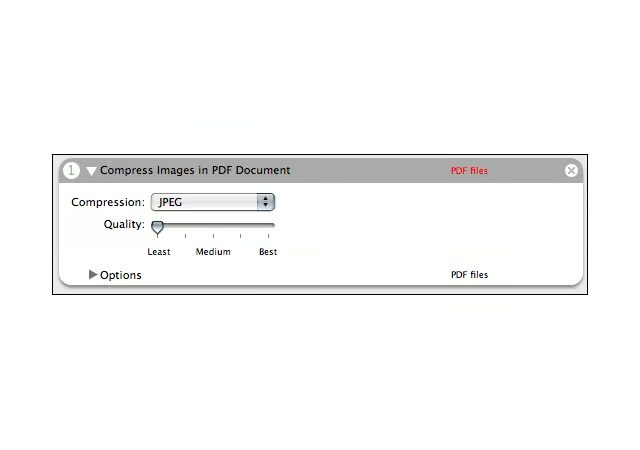
Automators default settings in the pre-built Compress PDF workflow are set for least quality. You can change the setting and save the new workflow.
PDF Automator – Print menu workflow
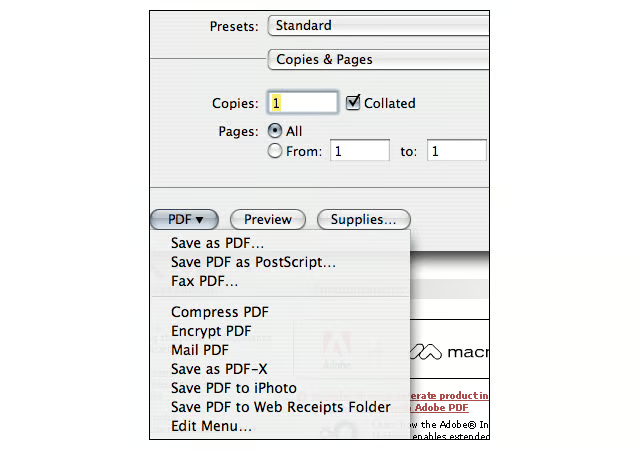
Pre-built Autuomator workflows available in Mac OS X Tigers Printing menu
PDF Automator – PDF Converter
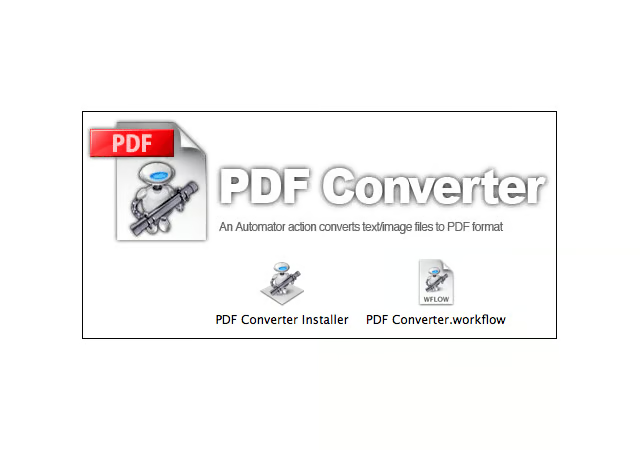
PDFConverter is one of the freeware Mac OS X Tiger Automator actions available for download. It automatically converts text and image files to PDF.