






- 10 Important iOS 7 Features Worth a Closer Look
- A Fully Transparent Design
- So Long Old Unlock Screen
- Improved Multitasking
- Control Center Will Make Things Easier
- At Long Last—iTunes Radio
- Full AirDrop Support for Sharing Files
- Full-Screen Safari
- A Better Siri With A Deeper Voice
- Putting iOS to Work in the Car
- See Your Apps at the Right Angle—Every Time
10 Important iOS 7 Features Worth a Closer Look

by Don Reisinger
A Fully Transparent Design

Apple has decided to deliver a fully “transparent design” in iOS 7 that the company says will make it easier for users to see a hierarchy of apps in the operating system and improve usability. Sometimes transparency can be distracting when working with multiple apps. So, hopefully, Apple will allow for an opacity function in the OS.
So Long Old Unlock Screen

The unlock screen has changed in a big way. Previously, the screen would display a “slide to unlock” bar at the bottom. Apple then added the ability to open apps from the lock screen. In iOS 7, the lock screen is bypassed by swiping up. In addition, Notification Center is now available on the lock screen, making it a bit more useful.
Improved Multitasking
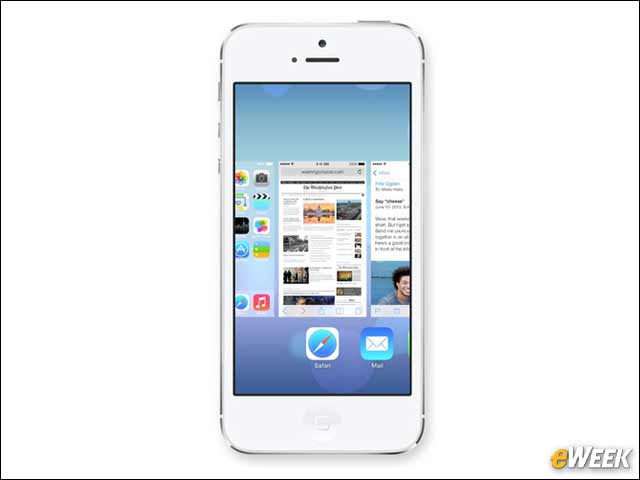
Multitasking works fairly well in iOS 6, but in iOS 7, it’s getting a major overhaul. Users will be able to run more apps in the background and assign a hierarchy so they can quickly switch between programs. Multitasking is also more visual now, and switching between programs will be easier. It’s about time Apple overhauled the multitasking in iOS.
Control Center Will Make Things Easier
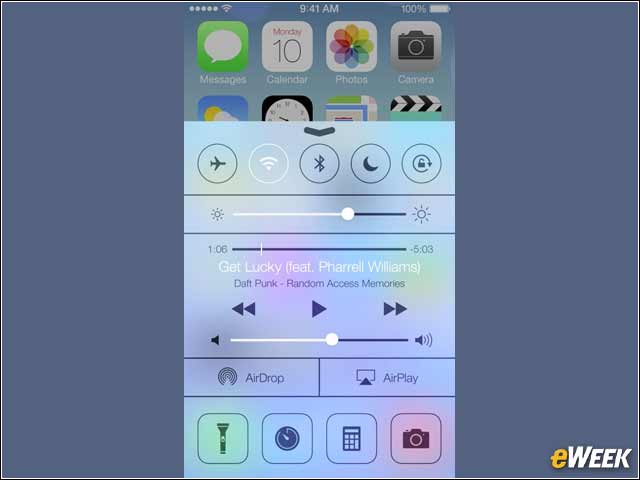
The Control Center could prove to be one of the most useful new functions in iOS 7. By swiping from the bottom of the screen up, users will find a wide range of functions that they can access without having to enter system preferences or any other applications. Everything from accessing a WiFi network to toggling the Do Not Disturb function will be available in Control Center.
At Long Last—iTunes Radio
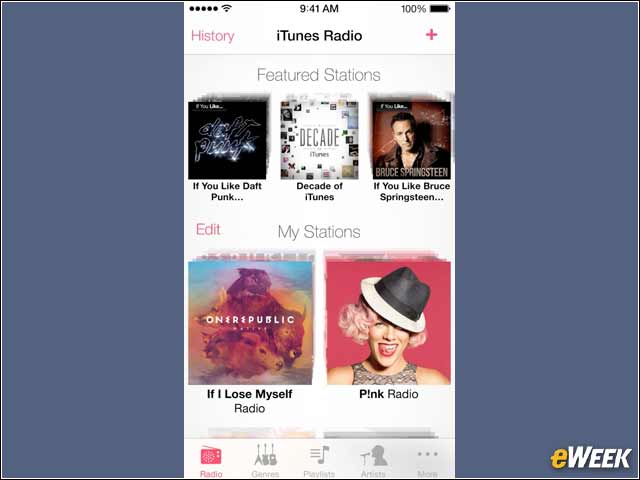
Although it’s taken time to get here, Apple is introducing iTunes Radio in iOS 7. The application is designed to allow users to stream music over the Web in a similar fashion to Pandora. However, Apple’s hope is that users curate their favorite stations and then buy the music they really like. We’ll see if that happens.
Full AirDrop Support for Sharing Files
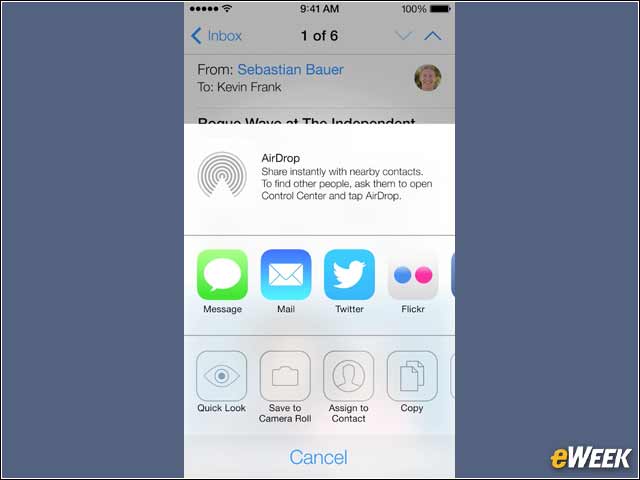
AirDrop has been an important feature for Mac users who want to be able to quickly transfer files. Now, with iOS 7, they’ll be able to use the same function to transfer files between iPhones, iPads and iPods. Apple’s technology should also work with Macs, allowing for a full transfer technology across all the company’s platforms.
Full-Screen Safari

Safari was working effectively in iOS 6, but Apple realized that it needed an overhaul. So the new version will deliver full-screen viewing and no longer be limited to just eight tabs. The new Safari also comes with a simplified design and faster processing in the background to load pages more quickly. Nice.
A Better Siri With A Deeper Voice
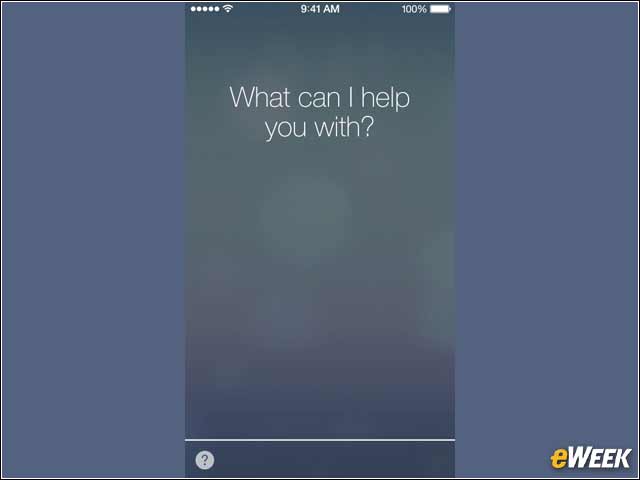
Siri has once again been updated and, according to Apple, will be able to answer far more questions than it has in the past. In addition, Apple has added another voice to Siri—this time, a male voice—that users can select, if they’re tired of the same old voice.
Putting iOS to Work in the Car

Apple has signed deals with several carmakers, including Honda and Mercedes Benz, to allow iOS users to access many functions of their operating system hands-free while in the car. According to Apple, the features, which will include Siri and hands-free text message responses, will be available in the 2014 models on most brands.
See Your Apps at the Right Angle—Every Time

Thanks to a new parallax view interface that Apple has created for iOS 7, users will be able to view their applications head on, no matter the viewing angle. So, if a user tilts the screen down, the apps will move in the opposite direction to maintain the head-on viewing angle. It should be interesting to see how effective that feature is.