






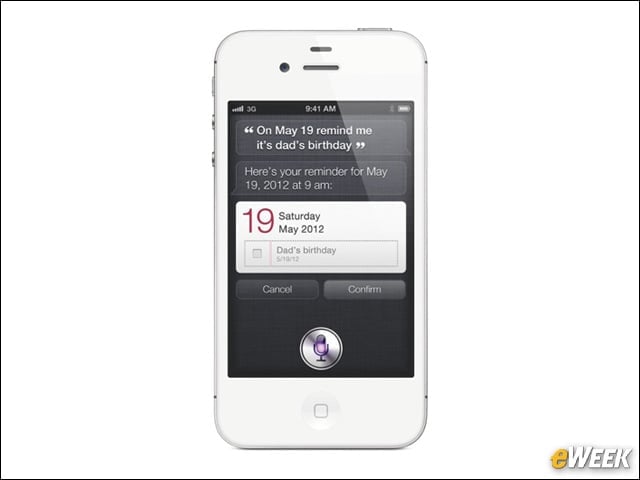

An Improved Siri
When Siri launched in iOS 5, it worked well—to an extent. When confronted with complex questions, the virtual personal assistant broke down. But in iOS 6, Siri is vastly improved and delivers all kinds of useful information, including sports scores, movie times and more. It’s a great app to use in a pinch.
Facebook Integration
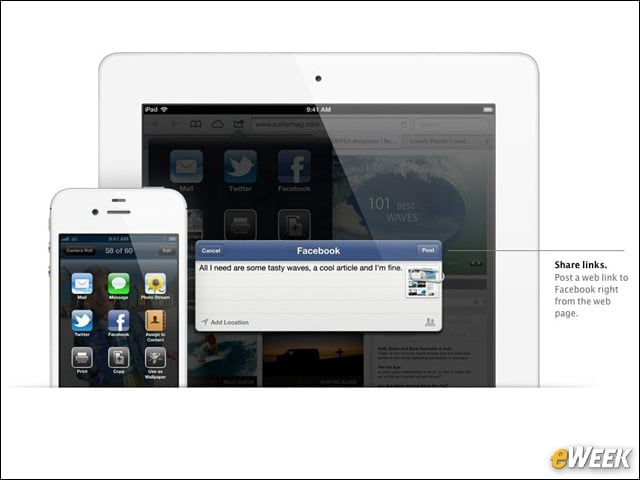
Although Twitter integration came first, Apple has added Facebook support in iOS 6. With that feature, users can immediately share photos or other information with their Facebook friends from across the iOS ecosystem. Facebook integration is especially useful in Contacts, when folks want to track friends. Check it out.
Do Not Disturb
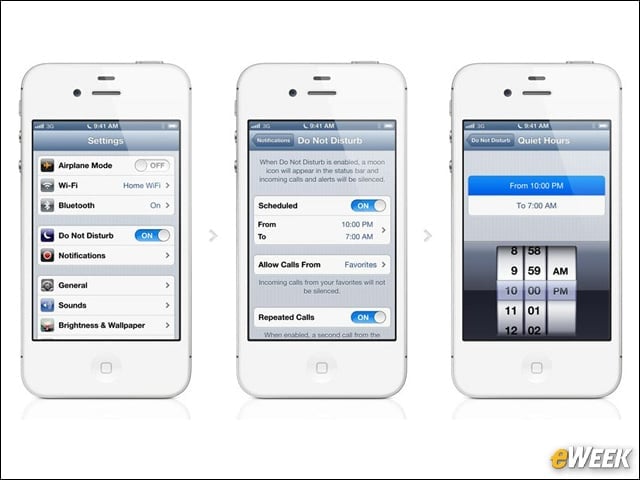
Apple added a Do Not Disturb feature to iOS 6 that allows users to get away from calls, emails and text messages for a while. With Do Not Disturb turned on, iOS still collects all those messages but won’t alert users about them, allowing them to get some work done or get some rest.
An Improved Mail
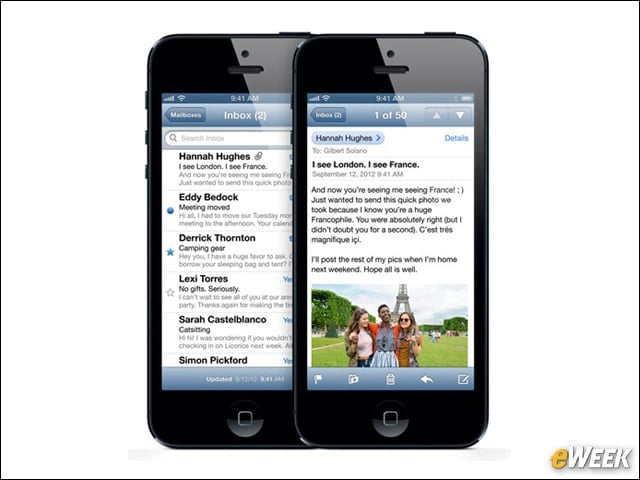
Mail comes with a host of improvements, including enhanced stability and a slightly revamped design. However, its best addition might be the VIP inbox, which lets users determine which people are most important and automatically filters messages from those folks into a separate box. It makes sifting through emails to find important ones much easier.
Passbook Is Actually Quite Nice
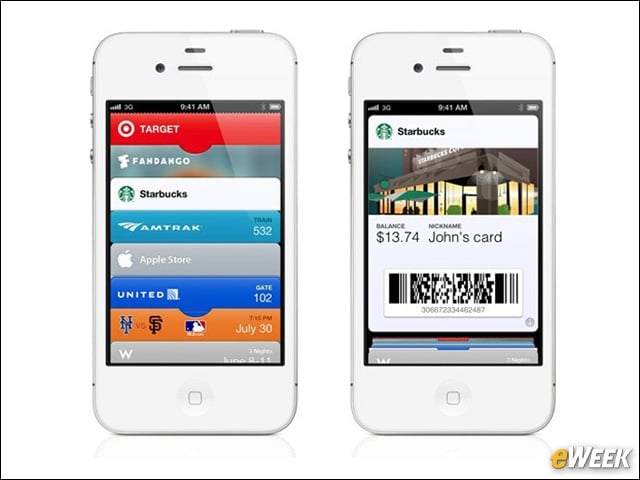
When Apple launched Passbook, it wasn’t clear how well developers would warm to it. But now months later, it’s clear that Passbook has some value. With Passbook, users can make payments, store tickets to an event and perform other location-based tasks. Best of all, developers are adding new apps that support Passbook to the App Store every day.
Phone Options

When receiving a call in iOS 6, users will find that they can swipe up, rather than choose to answer or ignore. Upon swiping, they can opt to reply to the person with a message or set a reminder to call them back.
Safari’s Vast Improvements

Safari comes with a wide range of improvements, including tabs that are synced across several devices, courtesy of iCloud. When users are away from a wireless connection, it’s possible to save pages to read in offline mode. They’re great additions to an already well-equipped browser.
FaceTime Over Cellular

The big thing many customers are looking for in iOS is FaceTime support over cellular networks. Luckily for those folks, iOS 6 delivers. Now, users on the iPhone and iPad can connect to their carriers’ wireless network and hold video chats with friends. Previously, that functionality was only available over WiFi.
Don’t Overlook Panorama

Although the camera app in iOS 6 hasn’t seen too many improvements, it’s important that users don’t ignore its new Panorama feature. With that in tow, users can move their iPhones around a room and get a nice, wide image. Panorama was available in third-party apps, but it now comes built right into the operating system.
Security and Reliability

The focus on iOS 6 might center on the operating system’s design ideas, but security and reliability might just be as important. With iOS 6, Apple has made several behind-the-scenes improvements to ensure the operating system works a little better and keeps users more secure. It’s nice to see.