








Cutting the Cable on Cable TV with the Help of Apple and Amazon, Part 2
AntennaWeb Locator
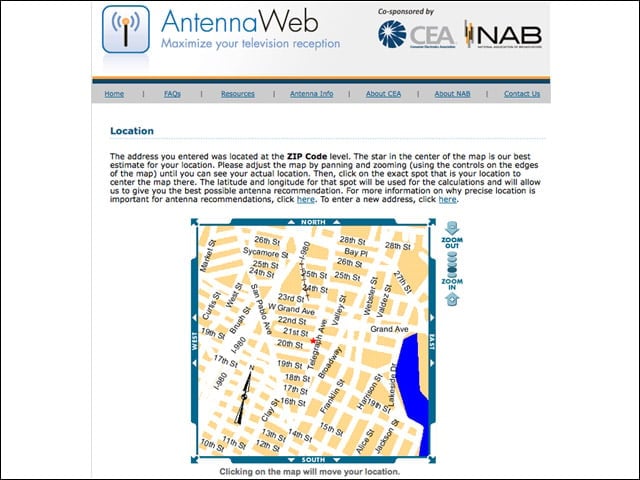
The red star indicates the center of my home zip code in downtown Oakland, Calif. This is the first step in getting antenna orientation information. My apartment is an interior first-floor unit, so my chief concern was the lack of antenna height for good reception.
Direction and Distance
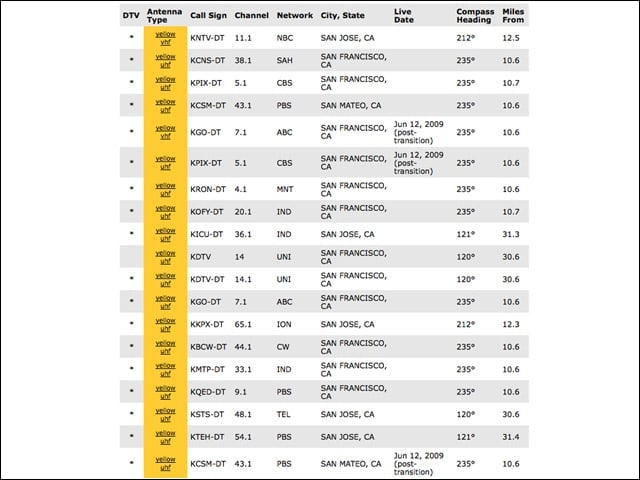
According to AntennaWeb—and confirmed by my experience of living for seven years in San Francisco in the shadow of Sutro Tower, you can see that most of the TV stations I’d like to receive are less than 11 miles from my current location. The broadcast towers are clustered together on the same compass heading. This explains the clear reception and abundance of channel choices I’m picking up with my Silver Sensor antenna.
One Remote to Rule Them All
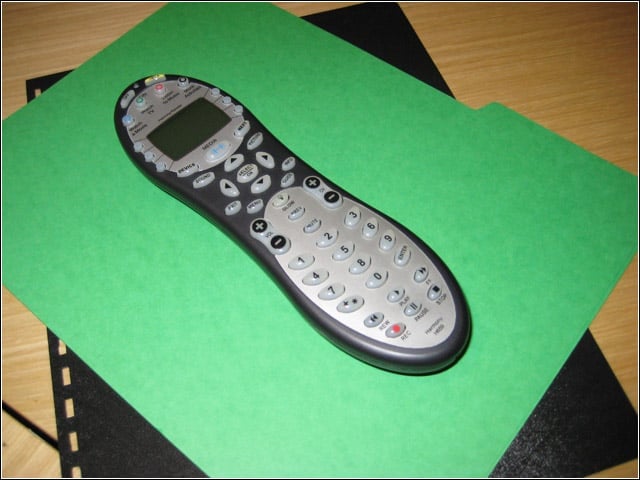
I love the remote that came with my Samsung TV. It was backlit and had big, easy-to-see buttons. The problem in gathering entertainment content from so many different sources is that I had a pack of feral remote controls nesting on my couch. I’m testing a Logitech Harmony universal remote control to solve this problem.
Cisco Linksys USB Wireless Network Adapter
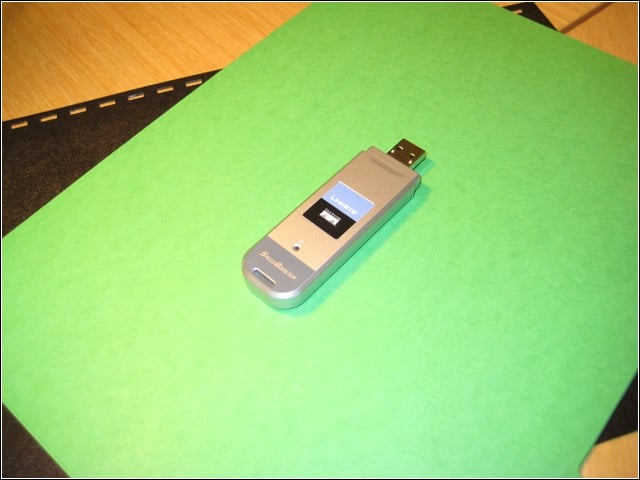
My Tivo DVR gets its program information via my wireless network. The Tivo Series 2 didn’t come with built-in wireless, so I added this Linksys adapter.
Putting It All Together
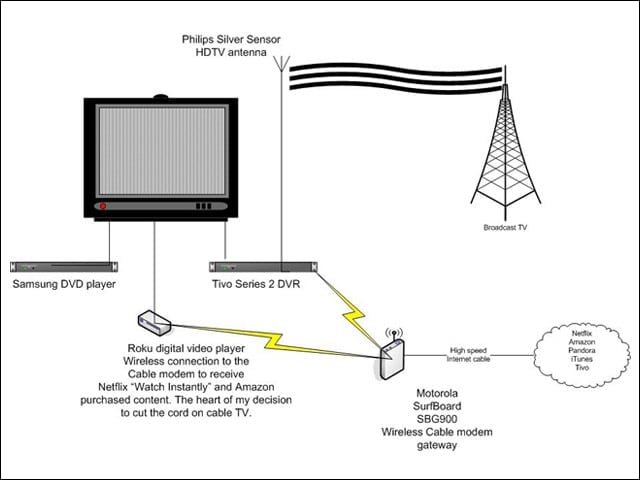
Here are the most important components of my successful cable cutting project: The Roku digital video player was at the heart of my decision and is a simple, great performing device that works with my Netflix subscription to let me watch instantly a wide variety of content; the over-the-air antenna and Tivo get me local news and other broadcast content that I watch on my terms and at my convenience.
