








- How Microsoft Cortana Will Perform on iOS, Android, CyanogenMod
- Cortana—Microsoft’s Virtual Digital Assistant
- Cortana Provides Location-Based Reminders
- The ‘Hey Cortana’ Feature Won’t Work on Android and iOS
- Let Cortana Do the Texting For You
- All Kinds of Tracking Built-In
- Cortana Notebook Integration Provides Timely Reminders
- Don’t Expect to Have Cortana Open Apps
- Cortana Works With the Bing Search Engine
- Interested in a Question-and-Answer Session?
- A Look at the Requirements (Plus Cyanogen)
How Microsoft Cortana Will Perform on iOS, Android, CyanogenMod
By offering Cortana on iOS, Android and the CyanogenMod OS, Microsoft is making good on a promise to deliver Cortana to other operating systems besides Windows.
Cortana—Microsoft’s Virtual Digital Assistant
Since this may be the first time that iOS and Android users have tried Cortana, it’s important to explain what it is and how it works. Microsoft’s Cortana, like Siri and Google Now, is a voice-activated virtual personal assistant, capable of scheduling tasks, keeping lists, searching Websites to provide useful or even just random information and much more. Cortana would essentially be a replacement or alternatives for the virtual assistants already running on an iOS or Android devices.
Cortana Provides Location-Based Reminders
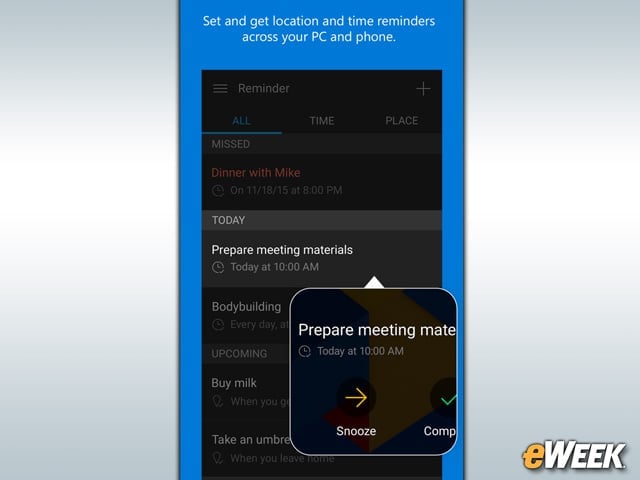
One of the main features in Cortana is a location-based reminders function. The feature allows users to set a reminder, and while Cortana is actively tracking their location, provide relevant information based on where they are. So, if users tell Cortana that they need to pick up bread on the way home, the virtual assistant will alert them when they’re close to a bakery.
The ‘Hey Cortana’ Feature Won’t Work on Android and iOS

On Windows-based devices, simply saying “Hey Cortana” allows access to the virtual assistant. On Android and iOS, however, this voice command is unavailable. It’s an unfortunate omission, but Cortana is still accessible by opening up the device and tapping into the app.
Let Cortana Do the Texting For You
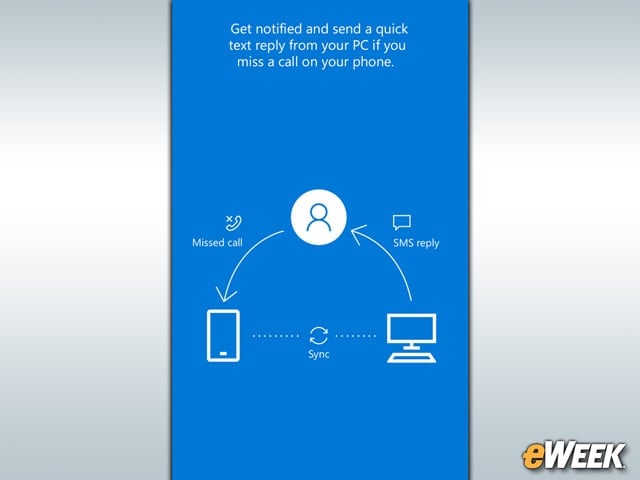
When users are unavailable to take a call, Cortana can provide an auto-response. So once Cortana recognizes a missed call, the virtual assistant will automatically recognize the caller and send a preapproved text message. It’s a useful feature for people who are often in meetings and don’t want others to think they’re being ignored.
All Kinds of Tracking Built-In
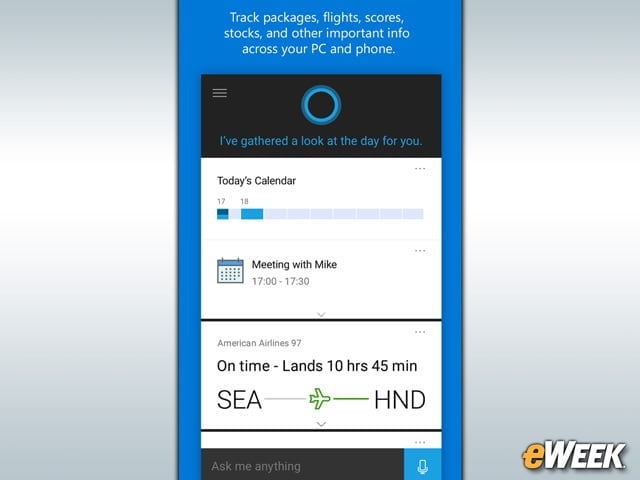
Cortana comes with the ability to automatically track things users care most about. Users can do everything from track airline flights or find out what’s on their calendars. In addition, Cortana tracks users’ favorite sports teams, stocks or many other data points. Tracking is at the center of Cortana’s user experience.
Cortana Notebook Integration Provides Timely Reminders
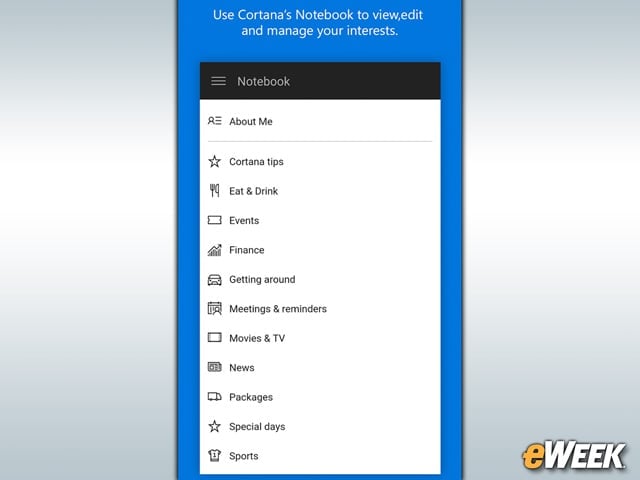
With Cortana Notebook, users can input their interests across a wide array of topic areas, including events, finance and local restaurants. Cortana then stores that information and whenever something relevant to these interests pops up, responds with a message, alert or notification. Notebook is the place where information is stored for Cortana’s future reference whenever it might be useful.
Don’t Expect to Have Cortana Open Apps

Microsoft acknowledged that it’s unable to bring another core Cortana feature to Android and iOS: the ability to open up apps. In Windows, users can readily command Cortana to open a particular app. With iOS and Android, that feature has been stripped out due to restrictions on apps accessing others. It’s a handy feature, but one Android and iOS users won’t see.
Cortana Works With the Bing Search Engine
Those who aren’t thrilled with Bing may not be eager to work with Cortana. Since this is a Microsoft product, Cortana relies on Bing to find search results, answer questions and perform tasks. Granted, Cortana can look in other online resources for information, but when it comes to asking the personal digital assistant questions that require Web searches, only Bing results will show up.
Interested in a Question-and-Answer Session?
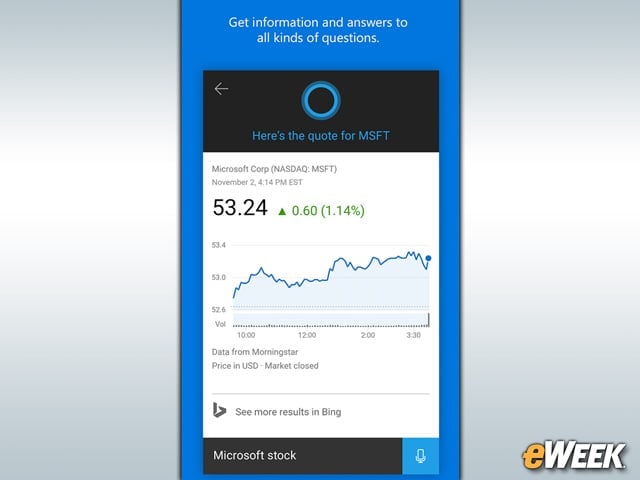
Cortana is designed to serve as a helpful knowledgebase. Over time, Microsoft has been adding features that allow the personal digital assistant to answer more questions. So if users want to know what time a show starts, ask the current price on a stock or find out the author of a new book, Cortana can handle it. Think of Cortana as a question-and-answer engine.
A Look at the Requirements (Plus Cyanogen)
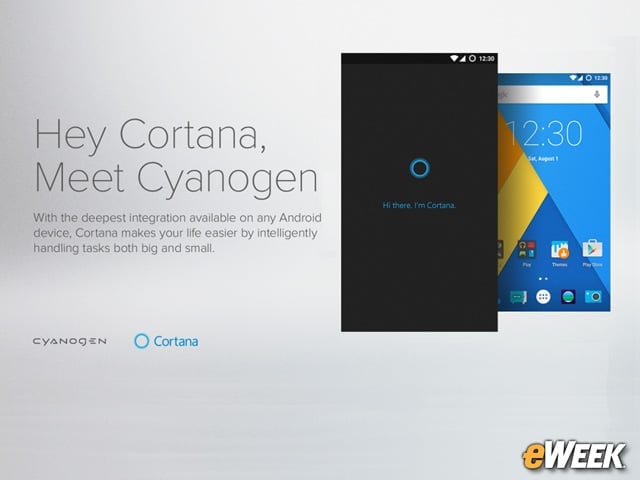
In order to run Microsoft’s Cortana, users across the United States and China will need either iPhones running iOS 8 or later or Android-based handsets running Android 4.1.2 or later. Interestingly, Cortana will also work on the Cyanogen-based OnePlus One when that smartphone is updated to OS version 12.1.1 later this month. One other note on CyanogenMod: Microsoft says the “Hey Cortana” feature will work on that operating system.