








- NetMotion Mobility Delivers Powerful Device Management Tools
- Mobility Consoles Provide Management Tools
- Mobility Automates Deployment Process
- Diagnostics Agent Tracks Mobile Device Performance
- Incorporating Network Access Control
- Mobility Sets Policies for Network Diagnostics
- Diagnostics Inventory
- Tracking Application Usage
- Mobility Also Streamlines Device Inventory
- Track Performance by Geographical Location
- Mobility Also Tracks Carrier Statistics
- Splunk Integration Enables Data Analysis
- Splunk Supports Custom Analytics
- Data Volumes Support Advanced Platform Reporting
NetMotion Mobility Delivers Powerful Device Management Tools

REVIEW: Many enterprises have attempted to bring reliable and secure mobility projects to fruition, only to experience the chaos of unreliable connections, which ultimately sap the productivity promised by a workforce on the go. Nowhere is this truer than with today’s smart devices, such as tablets, smartphones and countless other portable devices. Modern enterprises, especially those in the throes of digital transformation, have come to expect that a mobile workforce will be effectively supported, while also assuming that security and reliability are part of the smart device equation. However, finding the metrics to prove that true is difficult, if not impossible. In a fit of exasperation, enterprise IT leaders have cobbled together various solutions, hoping to effectively support mobile initiatives, while also meeting the security and productivity needs of the enterprise, yet true successes are few and far between. NetMotion, a mobile performance management software company, aims to solve those problems by tying together the most important elements of any mobile platform, security, reliability, policy controls, and most importantly – analytics to gauge the effectiveness of the systems that support mobile application.
Mobility Consoles Provide Management Tools
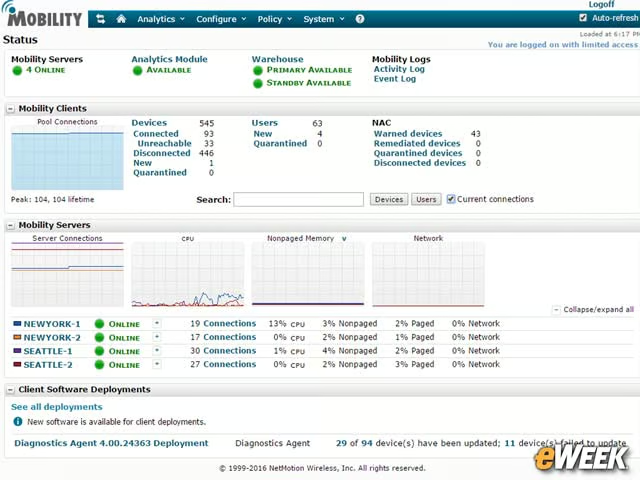
Designed for either on-premises server or in a virtual machine, NetMotion’s Mobility platform is managed via browser-based consoles that provide configuration wizards, integrated diagnostics and visual representations of the platform’s status.
Mobility Automates Deployment Process
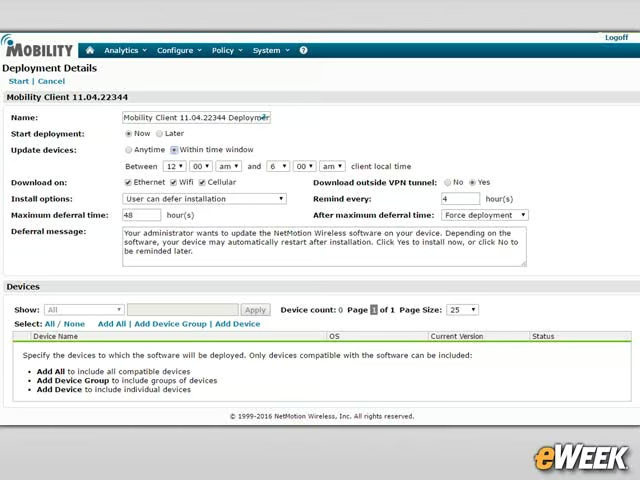
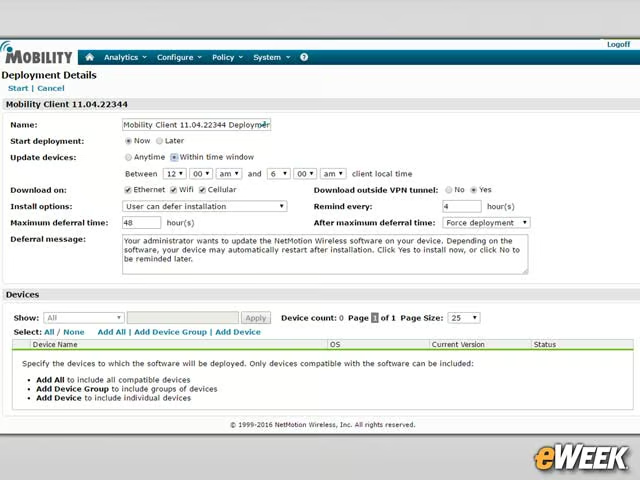
Mobility leverages a client-server paradigm, where the virtual appliance is the server and access software is pushed out to the mobile endpoints as a thin client application. Deployment is straightforward and is supported via policies that stress automation, allowing administrators to quickly bring dozens or even hundreds of devices on board.
Diagnostics Agent Tracks Mobile Device Performance
NetMotion is able to bring real-time diagnostics information to the table by deploying an agent to mobile devices that can report on most elements that involve communications and networking. That proves to be a critical capability, especially when cellular networks or public hotspots providing the connectivity. Normally, administrators have no control over those external networks and lack the ability to gather any statistical data or information necessary for solving the problem. The Diagnostic agent gives administrators the complete picture of a mobile device’s performance on a network.
Incorporating Network Access Control
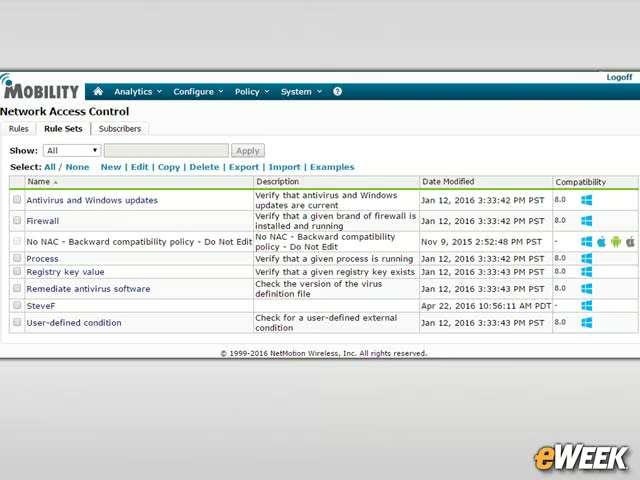
One of the most important elements of good security is making sure that only authorized endpoints gain access to the network. NetMotion has a NAC (Network Access Control) module, which vets any device based upon administrator defined policies. The NAC module is robust enough to support several access scenarios, such as validating software, such as anti-malware protection, is installed on the endpoint and other prerequisites for admission to the network.
Mobility Sets Policies for Network Diagnostics
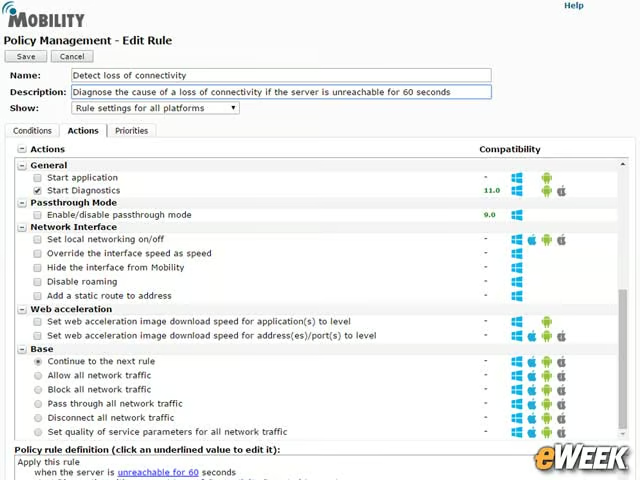
Understanding what is occurring across the multiple networks involved in a remote mobile session is critical for success. With Mobility, policies can be created to initiate and capture diagnostic information. Many of those policies are event based and can issue an alert or record data when that event occurs.
Diagnostics Inventory
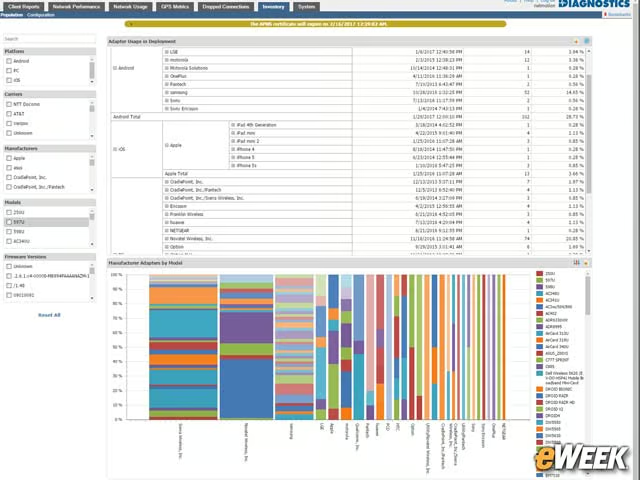
Mobility matches the diagnostic information with the endpoint inventory, allowing administrators to identify connectivity or security issues and identify common, such as what types of devices are impacted or if the problems are associated with a location or network. That information proves invaluable when tracing a problem with devices or software revisions, logging access to unsecure hotspots or working with carriers to resolve issues such as dead zones.
Tracking Application Usage
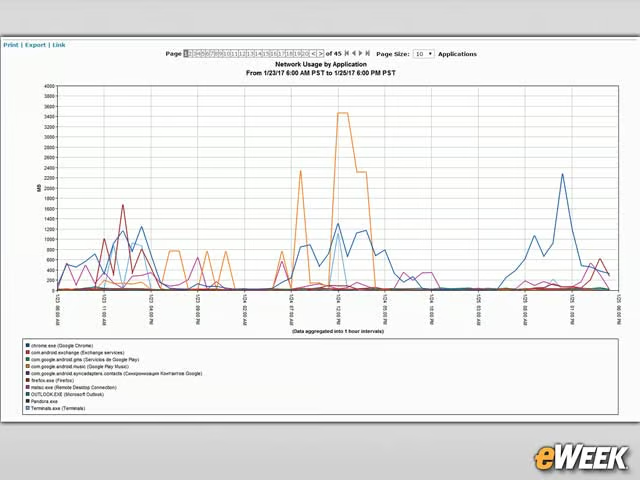
Network usage information is automatically collected and used to answer such questions as what applications are being used, by whom, how much data are they consuming. It also enables analysis of why certain users are being disconnected or how frequently do they switch networks. This information helps to better define bandwidth usage policies, gain insight into network performance characteristics and to establish Quality of Service policies.
Mobility Also Streamlines Device Inventory
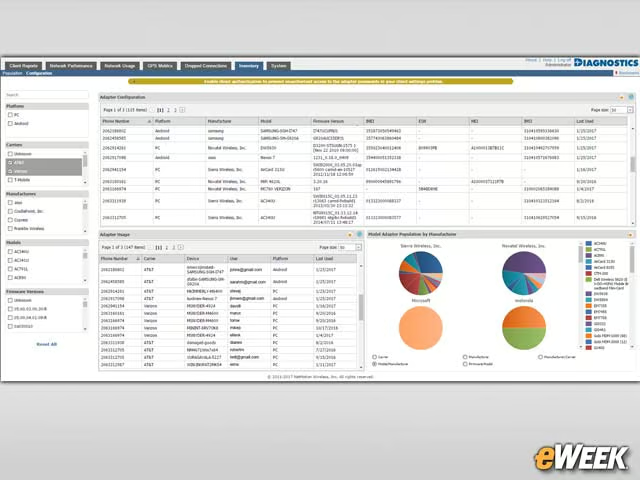
Mobility features a device inventory capability, which can be used to identify, group, and provide detail on endpoints. The product also creates an inventory of mobile carriers used, as well as operating systems, activity and other useful information. Advanced filtering and sorting allow administrators to organize the information to fit a specific need, such as expense management, service contract negotiations or forensics.
Track Performance by Geographical Location
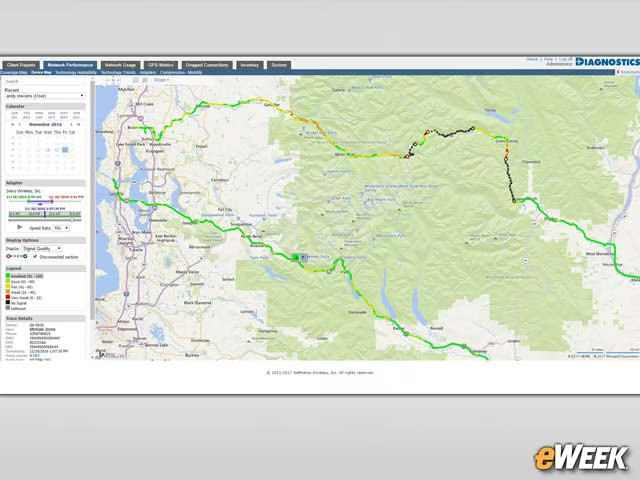
Interactive maps give administrators insight into the performance and reliability levels associated with devices as they are used across geographical areas. Administrators can drill down into specific details, such as locations identified, GPS status, signal strength, performance the network in use.
Mobility Also Tracks Carrier Statistics
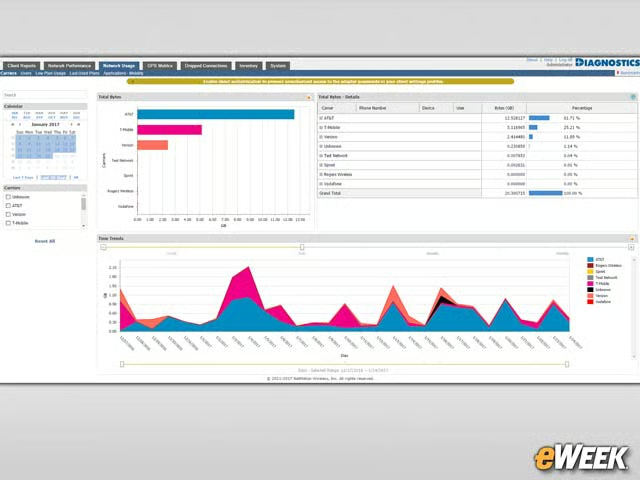
NetMotion offers the ability to track and compare statistics on wireless carriers in use, including data usage by carrier, the performance associated with those carriers and what devices are using particular carrier networks. This information can be used to better understand how wireless service is utilized on mobile devices and whether that wireless service contract is adequate to support mobile connectivity needs for a given application.
Splunk Integration Enables Data Analysis
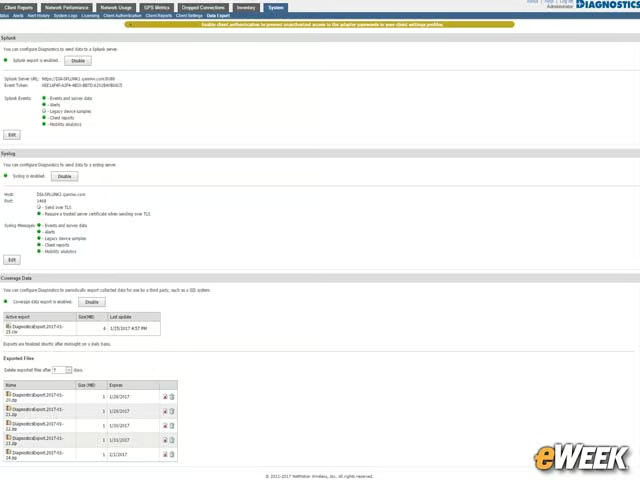
One of the most impressive features supported by Mobility is the ability to export data to business intelligence tools like Splunk. This allows administrators, or more importantly, data scientists, to create Big Data scenarios that enable “what ifs” analysis and identify trends. This is immensely helpful for organizations that rely completely on mobile solutions for data processing and workflow. For example, insurance adjusters, oil exploration engineers, field service technicians, and the teams who support them, can use the information
Splunk Supports Custom Analytics
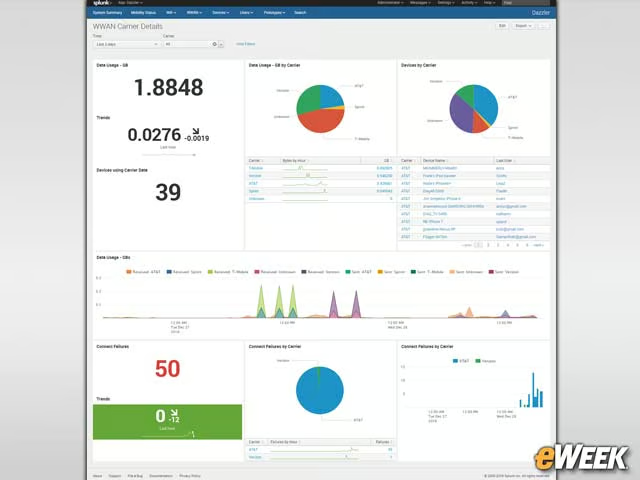
Thanks to the Splunk functionality, administrators can create custom analytics reports which visualize important concepts such as carrier usage and the reliability of carriers. This data lets administrators create trend reports or calculate the value of a given service for a particular platform or area.
Data Volumes Support Advanced Platform Reporting
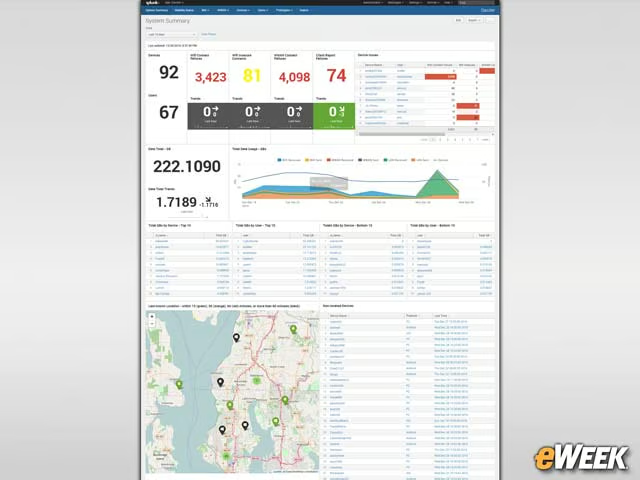
The volume of data gathered offers opportunities to create and use a multitude of reports for monitoring and summarizing mobile operations in real time.