






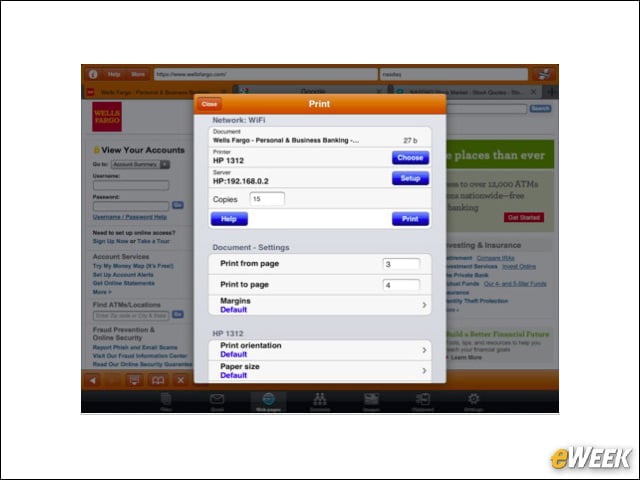


PrintCentral ($8.99)

Connect to all WiFi-enabled printers or print remotely through a wireless signal, as well as edit, view and store documents in the application.Â
Skype for iPad (Free)

Cut down on your communications bill with Skype, which gives you free Skype-to-Skype calls and low international rates.
Numbers ($9.99)

This innovative spreadsheet app was built from the ground up for the iPad and boasts more than 250 features, all optimized for the Retina Display.
GoodReader for iPad ($4.99)

This app can handle PDF and TXT files, manuals, large books and magazines, and offers typewriter text boxes, sticky notes, lines, arrows and freehand drawings.
Microsoft OneNote for iPad (Free)

Capture all your ideas and to-dos on the go. Create searchable notes with text, pictures and bullets, and keep it all in sync using SkyDrive.
Tips & Tricks–iPad Secrets iOS 5 Edition ($0.99)

Are you getting the most out of your iPad? This app provides a list of 100 snappily written tips with free updates for every iOS revision.
Skitch for iPad (Free)

With graphics and interface optimized for the iPad’s new Retina Display, this app allows you to use shapes, arrows and sketches to get your point across fast.
iConverter Pro for iPad – Retina HD Screen (Free)

This advanced scientific and unit converter is preconfigured with more than 2,100 units in 77 converters so you can make conversions super-fast.
Dropbox for iPad (Free)

This file-sharing and storage service could change everything about the way you access all your documents, and it’s all free.Â
Kayak Mobile Pro ($0.99)

Centralize all your travel plans with Kayak Pro, view high-resolution images of hotel rooms and destinations, and check flight status, upgrades and delays.