







- SolarWinds User Device Tracker Monitors BYOD, Mobile Links
- Primary Dashboard Displays Critical Data
- Tracking Rogue Endpoints
- Pop-Up Messages Aid Node Management
- Here Are the Node Details
- Tracking Port Usage
- List Provides Details on Who’s Online
- Watch Lists Provide Device Status Checks
- Calling Up Device Details
- UDT Displays a Variety of Text, Graphics
- Monitoring Top 10 Access Points
SolarWinds User Device Tracker Monitors BYOD, Mobile Links
by Frank Ohlhorst
Primary Dashboard Displays Critical Data
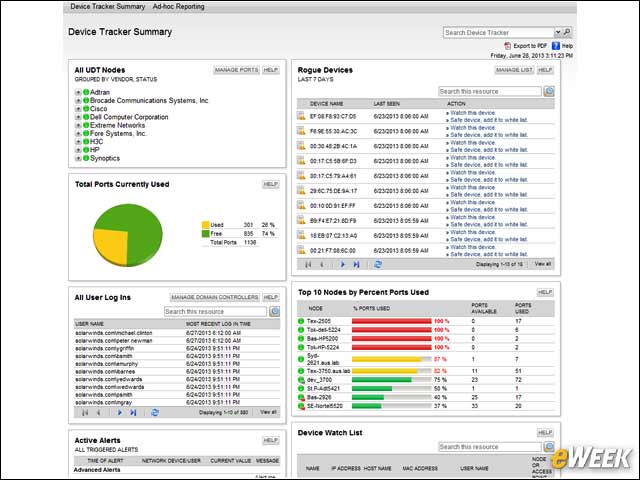
The UDT offers an easy-on-the-eyes dashboard that shows critical information up front and allows simple click-through to details.
Tracking Rogue Endpoints
Rogue endpoints are displayed on an interactive list, which allows administrators to take immediate action.
Pop-Up Messages Aid Node Management
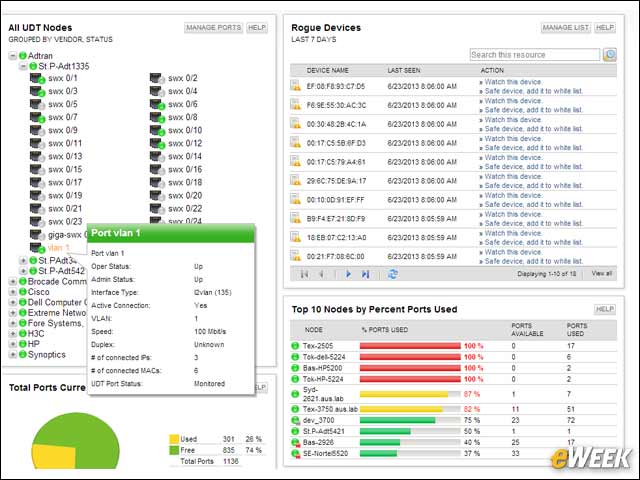
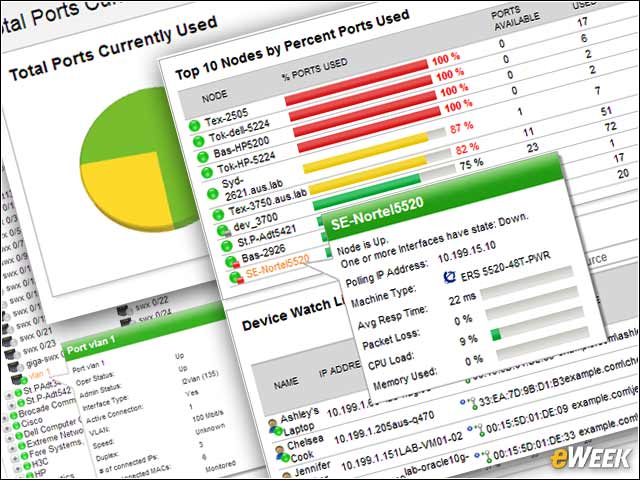
SolarWinds UDT displays a list of nodes and ports, which at a glance can give pertinent information on any port via pop-up messages. This allows administrators to drill down for additional information.
Here Are the Node Details
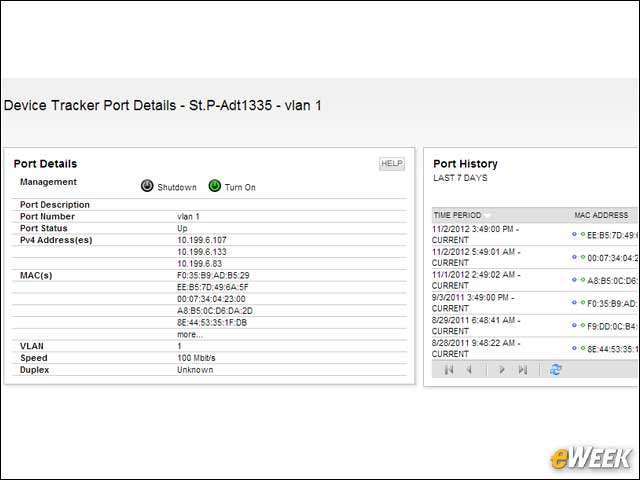
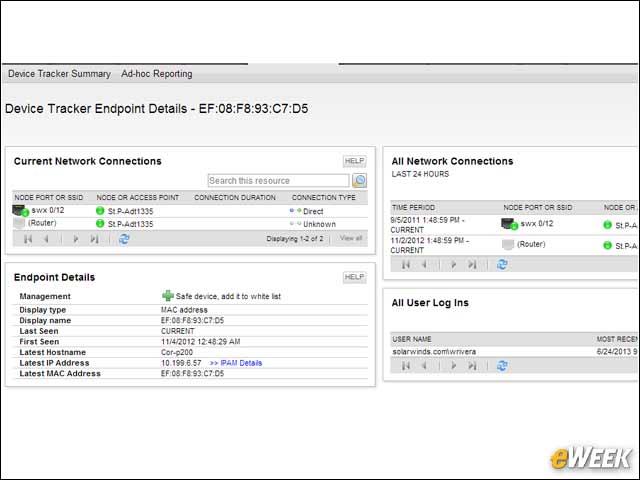
Extensive information about each monitored port is offered directly on a detail screen.
Tracking Port Usage
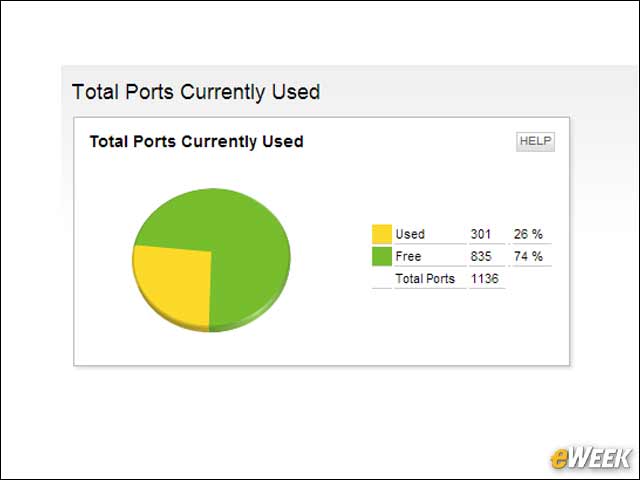
Interactive graphics give a visual representation of elements such as port usage.
List Provides Details on Who’s Online
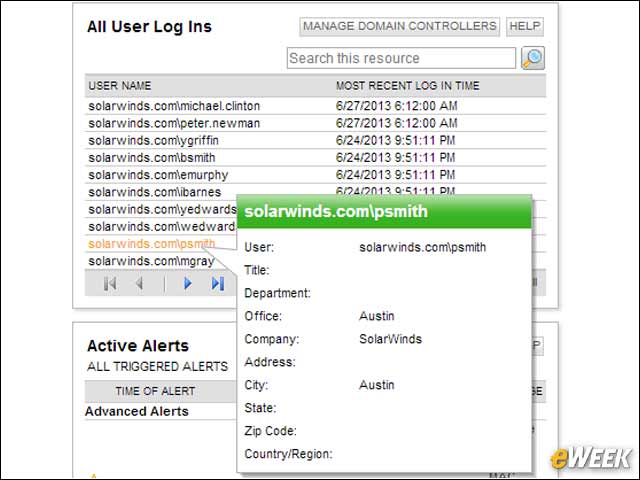
An interactive list that supports drill-down and pop-up messages provides extensive details about who is logged in.
Watch Lists Provide Device Status Checks
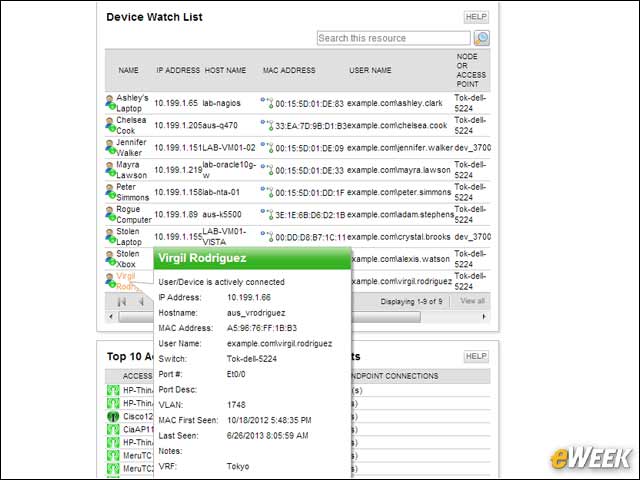
Easily defined watch lists provide administrators with an instant view into the status of any device.
Calling Up Device Details
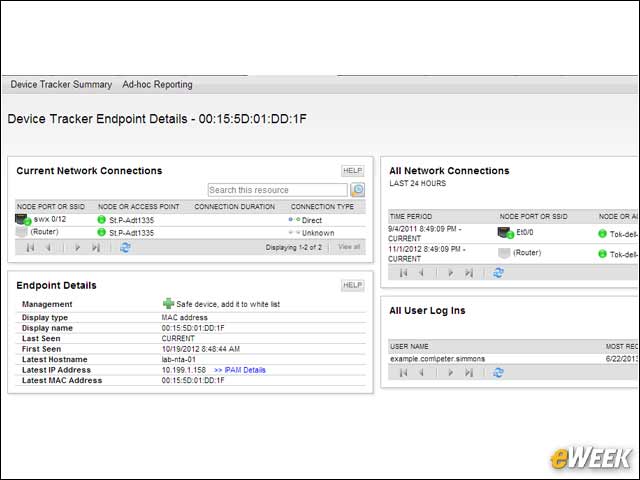
Administrators can drill down in device details from lists and alerts, making it simple to navigate to the most important information.
UDT Displays a Variety of Text, Graphics
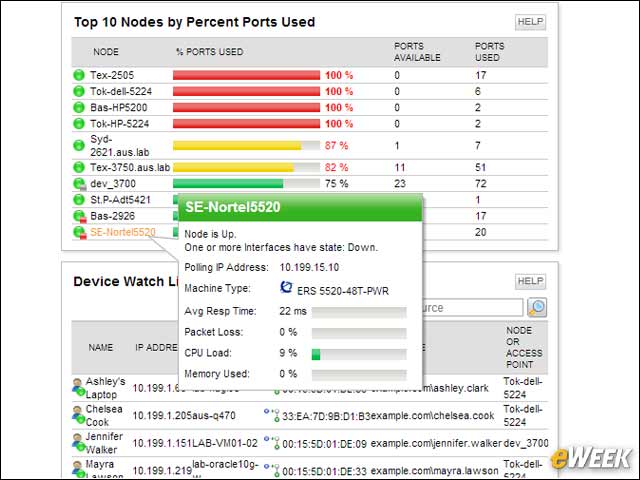
A combination of text and graphics shows important information, such as usage statistics.
Monitoring Top 10 Access Points
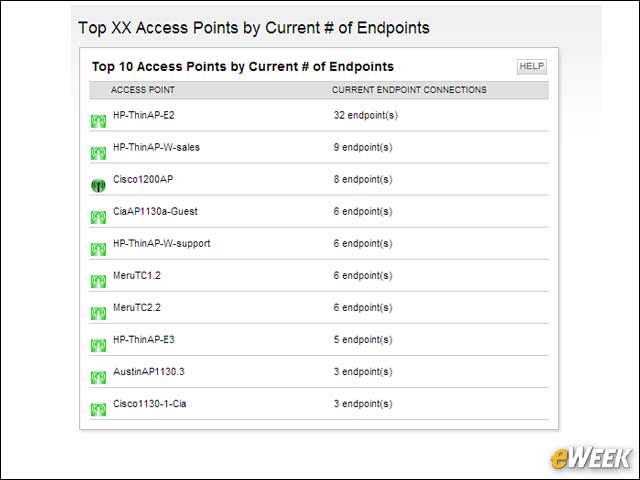
For those monitoring wireless (WiFi) networks, the Top 10 APs graph proves very useful.