








- What’s New in Dell’s Chromebook 11 and Chromebook 13
- Chromebook 11: A Protective Design
- Chromebook 13 Has Slightly Larger Screen, But No Touch
- Chromebook 11 Includes Healthy Number of Ports
- Chromebook 13 Optimizes Mobility
- Chromebook 13 Includes Extra Security Features
- Chromebook 11 Provides a High-End Warranty
- Chromebook 11 Provides Impressive Battery Life
- Chromebook 13’s Battery Life, Durability is Equally Good
- Chromebook 11’s Pleasingly Modest Price
- Chromebook 13’s Price Is Just Slightly Higher
What’s New in Dell’s Chromebook 11 and Chromebook 13

Dell on Jan. 25 introduced updated models of its Chromebook 11 and Chromebook 13 with features that appeal to the education market and businesses looking for no frills computers.
Chromebook 11: A Protective Design
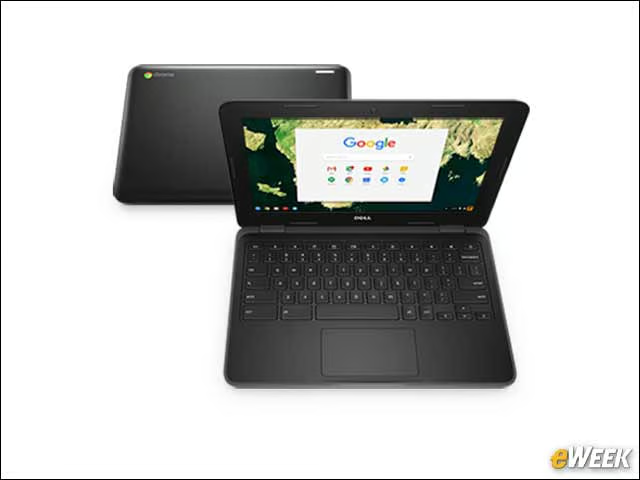
Since the Chromebook 11 is designed with students in mind, Dell this clamshell notebook to be durable. The device comes with a sealed and spill-resistant keyboard and has rubberized edges for additional protection. Dell also includes a feature called Drop Protection to protect it from drops and falls. Its screen is also protected by Gorilla Glass.
Chromebook 13 Has Slightly Larger Screen, But No Touch
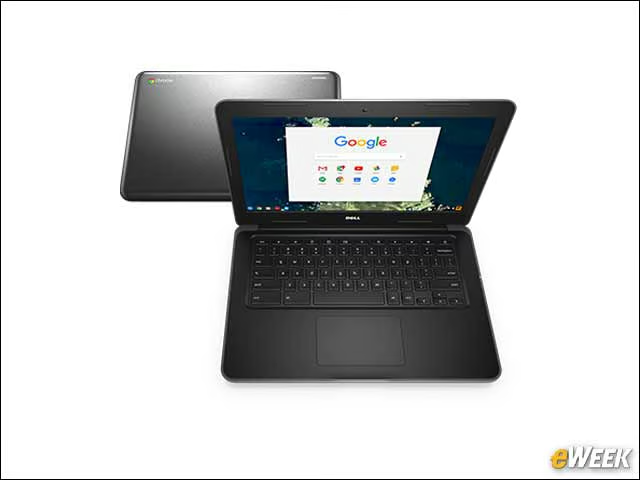
The Chromebook 13 comes with a 13.3-inch screen. While it might have slightly more screen real estate than the Chromebook 11, the Chromebook 13’s screen has one similarity: it doesn’t come with touch capability.
Chromebook 11 Includes Healthy Number of Ports
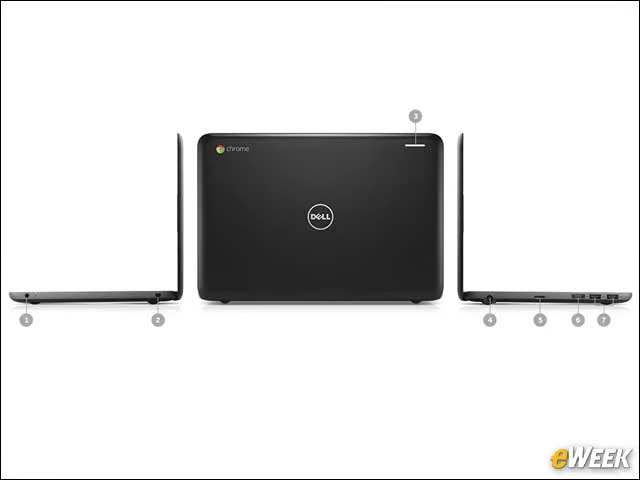
While some Chromebooks come with only the bare minimum of ports, Dell was more generous. The Chromebook 11 includes two USB 3.0 ports to go along with its SD card reader and full-size HDMI port. Users will also find a combination headphone/microphone jack. Those ports should allow users to do everything from plug in an additional monitor to connect all sorts of accessories through USB 3.0.
Chromebook 13 Optimizes Mobility

Dell was quick to point out that the Chromebook 13 emphasizes mobility. The device is comes with 802.11ac wireless connectivity and support for Bluetooth 4.0 so it can connect to wireless accessories.
Chromebook 13 Includes Extra Security Features

The Chromebook 13 comes with additional security features that might make it a bit more appealing to corporate customers. For physical security, this Chromebook includes the Nobel Wedge Lock. It also includes a Trusted Platform Module to ensure the device is only used by authorized individuals.
Chromebook 11 Provides a High-End Warranty

Dell didn’t skimp on its Chromebook 11 warranty. The device ships with four years of ProSupport Plus, a feature that will let users contact Dell and have it remotely diagnose and fix problems. Better yet, if the problem can’t be addressed so easily, the Chromebook 11 offers next-business-day onsite service.
Chromebook 11 Provides Impressive Battery Life
The Chromebook 11’s battery life is quite good. According to Dell, the battery should be able to last for “at least” 10 hours on a single charge. That should be ideal for corporate users or students who want a device that will last them all day long.
Chromebook 13’s Battery Life, Durability is Equally Good
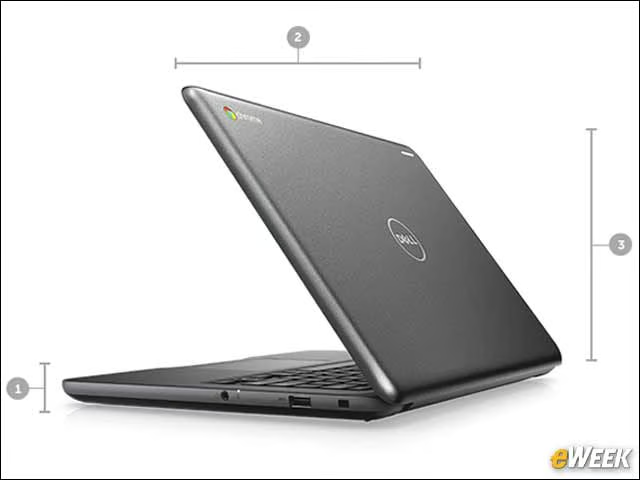
Dell is offering as much protection in the Chromebook 13 as it is in the Chromebook 11. Notably, the Chromebook 13 comes with the same spill-resistant keyboard and rubberized edges as the Chromebook 11. It can also withstand a short fall. And although it’s bigger and might use a bit more energy, the Chromebook 13 can also last at least 10 hours on a single charge.
Chromebook 11’s Pleasingly Modest Price

Dell’s Chromebook 11 will be available to customers on Dell.com in the U.S. starting on Feb. 7. The device will come with a starting price of $219, though certain configurations and accessory purchases could push that price higher.
Chromebook 13’s Price Is Just Slightly Higher

Like the Chromebook 11, the Chromebook 13 will be available to customers on Feb. 7. The device will be a bit more expensive, however, with a starting price of $299. Its functionality can be similarly improved with the purchase of compatible accessories.