







In-Depth View: Microsoft Windows 7 RC
by Joe Wilcox
No Title
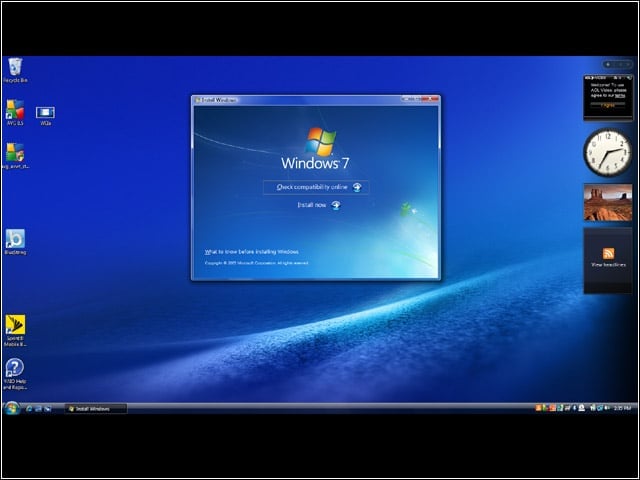
In this example, Windows 7 Ultimate was installed as an upgrade to Windows Vista Business running on a Sony Vaio VGN-Z590, with 2.4GHz Intel Core 2 Duo processor, 13.1-inch LED backlit display with 1600-by-900 resolution, 256MB Nvidia GeForce 9300M GS graphics, 3GB of DDR3 (double data rate 3) memory, 320GB hard drive, DVD burner, fingerprint reader, Wi-Fi and Sprint 3G modem.
No Title
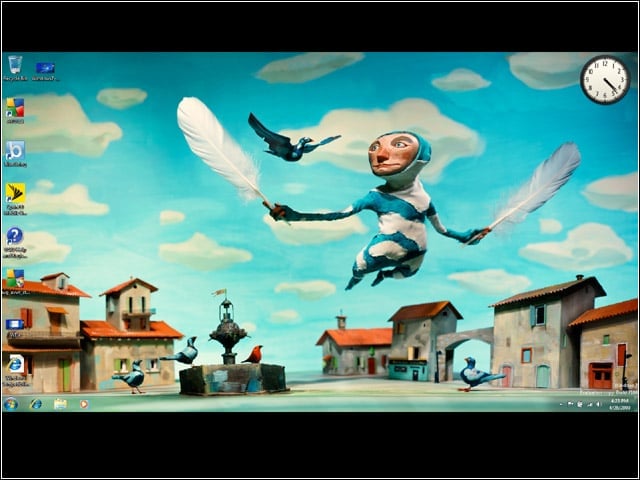
Windows 7 features some surprising desktop backgrounds that can only be described as charming, comic or colorful. eWEEK installed the Windows 7 Release Candidate on April 28. The Vaio was set up fresh with Windows Vista Business Service Pack 1 and then immediately upgraded to Windows 7. The upgrade took more than 2.5 hours, in part because it involved downloading 45 updates.
No Title
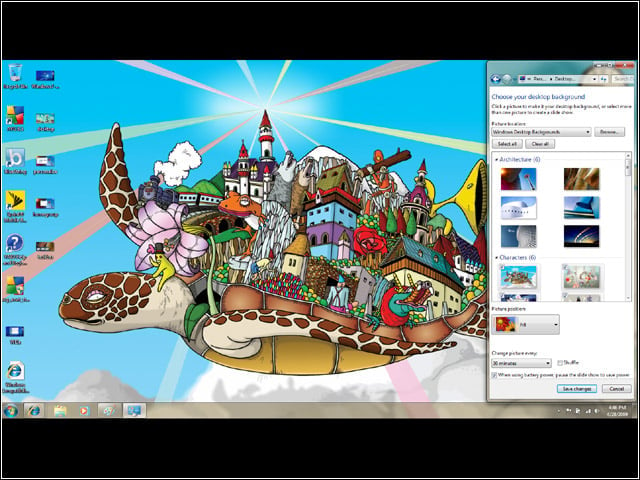
The new Aero Theme feature comes with some fun, festive themes for customizing the look of Windows 7. Microsoft made personalization one of the user interface’s design priorities.
No Title
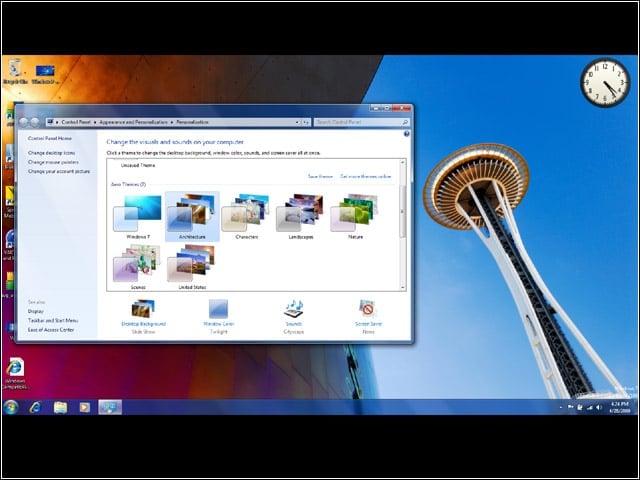
Here is yet another theme, shown behind the Aero Theme chooser.
No Title
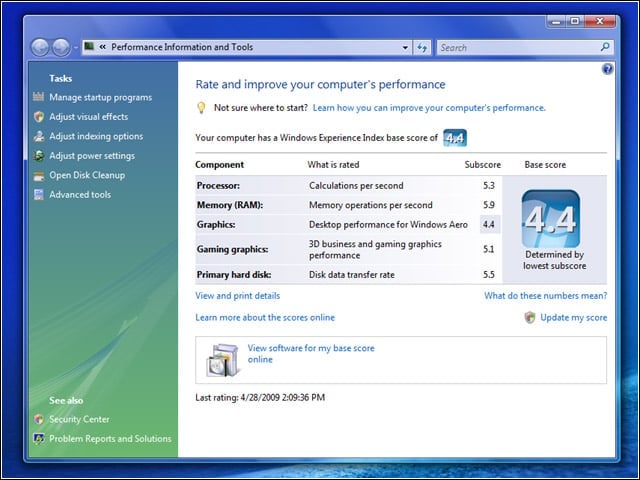
The Windows Experience Index rated the Sony Vaio VGN-Z590 as 4.4 out of 5.9 under Windows Vista Business Service Pack 1. But the individual ratings change under Windows 7 RC (see next slide).
No Title
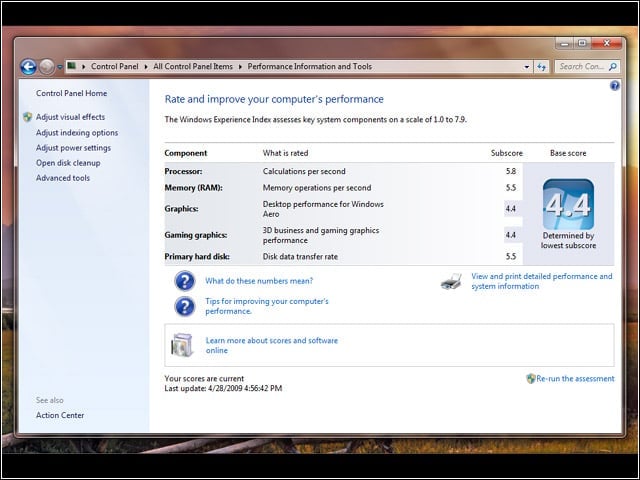
Under Windows 7, the Sony Vaio VGN-Z590’s Windows Experience Index remains 4.4 on the new scale of up to 7.9. But some individual features change. The 2.4GHz processor rating goes up to 5.8 from 5.3, while memory goes down from 5.9 to 5.5.
No Title
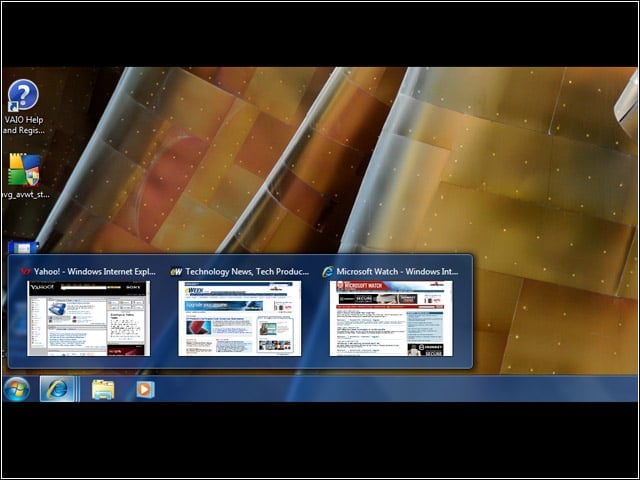
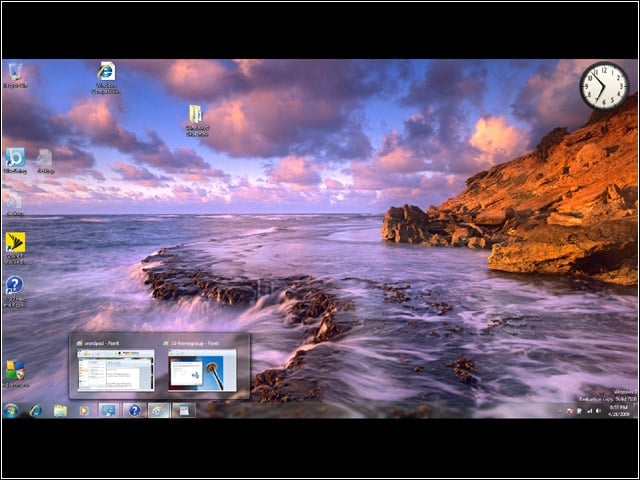
The most visible UI changes are to the Windows 7 taskbar, which provides more thumbnail previews. Here, three open tabs appear as thumbnails that the user can pick. Open programs can be dragged along the taskbar or pinned there.
No Title
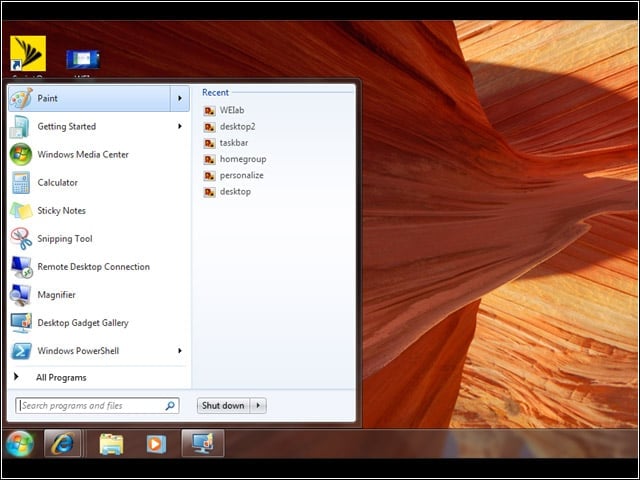
The new Jumplist feature provides quick access to recently opened documents.
No Title
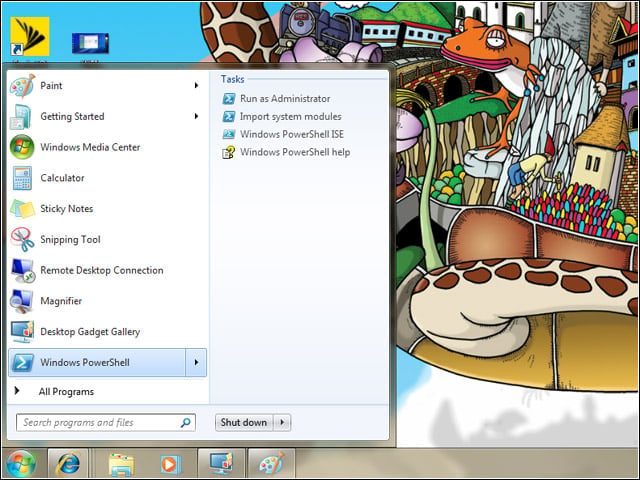
Jumplists also provide quick access to tasks associated with Windows 7 features or applications. Yes, that is PowerShell you see. Like Windows Server 2008, PowerShell comes with Windows 7.
No Title
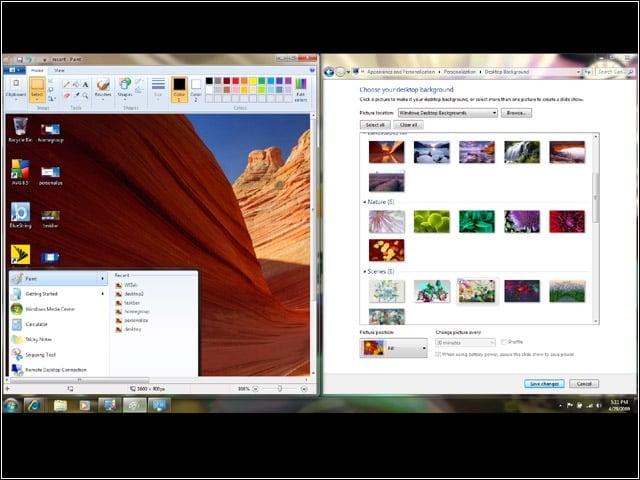
Another new feature of the Windows 7 UI is Aero Snap. The user pulls a window off the screen to snap it back to the center. The feature makes resizing windows easier.
No Title
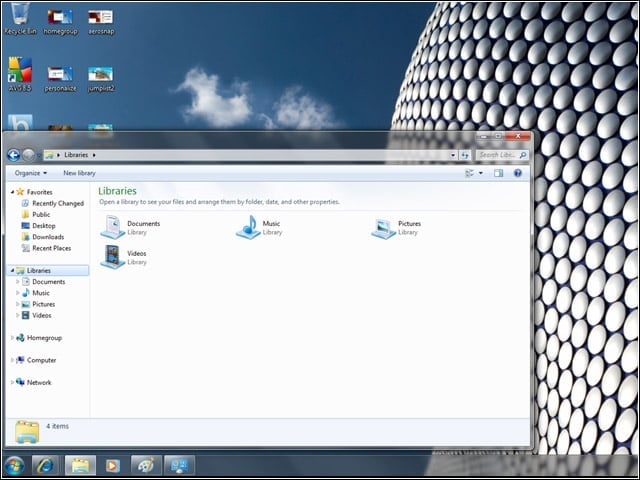
The new Libraries feature essentially lets users catalog their files and folders so that they are appropriately put together.
No Title
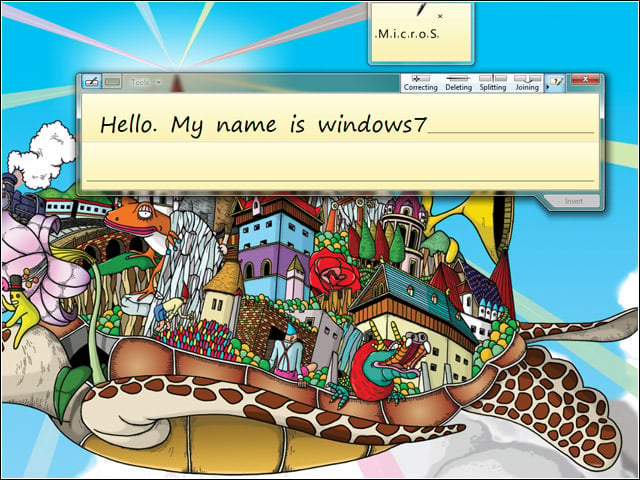
Users can scribble text in the Tablet Input panel. In this example, a mouse was used to write words that Windows 7 reformatted into more readable type.
No Title
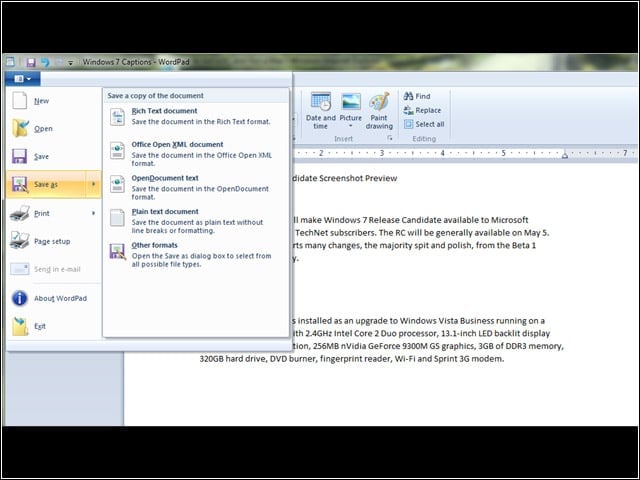
WordPad looks more like Office 2007, inheriting aspects of the Ribbon. Yes, OpenDocument is one of the default “save as” formats.
No Title
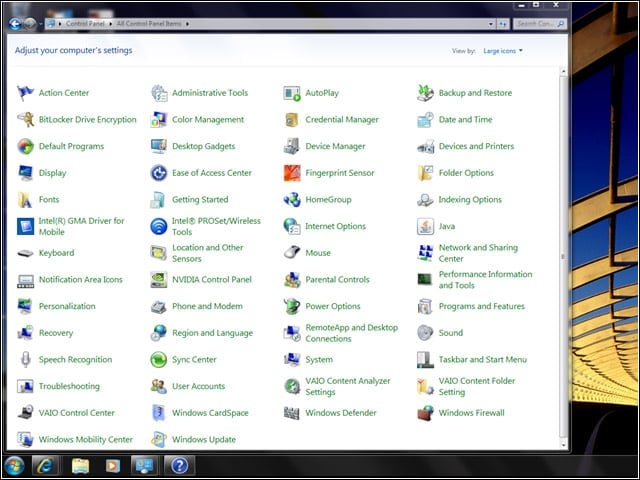
The Control Panel is as cluttered as ever.
No Title
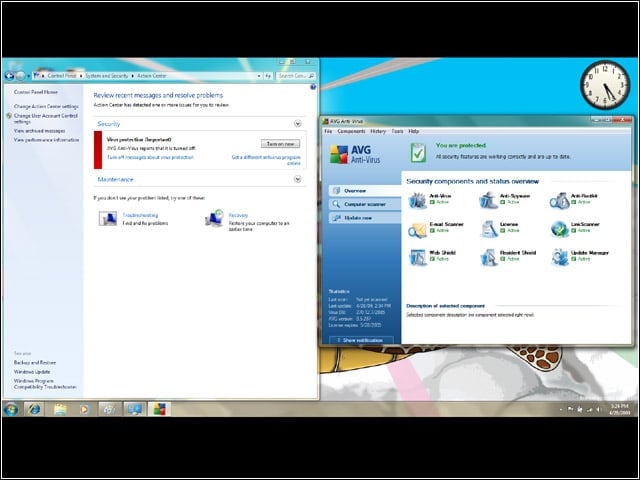
Uh-oh. The Windows 7 Action Center warns that AVG 8.5 anti-virus protection is turned off. AVG gives a green light. Gulp, which is right?
No Title
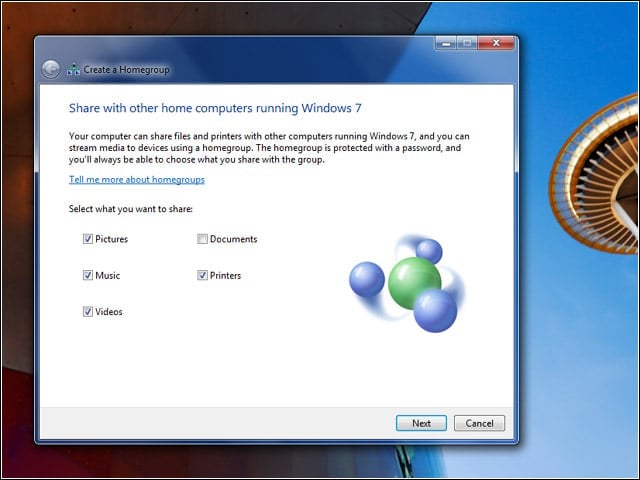
New feature Homegroup automatically sets up files, folders and printers to be shared on a home network.
No Title
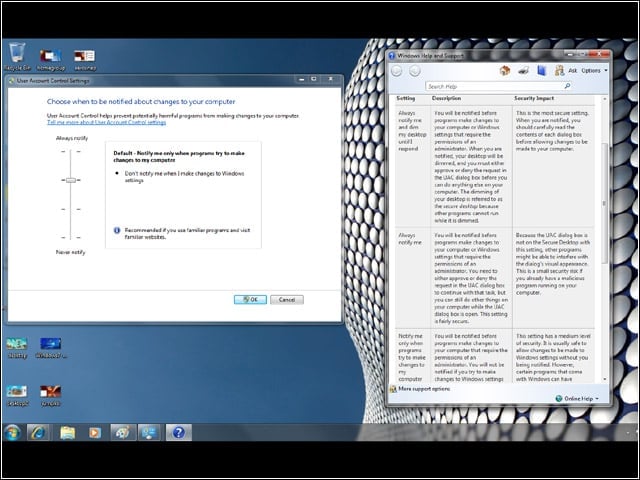
User Account Control is less pesky in Windows 7, and users have more control over just how nagging the prompts are.
No Title
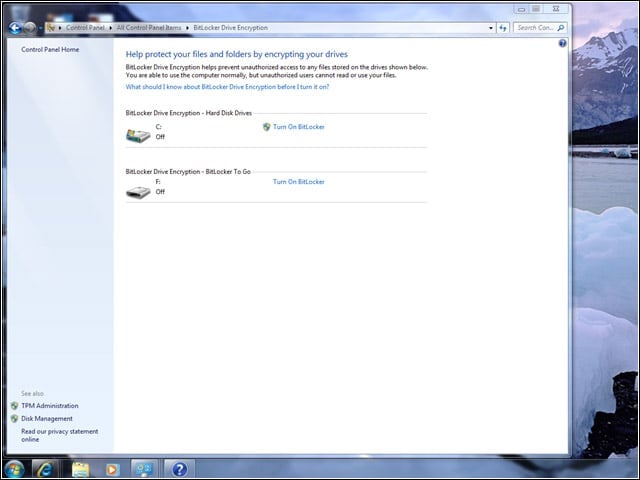
Among Windows 7’s new enterprise security features is BitLocker To Go, which can encrypt portable drives and USB keychains.
No Title
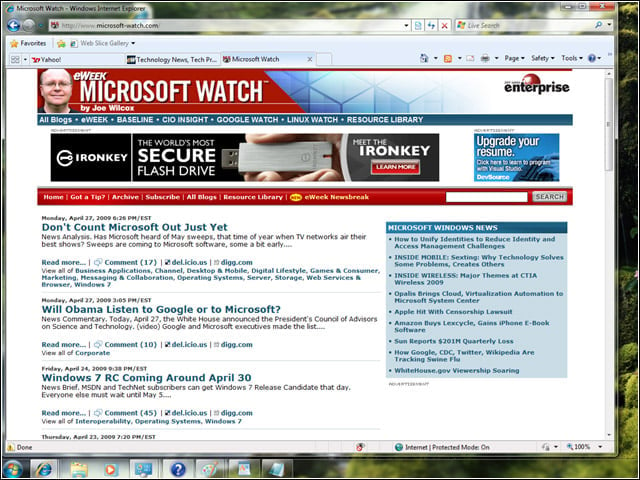
Windows 7 RC brings out Internet Explorer 8, the final version of which was available to Vista users. The IE 8 gold release didn’t support Windows 7 Beta 1.
No Title
Windows 7 presents more than just eye candy. The operating system is fast and responsive compared with Vista.