







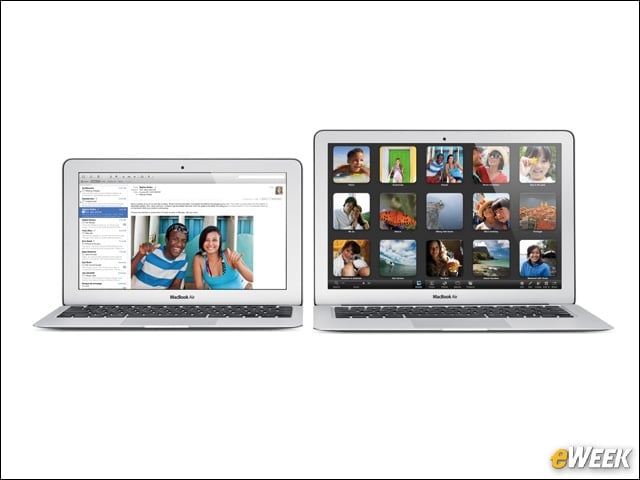
Apple MacBook Air
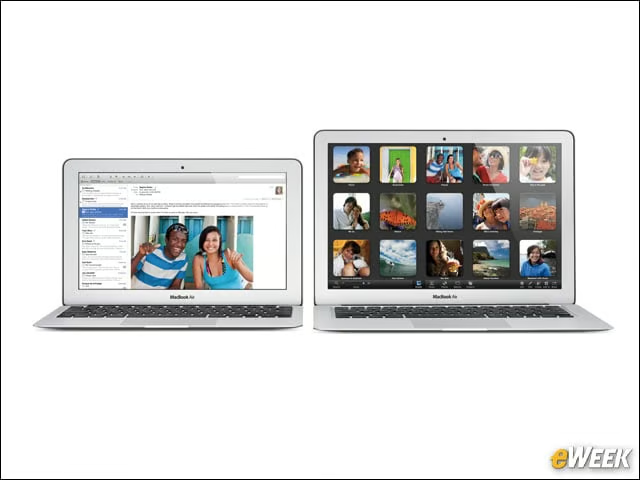
On June 11, Apple introduced a faster, more robust MacBook Air. The 11 inch-model, with its 11.6-inch high-resolution LED-backlit display, starts at $999, while 13-inch models, with their 13.3-inch displays, start at $1,199.
Apple MacBook Air
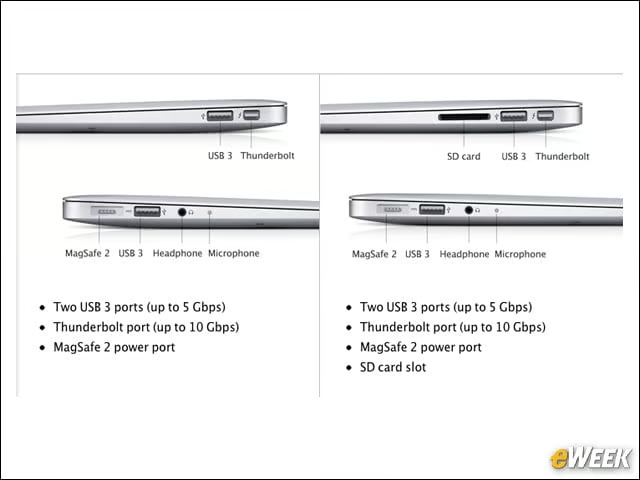
While new MacBook Pros were slimmed down, Apple decided the Airs were skinny enough as-is. It did, however, put USB 3.0 ports on either side that are compatible with USB 2.0 technology as well. The 13-inch models also feature Secure Digital (SD) card slots.
MagSafe Slot

If you’re ever unsure whether a MacBook Air is an older or updated model, take a look at the icons alongside the MagSafe slot. Apple has moved them from the left side of each port to the right. Or, thought of another way—as the same isn’t true on the other side of the laptop—all the icons now favor the side closest to the user. The newer model, on the bottom in this image, also has an undated, elongated MagSafe2 slot, iFixit points out.
Apple MacBook Air

To keep the MacBook Air light—models weigh 2.38 or 2.96 pounds—Apple figured out how to eliminate the protective front glass covering the LCD. iFixit found aluminum bezels and six intense T9 torx screws to be Apple’s solution for keeping the display in place.
Asymmetrical Fan
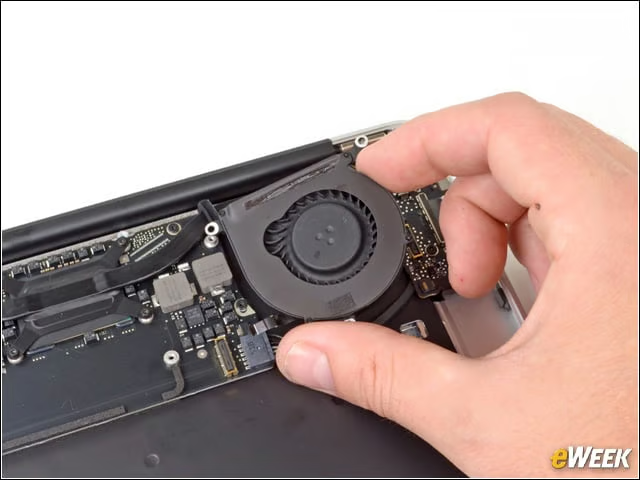
Out came the MacBook Air’s new stereo speakers and then its asymmetrical fan, said to make the machine quieter. “The wider gaps in the fan blades are around 3.6mm, while the narrower ones are approximately 2.8mm,” reported iFixit.
Logicboard
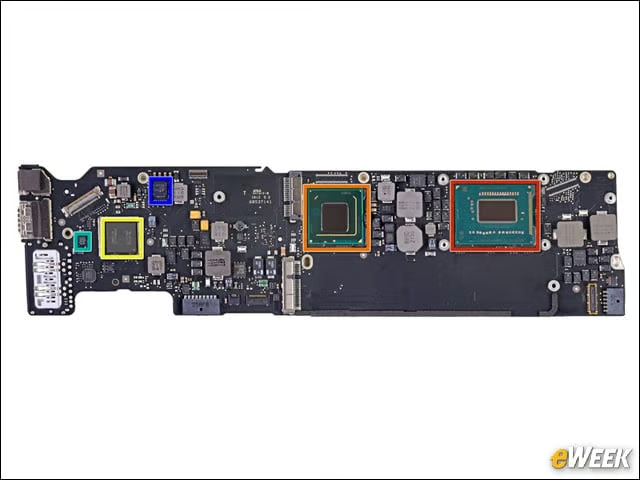
In red, iFixit has highlighted one of the MacBook Air’s more critical features, its Intel Core i5-3427U 1.8GHz dual-core processor with Intel HD Graphics 4000. In orange is the Intel platform controller hub; in yellow, the Intel Thunderbolt controller; and in blue, a Linear Technology inverting converter.
Battery
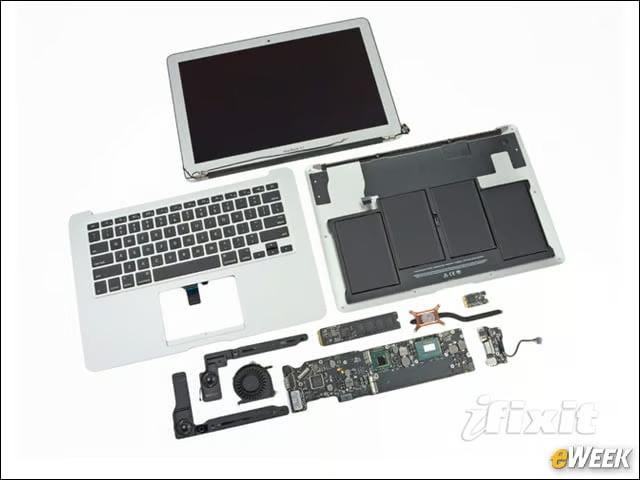
A considerable portion of the MacBook is battery. Note, also, its new 720p high-definition camera. The squiggly bit, at bottom right, is its improved microphone, while the chrome “x” is part of its thermal management system.
Intel HD Graphics 4000
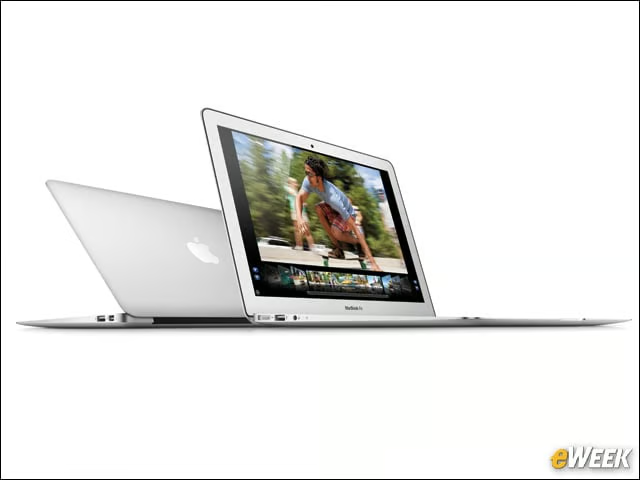
The MacBook Air can simultaneously support full resolution on an external display and, thanks to its Intel chips, is robust enough for video editing and gaming.