







Bromium announced its Secure Platform 4.1 update on May 31, integrating specific use-case capabilities to help secure emails and web browsing.
The specific use cases that Bromium Secure Platform 4.1 targets include email attachment protection, spear phishing protection, malicious download protection and native web browsing with the Chrome browser.
“Prior versions did support these uses cases, but 4.1 takes it one step further by making it easier to configure Bromium to meet these use cases quickly and simply, allowing channel partners to address specific customer pain points individually,” Fraser Kyne, EMEA CTO of Bromium, told eWEEK.
Bromium was founded in 2011 and has been steadily advancing its technology ever since. At the core of Bromium’s approach to security is the company’s micro virtual machine (microVM) technology that helps isolate and protect workloads and applications. It announced in January 2017 its Secure Platform offering, which integrates endpoint sensors across an organization to get an enterprise view of security.
While Bromium has been able to provide some email security capabilities in the past, Kyne said the Secure Platform 4.1 update takes a new approach.
“In the past, we’d wait for a user to open a file in a microVM before we’d analyze it,” he said. “With version 4.1, we have the new capability to automatically get a hash of email attachments when they arrive.”
Kyne said Bromium uses the email hash, which includes metadata information, to check for known malware. Additionally, Secure Platform 4.1 can automatically detonate attachments in microVMs when they arrive to check for previously unknown malware without having to wait for the user to open the file manually.
Secure Browsing
The new Bromium Secure Browsing extension for Chrome is another element of Secure Platform 4.1.
“The Bromium Secure Browsing extension is installed into Google Chrome and is used to redirect unsafe browsing to our Bromium Secure Browser,” Kyne said. “So, if a user clicks a malicious link in an email, we can open this website in the Bromium Secure Browser, rather than Google Chrome.”
Kyne said organizations can choose to have all links open in the Bromium Secure Browser or to let the user run Google Chrome as normal and only redirect risky clicks to the Bromium Secure Browser.
Dashboard
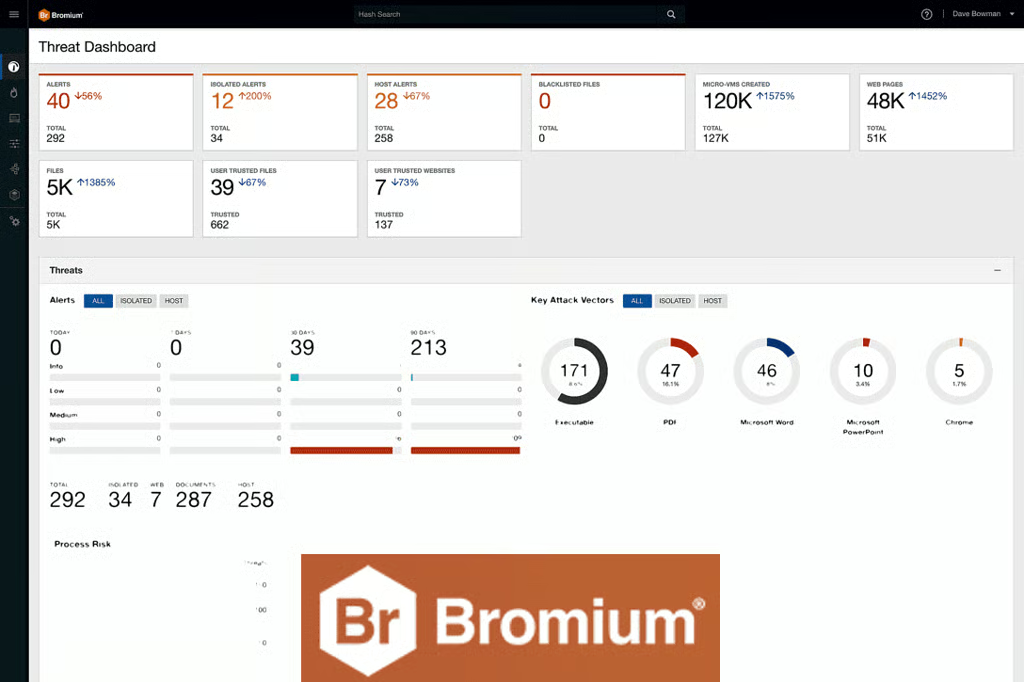
Another area of improvement in Bromium Secure Platform 4.1 is the dashboards, which have been made more actionable for users.
“The dashboards provide a far more powerful method for customers to get a view on the status of their systems, with management reports that can be generated directly from the Bromium Controller without having to push the data into a third-party tool first,” Kyne said. “This allows Bromium admins to provide management and exec teams with meaningful data-led insights.”
Additional use cases will be coming to the Bromium Secure Platform throughout the year to further expand the platform’s ability to help organizations isolate threats and limit cyber-security risk, according to Kyne.
“Businesses are facing a plethora of critical security issues, and the Bromium platform provides a new methodology and architecture to tackle these in a way that hasn’t previously been possible,” he said.
Sean Michael Kerner is a senior editor at eWEEK and InternetNews.com. Follow him on Twitter @TechJournalist.