









- ESET’s ERA6 Virtual Appliance Unifies Endpoint Security Management
- ERA v6 Provides a Fully Instrumented Management Console.
- Interactive Threat Console Simplifies Detection
- Flexible System Management
- Interactive Grouping Eases Management Chores
- ERA v6 Bundles in a Certificate Authority
- Fully Instrumented and Customizable Dashboards
- ERA v6 Centralizes Device Management
- ERA v6 Uses Policies to Manage Users and Systems
- ERA v6 Brings a Task-Centric Ideology to Management
- ESET Provides a Fully Integrated Reporting System
- ERA v6 Brings the Full Power of Wizards
- ESET Provides a Comprehensive Notification System
- Integrated Conflict-Resolution Saves Time
ESET’s ERA6 Virtual Appliance Unifies Endpoint Security Management
by Frank Ohlhorst
ERA v6 Provides a Fully Instrumented Management Console.
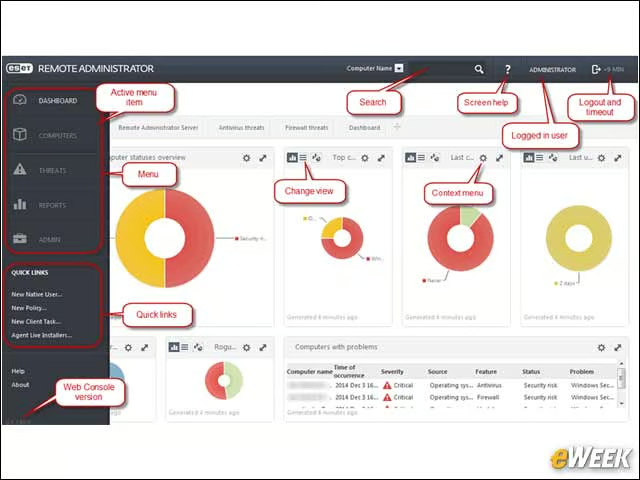
ERA v6 leverages a browser-based console, which provides a customizable dashboard to keep administrators informed of the security status of the network endpoints. The console incorporates drilldown, wizards, reporting and an extensive help system to maximize productivity.
Interactive Threat Console Simplifies Detection
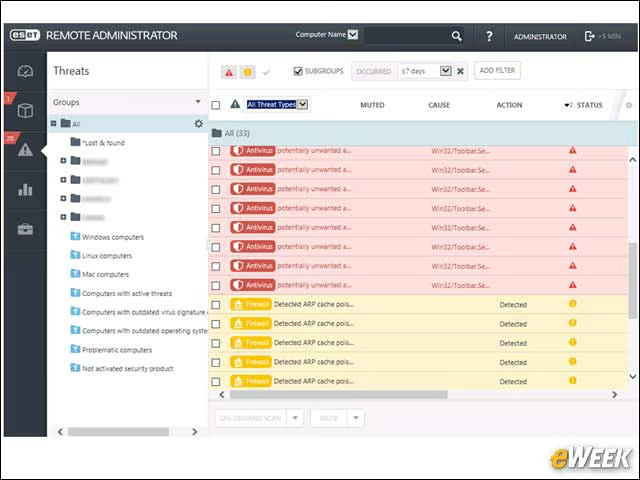
The ERA v6 threat console is fully configurable and offers drilldown and sort options, and makes short work of tracking down critical threats as they enter the network. Management tasks can be launched from the threat console to help administrators remediate any active threats.
Flexible System Management
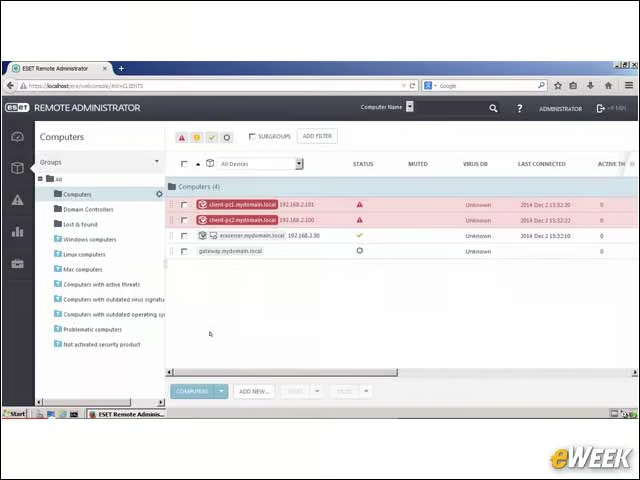
The “Computers Management Console” gives administrators insight into what is attached to the network, how those computers are protected and if any of those systems need attention. Like most of the product’s dashboards, the console can be customized and sorted by groups, machine types and so on.
Interactive Grouping Eases Management Chores
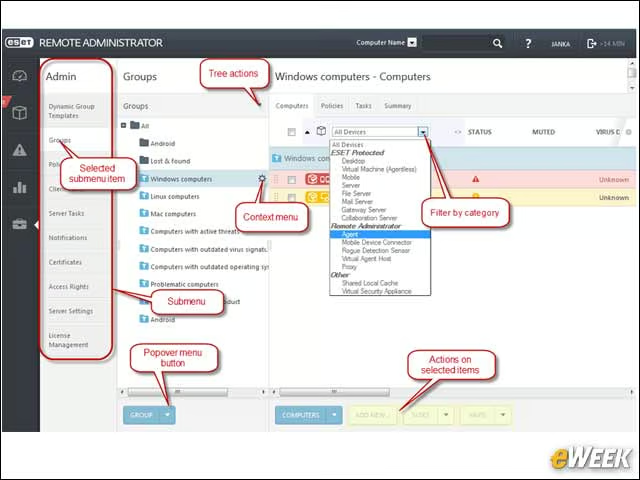
Computers, users and other objects can be assigned to groups to help administrators keep things more organized. Actions can be executed on groups, and filters can be used to further narrow down group members by specific identifiers. All consoles are similar in look and feel, making it easy to move from one product capability to another.
ERA v6 Bundles in a Certificate Authority
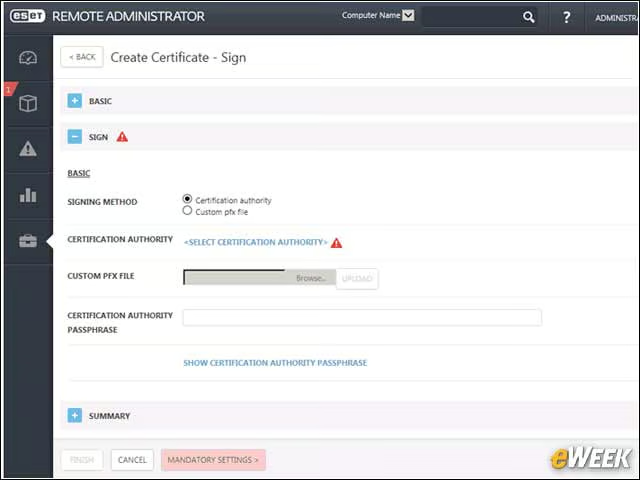
ERA v6 uses secure communications for all traffic between endpoints and the management server. Simply put, all traffic-generated endpoint agents are fully encrypted. To make sure traffic never traverses the network in an unencrypted fashion, ERA v6 includes the ability to create and self-sign certificates, meaning that organizations do not have to purchase certificates from an external certificate authority.
Fully Instrumented and Customizable Dashboards
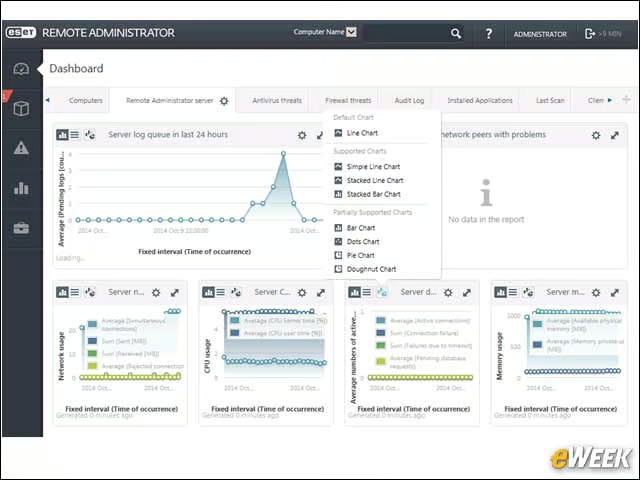
ERA v6 includes several widgets that can be used to populate dashboards. Those widgets offer graphical representations of the status of security across the endpoints and can be combined to create custom dashboards that can offer unique views into network activity. Administrators can quickly create a single-pane-of-glass view for what is important to them, enhancing productivity and creating a more responsive work environment.
ERA v6 Centralizes Device Management
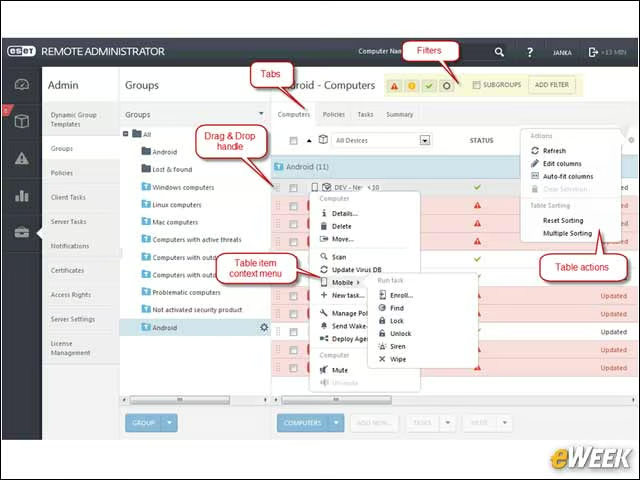
Administrators can manage individual devices, device groups and users, all from within the management console. Here, device management supports full drilldown and sorting capabilities, allowing administrators to execute tasks, such as enrolling a device, pushing out updates or installing agents from a central console.
ERA v6 Uses Policies to Manage Users and Systems
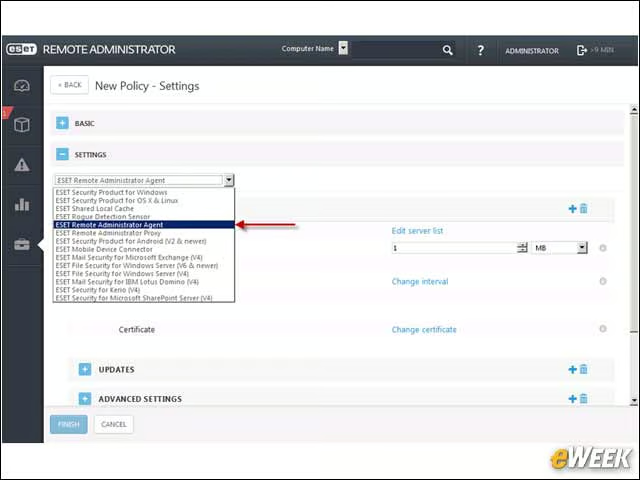
Most any security product requires that policies be created and enforced. Here, ERA v6 is no slouch, supporting the ability to build complex policies with just a few mouse clicks. Policies can be created and applied to specific groups, users or machines and offer granular controls.
ERA v6 Brings a Task-Centric Ideology to Management
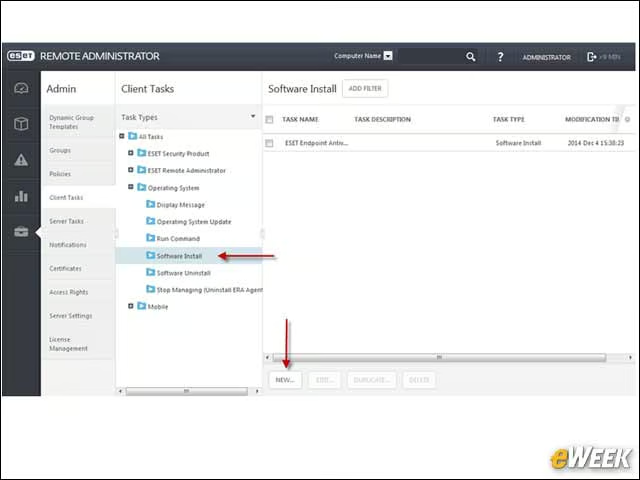
Administrators can quickly define tasks using a wizard-based paradigm that steps throughout the creation and deployment of tasks. Several filters are available, as well as Boolean logic to make any task almost as powerful as scripted commands.
ESET Provides a Fully Integrated Reporting System
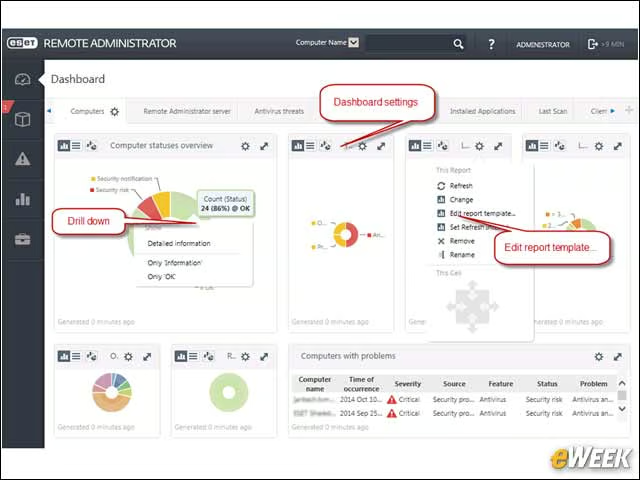
Both visual and text-based reports are readily available. The integrated report wizard offers multiple templates, graphs, charts and other elements to create informative reports that can be filtered by multiple criteria.
ERA v6 Brings the Full Power of Wizards
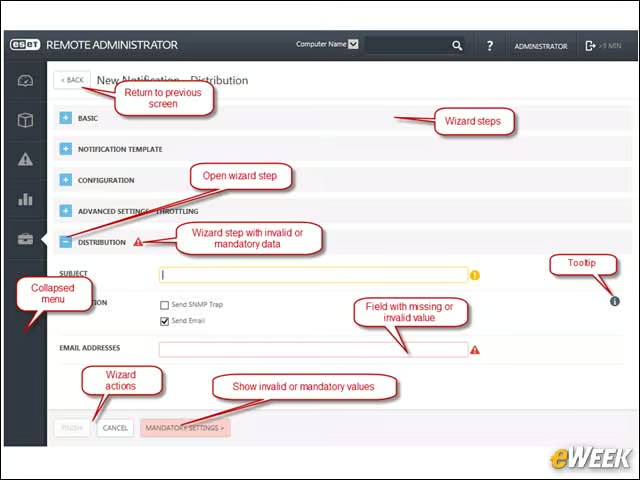
The product fully leverages wizards, offers clear navigation and guides administrators through the steps needed to perform most any function using a wizard.
ESET Provides a Comprehensive Notification System
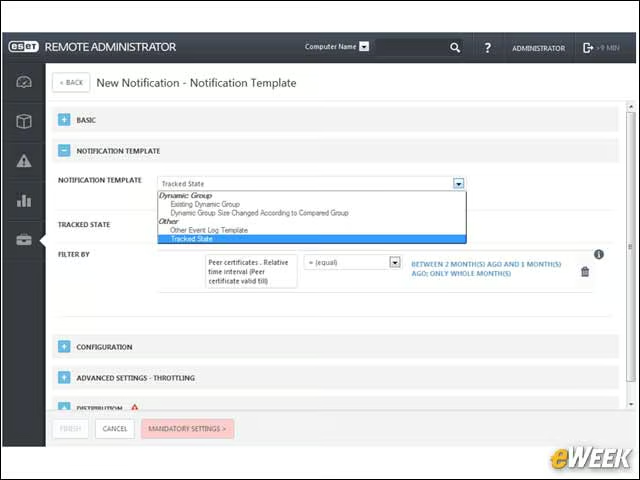
Administrators can quickly create automated notifications that can inform concerned parties of events impacting the ERA v6 management environment.
Integrated Conflict-Resolution Saves Time
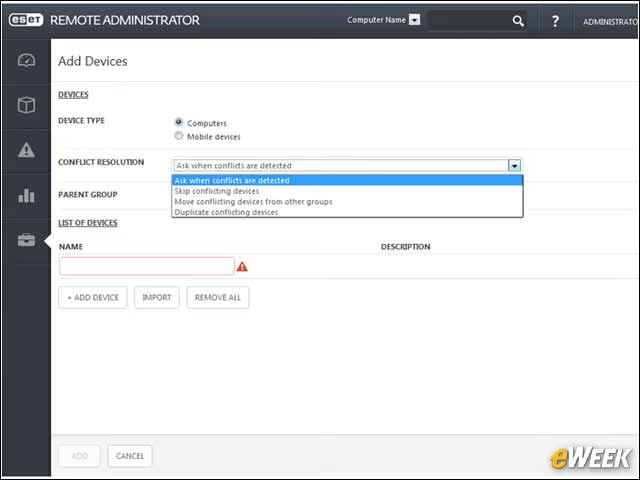
The ERA v6 Conflict Resolution system can identify endpoint conflicts automatically, saving administrators numerous hours when it comes to security compliance and auditing.