







- eWEEK Labs Says GFI LANguard 9.0 a Useful Network Security Tool for SMBs
- Startup
- DashboardThe dashboard shows security status at a glance as well as a trend of vulnerabilities over time. Note that 192.168.10.22 has a high vulnerability level.Scanning
- No Title
- Sorting by Vulnerability
- Hardware Report
- Approval
- Deployment Status
eWEEK Labs Says GFI LANguard 9.0 a Useful Network Security Tool for SMBs
By Matthew D. Sarrel
Startup
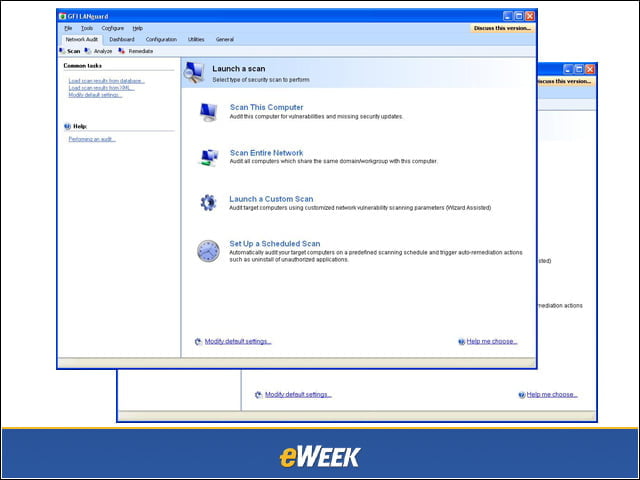
When GFI LANguard 9.0 starts up, you are presented with the most common scanning choices. After selecting a type of scan to perform, you’re guided through a series of steps. The most flexible option is Launch a Custom Scan.
Dashboard
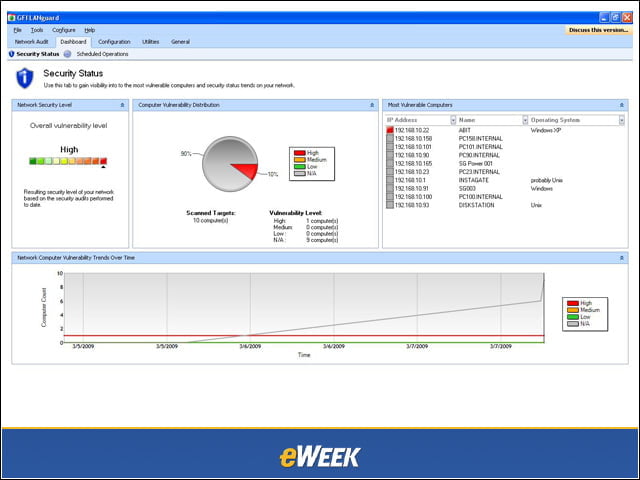
The dashboard shows security status at a glance as well as a trend of vulnerabilities over time. Note that 192.168.10.22 has a high vulnerability level.Scanning
Scanning individual machines is simplified by well-structured reports. It’s easy to see which vulnerabilities exist and which patches need to be deployed.
No Title
Scanning
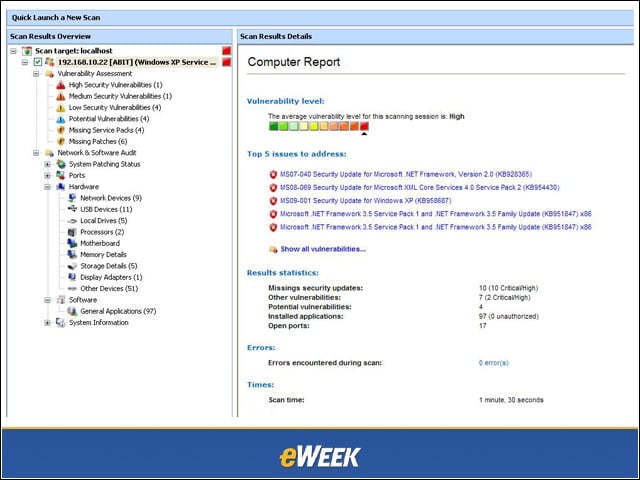
Scanning individual machines is simplified by well-structured reports. It’s easy to see which vulnerabilities exist and which patches need to be deployed.
Sorting by Vulnerability
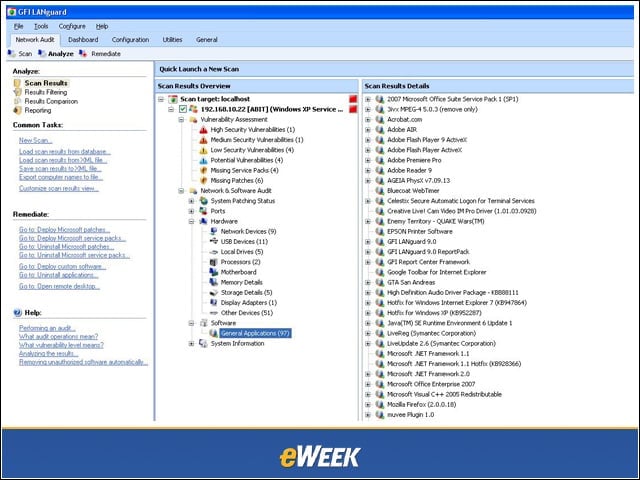
After a full scan (15,000+ vulnerabilities), it’s easy to sort by vulnerability severity. Here, I’ve expanded the software inventory. You can see “GTA San Andreas,” the game, in the middle of the list. I could right-click and choose to remove this application.
Hardware Report
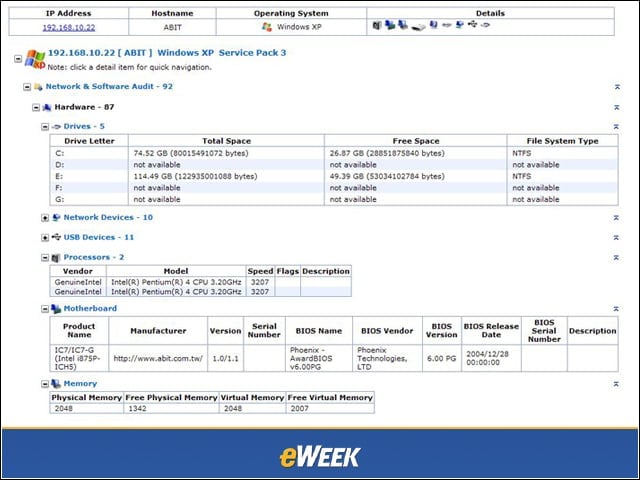
This is the hardware report from the same scan. Information provided includes drives, processors, USB devices, memory and motherboard.
Approval
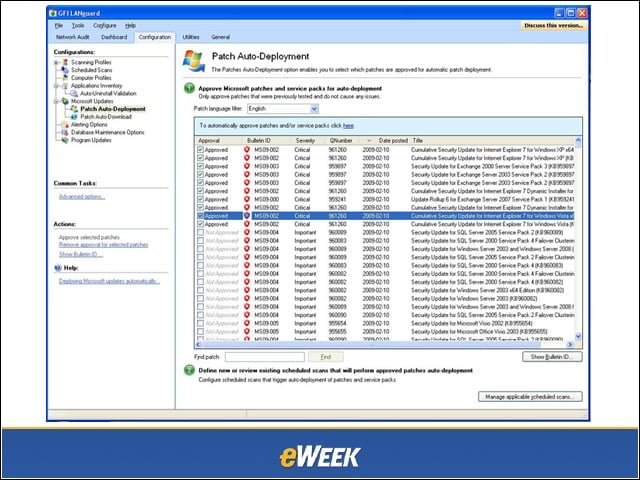
Before security updates and service packs can be deployed to Windows workstations, the administrator must approve them. This allows for testing before deployment.
Deployment Status
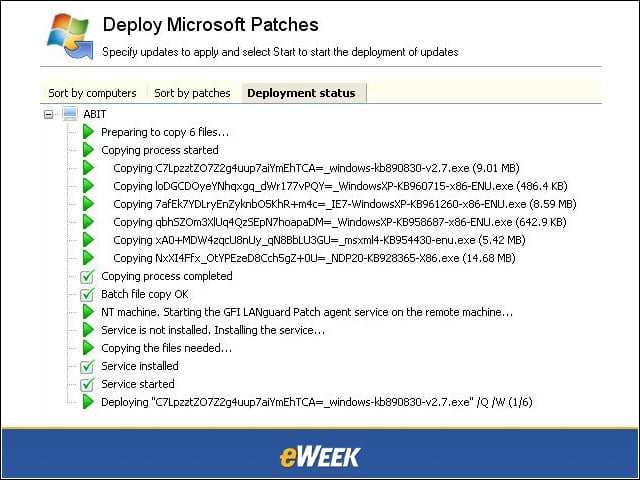
After choosing computers to update and patches to deploy, I watched as deployment status was updated. On the workstation, the user was prompted to reboot after patching.