









- eWEEK Labs Walk-Through: Yoggie Gatekeeper Pro
- eWEEK Labs Walk-Through: Yoggie Gatekeeper Pro – Tiny
- eWEEK Labs Walk-Through: Yoggie Gatekeeper Pro – The Rear End
- eWEEK Labs Walk-Through: Yoggie Gatekeeper Pro – Rubber Tether
- eWEEK Labs Walk-Through: Yoggie Gatekeeper Pro – Ethernet
- eWEEK Labs Walk-Through: Yoggie Gatekeeper Pro – Deployment Mode
- eWEEK Labs Walk-Through: Yoggie Gatekeeper Pro – Slider Bar
- eWEEK Labs Walk-Through: Yoggie Gatekeeper Pro – Yoggie Driver Installation
- eWEEK Labs Walk-Through: Yoggie Gatekeeper Pro – Inline Virus Detection
- eWEEK Labs Walk-Through: Yoggie Gatekeeper Pro – Dashboard View
- eWEEK Labs Walk-Through: Yoggie Gatekeeper Pro – Only So Big
eWEEK Labs Walk-Through: Yoggie Gatekeeper Pro
Just from the packaging, we could tell the device was going to be small.
eWEEK Labs Walk-Through: Yoggie Gatekeeper Pro – Tiny
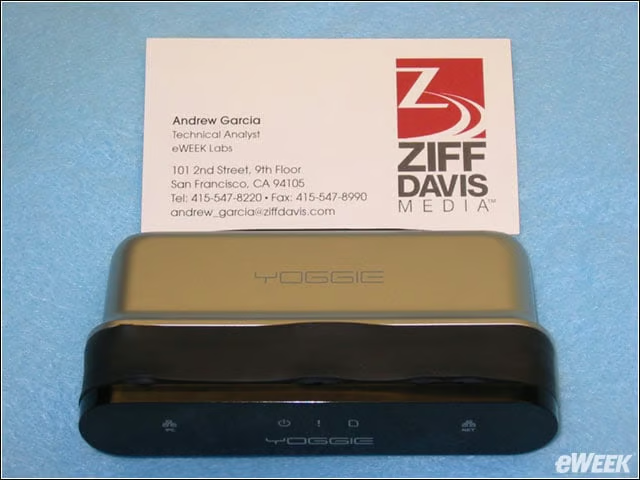
The Gatekeeper Pro is not much larger than a business card.
eWEEK Labs Walk-Through: Yoggie Gatekeeper Pro – The Rear End
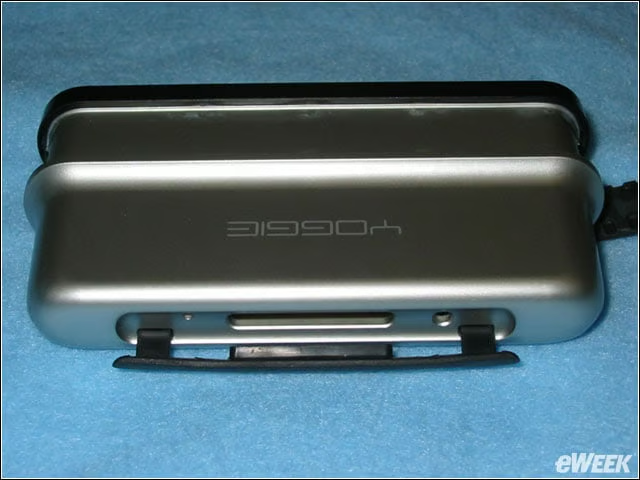
Hidden away under a rubber shield are a reset button, an SD slot for future add-ons and the power connector.
eWEEK Labs Walk-Through: Yoggie Gatekeeper Pro – Rubber Tether
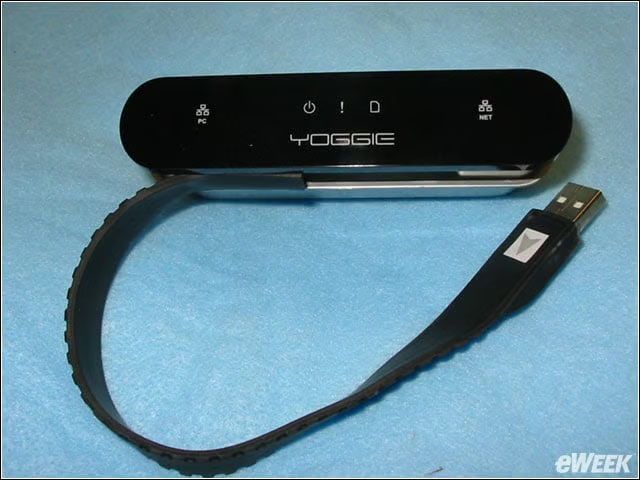
The Gatekeeper Pro is protected by a rubber strip that doubles as the integrated USB connector.
eWEEK Labs Walk-Through: Yoggie Gatekeeper Pro – Ethernet

The device has two Ethernet ports to connect to the protected device and the network switch.
eWEEK Labs Walk-Through: Yoggie Gatekeeper Pro – Deployment Mode
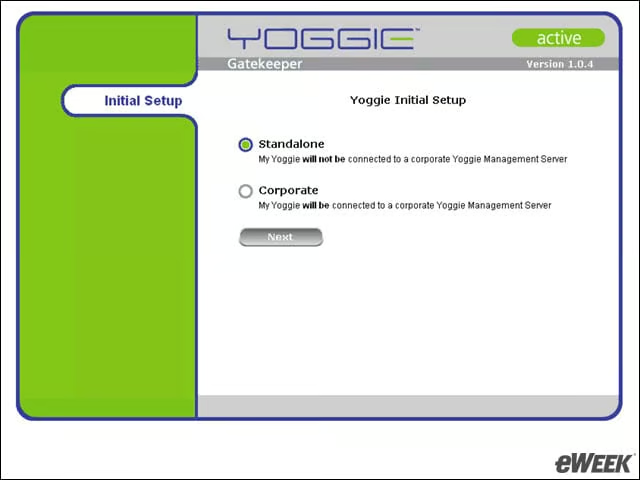
During Gatekeeper setup, we chose whether to configure appliances individually or through a Yoggie Management Server.
eWEEK Labs Walk-Through: Yoggie Gatekeeper Pro – Slider Bar
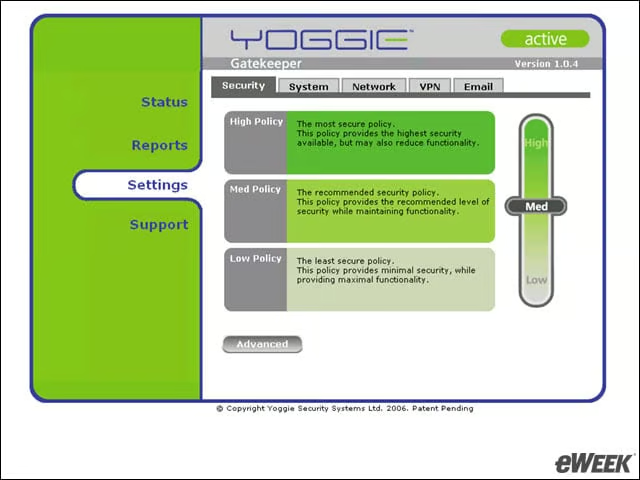
Neither the interface nor the documentation did much to spell out what the different security levels entailed.
eWEEK Labs Walk-Through: Yoggie Gatekeeper Pro – Yoggie Driver Installation
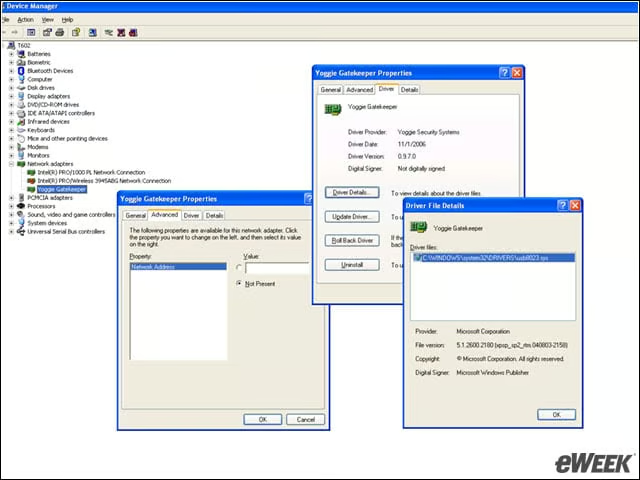
Windows treats the Yoggie device like an attached network device when configured in redirect mode.
eWEEK Labs Walk-Through: Yoggie Gatekeeper Pro – Inline Virus Detection
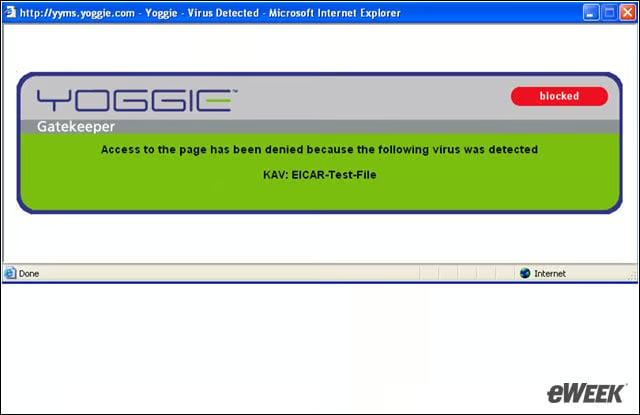
The Gatekeeper includes a test that downloads the Eicar virus sample to test whether inline defenses are working. Yoggie caught many viruses we tried to download via HTTP and FTP.
eWEEK Labs Walk-Through: Yoggie Gatekeeper Pro – Dashboard View
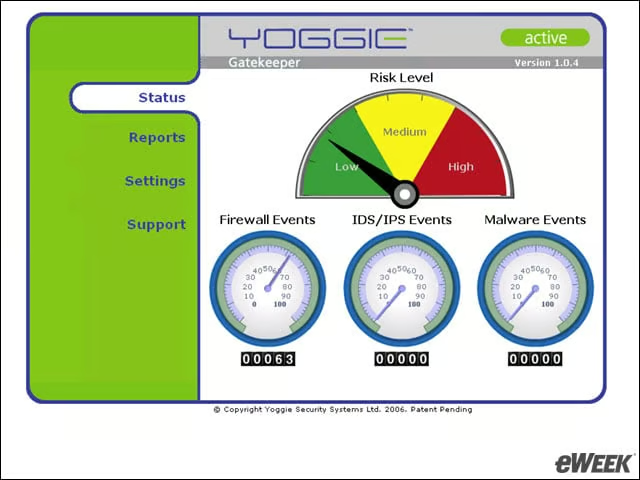
The dashboard highlights the current security posture on the device.
eWEEK Labs Walk-Through: Yoggie Gatekeeper Pro – Only So Big
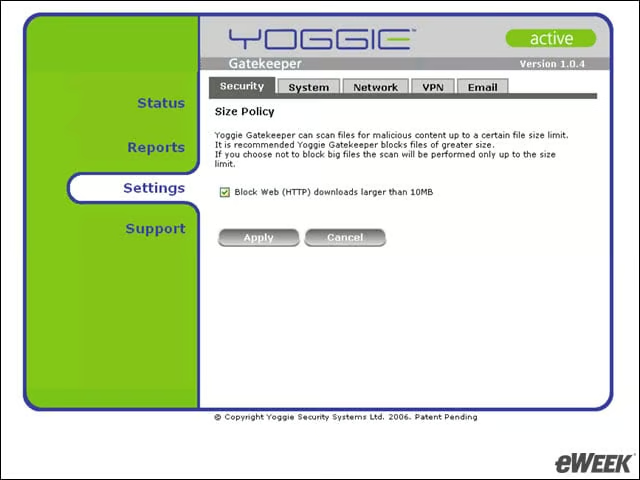
Gatekeeper Pro can only scan the first 10MB of a downloaded file. Administrators have the option to disable the download of anything larger.