







- LABS GALLERY: Shavlik Netchk Protect 7 Gets Anti-Malware Boost
- Prerequisites
- Setup Wizard
- Quick Links
- Tasks
- Patch-Related Data
- Summary Results
- Top Threats
- Top Threats by OS
- Agent Policy
- Risk Classification
- Threat Detected
- Threat Quarantine
- Executable Approval
- Threat Action
- Machine View
- Operations Monitor
- Update install
- Virtual Machine Scan
- Service Packs
- VM Patch Deployment
- Getting the Message
- No Title
LABS GALLERY: Shavlik Netchk Protect 7 Gets Anti-Malware Boost
Matthew D. Sarrel
Prerequisites
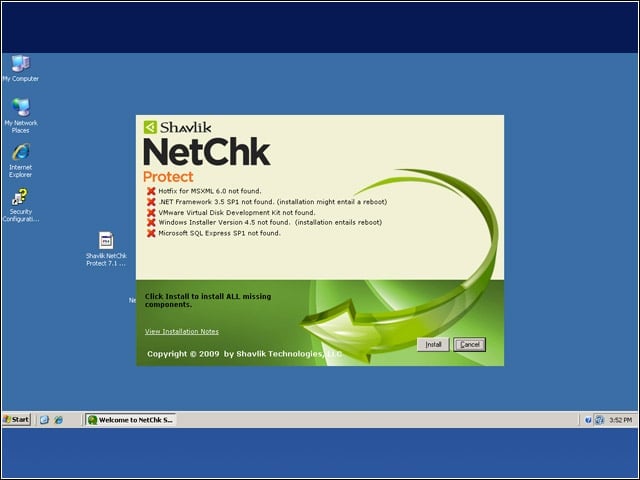
Wouldn’t it be wonderful if every piece of software also downloaded and installed the prerequisites?
Setup Wizard
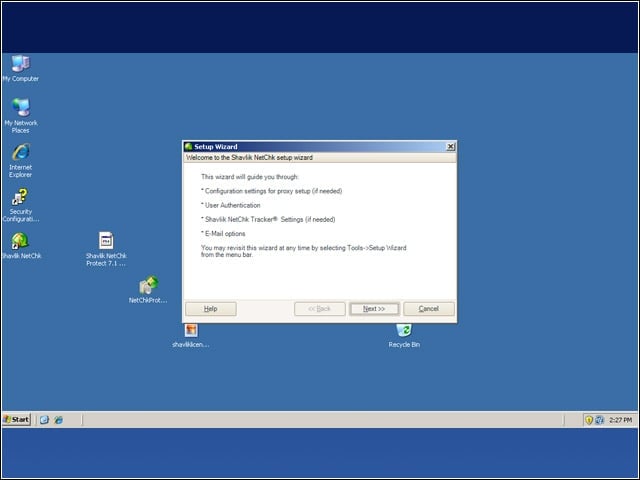
After installation, a setup wizard walks you through additional configuration options. These can be set later under the options menu, but it’s easier here.
Quick Links
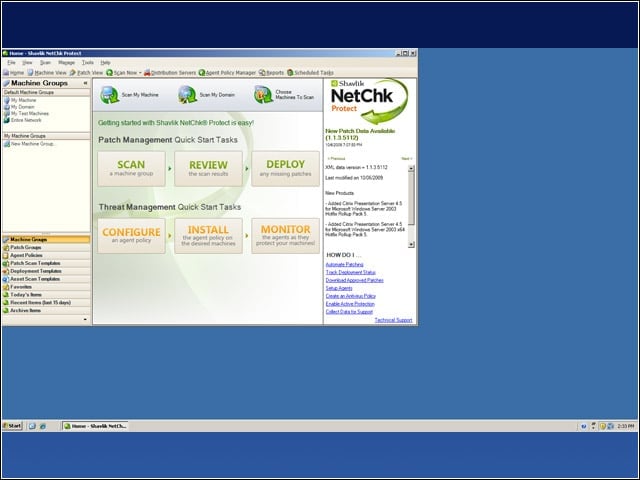
The first time you launch Shavlik Netchk Protect 7’s management console, the home page greets you with quick links to common tasks.
Tasks
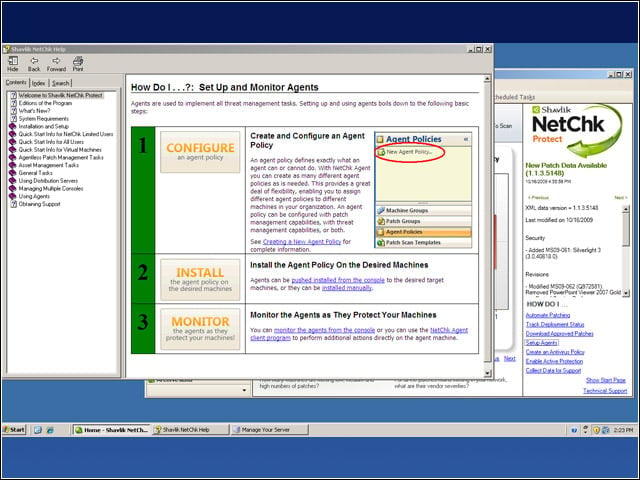
After clicking a link on the quick start page, help opens up to guide you through the tasks. Once set up, tasks can be run manually or scheduled to run automatically.
Patch-Related Data
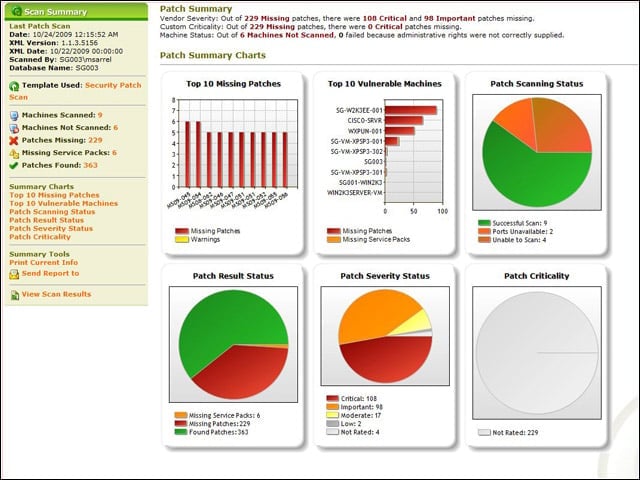
Within minutes of installing Netchk Protect 7, I had detailed patch-related information for my test network. I got info on which patches needed to be downloaded and which machines need to be patched first.
Summary Results
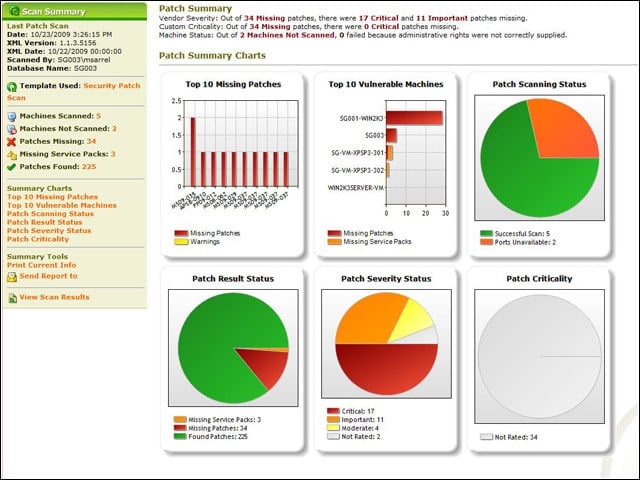
Here are summary results of a security patch scan on an environment comprising physical and virtual machines. The machines with “VM” in their name are virtual. Nnote how a distinction is now made between an on or off VM.
Top Threats
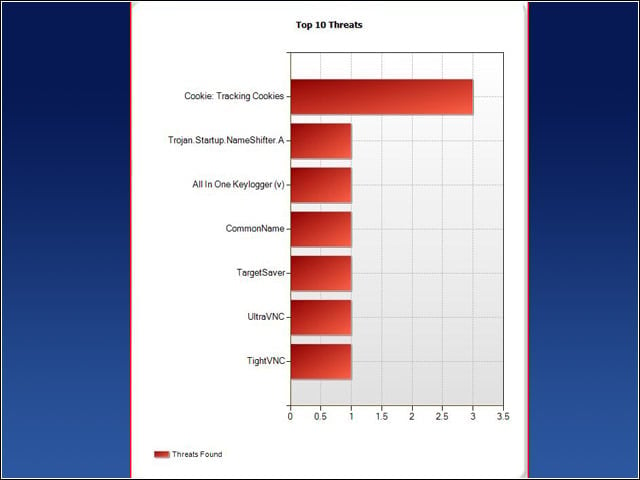
Shown is a very useful chart that lists the top malware threats found on my test network.
Top Threats by OS
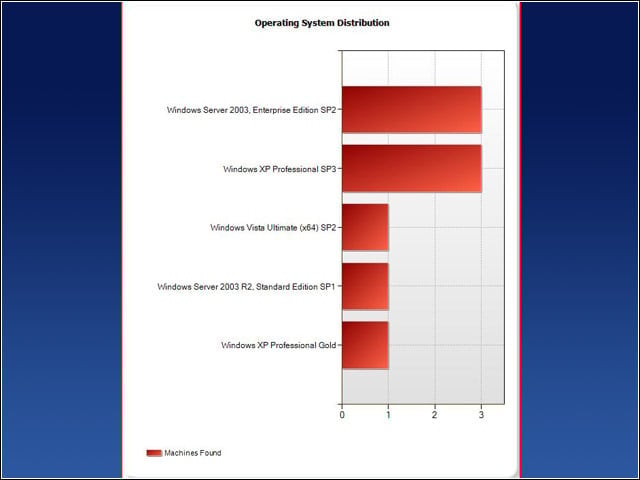
A similarly useful chart shows the top malware threats by OS. This could be used to prioritize patches.
Agent Policy
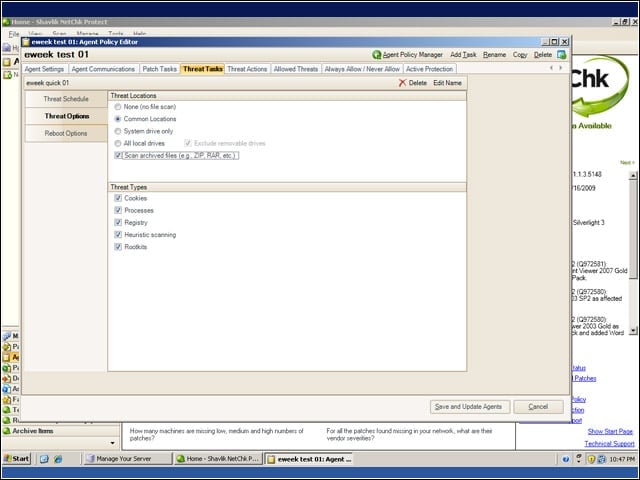
Before deploying agents to manage patches and threats, it is necessary to configure an agent policy. From the Threat Tasks tab, I added “scan archived files” by clicking on the check box.
Risk Classification
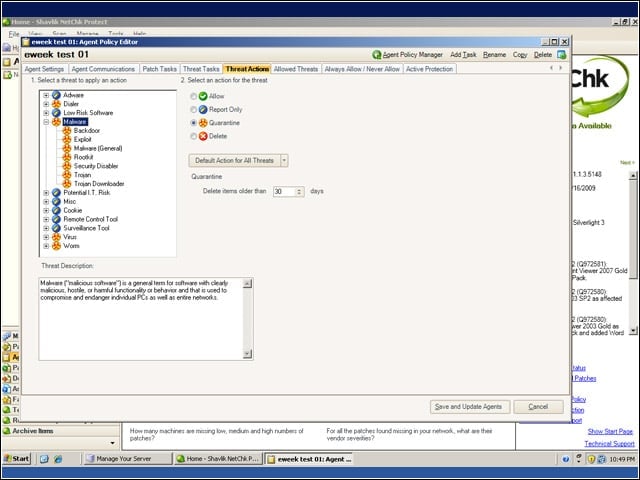
It is important to classify the risk presented by each category of threat and then decide how that threat should be treated if discovered. I found it useful to click the Default Action for all Threats button and select Quarantine.
Threat Detected
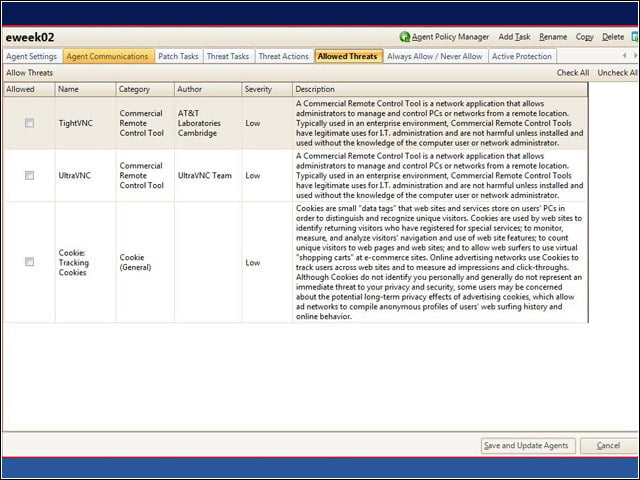
After a scan detects a threat and reports back to the management console, you can allow the threat and then push the agent policy out to the clients.
Threat Quarantine
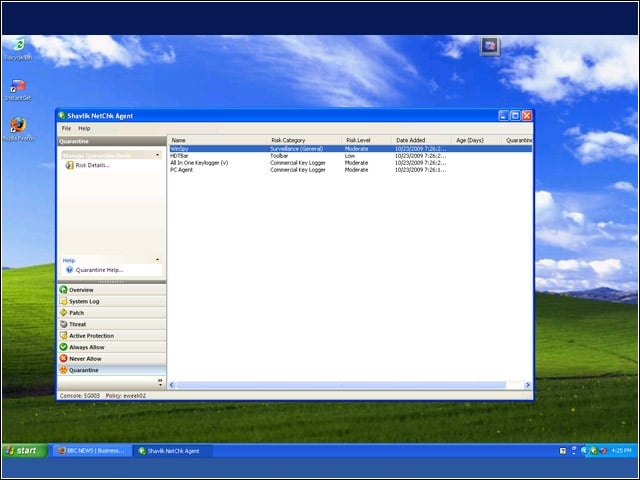
The Sunbelt VIPRE engine identified and quarantined threats found on an infected machine. The threats were removed without compromising system stability.
Executable Approval
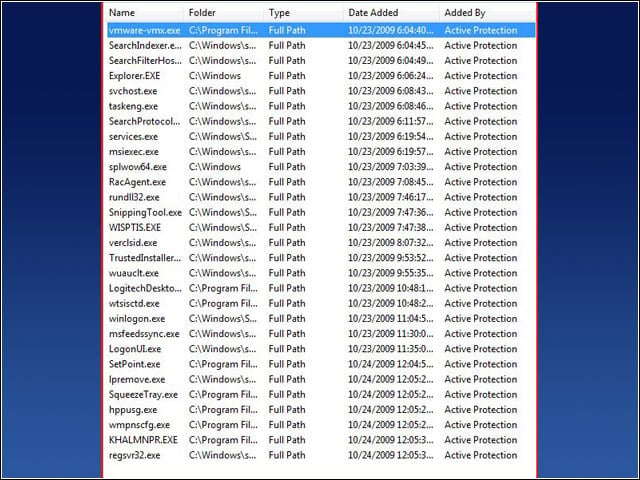
I created a restricted security policy in which the user had to approve each executable as it ran. This screen shot is from the client agent. This list is not reported on the management console.
Threat Action
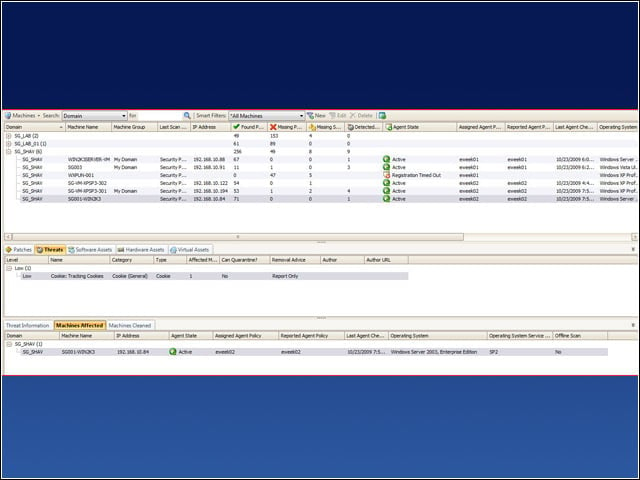
With patches, I simply clicked the machine, then the patches tab below, then deploy. In contrast, with threats, information is not actionable in the lower pane.
Machine View
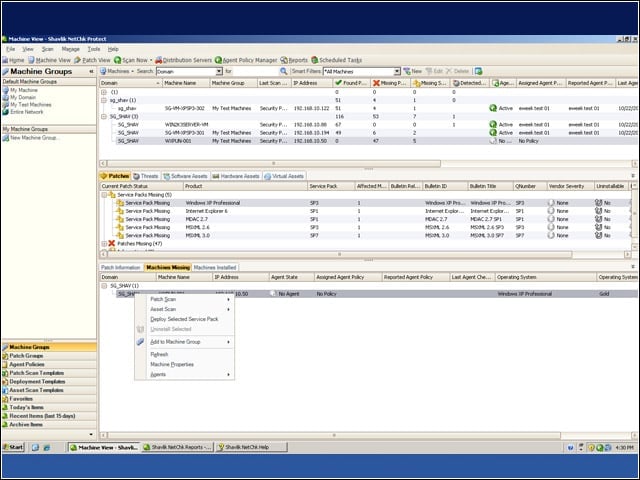
I found the Machine View to be the easiest to use during my testing. This is how a GUI should be: intuitive and easy to use.
Operations Monitor
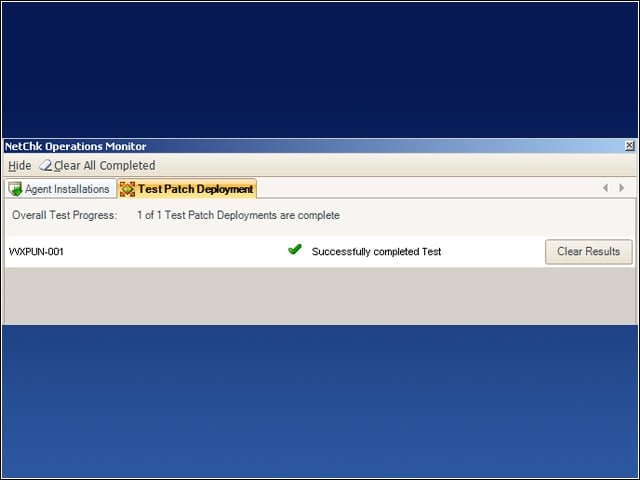
The Operations Monitor tests agent connections to determine whether a patch would be deployed successfully.
Update install
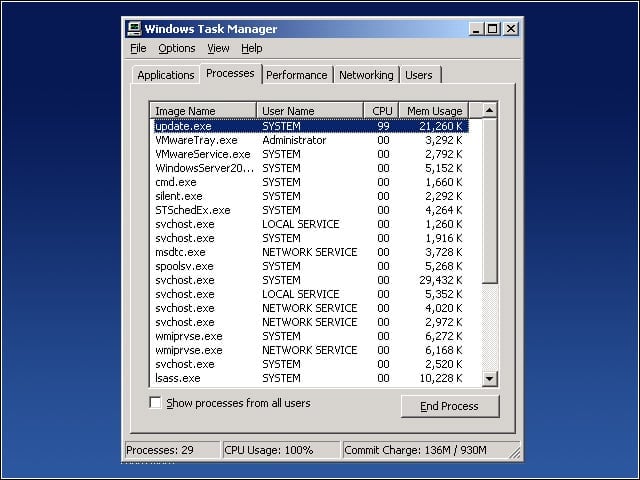
Patch installation is so non-disruptive that users won’t even know it is happening. Note the processes update.exe and silent.exe.
Virtual Machine Scan
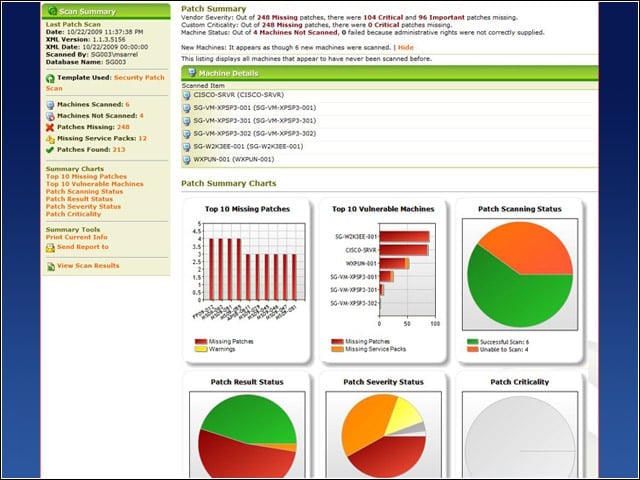
Here are the results of a security patch scan of virtual machines. Netchk Protect 7 simplifies patch management by treating virtual machines the same as physical machines.
Service Packs
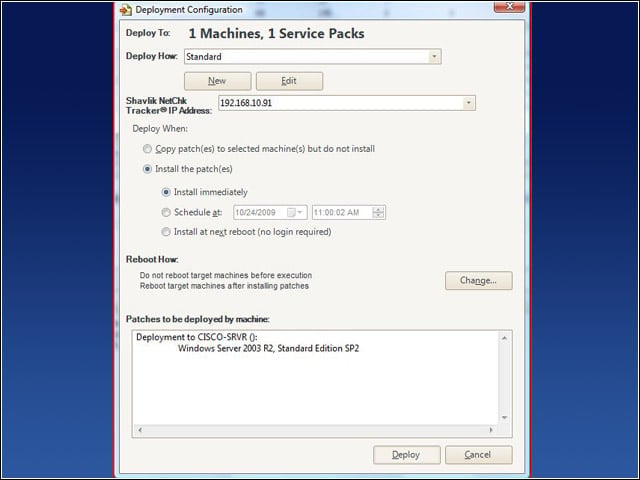
Service packs can be deployed to virtual machines either immediately or on a schedule.
VM Patch Deployment
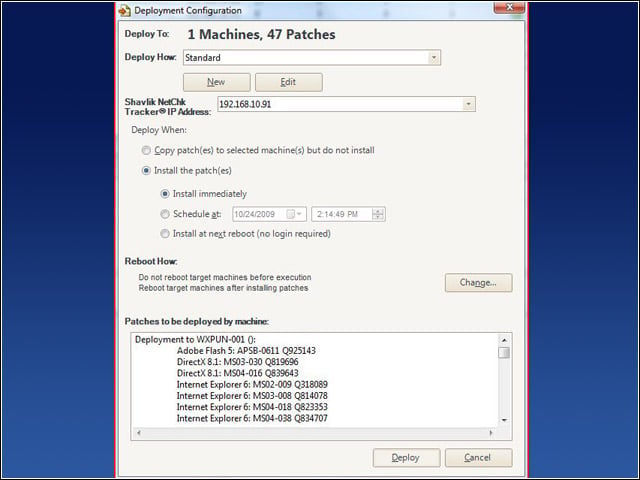
You can deploy patches to virtual machines on disk when they are not running. Patches are applied when the VMs boot. Here, an unpatched Windows XP Pro VMware Workstation 6.5 virtual machine is being patched.
Getting the Message
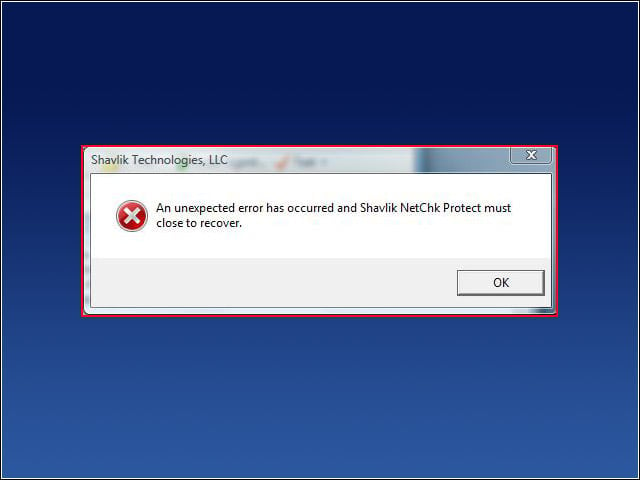
I saw this message two to three times a day during my test period. At best, it was just a GUI crash. At worst, background tasks (downloading and deploying patches) crashed as well.
