








- Sophos Security Heartbeat Links Threat Management to Modern Firewalls
- Sophos Delivers XG Series Appliances
- Network Security Control Center Displays Status Dashboard
- New-Gen Firewalls Support Unified Policy Control
- Define Security Policies From Pull-Down Menus
- Templates Simplify Business Application Rule Creation
- Sophos Simplifies Security Control Center Interface
- Additional Dashboards Provide More Details
- Control Center Highlights Security Concerns
- Firewall Manager Tracks Security Appliance Status
- Extensive Reporting Capabilities
Sophos Security Heartbeat Links Threat Management to Modern Firewalls
Sophos introduces a new class of advanced firewalls to protect both networks and endpoints from zero-day attacks and other security threats.
Sophos Delivers XG Series Appliances
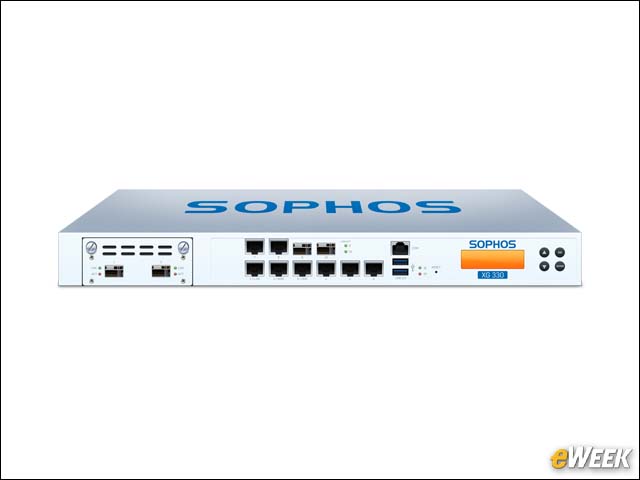
Sophos offers multiple NGFW appliances in the XG Series product line. All are equipped with Intel fourth-generation processors, Flexi Port modules, solid-state drives and a complete NGFW feature set with upgradable options.
Network Security Control Center Displays Status Dashboard
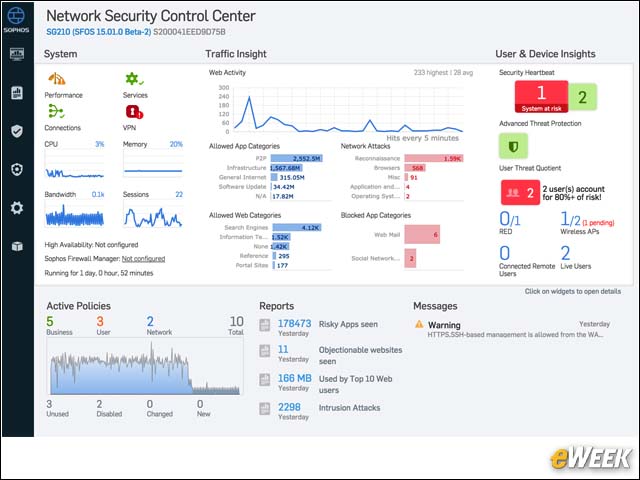
The main dashboard is called the Network Security Control Center, and it’s the primary monitoring and starting point for all security operations. The control center displays all important information, including system status, traffic, heartbeat, advanced threats, virtual private networks, risky activity and policy statuses.
New-Gen Firewalls Support Unified Policy Control
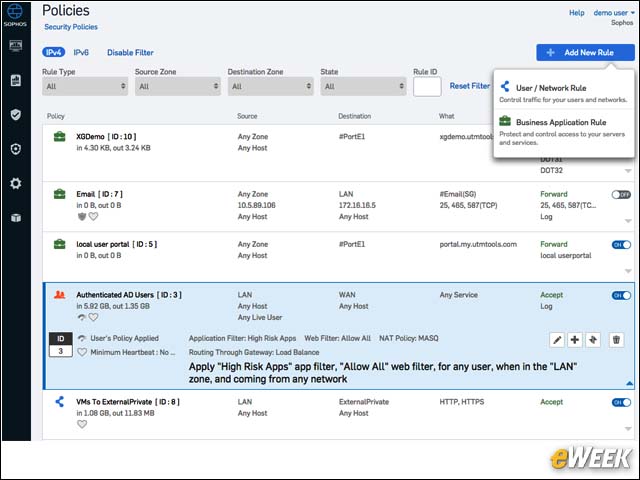
The Sophos NGFWs offer unified policy management, where all policy definitions can take place using a single dashboard. All policies are grouped together, including user, networking, applications and business logic. Advanced sorting and filtering make it simple to manage and identify policies.
Define Security Policies From Pull-Down Menus
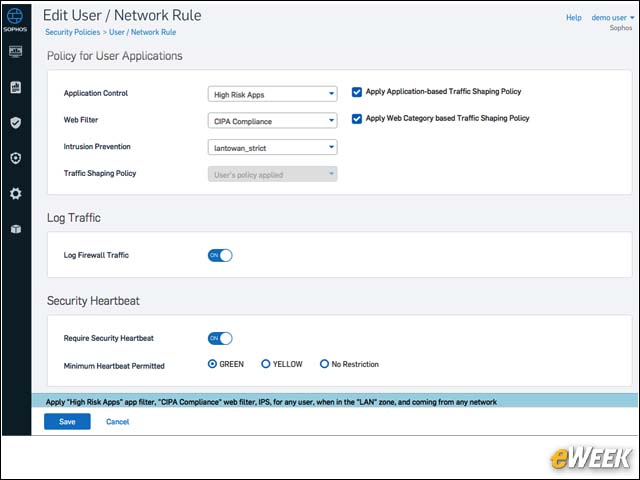
Policies offer granular control over accepted activities. Here, user and network rules can be defined using simple pull-down menu choices, which enable administrators to combine numerous control elements, ranging from Web filtering to traffic shaping to zone controls.
Templates Simplify Business Application Rule Creation
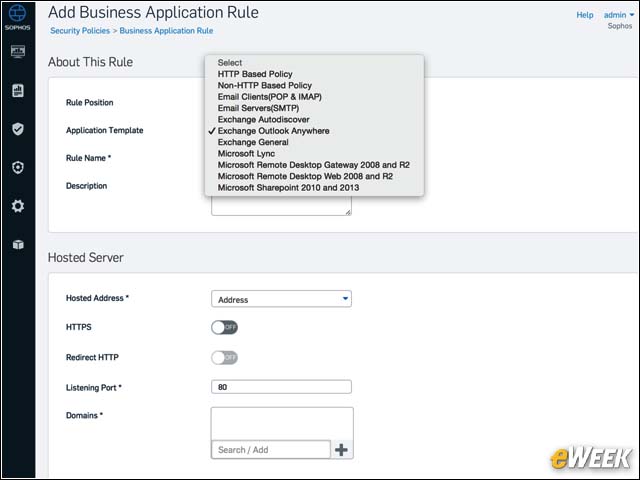
Sophos bundles extensive templates to make it much easier to create business application policy rules. These rules become part of the policy definitions and can be quickly created for most popular applications on the fly. Multiple rules can be defined and assigned to policies.
Sophos Simplifies Security Control Center Interface
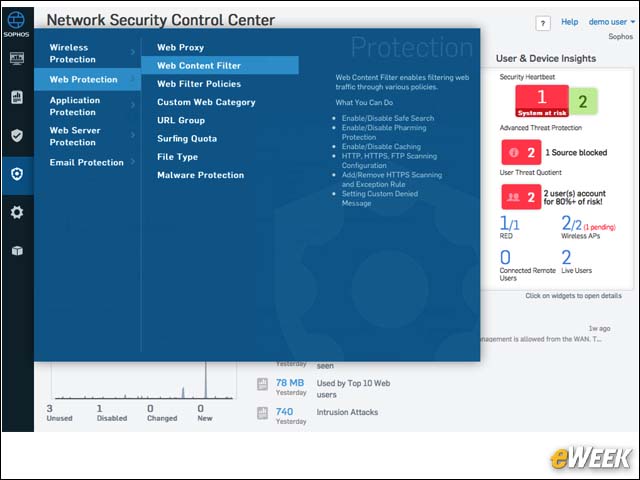
The Sophos Network Security Control Center provides a simplified interface that allows administrators to quickly control major aspects of the platform. In practice, it never takes more than three mouse clicks to navigate through the dashboards, and full descriptions of each option are offered when selected.
Additional Dashboards Provide More Details
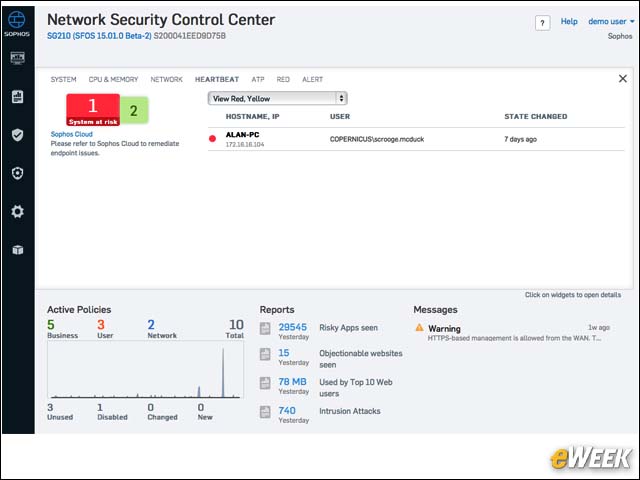
Administrators can drill down into details on most any item offered via the primary dashboard. The resulting drill-down screens are very informative and offer instant insights into multiple traffic statistics, security postures and activities.
Control Center Highlights Security Concerns
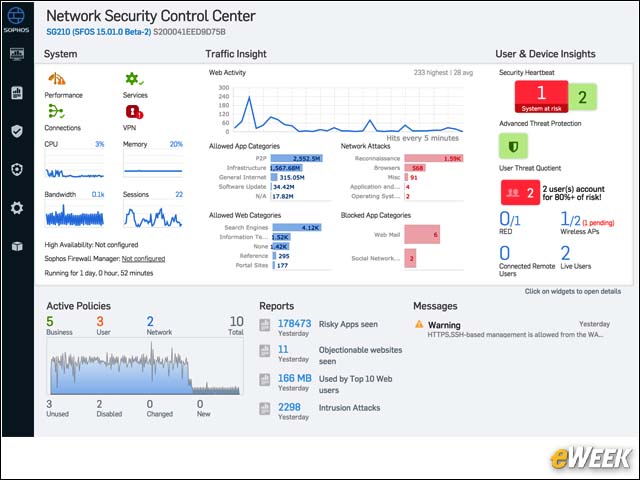
The Control Center offers an expedited method for administrators to quickly determine the overall status of network security. Concerns are highlighted in red, and active threats are clearly displayed.
Firewall Manager Tracks Security Appliance Status
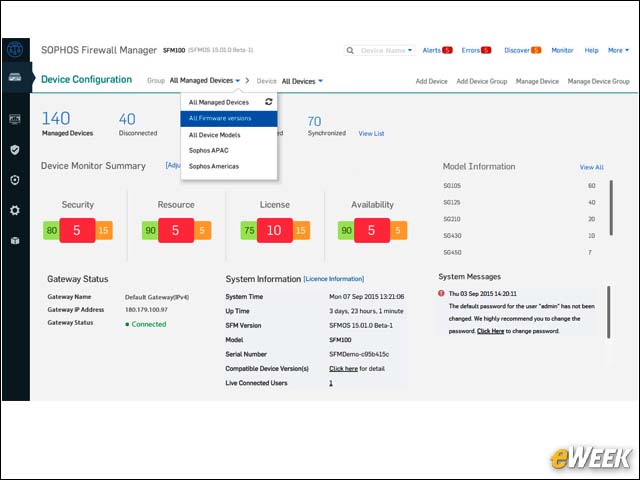
For businesses deploying multiple Sophos security products, the Firewall Manager offers centralized control and provides at a glance the complete operational status of all security appliances on the network.
Extensive Reporting Capabilities
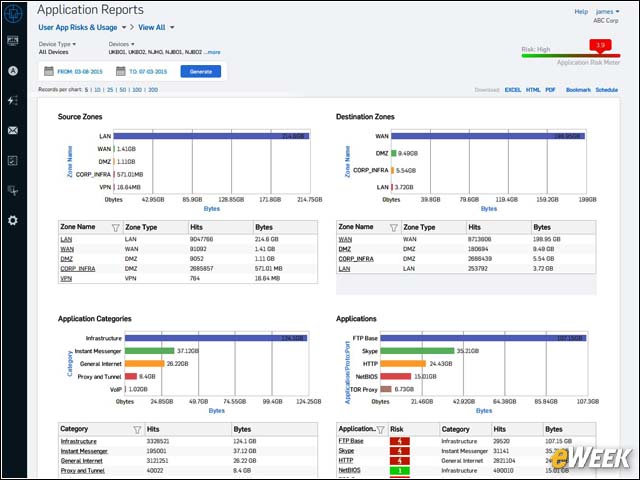
Sophos bundles in multiple reports, which can be displayed in real time directly on the dashboard. Reports include risk quotients, as well as risks to applications. Administrators also can obtain historical data reports to illustrate network activity surrounding a breach.