







eWEEK Labs Walk-Through: Upgrading to Ubuntu 8.10, the Intrepid Ibex
by eWEEK Labs
To LTS or Not to LTS
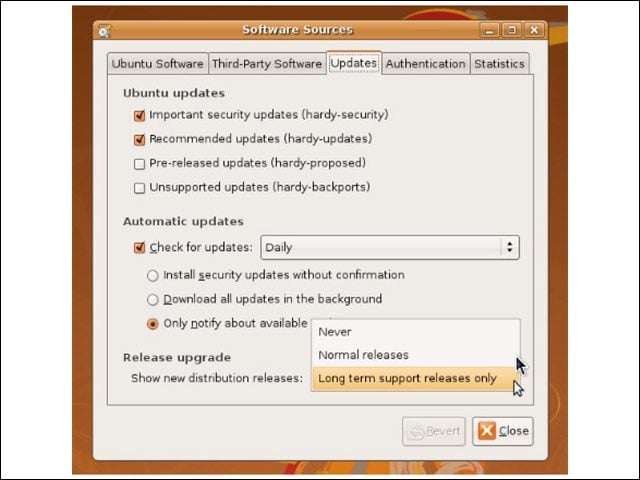
Ubuntu 8.04 was a Long Term Support release, so before the system would offer us the option of upgrading to 8.10, we had to tell it to inform us of “normal” releases, as well as LTS ones.
Your Ubuntu Is Ready
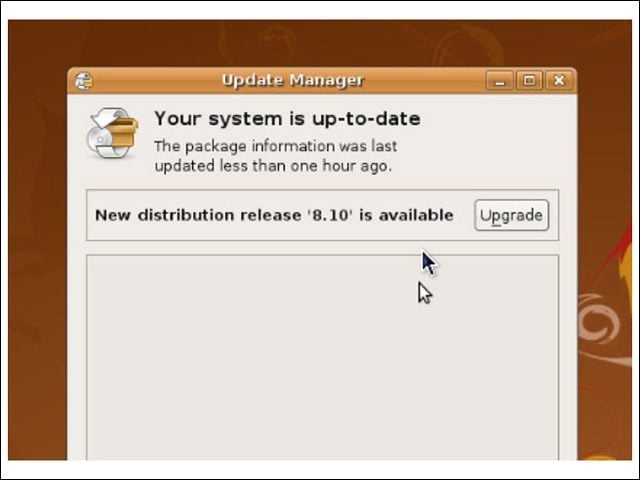
In addition to notifying users about patches to download, Ubuntu’s Update Manager will recommend inter-version upgrades.
Read Before You Install
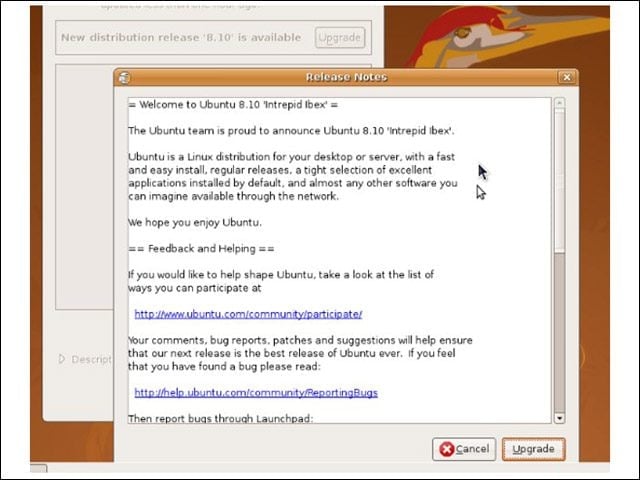
Before kicking off an upgrade, the system serves up the release notes for the new version, in which potential upgrade problems such as hardware incompatibilities are outlined.
Upgrade in Progress
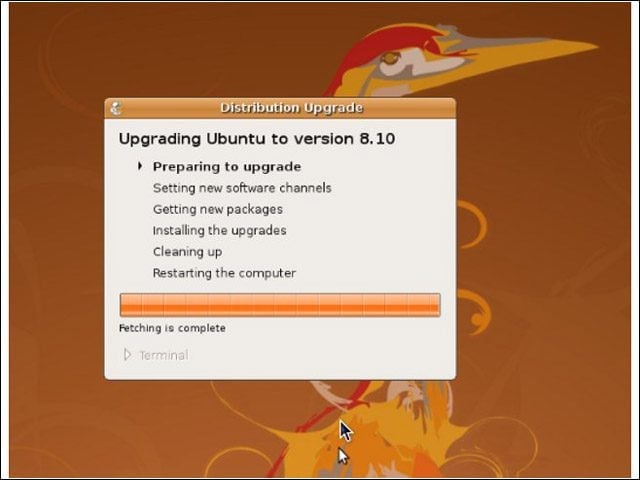
Once the upgrade process has begun, Ubuntu begins to scan the system, modify its repositories and prepare to pull down new packages. Note the 8.04 namesake Hardy Heron on the desktop background.
937 Packages to Upgrade
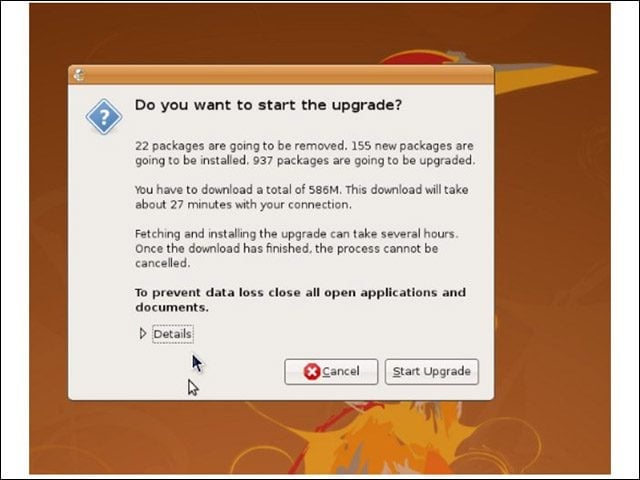
The Update Manager provides an overview of the steps it will take during the upgrade, including a download time estimate based on your connection.
Decision Time
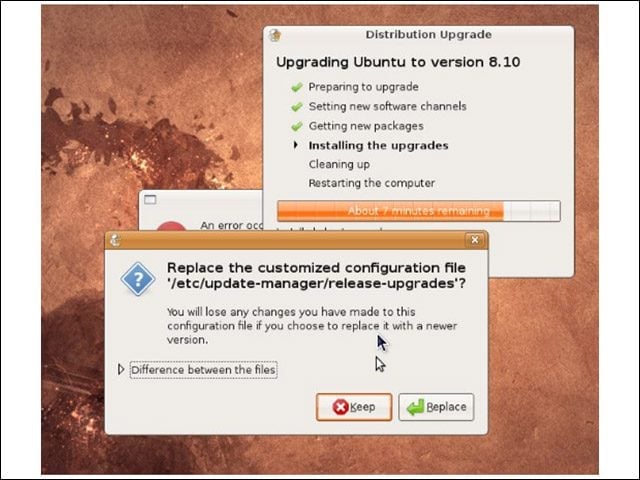
Ubuntu’s in-place upgrade process is pretty foolproof, but configuration file change questions have the potential to be confusing. During this upgrade, we had one non-default configuration file, which traced back to the notification change we made back in slide one. If in doubt, choose “replace.”
Cleanup Time
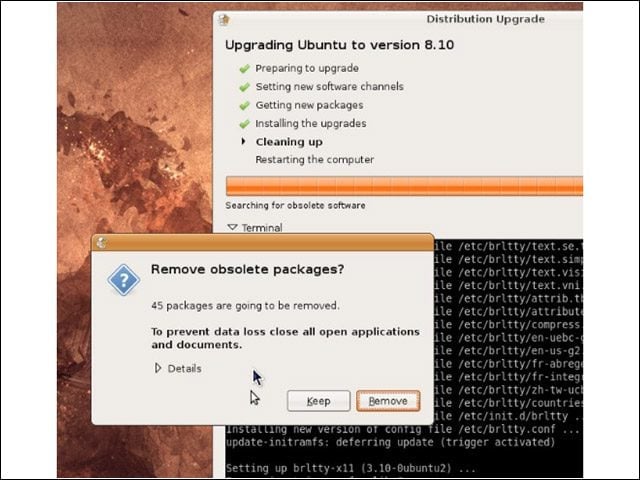
Near the end of the upgrade process, Ubuntu asked whether we wished to remove “obsolete” packages. Ubuntu defines these as software packages for which there are no updates in the 8.10 repositories. Generally speaking, we recommend removing these sorts of packages.
Restart Now
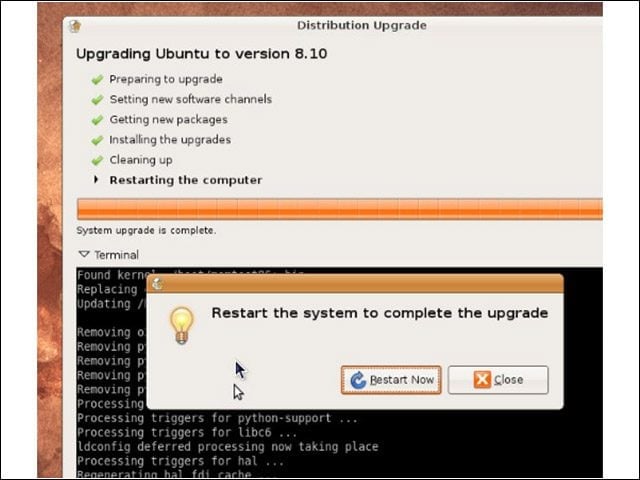
With cleanup complete, it’s time to reboot into our newly upgraded system.
Panel Configuration
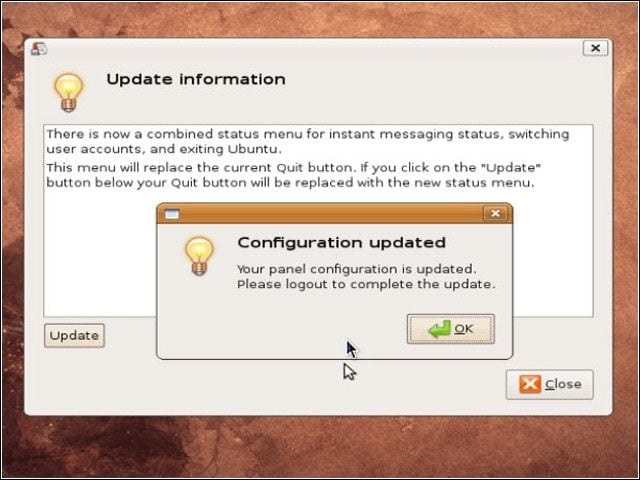
In a final, nice touch, Ubuntu informed us of an overhauled panel applet, and offered us the option either of sticking with the previous applet (as found in our 8.04 installation) or of upgrading to the new configuration.
The Intrepid Ibex

With the upgrade complete, we could kick back and admire our new Intrepid Ibex desktop background.
