







Apple Xserve/Mac OS X Server Provides Appliance-Like Convenience
The Apple Xserve running the Mac OS X Server operating system is among the first servers we’ve seen at eWEEK Labs running the new Intel Xeon 5500 family of “Nehalem” processors. The hardware/operating system combo works well, and IT shops that have concentrations of Mac users should put the device high on their evaluation list for the ease of integration for services such as Time Machine backup, iChat, and other group collaboration and productivity tools. The appliancelike fit and finish of the Xserve/OS X Server combo eliminates the driver and firmware headaches often associated with running other operating systems, including Windows and Linux, on the wide variety of available hardware for those OSes.
OS X Server
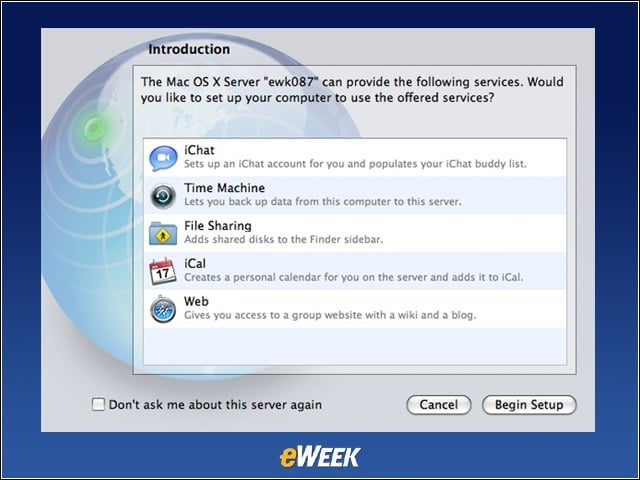
From my MacBook Pro client running OS X, I was able to access iChat, Time Machine, file sharing, iCal, and wiki and blog services provided by the Apple Xserve.
About This Mac
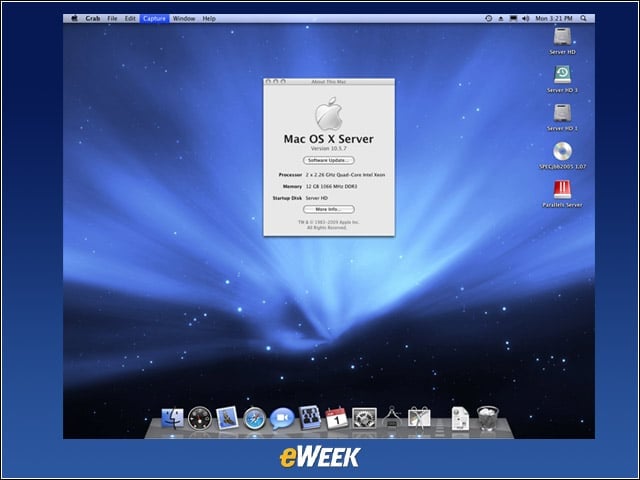
My test system was running Mac OS X Server Version 10.5.7 on an Xserve equipped with two 2.26GHz quad-core Intel Xeon processors, which, while fast, are not the fastest version of the Nehalem processors that Apple offers for this platform. The system was also equipped with 12GB of 1,066MHz DDR3 RAM, which is half the total capacity that can be loaded on a Mac Xserve.
128GB Flash Drive
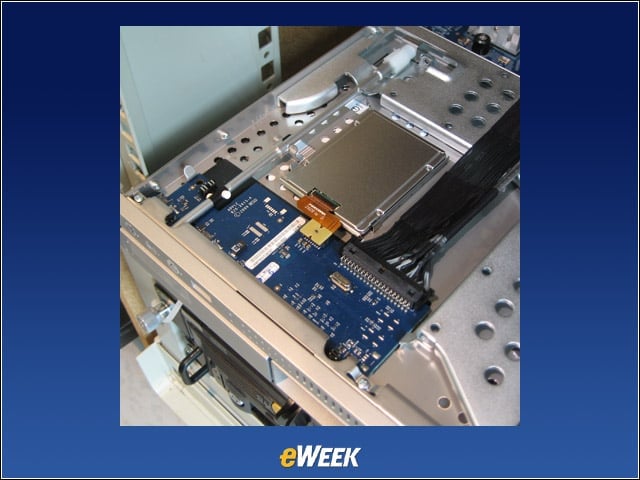
The 128GB SSD boot drive option uses less than a watt of power and is mounted behind the front panel.
Rear View
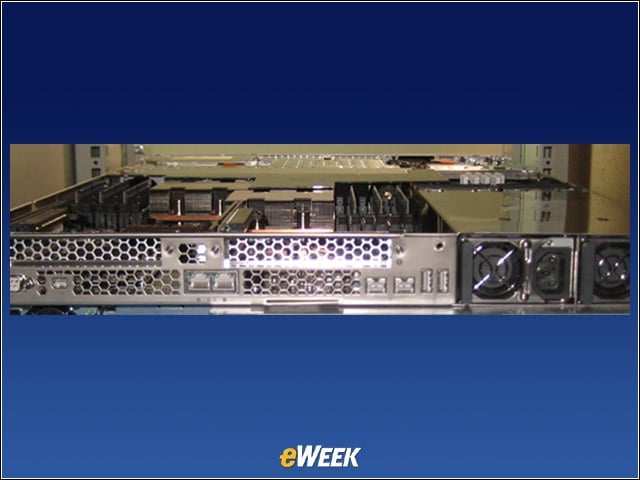
From left to right are the DB-9 serial port and Mini DisplayPort (you’ll need a $29 adapter for a DVI, VGA or, in our case, Avocent KVM connection), at top are two available PCI Express 2.0 x 16 expansion slots, and at bottom are dual Gigabit Ethernet interfaces, two Firewire 800 ports and two USB 2.0 ports, as well as redundant, hot-swappable power supplies.
Front View
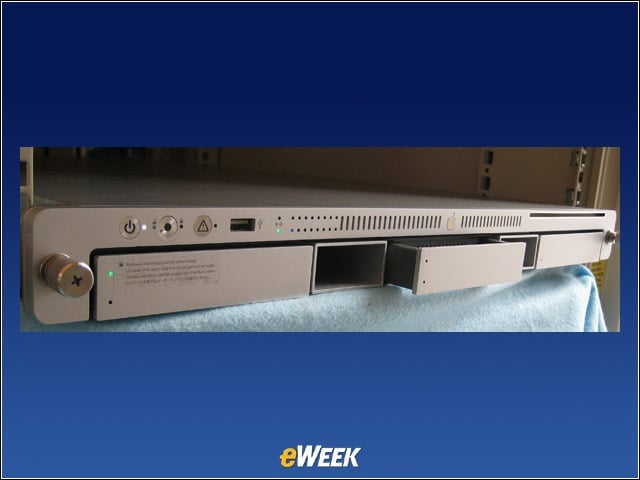
From left to right, top, are indicator lights and a USB 2.0 port, and from left to right, bottom, are three drive bays that support SATA or SAS internal storage (here, the center bay is blank), separated by cooling air ducts and an 8x SuperDrive.
Top View
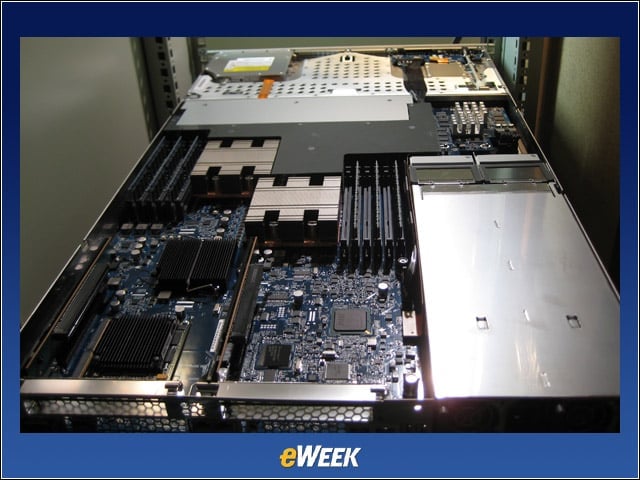
Here you can see the 2.26GHz dual quad-core Intel Xeon Nehalem processors our system came with.
