







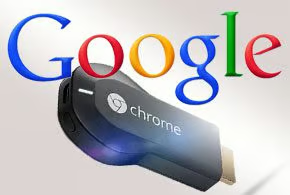
Android smartphones and tablets are great devices for many tasks, but sometimes you just wish you had a bigger screen to see the videos and other content that you are viewing. Now you can do just that, using Google’s $35 Chromecast dongle, which has just been upgraded to push Android content from your small devices to your television screen.
The new feature was announced by Ambarish Kenghe, Google’s Chromecast product manager, in a July 9 post on the Android Official Blog.
“Chromecast makes it easy for you to enjoy your favorite entertainment on the biggest screen in the house,” wrote Kenghe. “Starting today, you can mirror your Android phone and tablet to the TV so you can see your favorite apps, photos or anything else, exactly as you see it on your mobile device—only bigger. To start mirroring, simply select ‘Cast Screen’ from the navigation drawer in the Chromecast app and select your Chromecast device. On Nexus devices, this feature is also available through the quick settings menu.”
The new capability allows Chromecast users to push any content from their Android device to the big screen of their TV. “You can share photos stored on your phone with a group of friends, or scope out the scenery for your next family vacation together on the big screen using Google Earth,” wrote Kenghe.
The feature is in beta and has been rolling out on popular Android phones and tablets from Samsung, HTC, LG and others. The latest Version 1.7 update of the Chromecast app includes the new feature.
Chromecast, which first went on sale in the United States in July 2013, is a $35 phone- and tablet-controlled dongle that lets users plug Google into their television-viewing experiences. Chromecast plugs into the High Definition Multimedia Interface (HDMI) slot on an HDTV, enabling users to direct video content to the TV via a smartphone, tablet or PC, whether it’s running an operating system from Google, Apple or Microsoft. Plus, while the phone is busy “casting,” it can still be used for other things, like emailing. Chromecast works with a continuously expanding assortment of services, including Netflix, YouTube, Google Play Movies & TV, and Google Play Music.
Google has been working to encourage more apps for Chromecast with the release of a Google Cast Software Development Kit (SDK) in February 2014, which allows a wide range of innovative software creations to be inspired and built for the devices. The SDK is aimed at developers who want to build Chromecast support into their new and existing apps and Websites. A list of all apps that work with Chromecast can be found at chromecast.com/apps.