






LogMeIn has begun offering Cubby, following a beta offering of the cloud-based file sync and storage solution that was the most successful in the company’s history.
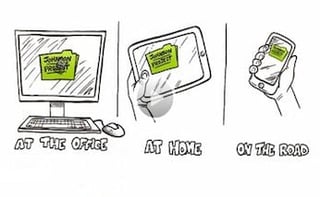
Cubby allows users to turn any file on a Mac or PC into a “cubby” that can be accessed by iPhones, iPads, Android-running smartphones or other Macs or PCs anywhere in the world. A user can share an individual file or the entire folder via a one-click link.
Users can also invite colleagues or friends into their “cubby” to collaborate on shared documents or projects.
As with the company’s namesake remote-access product, there’s a simple free version and a more feature- (and gigabyte-) rich version with an annual fee.
The former, called Cubby Basic, includes 5GB of cloud storage, with the option to earn extra storage space when you encourage others to create a Cubby account. Users can access files via the Internet or desktop or mobile apps, from a PC, Mac, iPad, or Android or iOS smartphone, and either share documents via a link or invite people into a cubby, where they can view and manipulate files.
Cubby Pro starts at $6.99 per user per month, prepaid annually as $83.88. That comes with 100GB of cloud storage per use, though more users and more gigabytes can be added. For example, a two-user Pro account would be $13.98 per month and include 200GB that would be shared between the users.
A feature called DirectSync allows Pro users to sync an unlimited amount of information across computers without storing anything to the cloud. LogMeIn explains: “DirectSync can be used individually or collaboratively with any other Cubby Pro user to share small collections of files or even terabytes of content across devices.”
While LogMeIn officials said both versions of Cubby are “highly secure” and built on online-banking-level encryption capabilities, Cubby Pro members have the additional security option of adding a Cubby Lock, which offers added control over very sensitive information, including password requirements on shared cubbies and sole ownership of encryption keys.
“Cloud file-sharing services too often force people to make choices between personal and business use, simplicity or flexibility, accessibility or security—compromises that don’t reflect the realities of how technology is increasingly adopted and used in today’s mobile workplace,” LogMeIn CEO Michael Simon said in a Feb. 6 statement.
“A nod to the rise of employee-introduced consumer cloud apps,” Simon continued, “Cubby is designed to deliver the elegance and ease individuals enjoy with the security and flexibility businesses demand.”