Kognitio Analytical Platform Is Easy to Install From AWS Marketplace | eWeek

Getting Started

Getting Started
Written By
Jeff Cogswell
Jeff Cogswell
Dec 21, 2012
1 minute read
eWeek content and product recommendations are editorially independent. We may make money when you click on links to our partners. Learn More


Getting Started

Getting Started

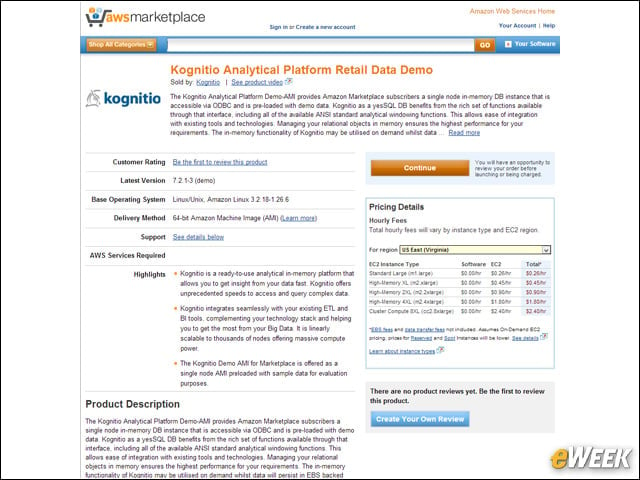
To get started, you search the AWS marketplace for Kognitio. Here is the AWS Marketplace page in the Web browser.


Easy Installation
2

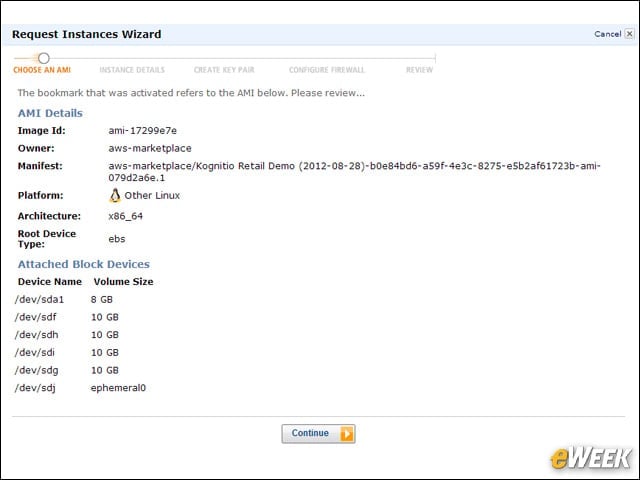
Installation is easy as starting the wizard for the Amazon Machine Image on the marketplace.


Setting Up a Server
3

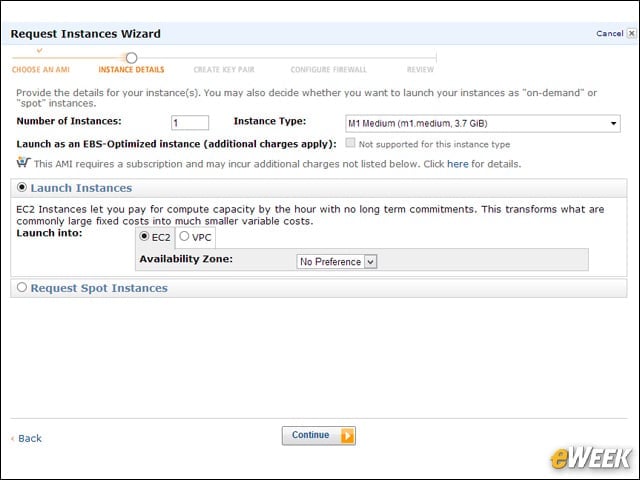
I wanted a bigger server, so I increased it to an M1 Medium.


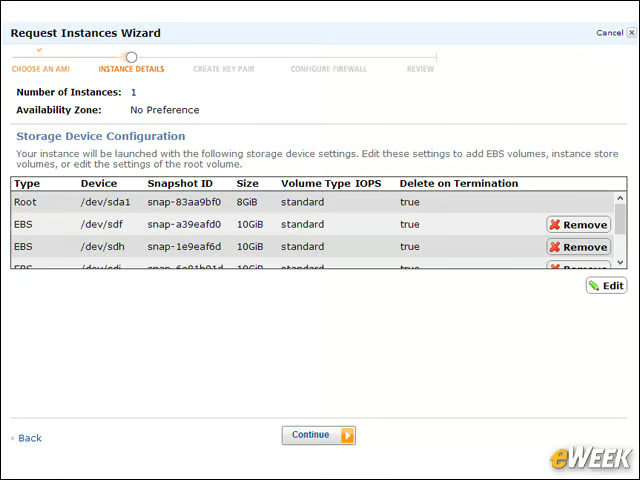
Watch the Storage Capacity
4

The server image comes with several storage volumes attached to it. Be sure to pay attention to pricing on these.


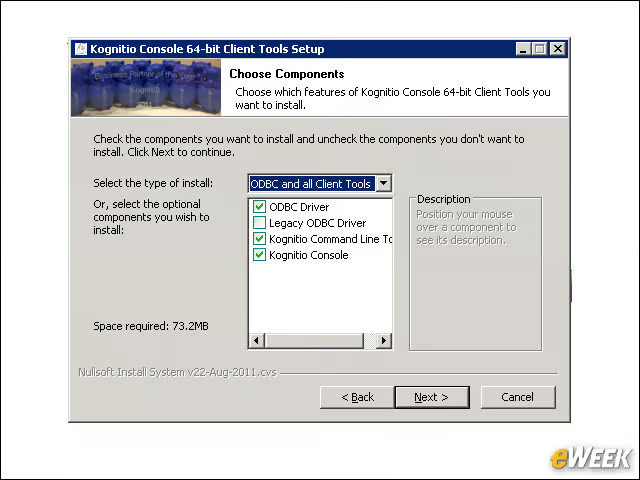
Setting Up Desktop Client Tool
5

Configuring the desktop client tools requires setting up an ODBC connection to the remote AWS server.


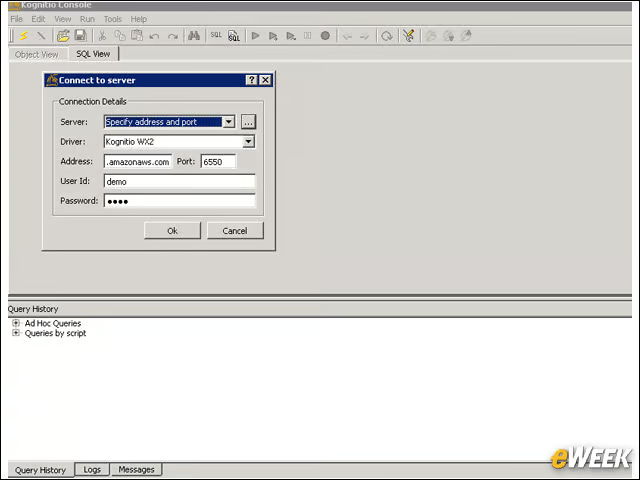
Logging Into the Database Server
6

After configuring the ODBC connection, you can log into the database server from your desktop.


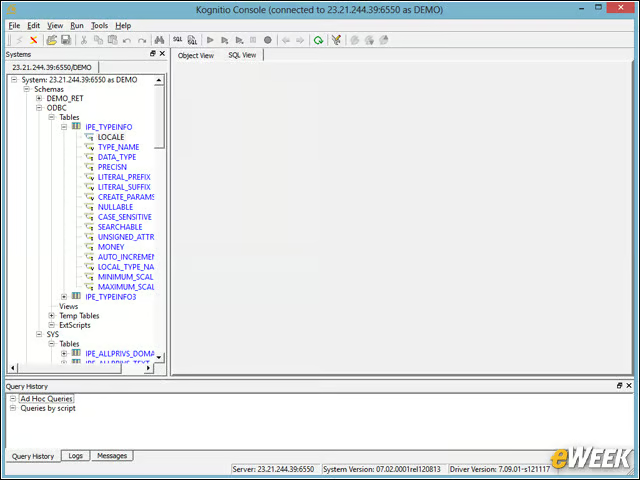
Kognitio Displays Database Tables
7

Once logged in, you’re presented with what appears to be a typical desktop database client tool. Here we’re listing some tables.


Advertisement

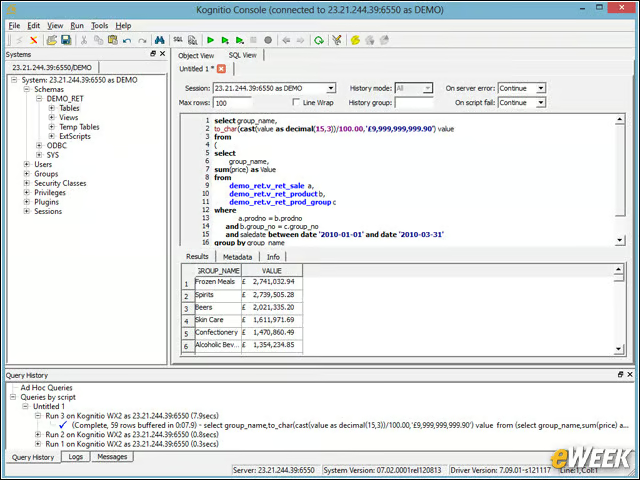
Creating and Running SQL Scripts

8

The console lets you create entire SQL scripts that you can execute.


Tools to Debug SQL Code
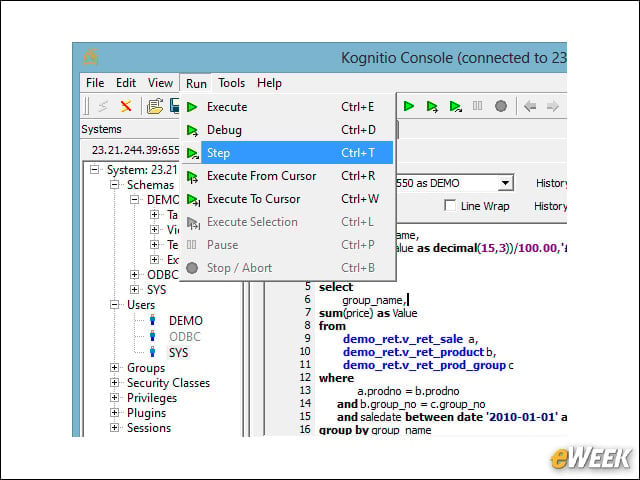
9

The console also includes debugging tools so you can trace through your SQL code.


Kognitio Keeps You Informed
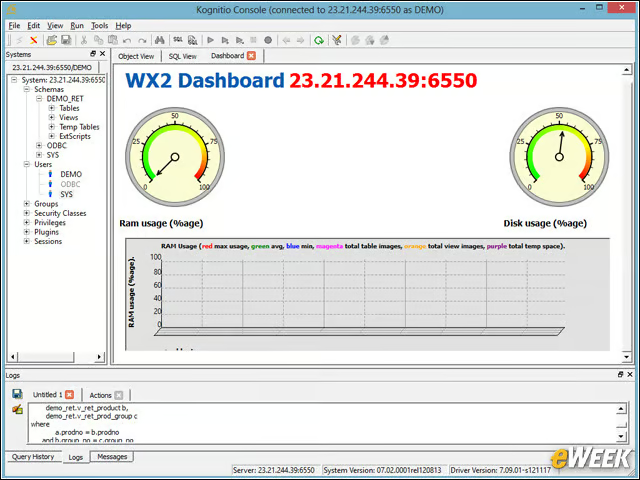
10

There are several reports available, particularly dealing with RAM usage since Kognitio operates in-memory.

eWeek Logo

eWeek has the latest technology news and analysis, buying guides, and product reviews for IT professionals and technology buyers. The site's focus is on innovative solutions and covering in-depth technical content. eWeek stays on the cutting edge of technology news and IT trends through interviews and expert analysis. Gain insight from top innovators and thought leaders in the fields of IT, business, enterprise software, startups, and more.

Property of TechnologyAdvice. © 2026 TechnologyAdvice. All Rights Reserved

Advertiser Disclosure: Some of the products that appear on this site are from companies from which TechnologyAdvice receives compensation. This compensation may impact how and where products appear on this site including, for example, the order in which they appear. TechnologyAdvice does not include all companies or all types of products available in the marketplace.