









- Microsoft OneDrive: 10 Things to Expect From the Cloud Storage Service
- The Design Will Feel Similar
- Microsoft Is Offering Free Storage to Get You Started
- Extra Free Storage for Refer-a-Friend
- Pick a Device, Any Device
- There Is Automatic Android Photo Backup
- Sharing Videos Got Easier
- Office Web Apps? Still There
- Microsoft Added Real-Time Document Collaboration
- Microsoft’s Smart Integration Works With Third-Party Apps
- There’s an Act-Fast Opportunity
Microsoft OneDrive: 10 Things to Expect From the Cloud Storage Service
by Don Reisinger
The Design Will Feel Similar
Since Microsoft was forced to make the transition from SkyDrive to OneDrive somewhat quickly, it’s no surprise that the platform’s design is awfully similar. Those who had been using SkyDrive will find that getting around the service is simple, and completing many of the same tasks won’t require any breaking in. That’s probably a good thing.
Microsoft Is Offering Free Storage to Get You Started
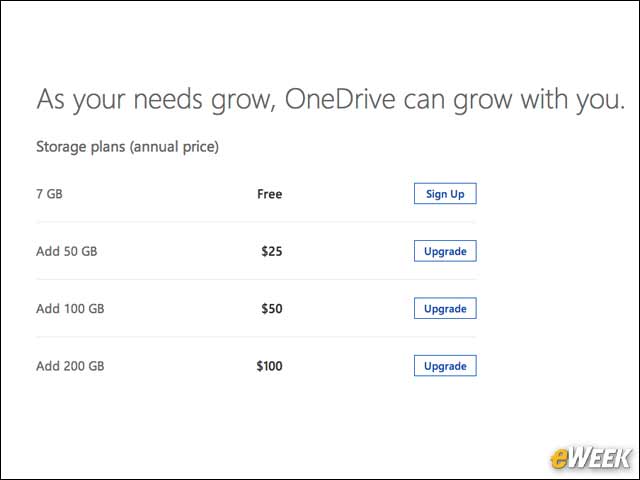
Microsoft is still trying to entice new users to sign up for OneDrive by giving them free storage. Microsoft says that every new person who signs up for the cloud solution will get 7GB of free storage. Anything beyond that will cost some cash, depending on the user’s storage needs.
Extra Free Storage for Refer-a-Friend

Microsoft is making a strong push to bring on new members to OneDrive. The company said in a blog post Feb. 19 that customers who refer others to OneDrive will receive 500MB free, up to a maximum of 5GB free. Microsoft is even giving customers 3GB free when they use its camera backup feature.
Pick a Device, Any Device
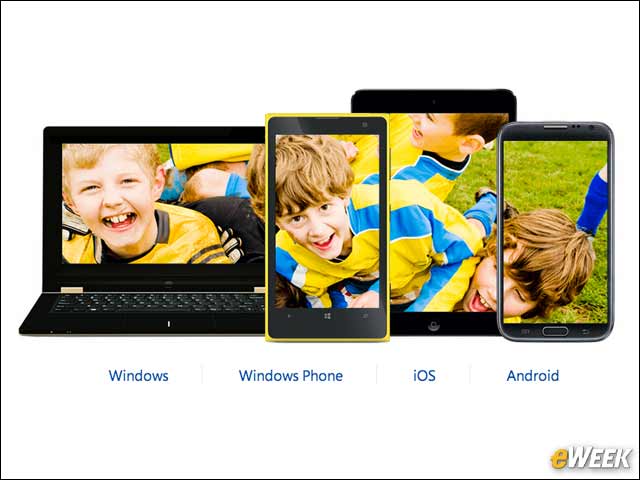
One of the nice things about Microsoft’s OneDrive is that it’s available on just about every device imaginable. The service works with Android handsets, can connect to Windows PCs and works on Macs. The service also works exceptionally well on the Xbox One, and allows users to back up files from iOS. Ubiquity might be a key reason OneDrive could eventually enjoy success.
There Is Automatic Android Photo Backup
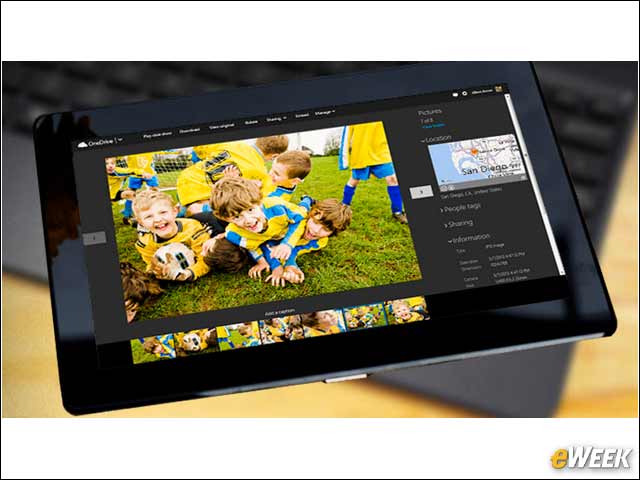
A new feature on OneDrive is automatic Android backup. The feature allows users to set their Android handsets so that as soon as an image is taken, it’s automatically backed up to their OneDrive. The feature is similar to the automatic backup available with OneDrive on iOS and Windows Phone 8.
Sharing Videos Got Easier
One of the issues SkyDrive users were having with the offering was the general inability to quickly and easily share and watch videos. In many cases, they were forced to wait an inordinate amount of time to access the content. That has been solved with OneDrive. Microsoft says that the issues users were previously experiencing are now gone and should allow for a more entertaining time watching videos.
Office Web Apps? Still There
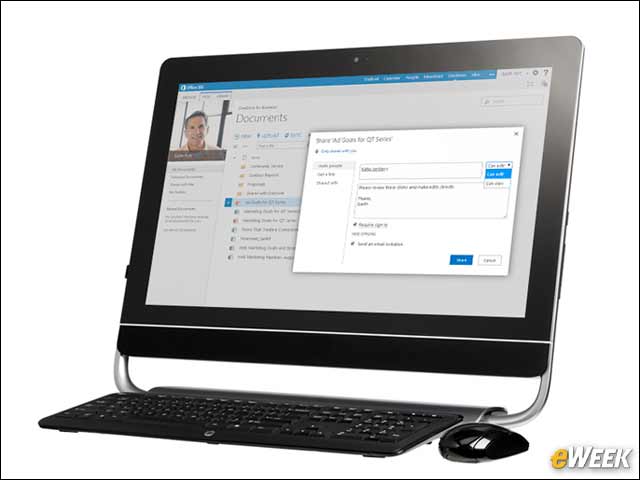
This is no surprise, given Microsoft’s focus on the cloud. Office Web Apps are still accessible from OneDrive. Users can access and view Office files, as well as edit Word, Excel, PowerPoint and OneNote documents. OneDrive also includes the ability to integrate those files with the desktop versions of Office.
Microsoft Added Real-Time Document Collaboration
Arguably one of the biggest improvements to OneDrive is Microsoft’s addition of real-time document collaboration. With that feature, users in a corporate environment (or friends on the consumer side) can work on the same document in real-time without fear of OneDrive losing the latest version. It’s something that Google Drive users have had for a while, and it’s nice to see Microsoft offering a similar solution.
Microsoft’s Smart Integration Works With Third-Party Apps
Microsoft realizes that, in order to be successful, its offering must be capable of playing nice with any and all third-party services. We’ve already mentioned support for Macs, iOS and Android, but Microsoft also allows users to seamlessly share photos or videos to Facebook or email. After recording game play from the Xbox One, the content can be uploaded to OneDrive and shared with others. Microsoft is platform-agnostic with OneDrive and should be commended for that.
There’s an Act-Fast Opportunity
So this one might have a shorter shelf life, but Microsoft announced that it will be giving away 100GB of free storage for one year to 100,000 people. Microsoft hasn’t said exactly how it will determine who gets the free storage, but it has urged users to follow its Twitter page “for clues.” It’s a nice offer, and speaks to just how serious Microsoft appears to be about getting users onto OneDrive.