







- Skyhigh Ferrets Out ‘Shadow’ Cloud Service Use on Corporate Networks
- Primary Dashboard Tracks Cloud Services in Use
- Service Discovery Rates Potential Risks
- Skyhigh Enables Customized Risk Weighting, Control
- Skyhigh Monitors Social Media Activity
- Skyhigh Ferrets Out Anomalous Trends
- Get Detailed Usage Reports on Each User
- Get Control of Cloud Service Usage
- Skyhigh Uses Aliasing Systems to Explore Network Domains
- Upload Security, Access Logs From Devices, Applications
- Skyhigh Simplifies Reporting, Decision Making
Skyhigh Ferrets Out ‘Shadow’ Cloud Service Use on Corporate Networks
by Frank J. Ohlhorst
Primary Dashboard Tracks Cloud Services in Use
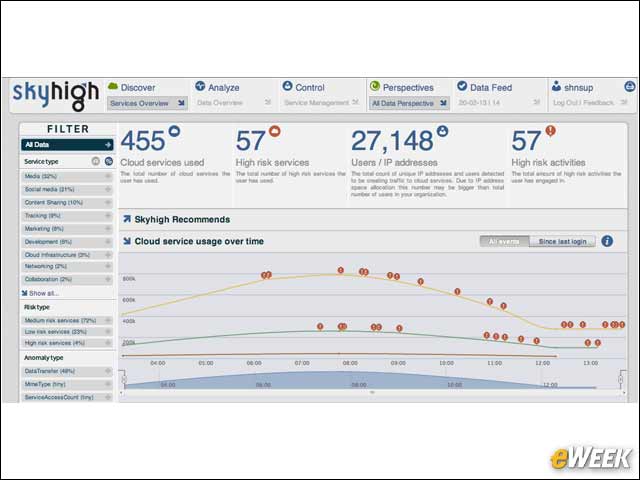
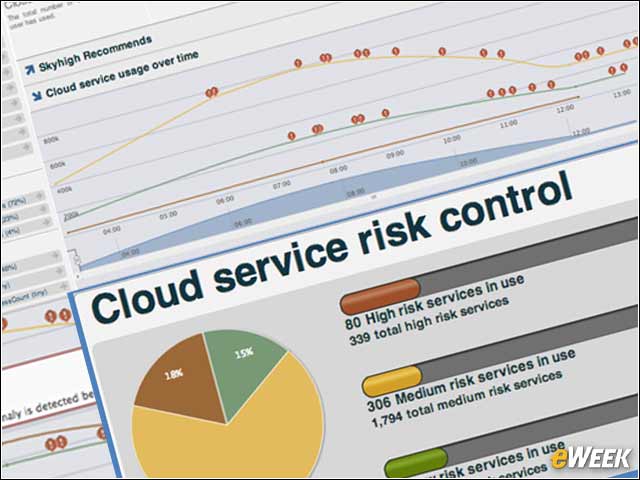
The dashboard provides a summary of the all the cloud services in use by the organization, the number of high-risk services, total number of users or IP addresses, and number of high-risk activities.
Service Discovery Rates Potential Risks
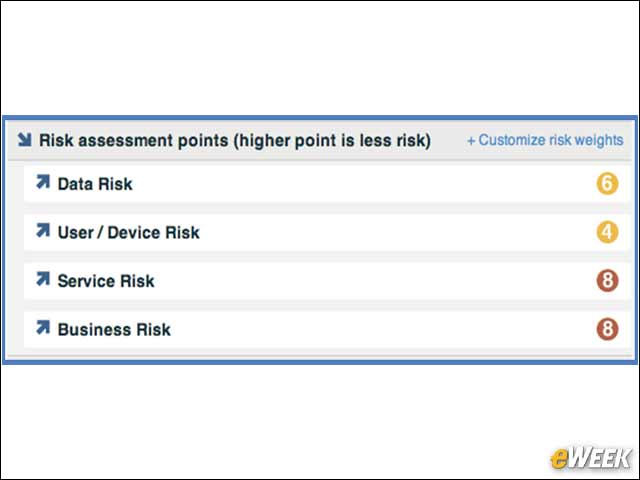
Skyhigh rates every service on a 1 to 10 scale, based on 30 attributes across data, user, device, service and business risk categories. Users can also customize weights of the risk categories.
Skyhigh Enables Customized Risk Weighting, Control
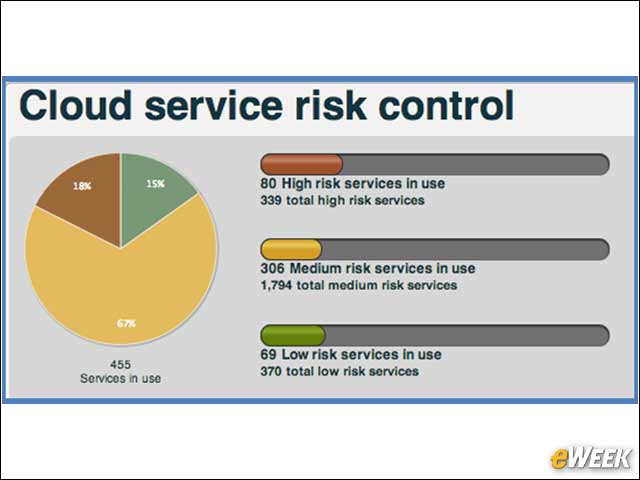
Skyhigh provides a risk assessment of all services used by the organization according to high, medium and low levels. It also provides the ability to customize rating weights to match the risk tolerance of a particular organization.
Skyhigh Monitors Social Media Activity
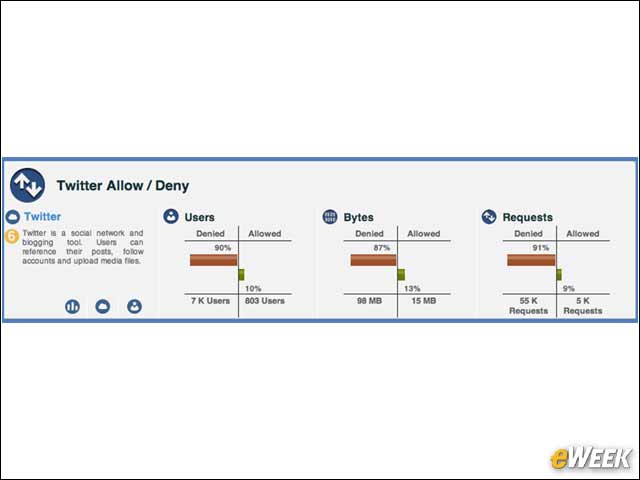
The Skyhigh highlights all users who accessed or were denied access to social media sites. This allows companies to set policies on to what degree they want employees using social media on company time. Some companies and corporate departments encourage social networking as a marketing and public relations tool. Others discourage it as a security risk.
Skyhigh Ferrets Out Anomalous Trends
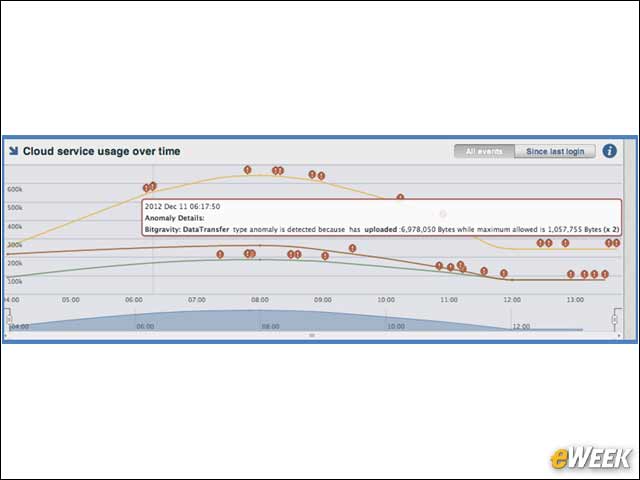
Skyhigh identifies statistical and behavioral outliers in usage across all cloud services. This allows IT departments to identify possible risky user behavior or even unauthorized access of the corporate networks or cloud services.
Get Detailed Usage Reports on Each User
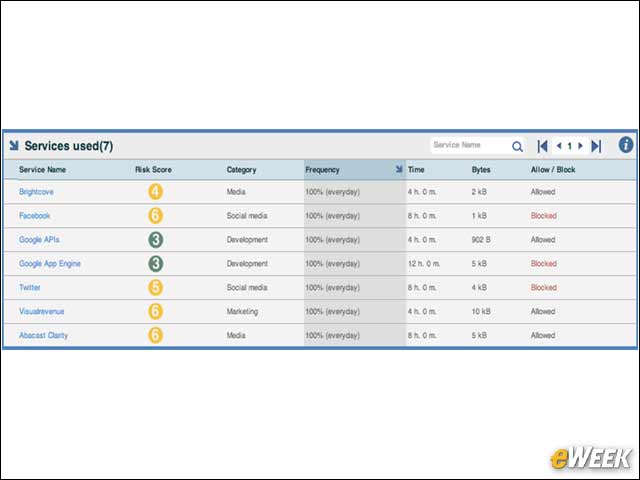
Skyhigh’s User Details view provides a comprehensive analysis of all activity for a particular user, including a list of all services accessed, frequency of access, whether the service was accessed or blocked, and usage anomalies.
Get Control of Cloud Service Usage
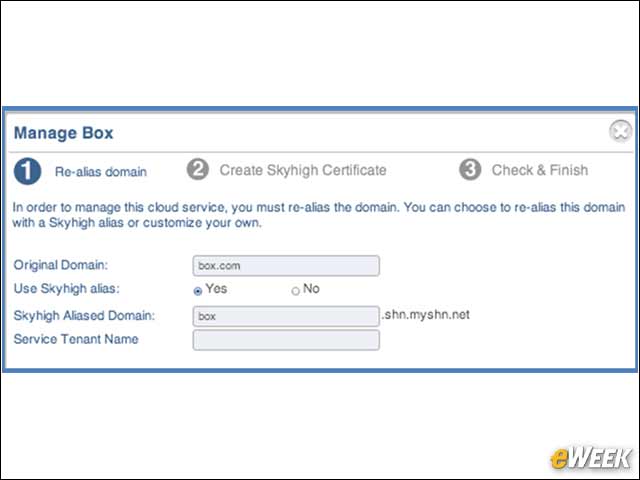
Skyhigh enforces key security and usage policies such as access control, data encryption and data loss prevention.
Skyhigh Uses Aliasing Systems to Explore Network Domains
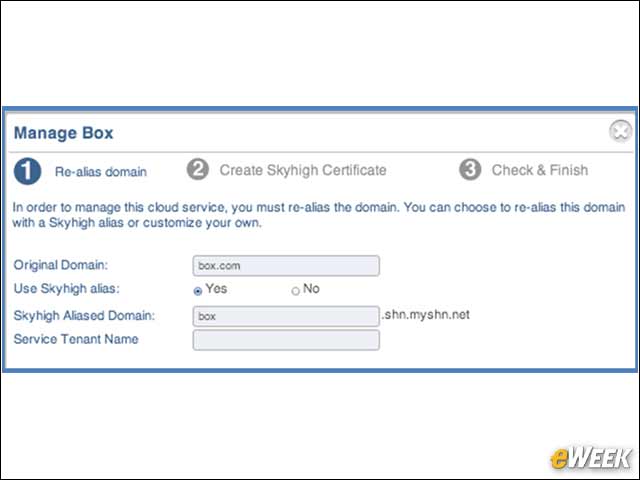
Skyhigh relies on an aliasing system to access a domain, while using the original domain as a platform for access control.
Upload Security, Access Logs From Devices, Applications
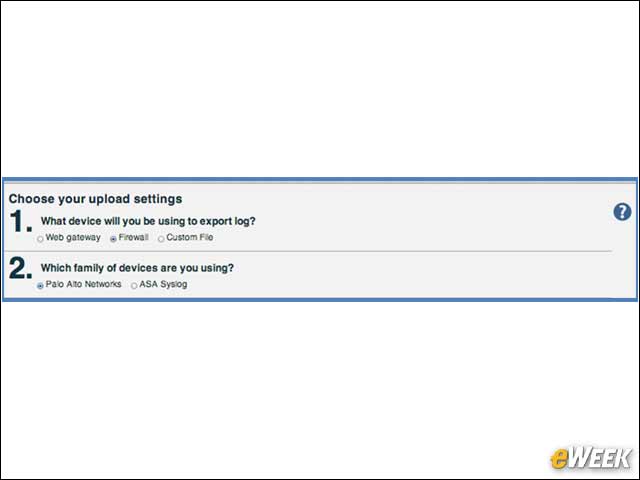
With Skyhigh, uploading logs from egress devices such as firewalls, proxy servers or SIEM (security information and even management) systems or log aggregation products is a simple and straightforward process.
Skyhigh Simplifies Reporting, Decision Making
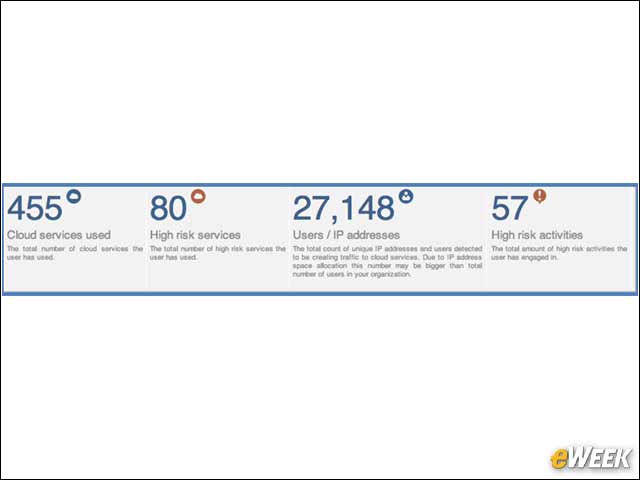
A summary screen gives administrators an up-to-the-minute view of the status of the environment and allows IT managers to quickly make decisions without having to run reports or other analytics.