








- 10 Ways Microsoft Strengthened Windows 10 Security Features
- More Time Means More Updates
- Take a Closer Look at Device Guard
- Microsoft Passport Ties in Two-Factor Authentication
- Windows Hello Recognizes Your Smiling Face
- BitLocker Gets an Overhaul
- A Destruction Zone for Evaluating Malware Possibilities
- Don’t Underestimate the Windows Store’s App Protections
- Utilizing Partnerships to Get the Job Done Right
- Credential Guard Takes Aim at ‘Pass-the-Hash’ Attacks
- Cybersecurity Command Center Hunts for Security Flaws
10 Ways Microsoft Strengthened Windows 10 Security Features
Windows 10 is far more secure than earlier editions of the desktop operating system. Here are 10 reasons why.
More Time Means More Updates
It’s no surprise that a new operating system has better security than its predecessors. After all, Microsoft has been able to take everything that worked well in Windows 8.1 and bring that to Windows 10. It’s also used the $1 billion it spends on security research and development each year to find other ways to boost the security of its flagship operating system. So it should come as no surprise that Windows 10 is far more secure than its predecessors.
Take a Closer Look at Device Guard
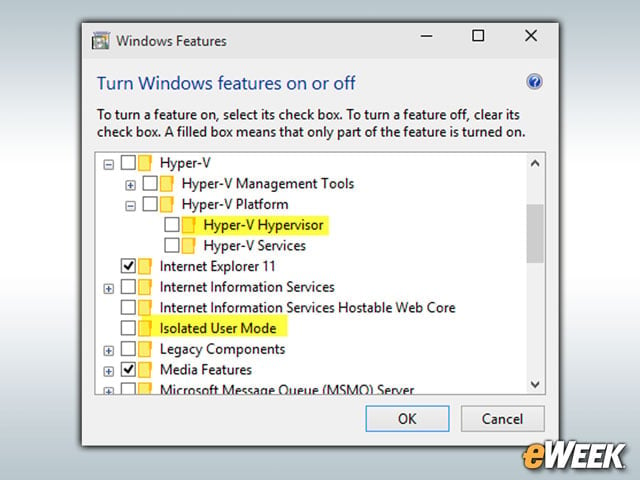
Device Guard is an important feature in Windows 10. Device Guard is essentially a combination of several hardware and software security features that make it virtually impossible for a computer to run anything but trusted applications. Device Guard transfers the common tactic of trusting applications until they’re blocked and replaces it with a mode that allows the enterprise to determine which apps should be trusted right from the start. Any apps that aren’t on that list won’t run.
Microsoft Passport Ties in Two-Factor Authentication
Microsoft Passport is a two-factor authentication service that makes it a bit more difficult for hackers to break into a device. Passport works with the standard Windows 10 account, as well as Active Directory and Azure Active Directory. After entering the log-in credentials, Passport then requires another input, which could be a PIN or a physical gesture that must match what it has on file. If it does, the user is logged in. If not, the user is out of luck.
Windows Hello Recognizes Your Smiling Face
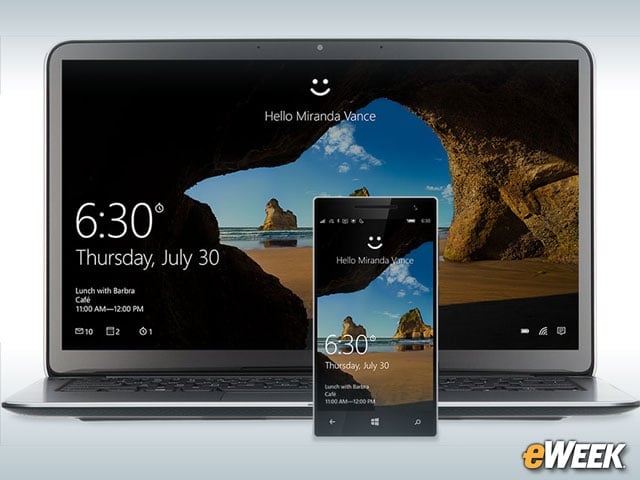
Windows Hello isn’t a gimmick. The feature is designed to create biometric security around the Windows ecosystem. So, when users want to log into their computers, their built-in Webcam will be accessed by Hello and will scan their face. If the person’s face is a match, Windows 10 is opened and available. When a match isn’t made, the computer remains locked.
BitLocker Gets an Overhaul
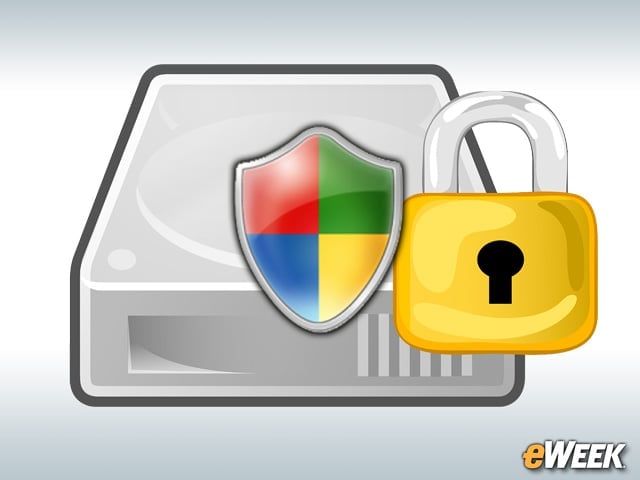
While BitLocker has been around for quite some time, it received a meaningful upgrade in Windows 10. BitLocker now makes it much easier to encrypt both internal and external hard drives connected to a system. When users turn on BitLocker, they’ll know that to unlock the drive, they’ll need either a password or smartcard. Interestingly, BitLocker also includes support before the system turns on, so even if a malicious payload attacks data before the sign-on begins, BitLocker will keep the data encrypted.
A Destruction Zone for Evaluating Malware Possibilities
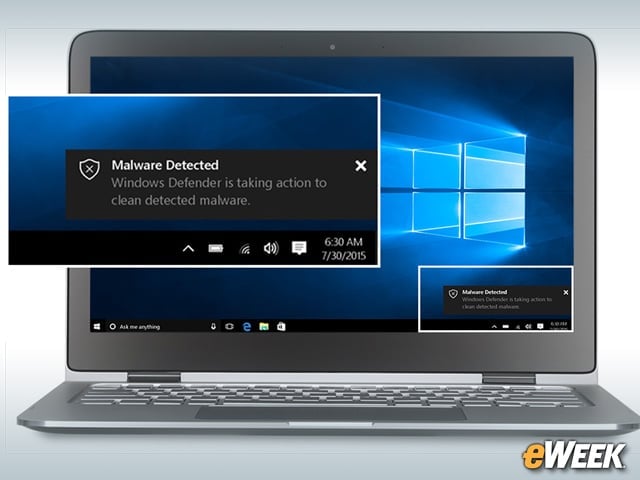
During his speech on Nov. 17, Nadella talked often about a virtual detonation chamber used by Microsoft to determine whether malware may be present in a file, an email attachment or any number of objects. Thanks to its own cloud capabilities, Microsoft is able to process files on the fly and see how they may react if opened by the user. After being put through the paces, files, if legitimate, can be opened by the user. Those containing a malicious payload will be blocked. It’s a feature Microsoft showed off during Nadella’s speech and one that may save some users from many headaches.
Don’t Underestimate the Windows Store’s App Protections
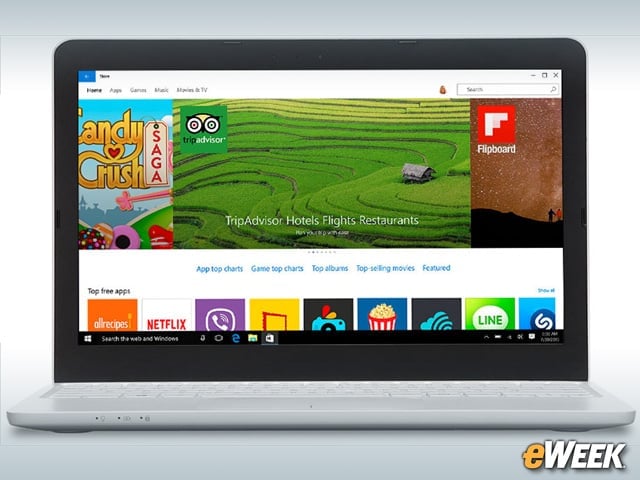
The Windows Store is often overlooked as an important security feature in Windows 10, but it shouldn’t be. The Windows Store contains only those applications that Microsoft has vetted and can hopefully verify are safe. While it’s not necessarily a guarantee that all apps are safe, there’s a much greater chance of staying secure by downloading apps from Microsoft’s Windows Store than trusting online downloads from dodgy random Websites.
Utilizing Partnerships to Get the Job Done Right
Another “pillar” in Nadella’s speech on Nov. 17 was talk of utilizing partnerships to enhance security both in the cloud and in Windows 10. In fact, Nadella listed several companies that Microsoft has formalized partnerships with, including Symantec, Cisco, Trend Micro, Barracuda, Sophos and others. All of those companies are lending a helping hand to improve Windows security, and according to some vendors, it’s paying off.
Credential Guard Takes Aim at ‘Pass-the-Hash’ Attacks
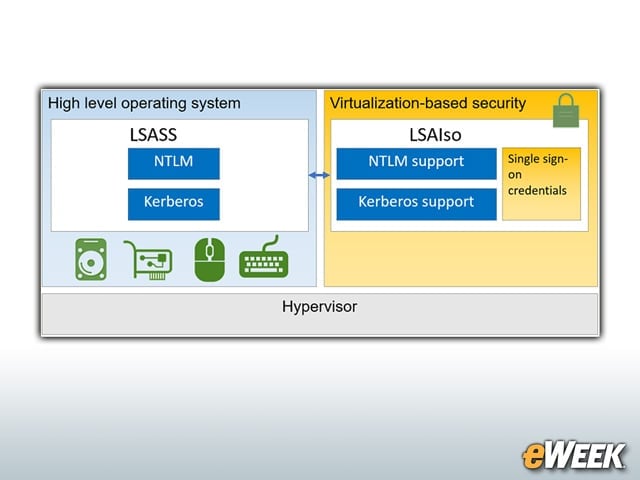
Pass-the-hash attacks, a well-known technique for stealing authentication credentials, have become a major concern for companies. To partly address that, Microsoft has implemented a security feature known as Credential Guard. The feature uses hardware-based virtualization to isolate authentication. So, while hackers may be able to break into one system, authentication is isolated and secured, which Microsoft claims will make it impossible to jump from one device to many devices and prevent pass-the-hash system break-ins.
Cybersecurity Command Center Hunts for Security Flaws
Nadella also revealed during his talk that Microsoft has implemented a Cybersecurity Command Center in Seattle that is staffed by specialists who use big data analytics to proactively seek out security issues across the Web. Once those issues are discovered, the company works to fix the flaw and ensure it doesn’t impact its products. It’s an interesting tack to enhance security, and if the folks working at the facility are really as good as Microsoft says, it may just keep Windows 10 users safe.