






Seven Reasons to Try the New Version of Adobe Connect
by Darryl K. Taft
Social Promotion
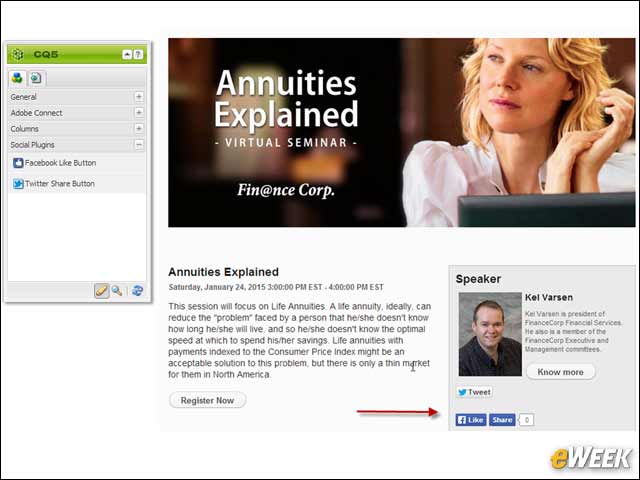
With Adobe Connect 9.2, users were able to use their social profiles (Facebook or Google+) to register for an event. Adobe Connect 9.3 extends that functionality by enabling event managers to crowd-source event promotion via newly added Twitter and Facebook buttons that enable participants to help spread the word about an event.
Social News Feed Integration
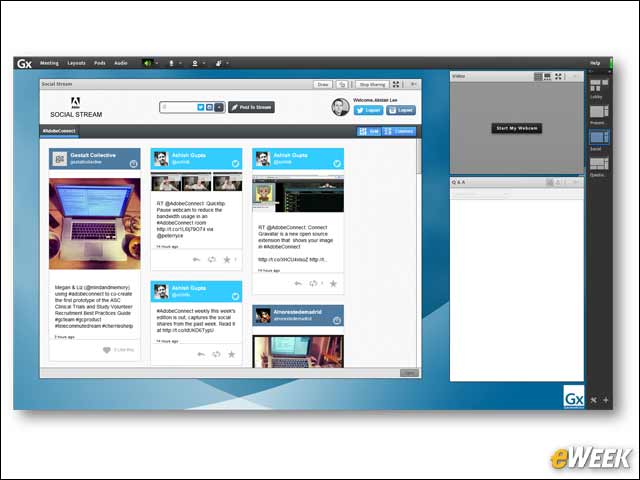
Adobe Connect 9.3 introduces a new Social Stream pod that brings conversations from Twitter and Instagram directly into your meeting room. The pod allows presenters to configure specific hashtag searches to display for participants—e.g., to follow social updates during a large-scale Webinar—and even enables participants to post directly to Twitter from inside the meeting room.
Enhanced Whiteboard Experience
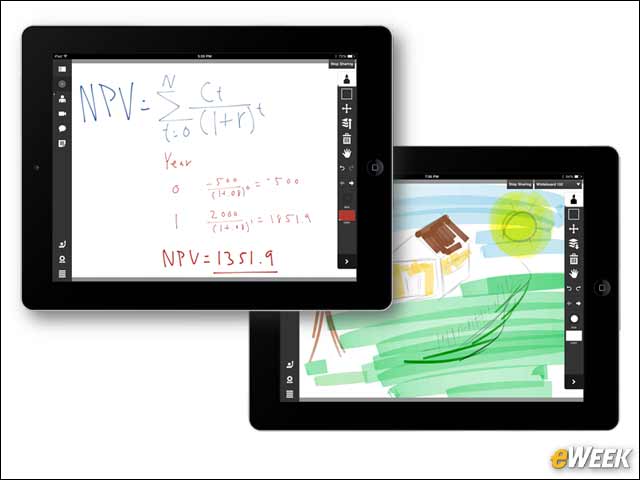
Adobe Connect 9.3 offers new tools to make drawing and annotating even better. New pen and pencil tools complement Adobe Connect’s existing marker and highlighter, allowing users to use their virtual whiteboard in the same way they would use a physical whiteboard for more precise drawing and notes—whether on a desktop, or on a mobile device using a finger or stylus.
Improved Screen Sharing
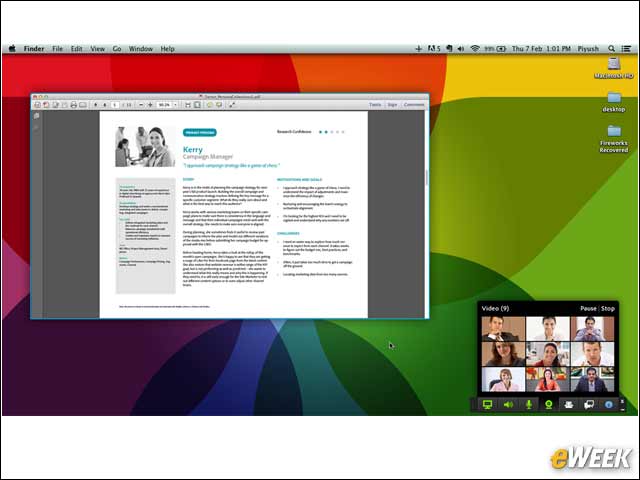
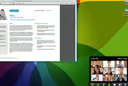
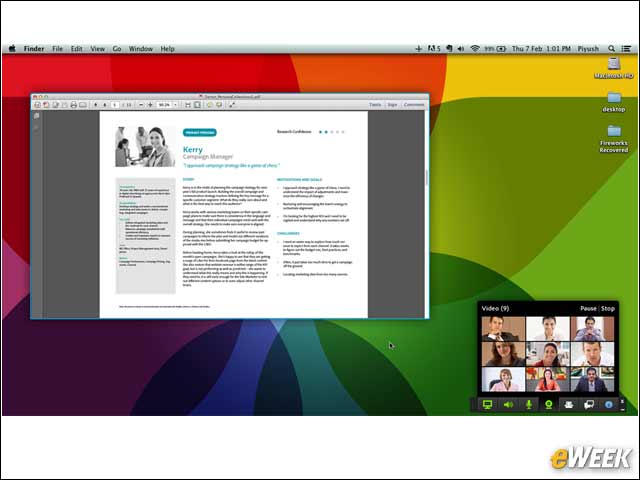
With screen sharing being a common activity in Adobe Connect, the 9.3 release puts a lot of emphasis on improving that experience for presenters. A new Screen Sharing Control Panel enables someone who is sharing his or her screen to see a preview of what’s being shared, control the video and the audio in the meeting, manage participants and interact with chat, as well as see and respond to any notifications.
Deeper Integration With Salesforce.com
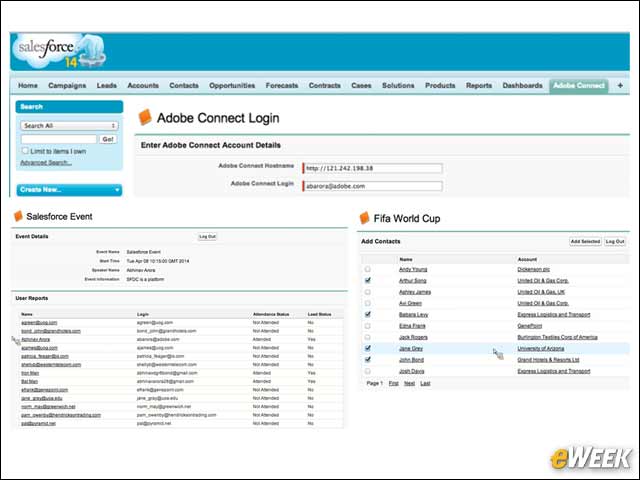
Adobe Connect 9.3 features integration with Salesforce.com, enabling users to more effectively manage their leads. The integration will enable all Adobe Connect event information, registration details and leads to be viewed in real time from within Salesforce.com, and event invitations to be extended to contacts without leaving the Salesforce.com interface. Event metrics generated within Adobe Connect, such as lead quality, will also be reported in Salesforce.com to enhance lead qualification workflows.
Guided Hints
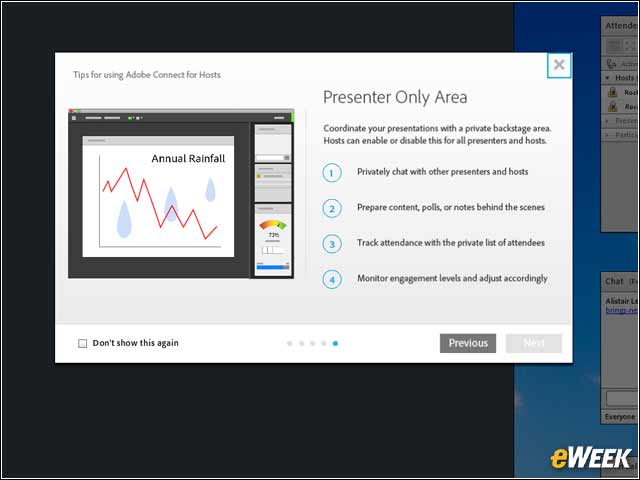
Adobe Connect 9.3 introduces Guided Hints, which help guide users through some of the most common tasks performed in Adobe Connect. The hints change based on the user role (participant, presenter or host), and many of them are animated to show customers exactly where to click.
Integration With Microsoft Lync
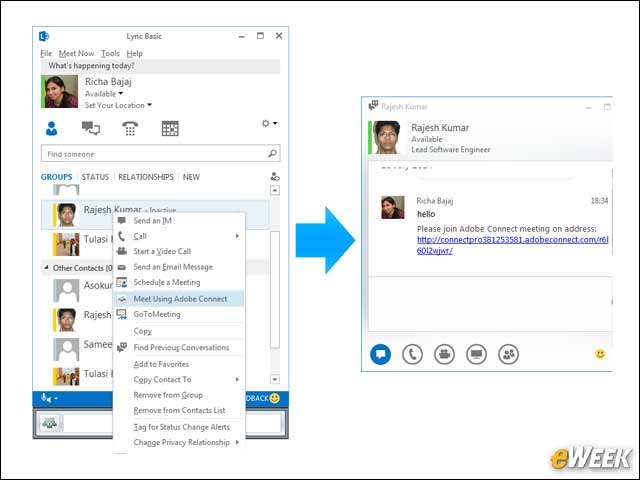
With Microsoft Lync often being used for instant messaging, Adobe Connect 9.3 introduces a new MS Lync add-in that expands on the existing integration with MS Lync 2010 and adds integration with MS Lync 2013/Office 365. The integration enables users to quickly jump into an Adobe Connect meeting room directly from their MS Lync contact list for quicker and more productive collaboration.