






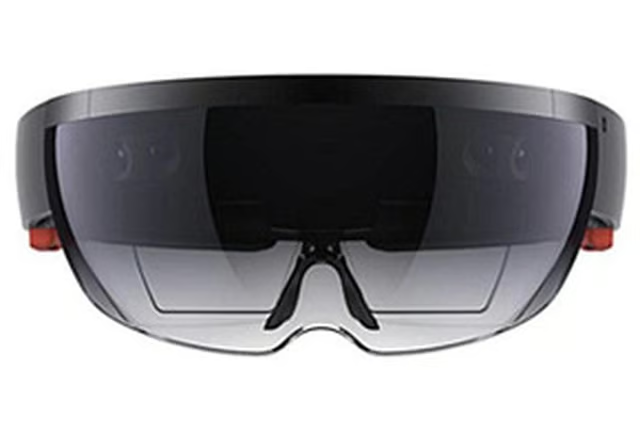

Microsoft’s recently released Windows 10 April 2018 Update for PCs contains a bevy of new features that are valuable to IT departments. Soon, the software maker will be bringing some of that improved IT-friendliness to HoloLens, its mixed-reality headset.
Lorraine Bardeen, general manager of Mixed Reality Workplace at Microsoft, announced that the Windows 10 April 2018 Update for HoloLens will be released in the coming weeks, bringing with it new features that will enable administrators to manage and secure the Windows-powered devices. “This update provides improved support for Unified Endpoint Management solutions (also known as MDM) like Microsoft Intune, making it possible for IT admins to simplify and automate device management,” she stated in a May 22 announcement.
For organizations that don’t run Intune, Bardeen revealed that Microsoft is working with third-party providers, including IBM MaaS360, MobileIron and SOTI. These vendors and others are expected to roll out their HoloLens integrations soon, she added.
IT professionals will also notice that the operating system’s name will now appear as Windows Holographic for Business if the Commercial Suite features, a collection of developer- and enterprise-focused tools, have been enabled. The move helps clear up any confusion when organizations upgrade from Windows Holographic on stock HoloLens Development Edition devices.
Developers, meanwhile, will have access to APIs and improved capabilities, including new holographic projection modes and spatial mapping enhancements to help create more convincing virtual experiences. Another feature, called research mode, opens new possibilities for mixed-reality application developers that want to push the limits.
“Research mode allows developers to access key HoloLens sensors when building academic and industrial applications to test new ideas in the fields of computer vision and robotics,” Bardeen said. Developers will soon be able to access HoloLens’ four environment-tracking cameras, two types of the depth-mapping camera data collected by the device and two versions of IR-reflectivity streams generated by the hardware.
Sharing HoloLens headsets among multiple workers will soon be easier to manage.
The update allows a single device to support multiple Azure Active Directory user accounts. And if those users move around between job sites, HoloLens will allow them to first connect to a WiFi network before the Azure Active Directory sign-in process, allowing them to log into their accounts. A new assigned-access mode allows organizations to lock the hardware to a single app or a handful of apps, useful for keeping frontline workers on task or for running demonstrations, according to Microsoft.
Finally, Remote Assist and Layout, two AR-enabled apps for industrial customers, are now available as part of a free, limited-time beta.
Focused on equipment maintenance, Remote Assist allows users to consult manuals and other technical documentation or place a video call to a colleague who may be able to assist in a repair. Layout helps users draw up industrial floorplans, allowing them to virtually manipulate the placement of equipment using 3D models projected onto a physical environment.