







- eWEEK Labs Walk-Through: AtTask 4.02
- eWEEK Labs Walk-Through: AtTask 4.02 – Project Overview Details
- eWEEK Labs Walk-Through: AtTask 4.02 – Notes Details
- eWEEK Labs Walk-Through: AtTask 4.02 – Worksheet View
- eWEEK Labs Walk-Through: AtTask 4.02 – Financial Worksheet
- eWEEK Labs Walk-Through: AtTask 4.02 – Reporting
eWEEK Labs Walk-Through: AtTask 4.02
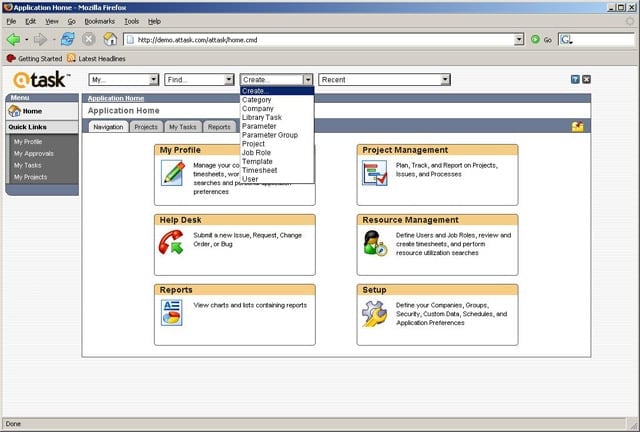
In its default configuration, AtTask places navigation in the foreground.
eWEEK Labs Walk-Through: AtTask 4.02 – Project Overview Details
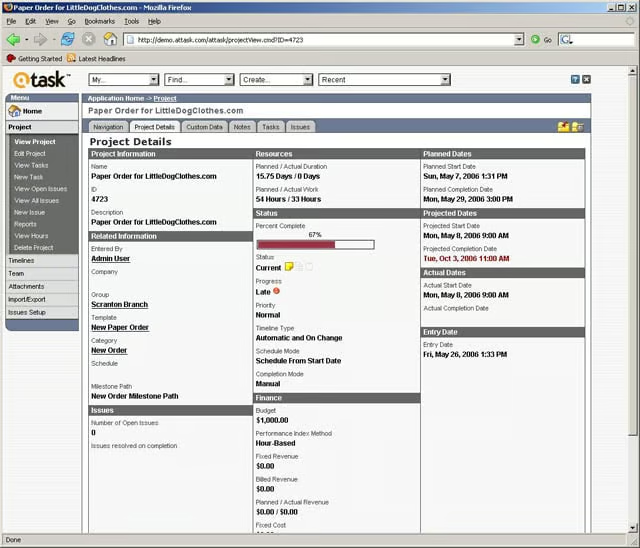
Users can assess project health through the Project Details tab.
eWEEK Labs Walk-Through: AtTask 4.02 – Notes Details
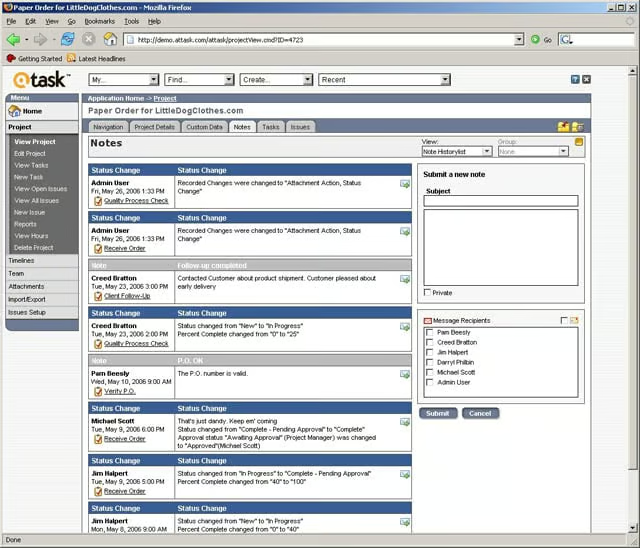
AtTask uses lists to organize data, such as project notes.
eWEEK Labs Walk-Through: AtTask 4.02 – Worksheet View
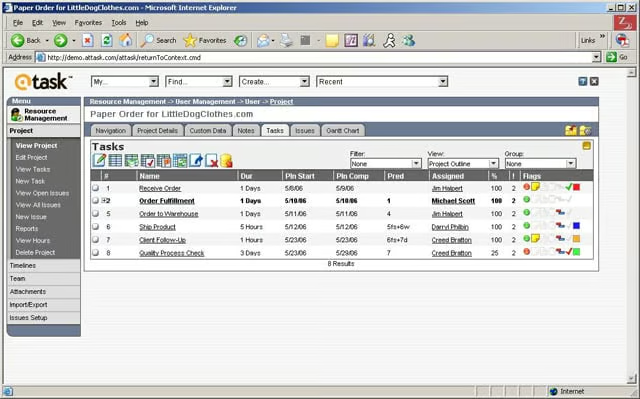
Worksheets are used to organize and edit a projects tasks and task details.
eWEEK Labs Walk-Through: AtTask 4.02 – Financial Worksheet
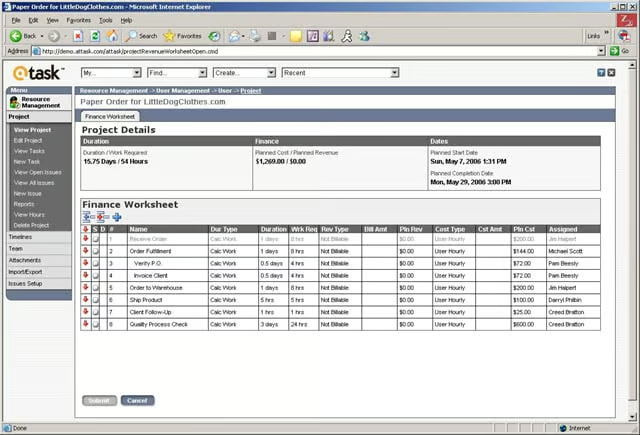
One available AtTask worksheet allows users to view financial data, which can be easily reordered.
eWEEK Labs Walk-Through: AtTask 4.02 – Reporting
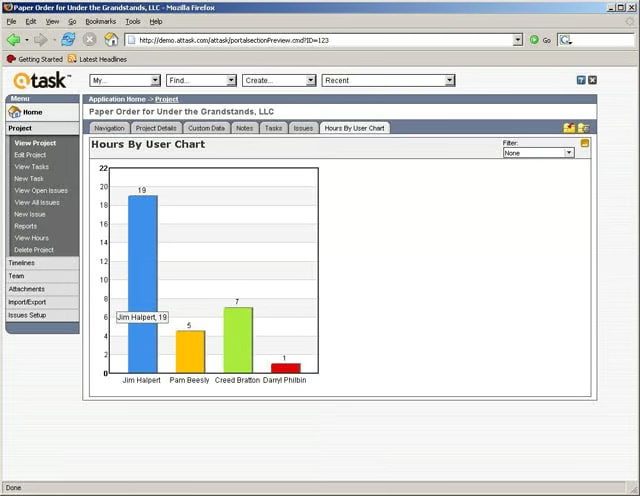
Graphical reports in AtTask allow the user to drill down and see task lists and other underlying information.
Listen to this article