






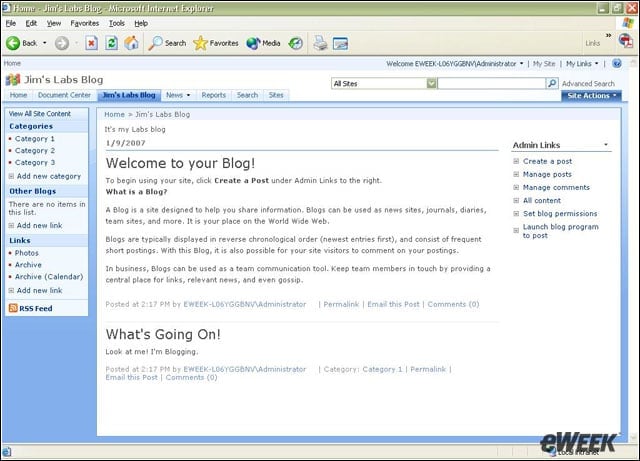


- eWEEK Labs Walk-Through: SharePoint Server 2007
- eWEEK Labs Walk-Through: SharePoint Server 2007 – Project Management
- eWEEK Labs Walk-Through: SharePoint Server 2007 – Workflow Options
- eWEEK Labs Walk-Through: SharePoint Server 2007 – Editing Features
- eWEEK Labs Walk-Through: SharePoint Server 2007 – Easy Access
- eWEEK Labs Walk-Through: SharePoint Server 2007 – Central Administration
- eWEEK Labs Walk-Through: SharePoint Server 2007 – Virus Scan
- eWEEK Labs Walk-Through: SharePoint Server 2007 – Backup
- eWEEK Labs Walk-Through: SharePoint Server 2007 – Search Engine Features
eWEEK Labs Walk-Through: SharePoint Server 2007
Web 2.0 features, such as blogs, have been added to SharePoint Server 2007.
eWEEK Labs Walk-Through: SharePoint Server 2007 – Project Management
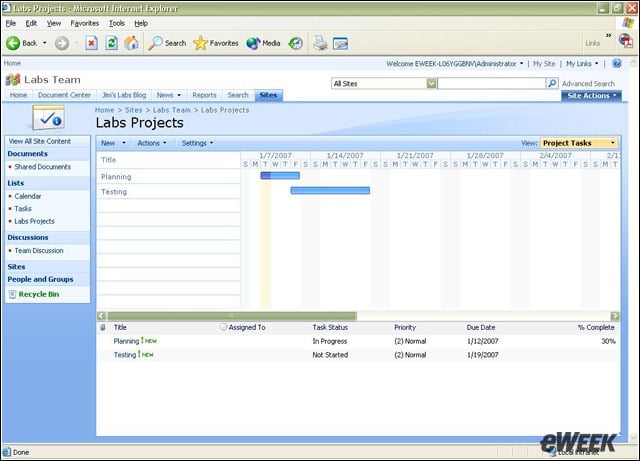
New Project Tasks in SharePoint Server add classic project management features, such as Gantt charts.
eWEEK Labs Walk-Through: SharePoint Server 2007 – Workflow Options
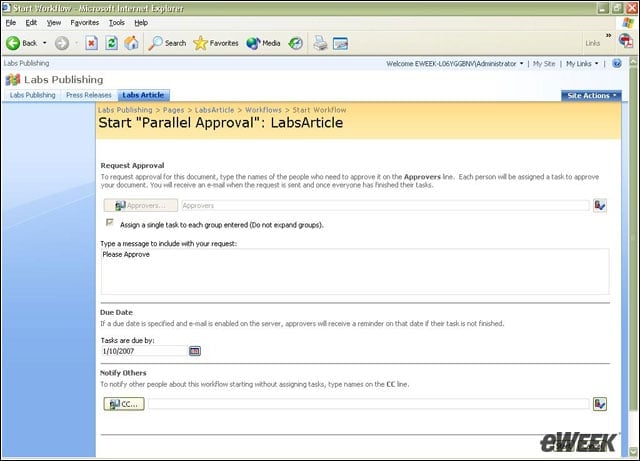
Robust workflow options are now well integrated throughout SharePoint Server.
eWEEK Labs Walk-Through: SharePoint Server 2007 – Editing Features
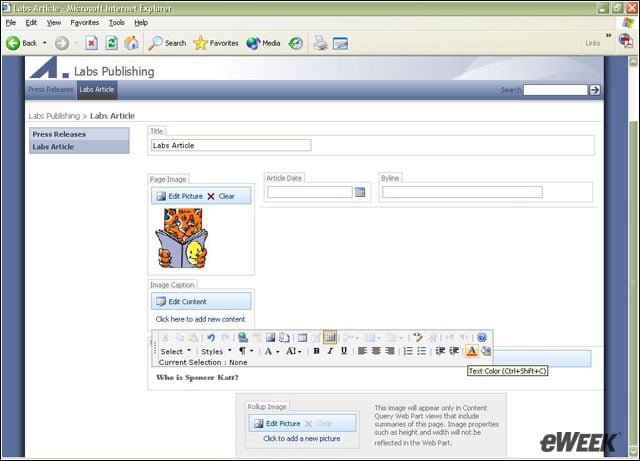
Integrated editing features make it simple for users to add Web content to SharePoint Server pages.
eWEEK Labs Walk-Through: SharePoint Server 2007 – Easy Access
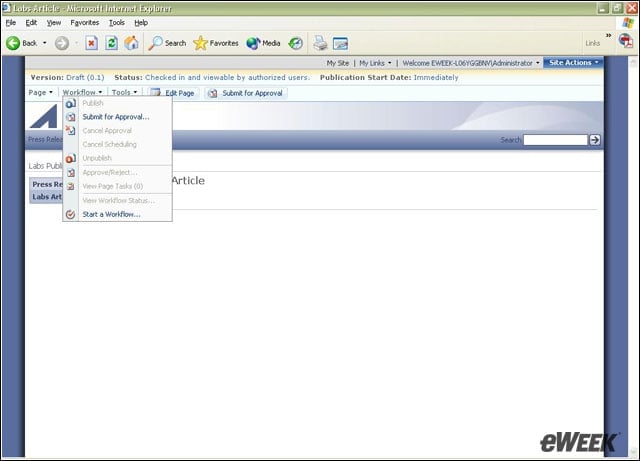
Workflow features can be accessed while doing almost any task.
eWEEK Labs Walk-Through: SharePoint Server 2007 – Central Administration
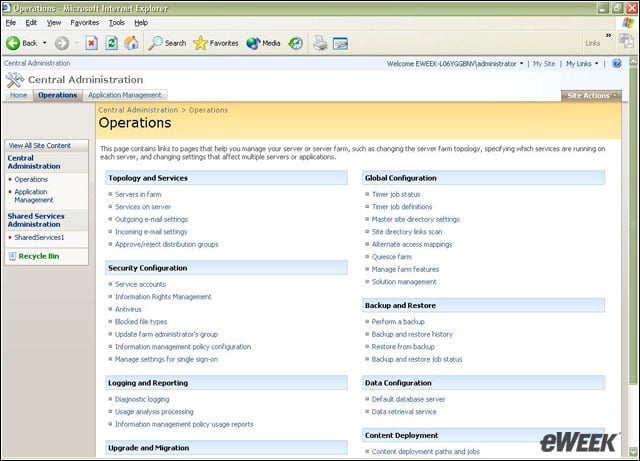
The Central Administration of SharePoint Server 2007 has been sensibly split into operations and application management areas.
eWEEK Labs Walk-Through: SharePoint Server 2007 – Virus Scan
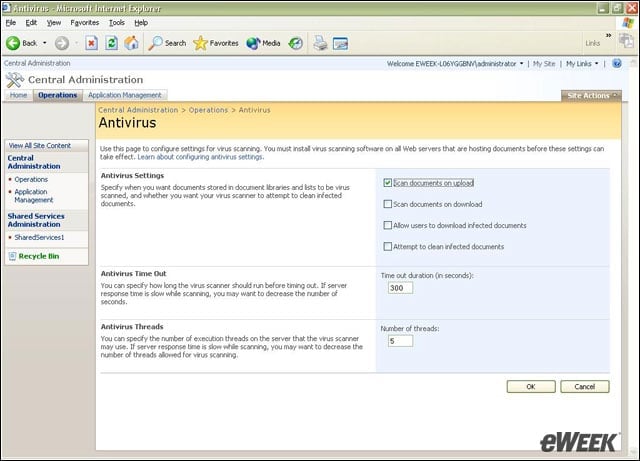
SharePoint Server can be configured to scan documents for viruses as the files are uploaded to servers.
eWEEK Labs Walk-Through: SharePoint Server 2007 – Backup
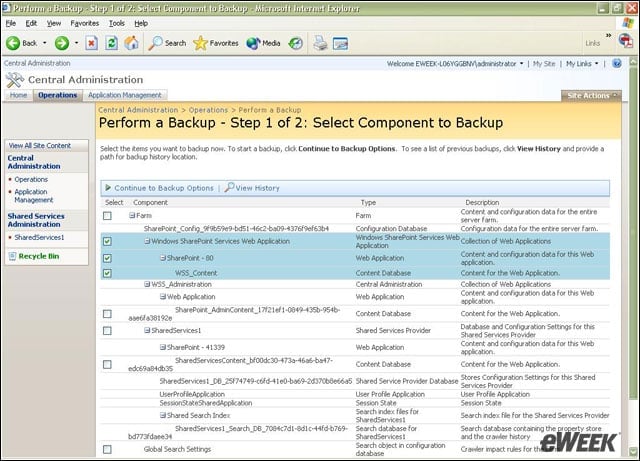
It is now possible to back up SharePoint Servers from Web interfaces, rather than just from the command line.
eWEEK Labs Walk-Through: SharePoint Server 2007 – Search Engine Features
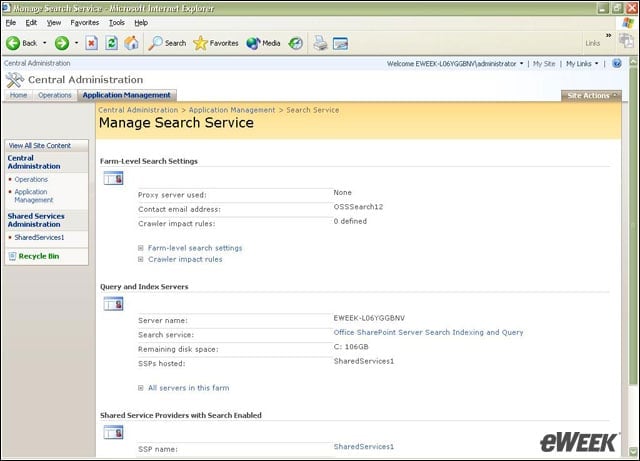
More robust search engine features are now a part of SharePoint Server 2007.