







- eWEEK Labs Walk-through: Chandler 0.7.4
- eWEEK Labs Walk-through: Chandler 0.7.4 – New Folders
- eWEEK Labs Walk-through: Chandler 0.7.4 – Inbox-to-Inbox
- eWEEK Labs Walk-through: Chandler 0.7.4 – Schedule Tasks
- eWEEK Labs Walk-through: Chandler 0.7.4 – Memory Jogger
- eWEEK Labs Walk-through: Chandler 0.7.4 – Triage Treatment
- eWEEK Labs Walk-through: Chandler 0.7.4 – Centralized In-box
- eWEEK Labs Walk-through: Chandler 0.7.4 – Securing Data
- eWEEK Labs Walk-through: Chandler 0.7.4 – Consolidate In-boxes
- eWEEK Labs Walk-through: Chandler 0.7.4 – Detail-Oriented
- eWEEK Labs Walk-through: Chandler 0.7.4 – Improvements to Calendar
- eWEEK Labs Walk-through: Chandler 0.7.4 – Housekeeping
eWEEK Labs Walk-through: Chandler 0.7.4
By Tiffany Maleshefski
eWEEK Labs Walk-through: Chandler 0.7.4 – New Folders
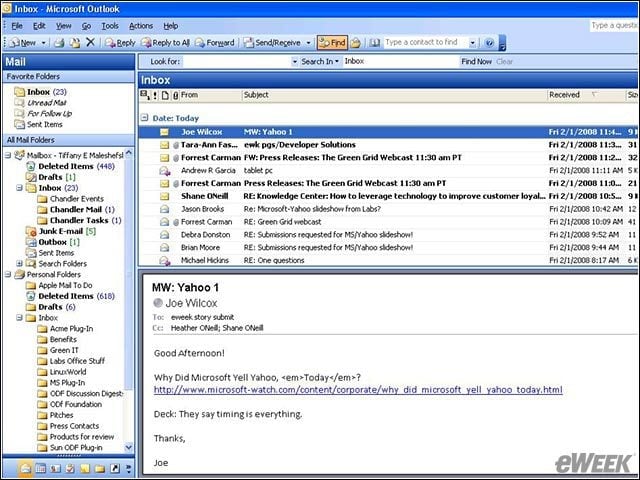
Chandler creates folders in your e-mail in-box, making it easy to keep tabs on what’s been categorized as a Chandler task, event or e-mail.
eWEEK Labs Walk-through: Chandler 0.7.4 – Inbox-to-Inbox
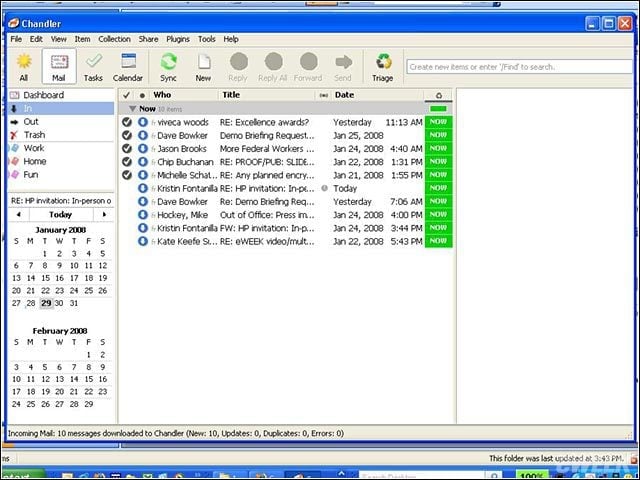
E-mails filed into Chandler folders are then funneled into the Chandler desktop application, which resembles a typical in-box.
eWEEK Labs Walk-through: Chandler 0.7.4 – Schedule Tasks
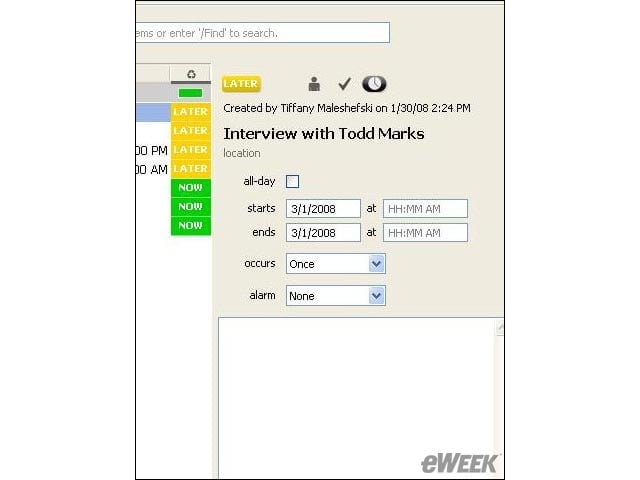
Users can schedule tasks and appointments, then set alarms for a reminder that those specific engagements are approaching.
eWEEK Labs Walk-through: Chandler 0.7.4 – Memory Jogger
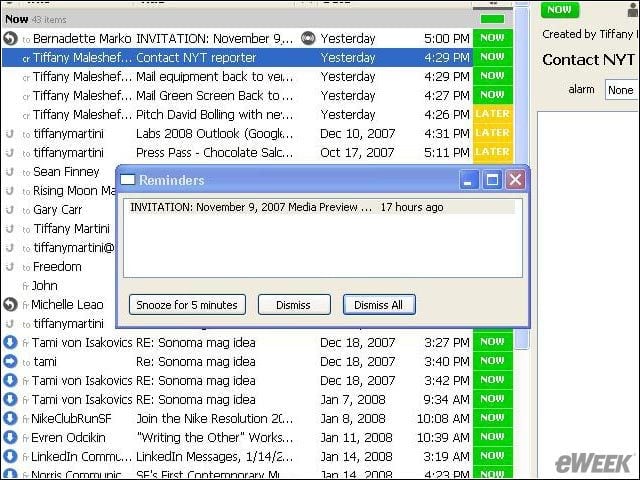
Similar to Microsoft’s Outlook, Chandler uses pop-up windows to alert users of upcoming meetings, deadlines and other events.
eWEEK Labs Walk-through: Chandler 0.7.4 – Triage Treatment
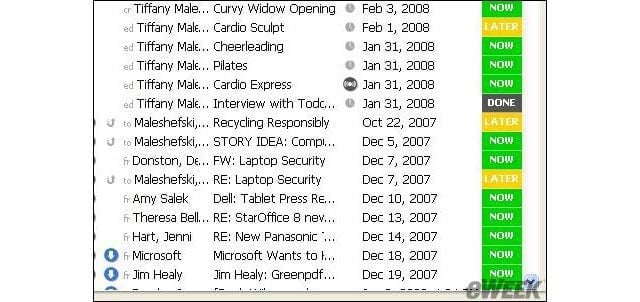
Using the triage tool, users can help prioritize items in Chandler by marking them “now,” “later” or “done.”
eWEEK Labs Walk-through: Chandler 0.7.4 – Centralized In-box
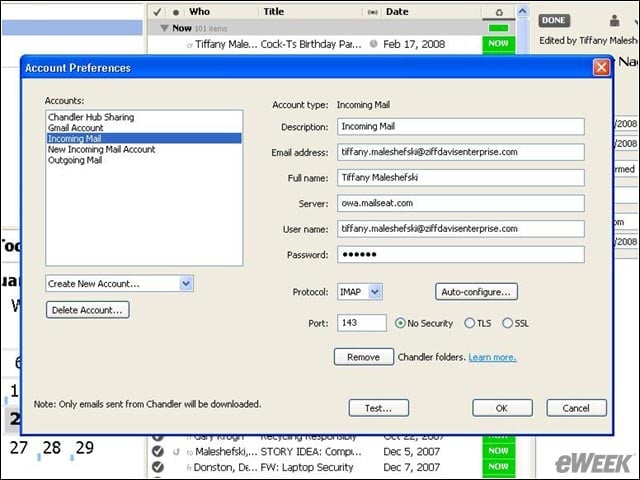
Chandler lets users configure and sync various e-mail accounts into the desktop application, putting everything in one place and culminating in an extensive to-do list.
eWEEK Labs Walk-through: Chandler 0.7.4 – Securing Data
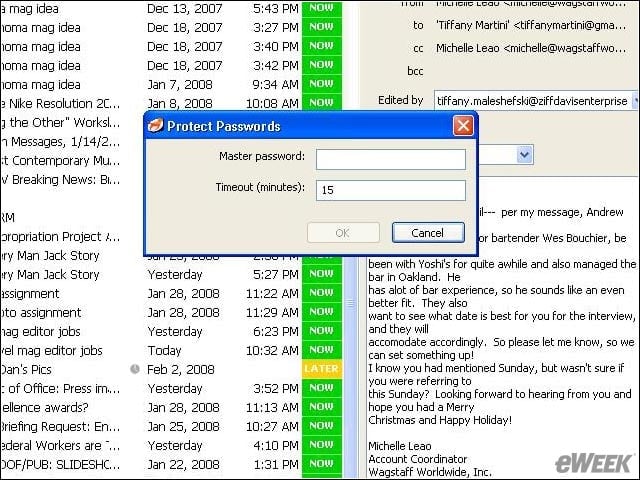
Chandler requires that users enter a master password, helping to protect sensitive information.
eWEEK Labs Walk-through: Chandler 0.7.4 – Consolidate In-boxes
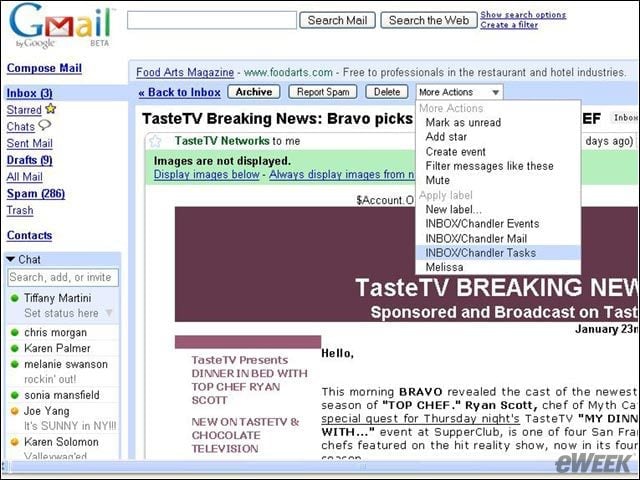
Once an e-mail account has been configured with Chandler, users can begin categorizing selected e-mails as a task or event by placing the selected e-mails in the appropriate Chandler folder. Chandler will then sync these folders to the desktop application.
eWEEK Labs Walk-through: Chandler 0.7.4 – Detail-Oriented
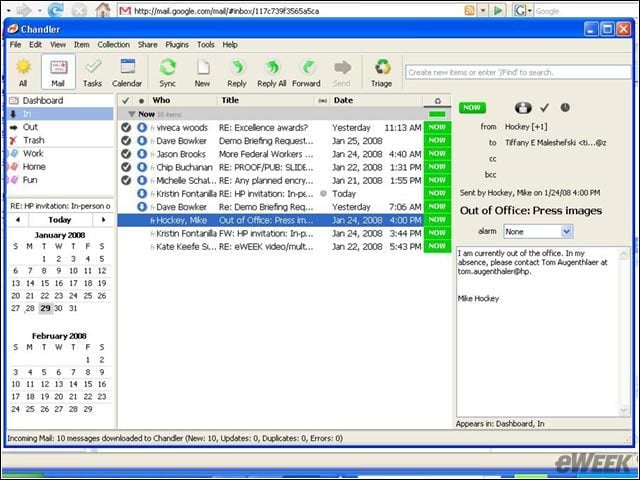
When users click on an item from the list that appears in Chandler’s main view, the particulars of that item appear in a separate window. Users can then add notes, set an alarm or change status.
eWEEK Labs Walk-through: Chandler 0.7.4 – Improvements to Calendar
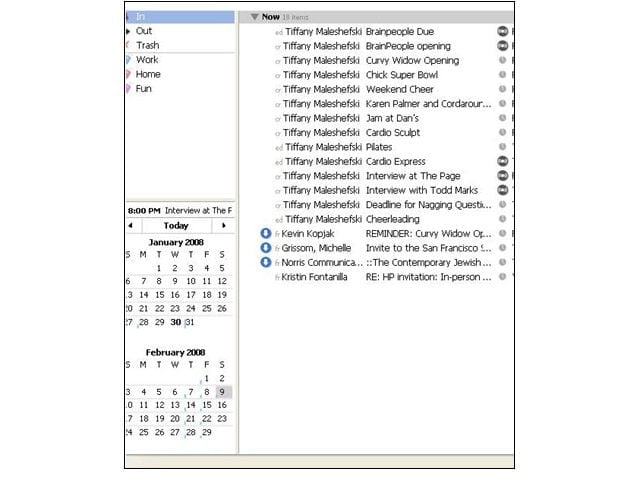
Users have to reconfigure Chandler’s calendar feature to give it more visibility; otherwise, the feature tends to get lost in the application’s main view.
eWEEK Labs Walk-through: Chandler 0.7.4 – Housekeeping
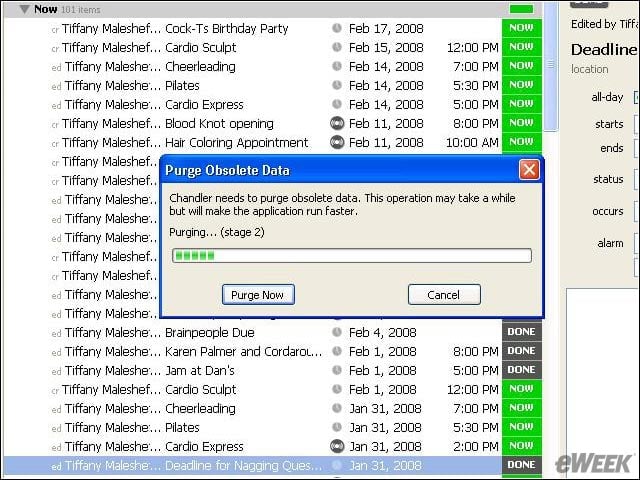
Chandler purges all obsolete items, in keeping with its promise to manage tasks efficiently.