







- eWEEK Labs Walk-Through: Vista Build 5381
- eWEEK Labs Walk-Through: Vista Build 5381 – Welcome to your computer
- eWEEK Labs Walk-Through: Vista Build 5381 – Detailed welcome to your computer
- eWEEK Labs Walk-Through: Vista Build 5381 – Performance rating and issues
- eWEEK Labs Walk-Through: Vista Build 5381 – Admin Rights
- eWEEK Labs Walk-Through: Vista Build 5381 – Which startup programs were slowing me down
- eWEEK Labs Walk-Through: Vista Build 5381 – Mystery startup program
- eWEEK Labs Walk-Through: Vista Build 5381 – Windows Defender: Connected programs
- eWEEK Labs Walk-Through: Vista Build 5381 – Windows Defender: Running programs
- eWEEK Labs Walk-Through: Vista Build 5381 – Those pesky drivers
- eWEEK Labs Walk-Through: Vista Build 5381 – Right click on the desktop to personalize
- eWEEK Labs Walk-Through: Vista Build 5381 – No diagnostic eye candy for standard users
- eWEEK Labs Walk-Through: Vista Build 5381 – MMC and UAC are not pals
- eWEEK Labs Walk-Through: Vista Build 5381 – Why does IE always default to custom security level?
- eWEEK Labs Walk-Through: Vista Build 5381 – I mocked the sidebar in the past…
- eWEEK Labs Walk-Through: Vista Build 5381 – smart RSS handling
- eWEEK Labs Walk-Through: Vista Build 5381 – No snazzy web browser addons
eWEEK Labs Walk-Through: Vista Build 5381
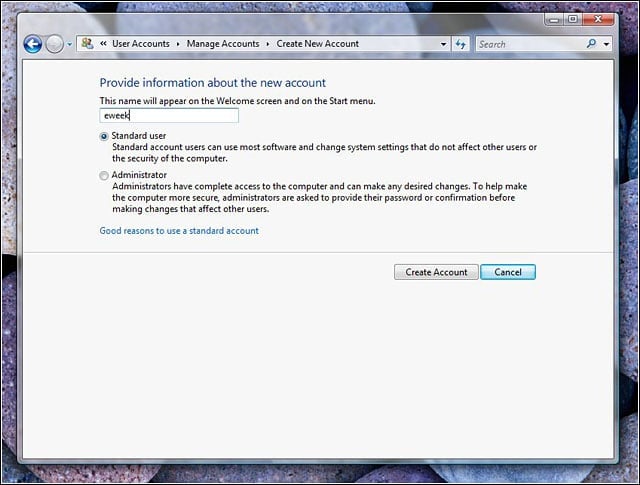
The limited accounts in Windows XP are called standard accounts in Vista.
eWEEK Labs Walk-Through: Vista Build 5381 – Welcome to your computer
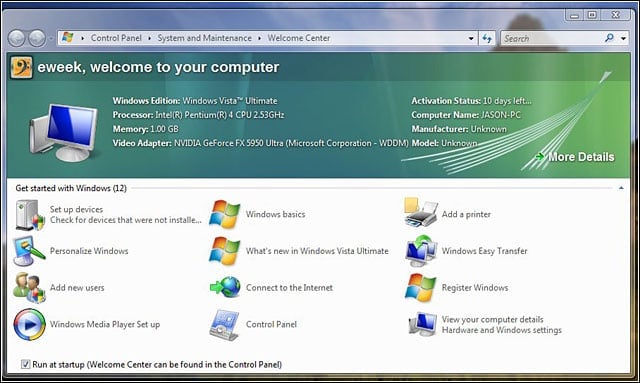
Vistas jump-off screen is fairly helpful, and thats a good thing.
eWEEK Labs Walk-Through: Vista Build 5381 – Detailed welcome to your computer
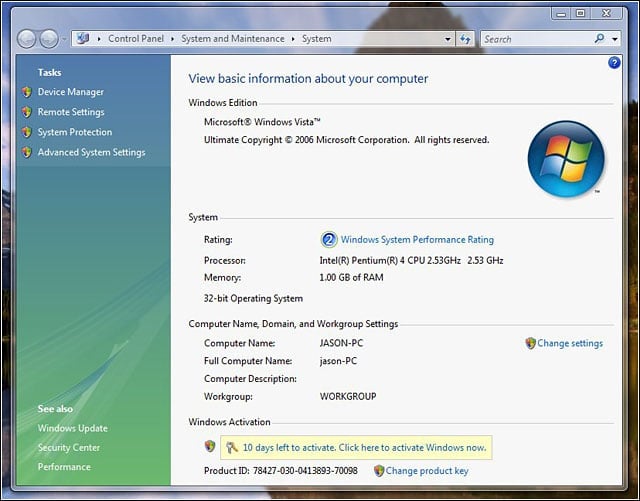
A link on the welcome page leads to this slightly more detailed welcome page.
eWEEK Labs Walk-Through: Vista Build 5381 – Performance rating and issues
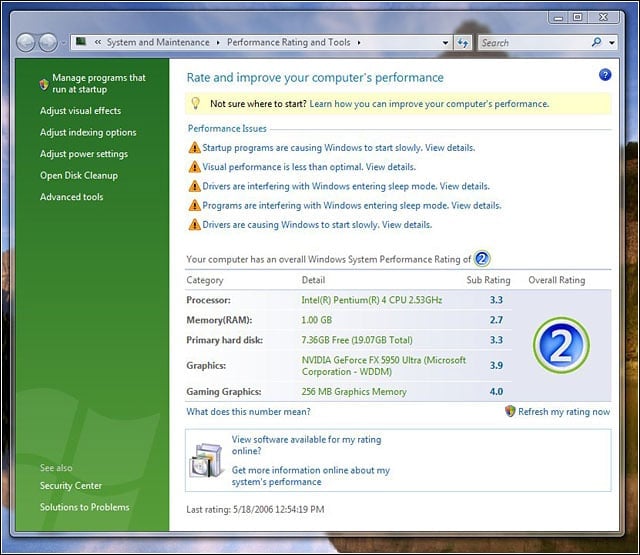
Vistas hardware requirements have been the subject of quite a bit of discussion. Vistas built-in performance rating tool should fuel further discussion.
eWEEK Labs Walk-Through: Vista Build 5381 – Admin Rights
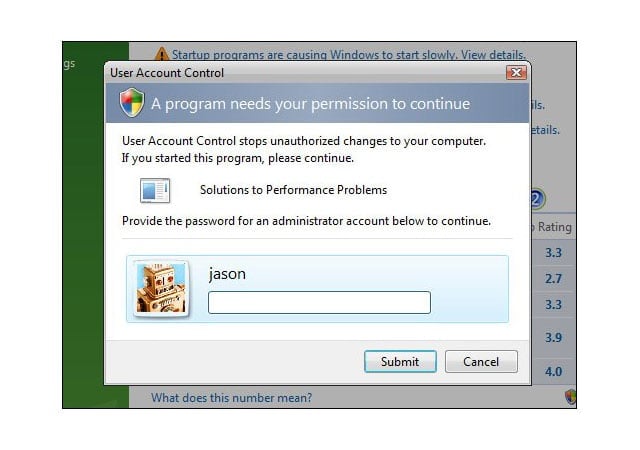
While following up on leads for speeding up our test machine, our standard-rights user encountered a User Account Control dialog; there, we entered the credentials of a user with admin rights.
eWEEK Labs Walk-Through: Vista Build 5381 – Which startup programs were slowing me down
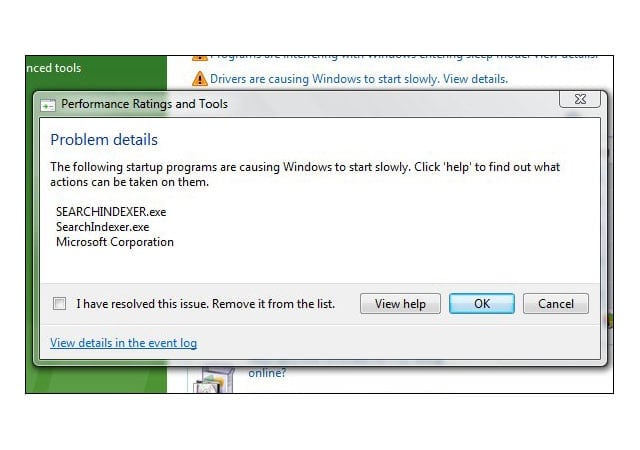
The performance rating page on our test system cited startup programs that were possibly slowing down the system.
eWEEK Labs Walk-Through: Vista Build 5381 – Mystery startup program
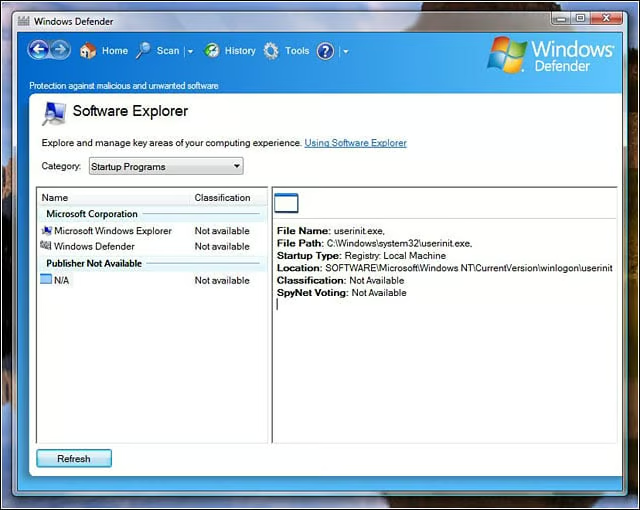
Using Windows Defender, we checked out which programs on our test machine were set to run at startup. Interestingly, the programs listed as possible slowdown offenders werent listed.
eWEEK Labs Walk-Through: Vista Build 5381 – Windows Defender: Connected programs
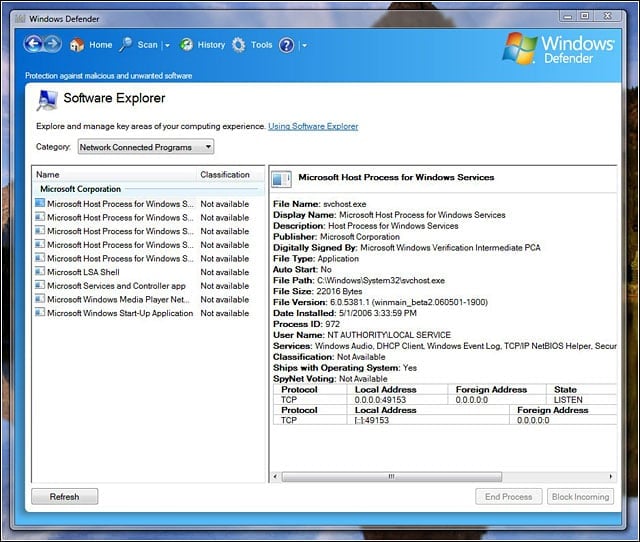
Windows Defender also showed us the network-connected programs on our test machine.
eWEEK Labs Walk-Through: Vista Build 5381 – Windows Defender: Running programs
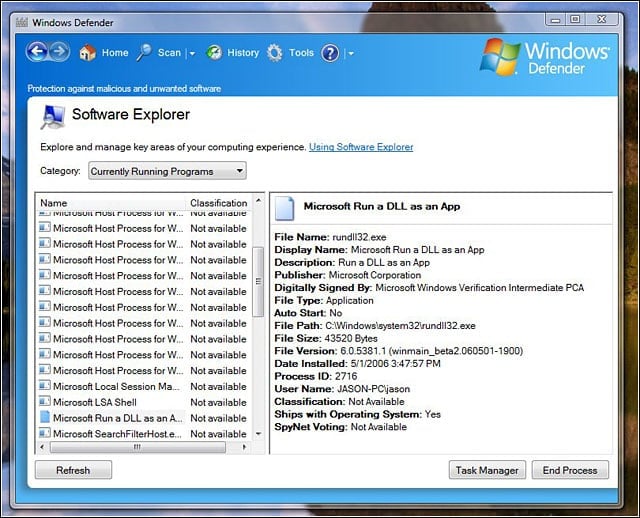
Windows Defender listing of programs currently running.
eWEEK Labs Walk-Through: Vista Build 5381 – Those pesky drivers
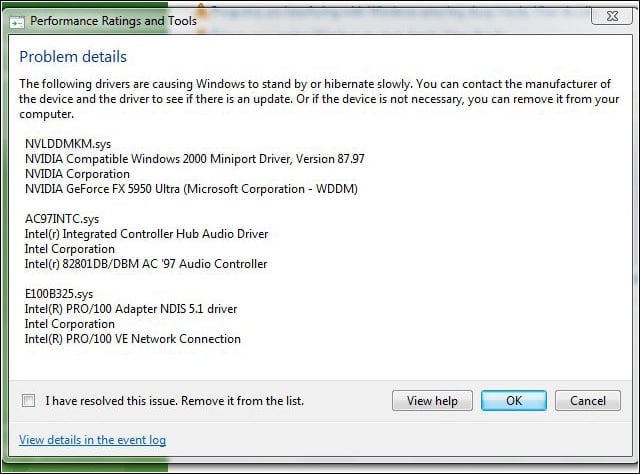
The Vista rating tool cited particular drivers as possible performance problems, as well.
eWEEK Labs Walk-Through: Vista Build 5381 – Right click on the desktop to personalize
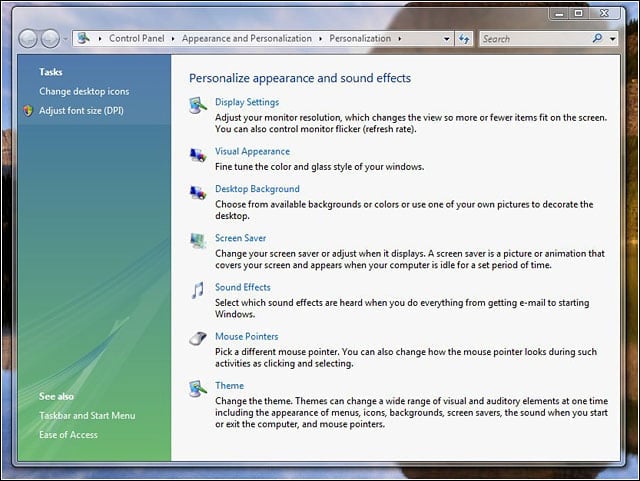
Links to common operations, such as changing display resolution, are organized a bit differently in Vista.
eWEEK Labs Walk-Through: Vista Build 5381 – No diagnostic eye candy for standard users
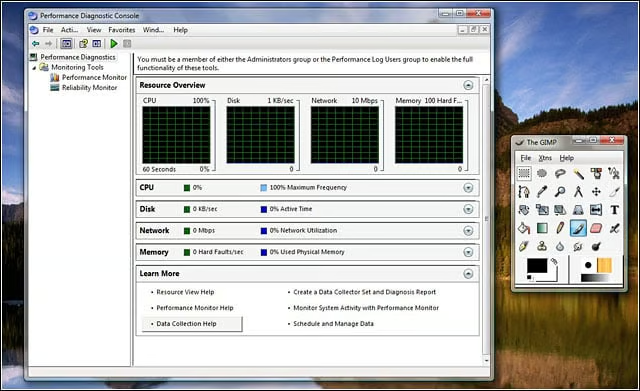
Vistas diagnostic tools are both useful and a bit flashy, but our standard-rights user wasnt allowed to view them.
eWEEK Labs Walk-Through: Vista Build 5381 – MMC and UAC are not pals
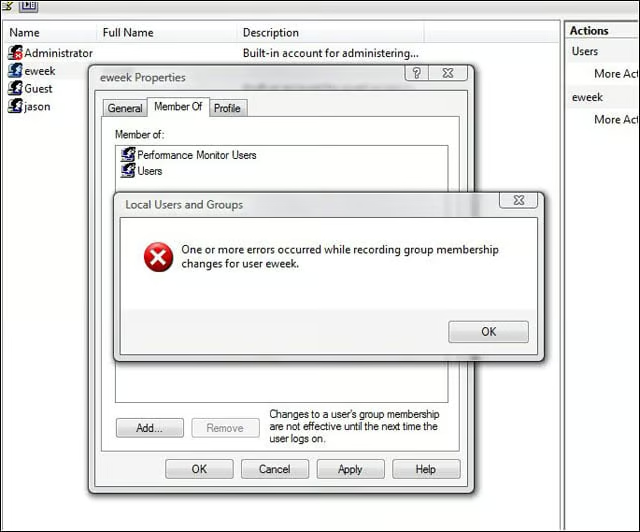
As we noted in previous builds of Vista, MMC programs dont tend to get along very well with User Account Control.
eWEEK Labs Walk-Through: Vista Build 5381 – Why does IE always default to custom security level?
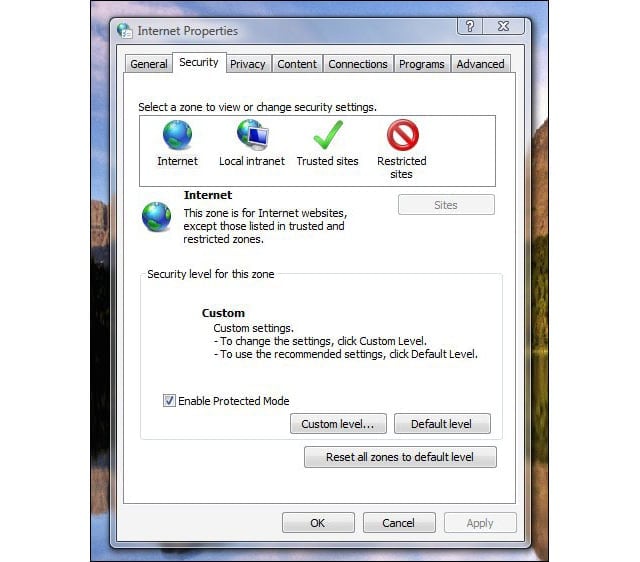
Why does IE always default to custom security level?
eWEEK Labs Walk-Through: Vista Build 5381 – I mocked the sidebar in the past…
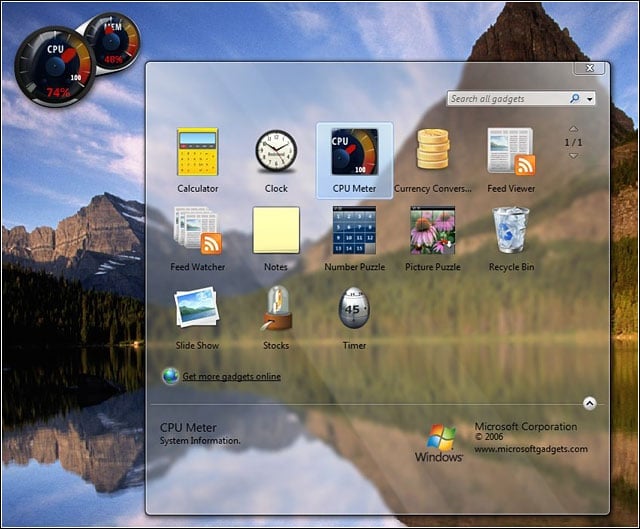
So far, we havent seen a must-have gadget for Vistas Sidebar feature, but this processor meter could win our hearts.
eWEEK Labs Walk-Through: Vista Build 5381 – smart RSS handling
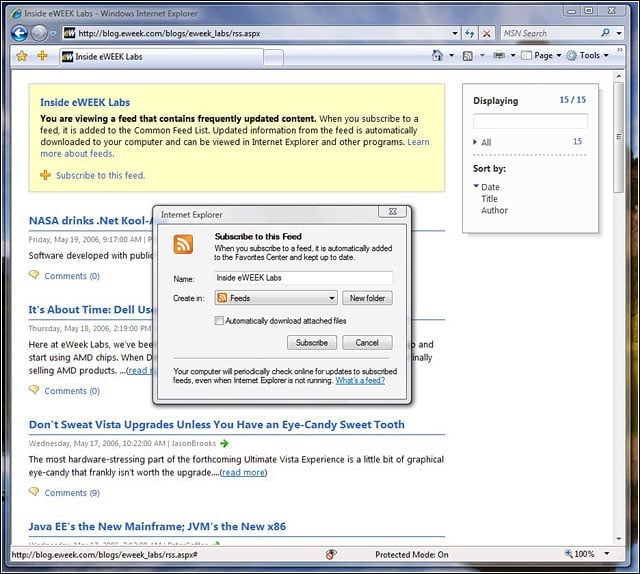
One of our favorite IE 7 features is its knack for rendering RSS feed pages and offering us the option of subscribing; Firefox just shows the XML source.
eWEEK Labs Walk-Through: Vista Build 5381 – No snazzy web browser addons
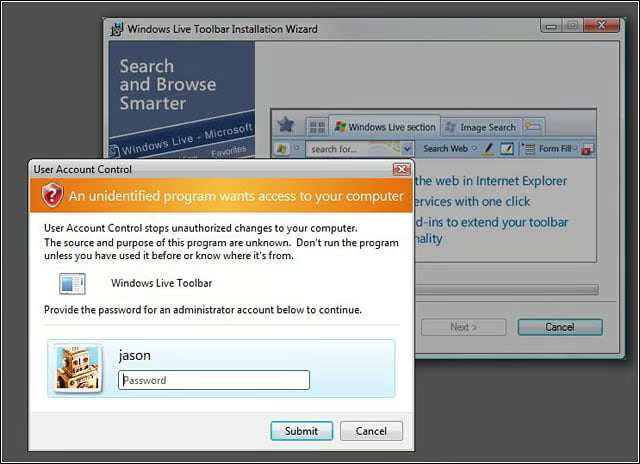
Without admin credentials, our standard user couldnt install arbitrary applications and browser plug-ins–which is the idea.