







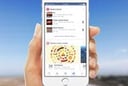
Facebook’s Android and iOS mobile apps are getting an update that will soon give users much more information about their friends’ posts, weather, movie times, upcoming events and more, through an expanded notifications tab in the apps.
The improvements and new personalization features, which are now rolling out to users, were unveiled by Keith Peiris, a Facebook product manager, in an Oct. 26 announcement.
“Every day, people use their notifications to keep up-to-date with their friends and family,” wrote Peiris. “We’ve heard feedback that people wanted to add important information that they can easily see, all in one place.”
Based on that feedback, Facebook developers have added a wide assortment of notifications to the tab, beyond just noting when a friend has added a new post. The expanded notifications tab now will display birthday and other life milestones about friends, as well as sports scores and television programming reminders that are based on Facebook pages that users have “liked,” wrote Peiris.
Also to appear in the notifications tab are upcoming events that users have signed up for, including events and news happening in their communities, weather updates about current conditions and severe weather alerts, movies playing in local theaters and lists of nearby places to eat, complete with reviews and links to Facebook pages for the establishments. A new trends section is also being added, which provides a place for users to stay up to date with what is happening in the world each day, with constant updates and details as they surface.
Users will also be able to add other customized information to their notifications tab if they have enabled Location History in the Facebook app and will be able to customize the expanded notifications using the settings tab in the app. A user’s current settings will remain in place after the update is received.
“You can also customize the info you see by tapping the arrow to the right of each card, or Add More Cards at the bottom of the tab,” Peiris wrote. “We’ll continue to listen to feedback about the information people find most useful and may periodically add more cards to choose from.”
The expanded personalized notifications tab in the Facebook Android and iOS apps is gradually being rolled out across the United States.
The updated notifications tab will be navigable through finger swipes.
Earlier in October, Facebook updated its app for Apple’s iOS mobile device operating system to fix a problem that caused premature battery drainage for some users. The problem was related to CPU processing that continued to run without stopping, which caused the app to use more battery power than was intended, according to a recent eWEEK story.
A second issue was also found and repaired involving how the Facebook app manages audio sessions without automatically shutting them down after a user watched a video in the app.
Earlier in October, Facebook announced that users of the social network can now upload a looping video clip in place of a profile photo on its mobile app, according to an earlier eWEEK report. Members can only upload new profile movies in video format, not in GIF or Vine format. The new feature is being made available first to iPhone users in California and the U.K.