






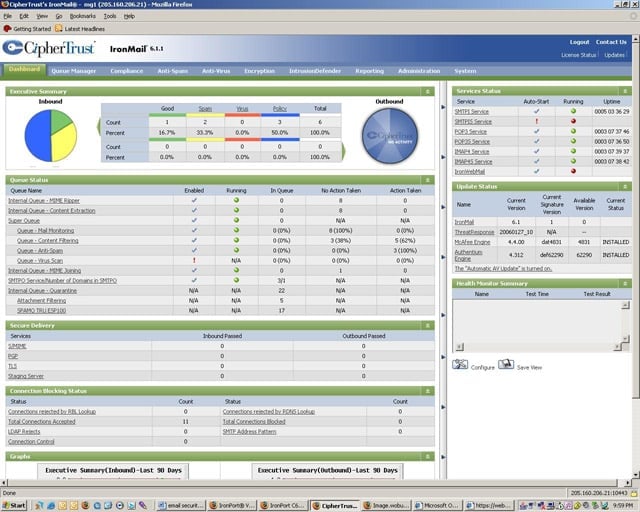


- eWEEK Labs Walk-Through: CipherTrust IronMail E-series
- eWEEK Labs Walk-Through: CipherTrust IronMail E-series – CipherTrust IronMail Zero Day Summary
- eWEEK Labs Walk-Through: CipherTrust IronMail E-series – CipherTrust IronMail Zero Day Settings
- eWEEK Labs Walk-Through: CipherTrust IronMail E-series – CipherTrust IronMail Spam Quarantine
- eWEEK Labs Walk-Through: CipherTrust IronMail E-series – CipherTrust IronMail Reporting
eWEEK Labs Walk-Through: CipherTrust IronMail E-series
The IronMail Web-based console presents administrators with a broad dashboard-style view of e-mail traffic and the appliances performance.
eWEEK Labs Walk-Through: CipherTrust IronMail E-series – CipherTrust IronMail Zero Day Summary
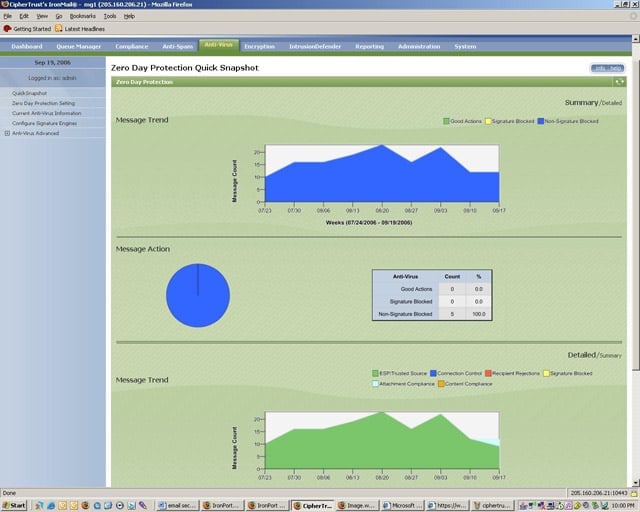
Many of the administration sections on the IronMails console present administrators with summary performance and traffic information.
eWEEK Labs Walk-Through: CipherTrust IronMail E-series – CipherTrust IronMail Zero Day Settings
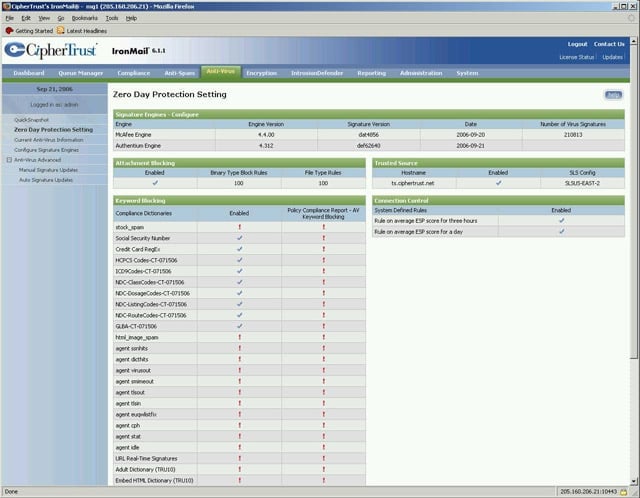
IronMail administrators can quickly assess active Zero-Day Anti-Virus policy settings to determine which policies are active.
eWEEK Labs Walk-Through: CipherTrust IronMail E-series – CipherTrust IronMail Spam Quarantine
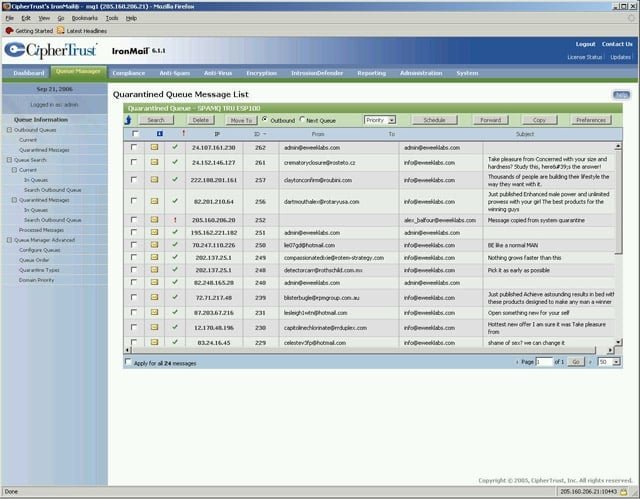
IronMail administrators can view the spam quarantine and perform group or individual actions from the message list.
eWEEK Labs Walk-Through: CipherTrust IronMail E-series – CipherTrust IronMail Reporting
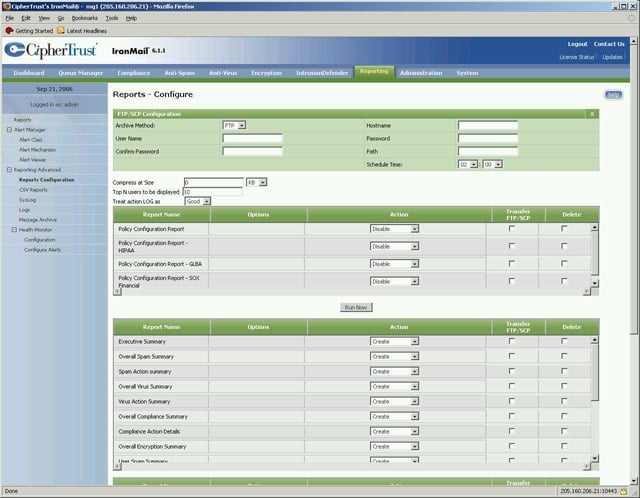
IronMail includes roughly three dozen preconfigured reports; administrators have the ability to configure automatic delivery of these reports and log files.