








- eWEEK Labs Walk-Through: Jabber XCP 5.1
- eWEEK Labs Walk-Through: Jabber XCP 5.1 – Component Administration
- eWEEK Labs Walk-Through: Jabber XCP 5.1 – Intermediate Administrator View
- eWEEK Labs Walk-Through: Jabber XCP 5.1 – Advanced Administrator View
- eWEEK Labs Walk-Through: Jabber XCP 5.1 – Flat Administration Interface
- eWEEK Labs Walk-Through: Jabber XCP 5.1 – Client Configuration
- eWEEK Labs Walk-Through: Jabber XCP 5.1 – Colors and Fonts
- eWEEK Labs Walk-Through: Jabber XCP 5.1 – Message Options
- eWEEK Labs Walk-Through: Jabber XCP 5.1 – Jabber Rooms
- eWEEK Labs Walk-Through: Jabber XCP 5.1 – Tab Organization
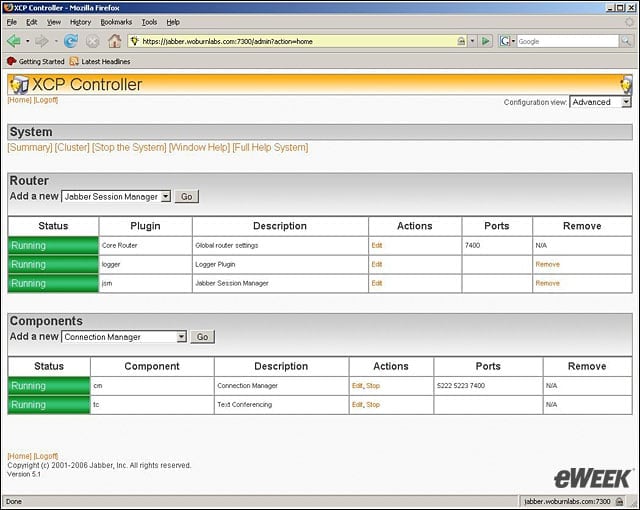
eWEEK Labs Walk-Through: Jabber XCP 5.1
Jabber XCP servers main administration screen shows administrators the status of the various Jabber XCP server components.
eWEEK Labs Walk-Through: Jabber XCP 5.1 – Component Administration
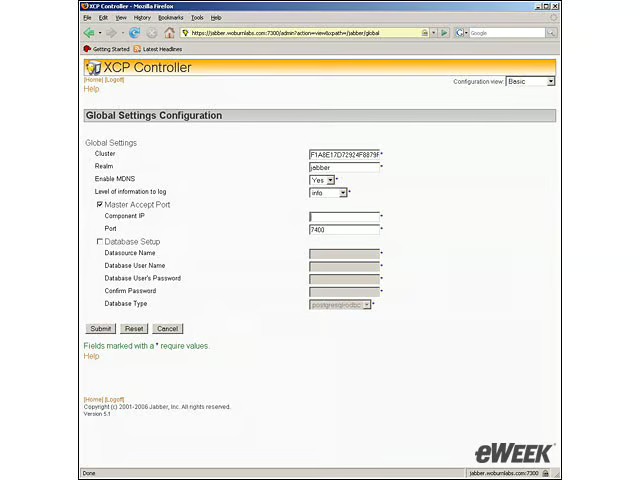
Jabber XCP administrators can choose which level of detail to view when configuring components.
eWEEK Labs Walk-Through: Jabber XCP 5.1 – Intermediate Administrator View
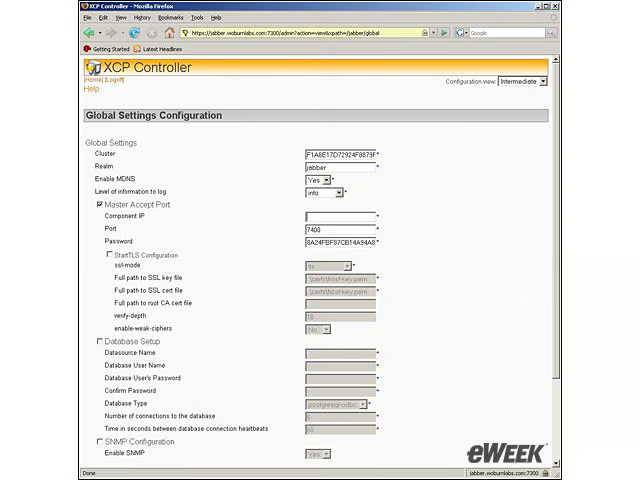
The intermediate administrator view exposes a number of tuning options on the Jabber XCP server.
eWEEK Labs Walk-Through: Jabber XCP 5.1 – Advanced Administrator View
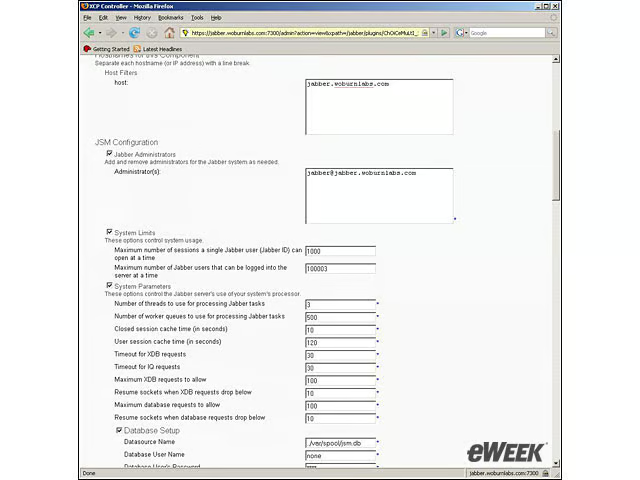
The advanced administrator view exposes the most tuning options for the Jabber XCP server.
eWEEK Labs Walk-Through: Jabber XCP 5.1 – Flat Administration Interface
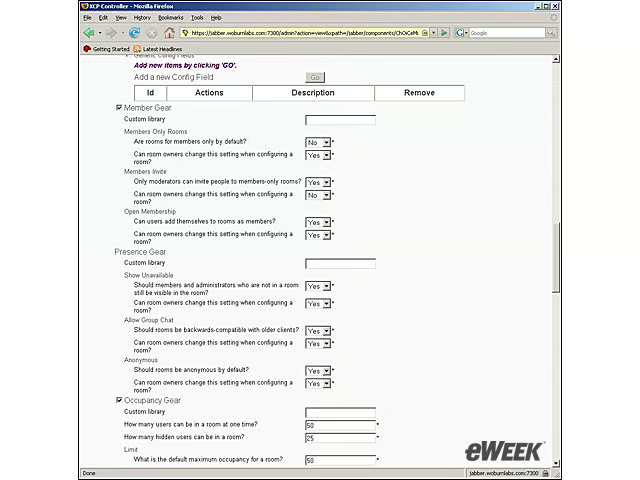
While the Jabber administration interface provides flexible configuration options, the interface is flat and requires a good deal of scrolling.
eWEEK Labs Walk-Through: Jabber XCP 5.1 – Client Configuration
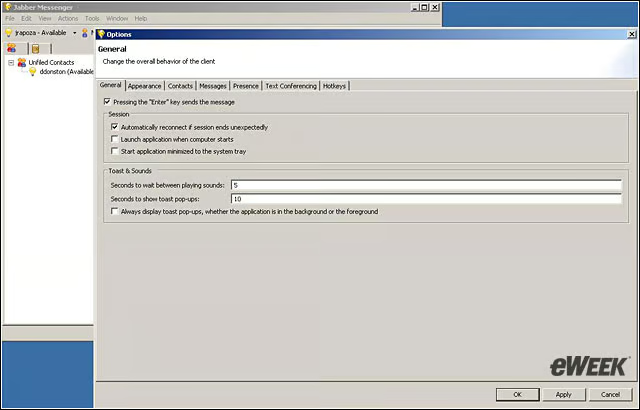
Users have a high degree of control over the client experience, including the frequency with which they hear alerts.
eWEEK Labs Walk-Through: Jabber XCP 5.1 – Colors and Fonts
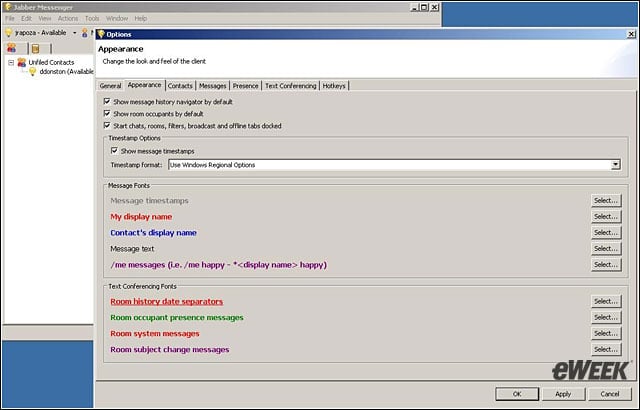
Jabber users can also control the appearance of conversations in one-on-one and group chat.
eWEEK Labs Walk-Through: Jabber XCP 5.1 – Message Options
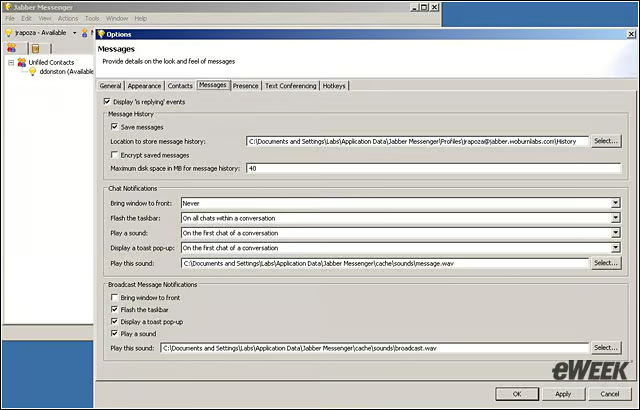
One nice user option is the ability to bring active chat session windows to the forefront.
eWEEK Labs Walk-Through: Jabber XCP 5.1 – Jabber Rooms
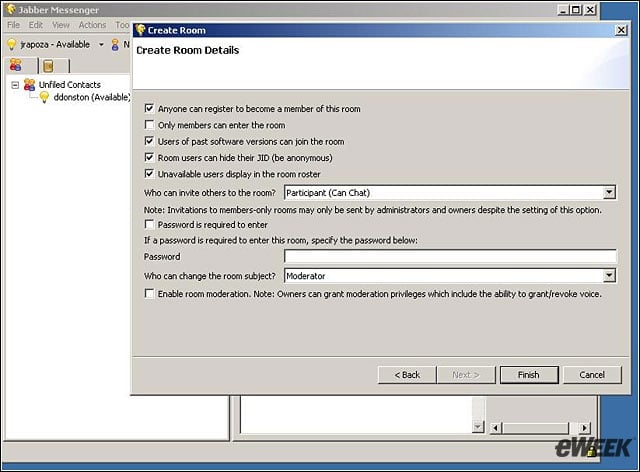
If administrators give users the ability to do so, users can control the configuration of a Jabber Room, the group chat session feature.
eWEEK Labs Walk-Through: Jabber XCP 5.1 – Tab Organization
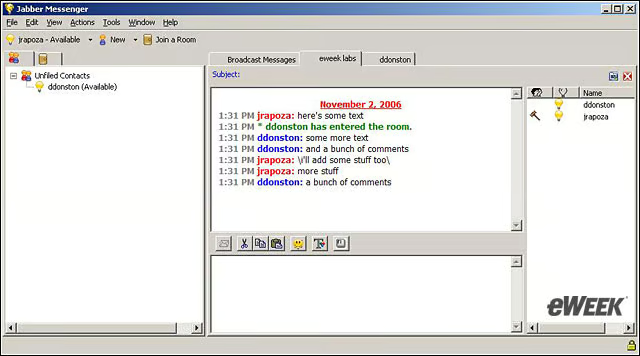
The Jabber client uses tabs to organize one-on-one, group chat and broadcast message sessions. Users do have the ability to undock these tabs, however.