







Meraki Cloud WiFi Gets App Smart
by Andrew Garcia
Meraki MR14 802.11n Access Point
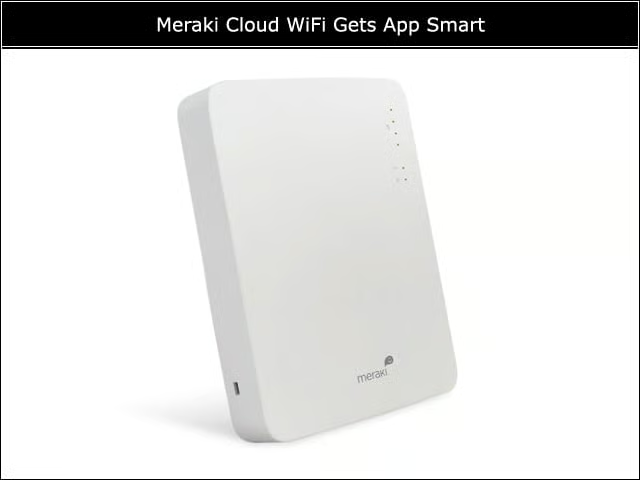
The MR14 comes with two dual-band 802.11n radios with 2 by 2 MIMO configuration, and has a single 802.3af-compliant Gigabit Ethernet port. It costs $799, not including Cloud Controller licensing fees.
Building the Network
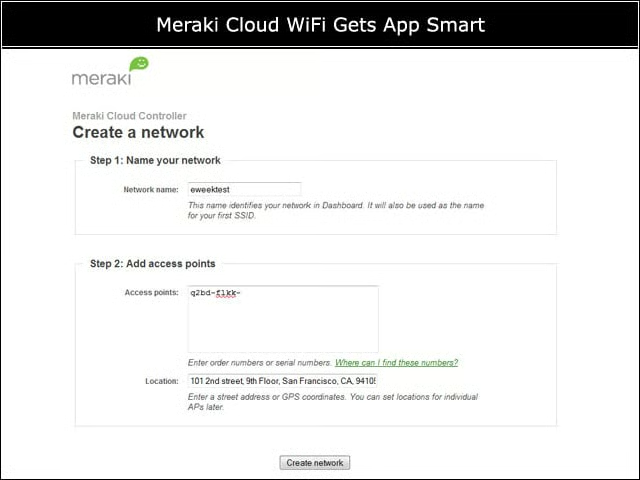
Before connecting a single access point, I could configure my networks using Merakis Cloud Controller. By entering an AP license key here, I could push setup configuration to it when it first connects to the Internet.
Updates
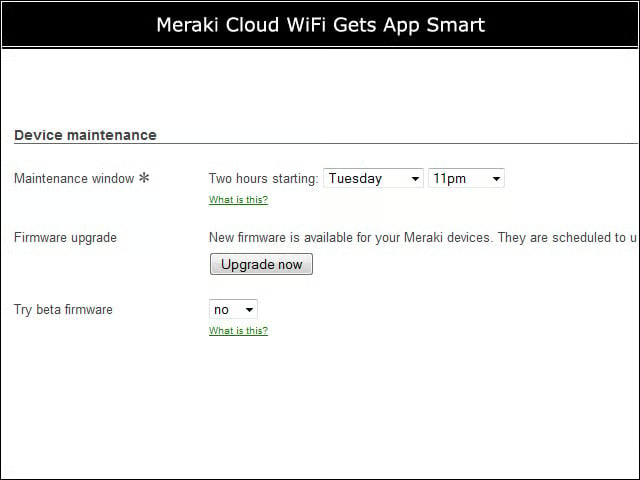
Because the Meraki controller is in the cloud, AP firmware updates will be made automatically available periodically. The dashboard warns when an update will be auto-applied, or I could force an update at a specified time.
Access Point Status
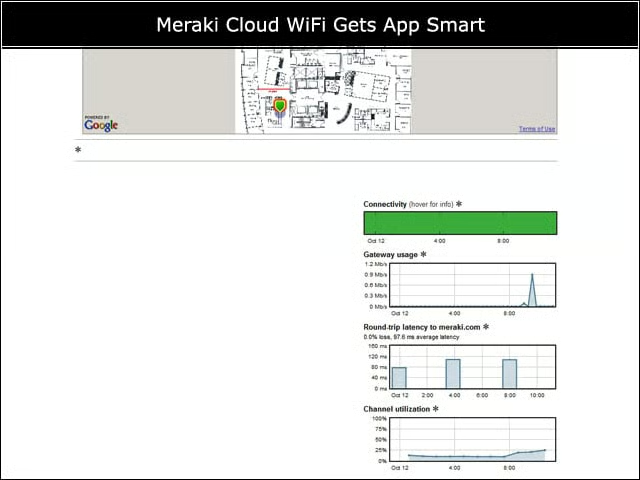
Meraki uses Google Maps to globally locate deployed APs on a map, and administrators can import building floor maps to enhance. In addition to location, Meraki shows AP usage, Internet latency (from AP to meraki.com) and WiFi channel utilization.
Client Application Usage Trends
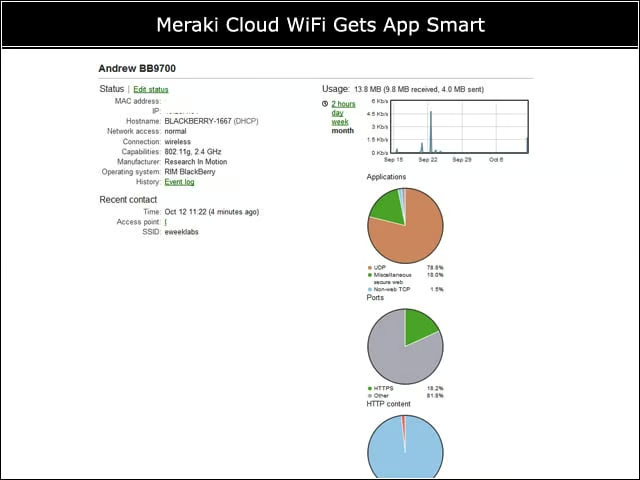
Using Merakis application insight, I can overview the application and traffic mix of each individual client.
Traffic Mix Details
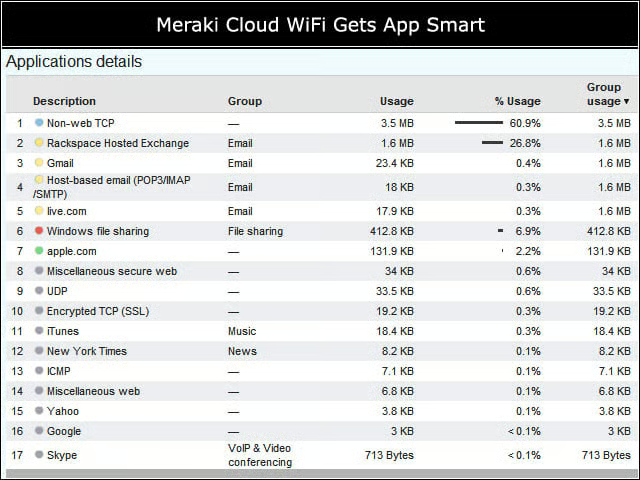
Likewise, I drill down for a more detailed view of application usage, breaking out miscellaneous traffic into application or Website-specific loads based on Merakis application fingerprinting.
Interference Scan
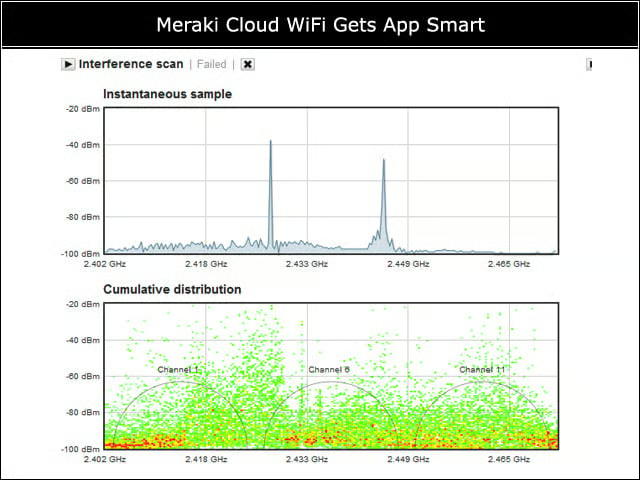
From the AP monitoring page in the Cloud Controller, I could switch the device to manual RF scanning mode to detect non-WiFi interference near the AP. The AP does not accept client connections on either radio during an interference scan, even though the detection results are only shown for the 2.4GHz band.
Traffic Shaping
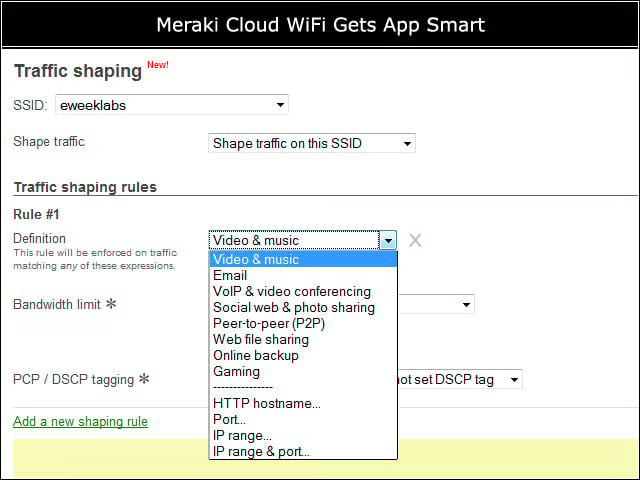
For each SSID in my network, I could configure traffic shaping rules to limit the amount of network usage at any given time for particular types of traffic or for traffic to a particular domain.