






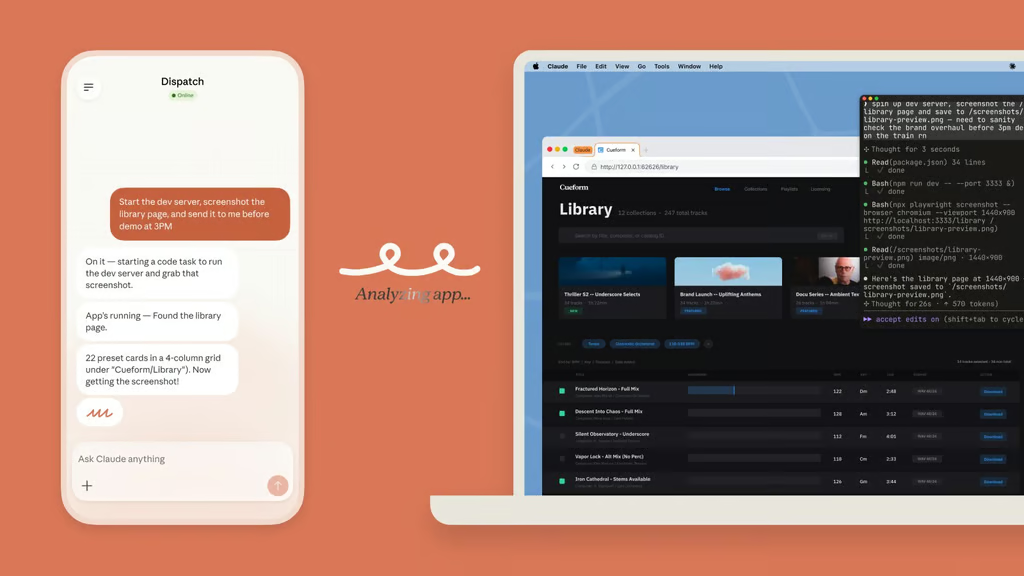


Claude is no longer staying inside the chat box. In a new update detailed on the Claude blog, Anthropic is giving the AI tool the ability to control a computer, allowing it to click and perform tasks across apps.
The rollout brings agentic computer use into everyday workflows, extending Claude beyond text replies and into on-screen action when a task calls for it. Anthropic connects that capability to real-world use on the desktop, with the feature arriving in research preview as the company starts opening it to users.
Claude takes the wheel
Once Claude moves onto the desktop, it can handle the kind of in-between work that usually breaks the flow of an AI task. It first tries connectors for services such as Slack or Google Calendar, then uses the mouse, keyboard, and screen itself when needed. The system can open files, browse, and run dev tools automatically when no connector is available.
That frees the model from being tied to a single app or prompt window. It can carry a task across multiple steps on the computer, moving between tools as the job unfolds, with permission required before it enters a new application.
Anthropic also gives a sense of the jobs it has in mind. The AI tool can create a morning briefing while a user is away, make changes in an IDE, run tests, open a pull request, or keep a longer project moving from the computer itself.
Desktop control gets to work
Anthropic is putting the feature inside Claude Cowork and Claude Code, giving it a place in the products built for ongoing work from day one. For now, access is limited to Claude Pro and Max subscribers on macOS.
It also ties into Dispatch, the phone-to-desktop handoff feature Anthropic introduced last week. That lets someone assign a task from their phone and return later to finish the work on their computer, such as reports, routine email checks, or weekly metrics.
Permission still comes first
Claude is not being let loose without checks. It must obtain explicit approval before entering new applications; users can stop it at any time, and the release includes safeguards to reduce risks, such as prompt injection.
It also comes with warnings attached. Computer use can still lead to mistakes; some jobs may need another pass, and working through the screen is slower than direct integration. Users are advised to stay inside trusted apps, keep sensitive data out of reach, and expect some apps to remain blocked by default.
Gemini came out ahead of Claude and GPT in Google’s first Android AI coding benchmark, giving Google fresh bragging rights.