







Teenagers logging in may now find a different set of rules waiting for them.
OpenAI began rolling out ChatGPT for Teens globally on Aug. 18, with availability expanding over the coming weeks. Eligible users ages 13 to 17 on Free and paid personal plans keep the core chatbot experience, with extra protections around schoolwork and sensitive conversations.
Parents and guardians can also link accounts to manage parts of a teen's experience. Private chats remain off limits to them.
Teen accounts play by different rules
Age information or verification can place someone into the teen experience automatically. An age prediction system can also estimate whether a user is under 18 based on how the service is used. Adults classified incorrectly can verify their age to switch out of the teen experience.
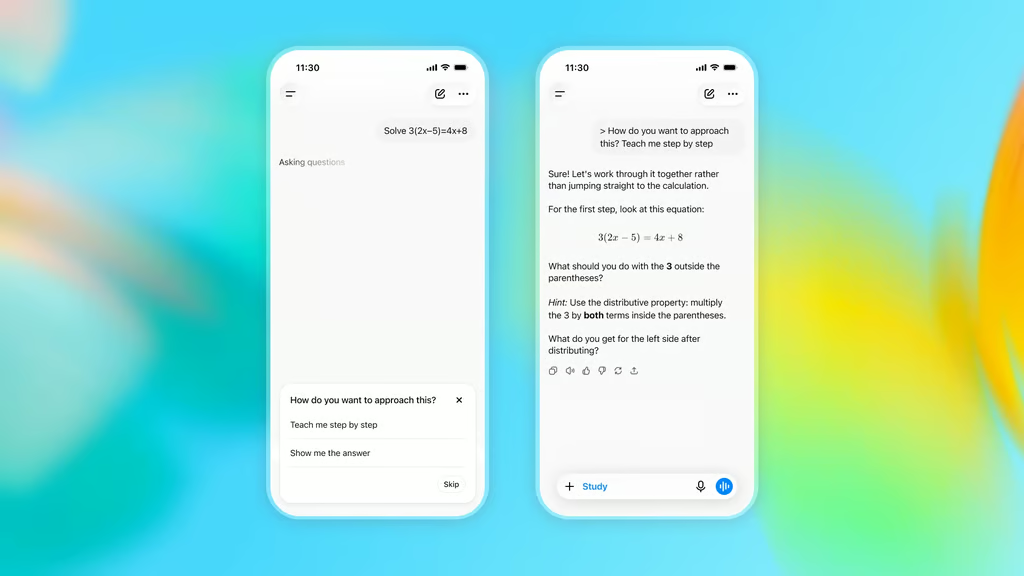
Schoolwork gets more guidance through the new tool’s Study Mode. Instead of simply producing an answer, the feature can walk students through a problem with questions and hints. Homework reminders can also steer teens toward working through assignments themselves.
According to the Associated Press, ChatGPT for Teens places tighter limits on suicide and self-harm content and on romantic or sexual chats. It also cannot claim to be conscious or suggest it has personal feelings toward the user.
Break reminders can interrupt long sessions, and occasional prompts remind young users that they are talking to AI.
Parents get controls without chat access
Family linking is optional and requires participation from both the teen and parent or guardian. Once connected, adults can manage several account controls without seeing what is said in individual conversations.
Available controls include
- Blocking access to ChatGPT during scheduled periods
- Setting Study Hours so eligible new chats open in Study Mode
- Managing access to features such as voice mode and group chats
Earlier parental controls for ChatGPT introduced some of these options, but family linking now operates alongside protections attached specifically to teen accounts.
Possible self-harm or eating-disorder concerns can trigger a limited notification to a linked adult. Teen users can also disconnect a linked account, and the parent is notified when that happens.
Families still need their own rules
ChatGPT for Teens asks software to make judgment calls before any parent is involved. A user has to be recognized as under 18, and later the system may have to decide whether a conversation needs restrictions or a safety alert. Neither decision will be perfect; parents should still verify that teen protections are active and understand that alerts may not catch every risky exchange.
Linked accounts give families some control without turning the chatbot into a monitoring tool. Parents can set limits and receive certain safety notifications, and everyday conversations stay outside their view. Families will need their own understanding of which subjects should bring in a parent or another trusted adult.
A teen may type something into ChatGPT before feeling ready to say it out loud. AI can respond, restrict certain conversations, and trigger alerts in some situations. It cannot, however, know a young person the way someone in their life can, and sometimes what happens after the chat will be just as important as what happens inside it.
Read more: Europe’s Chat Control debate pits child safety measures against concerns over private communications and encrypted messaging.