







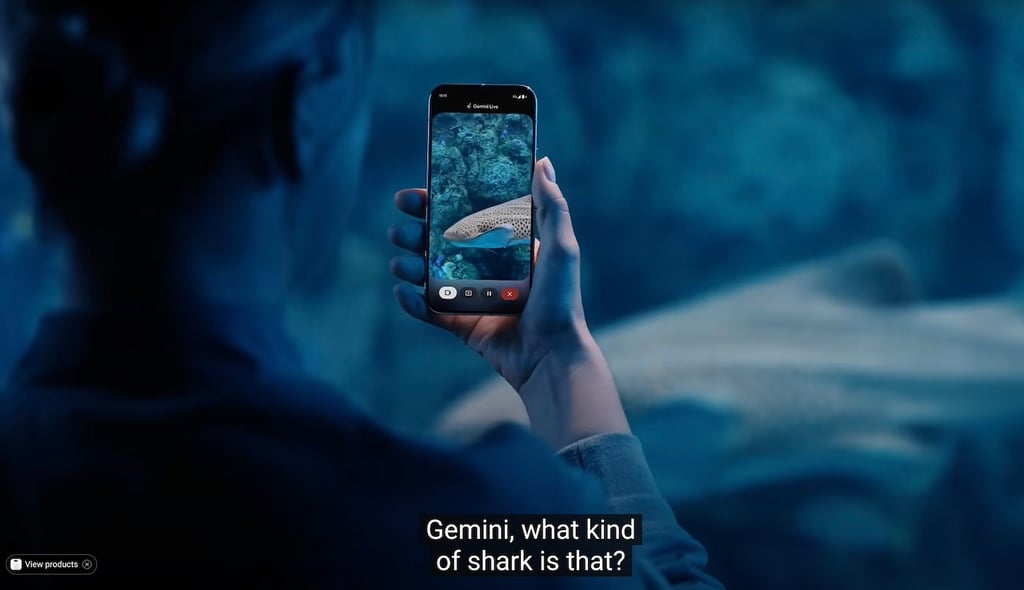
Google has reversed course on its Gemini Live screen sharing feature by making it available for free to all Android users through the Gemini app. The rollout will be gradual; as long as your Android phone can run the latest version of the Gemini app, you should receive this feature within the coming weeks.
This AI-powered capability, which allows Gemini to view and interact with what’s displayed on your screen or camera, was initially released earlier this month exclusively for Pixel 9 and Samsung Galaxy S25 users. Google’s original plan was to limit the feature to paid Gemini Advanced subscribers for most Android users, but the company has decided to offer it for free across the Android ecosystem.
“We’ve been hearing great feedback on Gemini Live with camera and screen share, so we decided to bring it to more people,” Google shared on X on April 16. “Starting today and over the coming weeks, we’re rolling it out to all Android users with the Gemini app. Enjoy!”
The announcement marks a big shift from Google’s previous strategy. Google likely calculated that expanding the user base was worth more than collecting $20 monthly from a smaller pool of folks who were willing to pay. The tech giant’s strategy might be that, when it comes to AI, a larger pool of users is ideal in order to generate even more valuable AI training data. This approach differs from competitors such as OpenAI, which still requires ChatGPT Plus subscriptions for similar features and capabilities.
Gemini Live past and present
Originally launched as an audio-only experience, Gemini Live let users chat with Google’s AI assistant like they were on a phone call — just their voice and the AI, going back and forth in real time. But in March, Google cranked things up a notch by introducing Gemini Live with Video; this update brought about two major upgrades.
First, users could now give Gemini access to their phone’s camera, so it can see what they’re seeing. An example of this would be aiming one’s camera at a sign in another language and asking Gemini to translate it in real time. Second, users were able to share their phone’s screen with Gemini and get real-time help or explanations about whatever it is they happened to be doing.
In March, Google expanded the capabilities of its Gemini platform, transforming how users can collaborate on projects. Read the details on our sister site TechRepublic to find out how this fits into Google’s overall Gemini trajectory.