







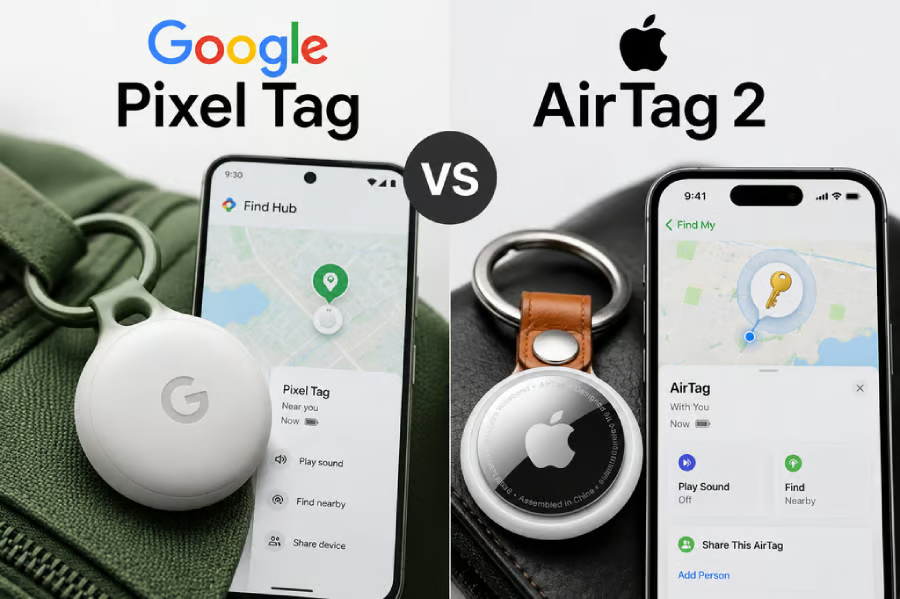
Google Pixel Tag and Apple’s second-generation AirTag both cost $29 for a single tracker and $99 for a four-pack, so price does little to distinguish them. The bigger question is which phone ecosystem you already use.
Pixel Tag is built for Android, while AirTag requires Apple hardware and an Apple Account. Google’s tracker also will not reach stores until Nov. 11, so its range and battery claims remain vendor figures for now.
Google unveiled Pixel Tag alongside the Pixel 11 lineup on Aug. 12. According to Google, it pairs with Android 9 or later through Fast Pair and uses Find Hub to locate tagged items outside Bluetooth range.
Pixel Tag vs AirTag 2 at a glance
| Feature | Google Pixel Tag | Apple AirTag 2 |
| Price | $29; $99 four-pack | $29; $99 four-pack |
| Best for | Android users | Apple users |
| Tracking network | Find Hub | Find My |
| Sharing | Up to 10 people | Up to 5 other people |
| Precision finding | UWB + Bluetooth Channel Sounding | Second-gen UWB |
| Battery | Replaceable; up to 1 year claimed | Replaceable CR2032 |
| Availability | Nov. 11, 2026 | Available now |
Pixel Tag vs AirTag: features that actually differ
Both trackers support Ultra Wideband-based precision finding, but their implementations differ. Google combines UWB with Bluetooth Channel Sounding for directional guidance. Apple says its second-generation UWB chip extends Precision Finding by up to 50% compared with the previous AirTag, while the redesigned speaker is 50% louder.
Both devices have IP67 water and dust resistance and use replaceable coin-cell batteries. Google claims Pixel Tag can last up to a year. Apple specifies a user-replaceable CR2032 battery but does not publish an equivalent battery-life estimate.
Pixel Tag can ring a misplaced Android phone and can be located through a Pixel Watch or browser. AirTag brings Precision Finding to Apple Watch Series 9 or later and Apple Watch Ultra 2 or later with supported software.
Sharing is another clear difference. Google lets a Pixel Tag owner share a tracker with up to 10 people and later revoke access. Apple lets an AirTag owner share with up to five other people, who can view its location and use supported finding features.
Which tracker fits your devices
For most buyers, the answer starts with the phone in their pocket. Android users get Pixel Tag’s Find Hub integration, while iPhone and iPad users get AirTag’s Find My network and Apple-only Precision Finding features.
The recovery tools differ beyond ordinary sharing. Google has expanded Find Hub’s lost-luggage recovery tools, allowing users to send temporary item-location links to participating airlines. Apple’s Share Item Location is accepted by more than 50 airlines; links can be stopped by the owner and expire automatically after seven days.
Both companies include protections against unwanted tracking. Google alerts Android users when an unfamiliar tracker appears to move with them, while Apple says the new AirTag supports cross-platform alerts and frequently changing Bluetooth identifiers.
Neither company positions these products as centrally managed enterprise asset trackers. Their public materials do not describe fleet administration, audit logging, or organization-wide policy controls, so businesses should not assume those capabilities exist.
Pixel Tag is the stronger fit for Android users who want Find Hub, 10-person sharing, and reverse phone finding. Apple users get deeper Find My integration, a louder AirTag, watch-based Precision Finding, and an established airline-recovery workflow.
Editor’s note: This article originally appeared on our sister publication, TechRepublic.