







Microsoft Windows Mobile 6.5 Features New Widgets, Apps
by Nicholas Kolakowski
No Title
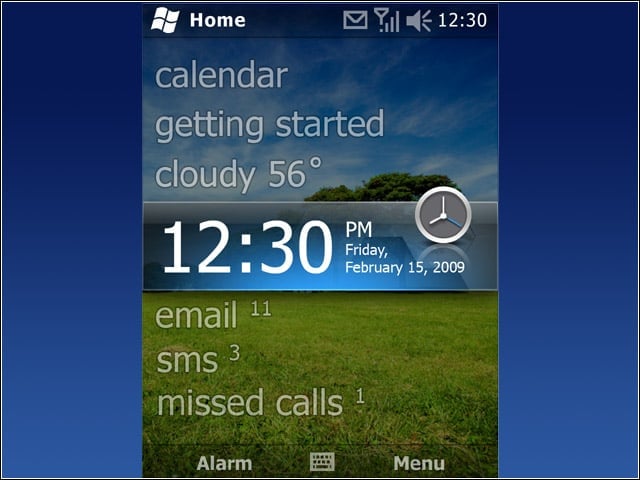
The Today screen gives quick updates on personal data such as e-mail, as well as date, time and other information.
No Title
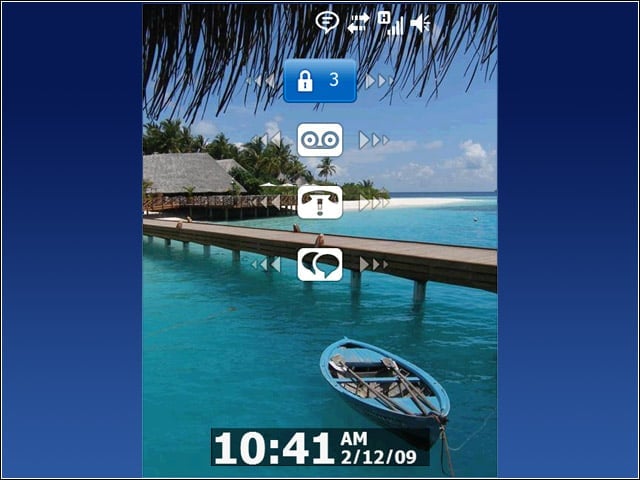
By inputting a PIN number, users can access notifications from the Lock screen in order to check e-mail, voice mail and other information without needing to unlock the smartphone.
No Title
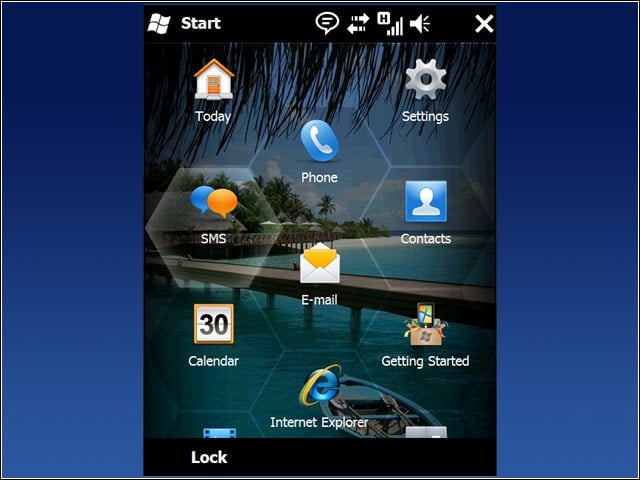
The “honeycomb” design of the Start screen takes advantage of Mobile 6.5’s improved touch capabilities, making it easier to tap, pan and flick to navigate through options.
No Title
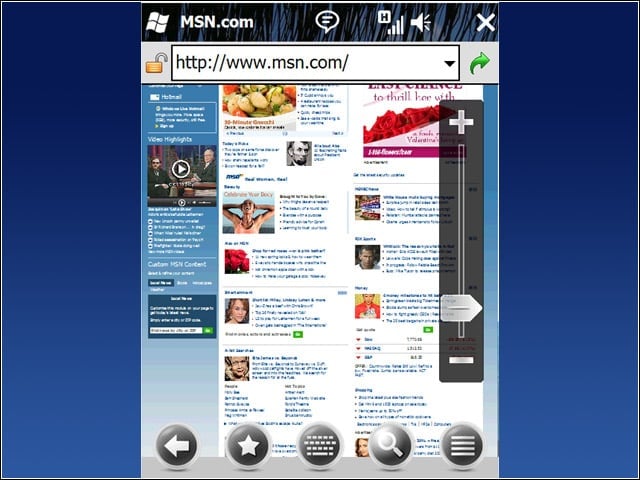
The new version of the Internet Explorer Mobile browser aims to provide desktop-style page rendering on the smartphone; the browser will auto-complete suggestions, and users can search using the address bar.
No Title
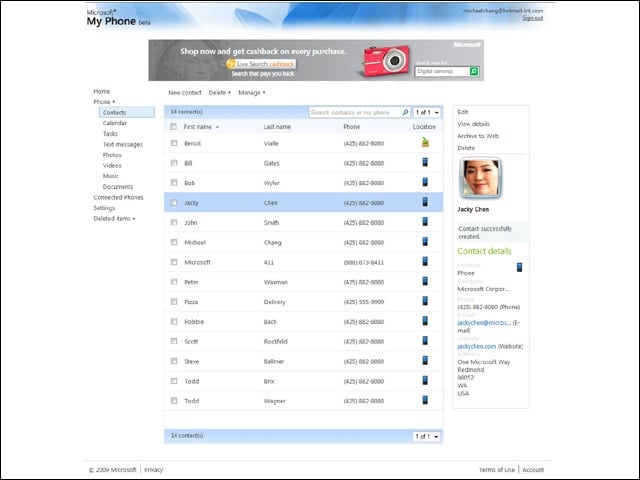
My Phone allows users to back up and sync their smartphone data, and provides a Web portal via the user’s Windows Live ID through which users can access and manage content on either a mobile device or PC.
