







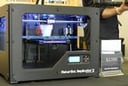
- MakerBot Digitizer 3D Scanner Turbocharges the Printing Process
- Meet the MakerBot Digitizer Desktop 3D Scanner
- How It Works
- Who Doesn’t Like Lasers?
- 3D Scans as Starting Blocks
- Upload to Thingiverse
- The Replicator 2 3D Printer
- MakerBot’s CEO and Lead Cheerleader
- Creativity, Keepsakes, Big Business (and a Little Junk)
- From Engine Parts to Party Favors
MakerBot Digitizer 3D Scanner Turbocharges the Printing Process

by Michelle Maisto
Meet the MakerBot Digitizer Desktop 3D Scanner

Want to jump-start a design project? Want to make a 3D replica of something but have no design skills or experience with CAD? MakerBot says no problem: Meet the Digitizer.
How It Works

To scan an object, place it on the Digitizer’s turntable. The turntable subtly spins 800 times, giving the two lasers on the top corners of the device a chance to mark down a point for each detail they record during the turning process (one laser gets its turn, and then the other goes). The two “point clouds” are then combined and a mesh is put over them, making the item waterproof. All of this happens automatically in 12 minutes.
Who Doesn’t Like Lasers?

Here’s a view of one of the lasers making its way over an object. Where the shell is opaque, the laser often can’t recognize information, but the software is smart enough to fill in the missing bits. Makerbot engineers say organic materials scan particularly well. And while dark objects are hard to scan, as they reflect the light, there are tricks to help—like a quick dusting with baby powder or cornstarch.
3D Scans as Starting Blocks

While the Digitizer makes it simple to copy an item, its software makes it easy to manipulate the scan and get creative. Here, Makerbot engineer Jamie Charry shows how easy it is to lob off the top half of the shell and get creative.
Upload to Thingiverse
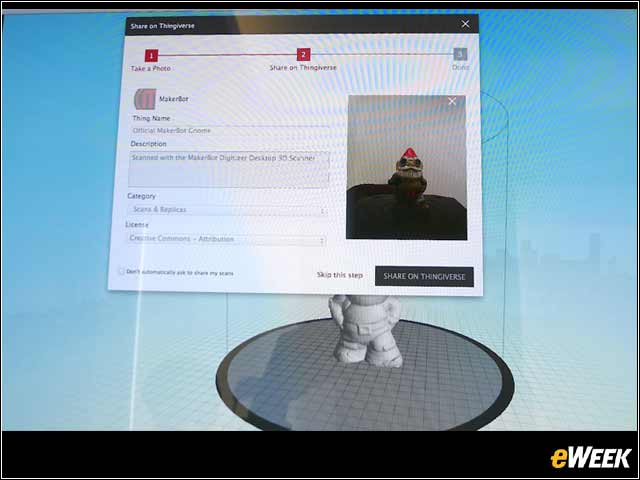
As soon as the Digitzer completes the scan of an object, it offers to upload the file to Thingiverse, where other 3D printer owners can access it. Pettis said the motivation to create Thingiverse four years ago was simple: People could download music and videos and books. But where was the site to download things?
The Replicator 2 3D Printer

With the gnome scan complete, Makerbot’s Replicator 2 3D printer gets to work. Pettis said the company made the intentional decision to make a separate scanner, instead of combining it with the printer. One reason was that they felt it would be better separate, and the second was so the 23,000 people who own a Replicator could use the Digitizer.
MakerBot’s CEO and Lead Cheerleader

Bre Pettis is clearly excited about the opportunities the scanner offers, to hobbyists and customers like NASA and Lockheed Martin. But he also appreciates how it will change people’s thinking. “When you need something, you’re not going to just reach for your checkbook,” he said. “We’re just at the beginning of something huge.”
Creativity, Keepsakes, Big Business (and a Little Junk)

Analysts say the biggest benefit of 3D printers is the time they will save designers, who can quickly advance through several iterations. Pettis also appreciates the more emotional perks. He scanned his baby daughter’s first pair of shoes, as well as a family heirloom that was handed down to him. It was “satisfying,” he said, to give his father back a scanned version of the sculpture.
From Engine Parts to Party Favors
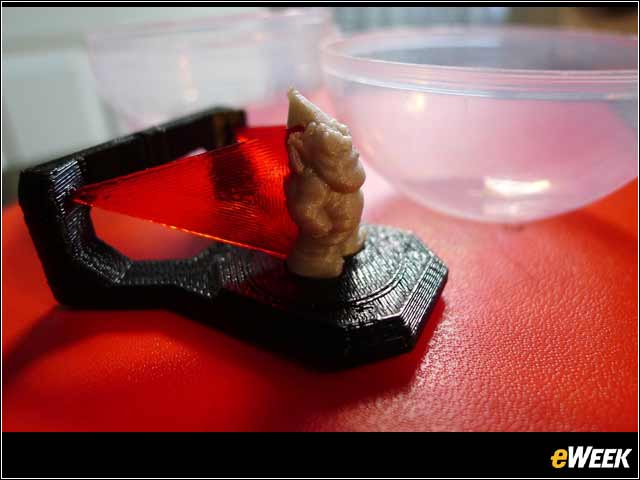
Makerbot shrunk down the scan of its gnome to create a party favor—small enough to fit in a plastic “gumball”— of its gnome being scanned on the Digitizer.