







[WP_IMAGE]Before I describe my conversion of eWEEK Labs test infrastructure from VMware vSphere 4.1 to the yet-to-be released vSphere 5, I
’
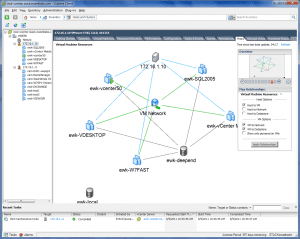
ll summarize the basics of the new release. This version supports giant VMs that stamp out the vestigial resistance to running workloads in a virtualized, x86 environment. It also sets new maximums that enable the creation of virtual machines with 1 terabyte of memory and 32 virtual CPUs.But today, my goal was much more modest; just getting from vSphere 4.1 to vSphere 5.I used the vSphere 5 installation yesterday to smoothly convert our HP DL 360 G6 and 380 G6 physical hosts from ESX 4.1 to ESXi 5. With very little fuss, our host systems were up and running on the new hypervisor. vSphere 5 begins the full scale press for use of the ESXi hypervisor, which runs within a 100MB footprint. ESX is now entirely a legacy environment.I
’
m not allowed to say when exactly vSphere 5 will be generally available, but you can assume from my successful installation that the product will drop sooner rather than later. I normally loathe in-place upgrades, but my experience with VMware vSphere 5 could not have been more smooth. Last week I notified my fellow labbies that there would likely be a multi-day service interruption with the virtual test bed. On Friday (8/5) I got the vSphere 5 code and, against my better judgement (I also don
’
t like starting big projects on Friday
’
s) I spun down the running VMs, put the hosts into maintenance mode and the shut them down. This isn
’
t the only
–
or even the best
–
way to start the upgrade, but I had the luxury of working in a fairly small test lab.I restarted the physical systems with the vSphere 5 physical media. Even at this point, I had every intention of letting the install wipe the physical hosts and lay down a fresh ESXi installation. But the VMware install process up to this point had so accurately and correctly identified the physical and software components that I hit the
“
upgrade
”
button. In a matter of minutes, the physical systems were up and running as ESXi hosts in a vSphere 5 environment. No multi-day interruption. No pulling of the hair or gnashing of the teeth.
Over the next several days you
’
ll be able to follow my initial tests here. A full review of VMware vSphere 5 will appear soon at eWEEK.com.